
giriiş
This manual provides detailed instructions for the proper use and maintenance of your Awei A799BL Foldable Gaming Wireless Headphone. Please read this manual thoroughly before using the product to ensure optimal performance and longevity. The Awei A799BL is designed for an immersive audio experience, featuring both wireless Bluetooth and wired connectivity options, a built-in microphone, and noise-cancelling capabilities.
Paket İçeriği
Paketi açtığınızda lütfen aşağıda listelenen tüm öğelerin mevcut ve iyi durumda olduğundan emin olun:
- Awei A799BL Foldable Gaming Wireless Headphone
- USB Şarj Kablosu
- 3.5 mm Ses Kablosu (kablolu bağlantı için)
- Kullanım Kılavuzu (bu belge)
Ürün Bittiview
Awei A799BL kulaklığınızın çeşitli bileşenlerini ve kontrollerini tanıyın.

Resim: Ön view of the Awei A799BL Foldable Gaming Wireless Headphone, showcasing its black and silver design with red geometric patterns on the earcups.
Temel Özellikler:
- Foldable Design for portability.
- Wireless Bluetooth Connectivity (Bluetooth Version 5.0).
- Wired Connectivity via 3.5mm audio jack.
- İletişim için entegre mikrofon.
- Active Noise Cancellation (ANC) for an immersive audio experience.
- Over-Ear design for comfort during extended use.
Controls (Typical Layout - Refer to product for exact placement):
- Güç Düğmesi: Açma/Kapama, Oynat/Duraklat, Çağrı Cevapla/Sonlandır.
- Sesi Aç/Sonraki Parça Düğmesi: Sesi artırın, sonraki parçaya geçin.
- Sesi Azaltma/Önceki Parça Düğmesi: Sesi kısın, önceki parçaya geçin.
- ANC Düğmesi: Activate/Deactivate Active Noise Cancellation.
- Mikrofon Bağlantı Noktası: For detachable microphone (if applicable).
- 3.5 mm Ses Jakı: Kablolu bağlantı için.
- Şarj Portu: Şarj için mikro USB bağlantı noktası.
- LED Göstergesi: Güç, şarj ve eşleştirme durumunu gösterir.
Kurmak
1. Kulaklığı Şarj Etme
Before initial use, fully charge the headphone. Connect the provided USB charging cable to the headphone's charging port and the other end to a USB power source (e.g., computer USB port, wall adapter). The LED indicator will typically show red during charging and turn off or change color when fully charged. A full charge takes approximately 2 hours.
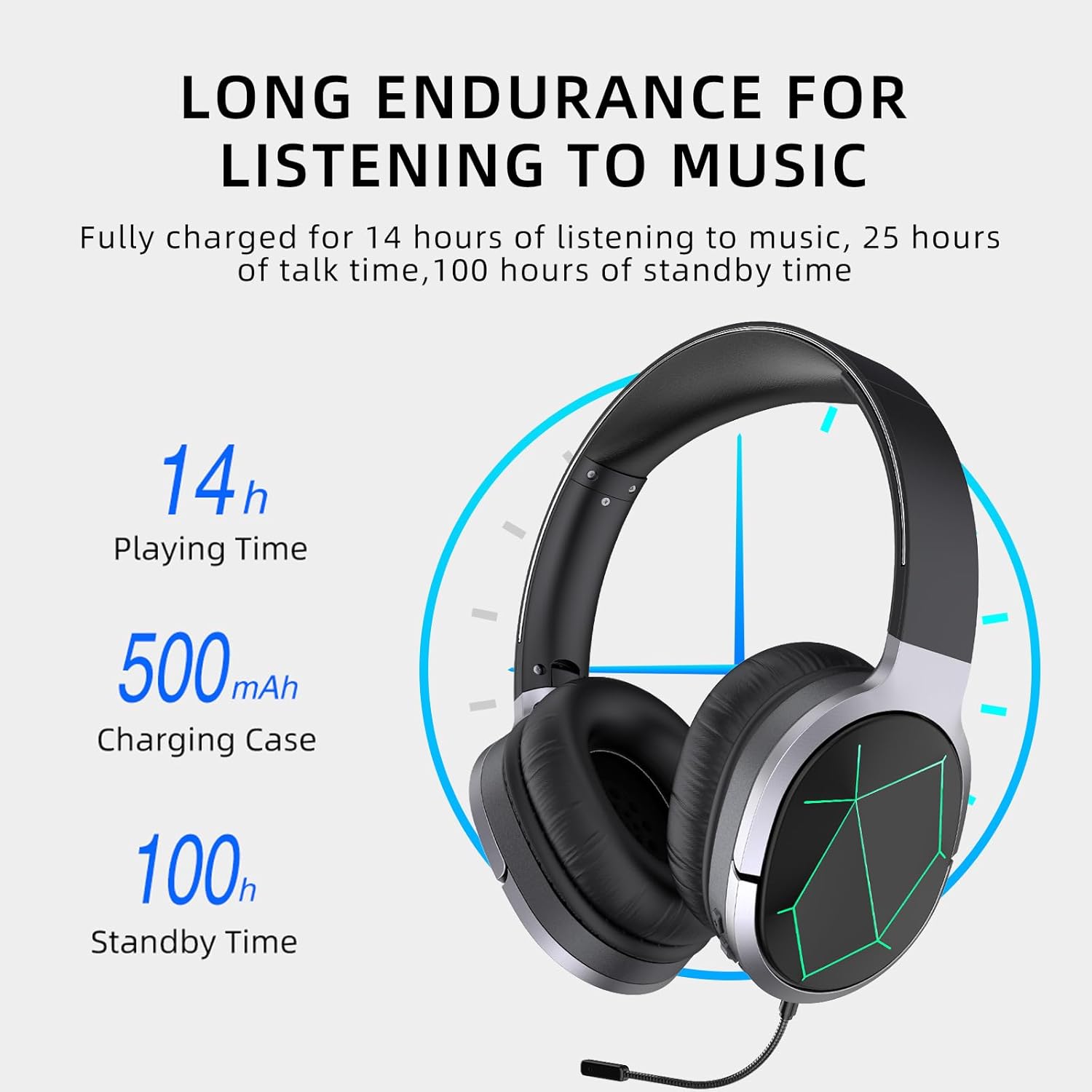
Image: Awei A799BL Headphone illustrating its long endurance with 14 hours play time, 500mAh battery capacity, and 100 hours standby time.
2. Bluetooth Eşleştirme
- Ensure the headphone is charged and turned off.
- Eşleştirme modunu gösteren LED göstergesi sırayla mavi ve kırmızı renkte yanıp sönene kadar Güç düğmesini basılı tutun.
- Cihazınızda (akıllı telefon, tablet, bilgisayar) Bluetooth'u etkinleştirin ve kullanılabilir cihazları arayın.
- Bulunan cihazlar listesinden "Awei A799BL"yi seçin.
- Eşleştirme işlemi tamamlandığında, LED göstergesi genellikle yavaşça mavi renkte yanıp söner veya sabit mavi renkte yanar.
- Parola gerekiyorsa "0000" girin.

Image: Awei A799BL Headset with "Bluetooth Gaming Headset" text, emphasizing its wireless gaming capability.
3. Kablolu Bağlantı (3.5 mm Ses Kablosu)
To use the headphone in wired mode, connect one end of the 3.5mm audio cable to the headphone's 3.5mm jack and the other end to your audio source's 3.5mm output. This mode does not require battery power for audio playback, but the microphone and ANC features may require power.

Image: Awei A799BL Headphone connected via a 3.5mm audio cable to various devices, highlighting the alternative wired connection option.
Kullanım Talimatları
Güç Açma/Kapatma:
- Güç Açık: LED göstergesi yanana kadar Güç düğmesini yaklaşık 3 saniye basılı tutun.
- Kapat: LED göstergesi sönene kadar Güç düğmesini yaklaşık 3-5 saniye basılı tutun.
Müzik Çalma (Bluetooth Modu):
- Oynat/Duraklat: Güç düğmesine kısa basın.
- Sonraki Parça: Sesi Açma tuşuna uzun basın.
- Önceki parça: Sesi Azaltma düğmesine uzun basın.
- Sesi aç: Sesi Açma tuşuna kısa basın.
- Sesi kıs: Sesi Azaltma düğmesine kısa basın.
Call Management (Bluetooth Mode):
- Çağrıyı Cevapla/Sonlandır: Güç düğmesine kısa basın.
- Çağrıyı Reddet: Güç düğmesine 2 saniye boyunca uzun basın.
- Son Numarayı Tekrar Ara: Güç düğmesine iki kez basın.
Aktif Gürültü Önleme (ANC):
Press the ANC button to activate or deactivate the noise cancellation feature. The LED indicator for ANC will light up when active.
Image: Awei A799BL Headphone with "Designed for Games" text, indicating its suitability for gaming with immersive audio.
Bakım
- Keep the headphone dry. Avoid exposure to moisture or liquids.
- Clean the headphone with a soft, dry cloth. Do not use abrasive cleaners or solvents.
- Kulaklığı serin, kuru ve doğrudan güneş ışığından ve aşırı sıcaklıklardan uzak bir yerde saklayın.
- Kulaklığı düşürmekten veya sert darbelere maruz bırakmaktan kaçının.
- Do not attempt to disassemble or modify the headphone, as this will void the warranty and may cause damage.
Sorun giderme
| Sorun | Olası Çözüm |
|---|---|
| Kulaklık açılmıyor. | Kulaklığın tamamen şarj olduğundan emin olun. Bir güç kaynağına bağlayın ve tekrar deneyin. |
| Bluetooth üzerinden eşleştirme yapılamıyor. |
|
| Bluetooth modunda ses yok. |
|
| Mikrofon çalışmıyor. |
|
| Ses kalitesi kötü veya bozuk. |
|
Özellikler

Image: Awei A799BL Headphone displaying its basic parameters and specifications.
| Parametre | Değer |
|---|---|
| Model Numarası | A799BL |
| Bluetooth Sürümü | 5.0 |
| Bekleme Süresi | 100 Saat |
| Konuşma Zamanı | 25 Saat |
| Oyun Zamanı | 14 Saat |
| Şarj Süresi | 2 Saat |
| Frekans Tepkisi | 2.402G-2.480G |
| Pil Kapasitesi | 500mAh/3.7V (Lithium Polymer) |
| İletim Mesafesi | 10 Metre |
| Desteklenen Profesyonelfiles | HSP/ HFP/ A2DP/ AVRCP |
| Empedans | 32 Ohm |
| Gürültü Kontrolü | Aktif Gürültü İptal (ANC) |
| Bağlantı | Wireless (Bluetooth) and Wired (3.5mm Jack) |
| Ürün Boyutları | 4x10x16.5 cm |
| Ürün Ağırlığı | 4.54 gr |
Garanti ve Destek
For warranty information and customer support, please refer to the warranty card included with your purchase or contact the retailer where the product was acquired. Keep your proof of purchase for warranty claims.
For further assistance, you may visit the official Awei webSitelerini ziyaret edebilir veya müşteri hizmetleri departmanıyla iletişime geçebilirsiniz. İletişim bilgileri genellikle ürün ambalajında veya markanın resmi çevrimiçi platformunda bulunur.