
giriiş
Thank you for choosing the ROCKBROS Universal Bicycle and Motorcycle Phone Holder. This manual provides essential information for the proper installation, operation, and maintenance of your phone holder. Please read it carefully before use to ensure optimal performance and safety.
Ürün Özellikleri
- Dayanıklı Yapı: Made from high-quality CNC aluminum alloy for durability, lightweight design, and oxidation resistance.
- Güvenli Tutuş: Five-point protective design ensures stable and secure attachment of smartphones or GPS devices during rides.
- Evrensel Uyumluluk: Accommodates mobile phones with widths from 55mm to 95mm (4.2 to 6.8 inches).
- Çok Yönlü Montaj: Compatible with handlebars ranging from 22.2mm to 31.8mm in diameter, suitable for bicycles, mountain bikes, motorcycles, and electric scooters.
- 360° Dönüş: Allows for free adjustment of your phone to any desired viewaçı.
- Kolay Kurulum: Simple mounting and dismounting process with the included Allen key.
- Smartphone Protection: Features removable silicone pads to protect your device from scratches and absorb vibrations.
Paket İçeriği
Lütfen tüm bileşenlerin mevcut olduğundan emin olun:
- ROCKBROS Phone Holder Assembly
- Gidon Clamp
- Silicone Pads (pre-installed or separate)
- Allen anahtarı
- Mounting Screws (short and long for various bar thicknesses)
Kurulum ve Yükleme
Follow these steps to install the phone holder on your bicycle or motorcycle handlebar:
- Gidonu hazırlayın: Ensure the handlebar area where you intend to mount the holder is clean and free of obstructions.
- Cl'yi takınamp: Gidonu aç clamp and place it around your handlebar. Use the appropriate rubber shims if your handlebar diameter is smaller than 31.8mm to ensure a snug fit. Secure the clamp using the provided screws and Allen key. Do not overtighten initially.
- Tutucuyu Monte Edin: Align the phone holder assembly with the clamp. Insert the screws through the holder and into the clamp. Tighten the screws with the Allen key until the holder is firmly attached to the handlebar. Ensure the holder is positioned to avoid interference with brakes or other controls.
- Yönlendirmeyi Ayarla: The holder can be rotated 360 degrees. Adjust it to your preferred viewing angle before securing your phone.

Image: Step-by-step installation guide showing how to attach the phone holder to a handlebar using an Allen key.
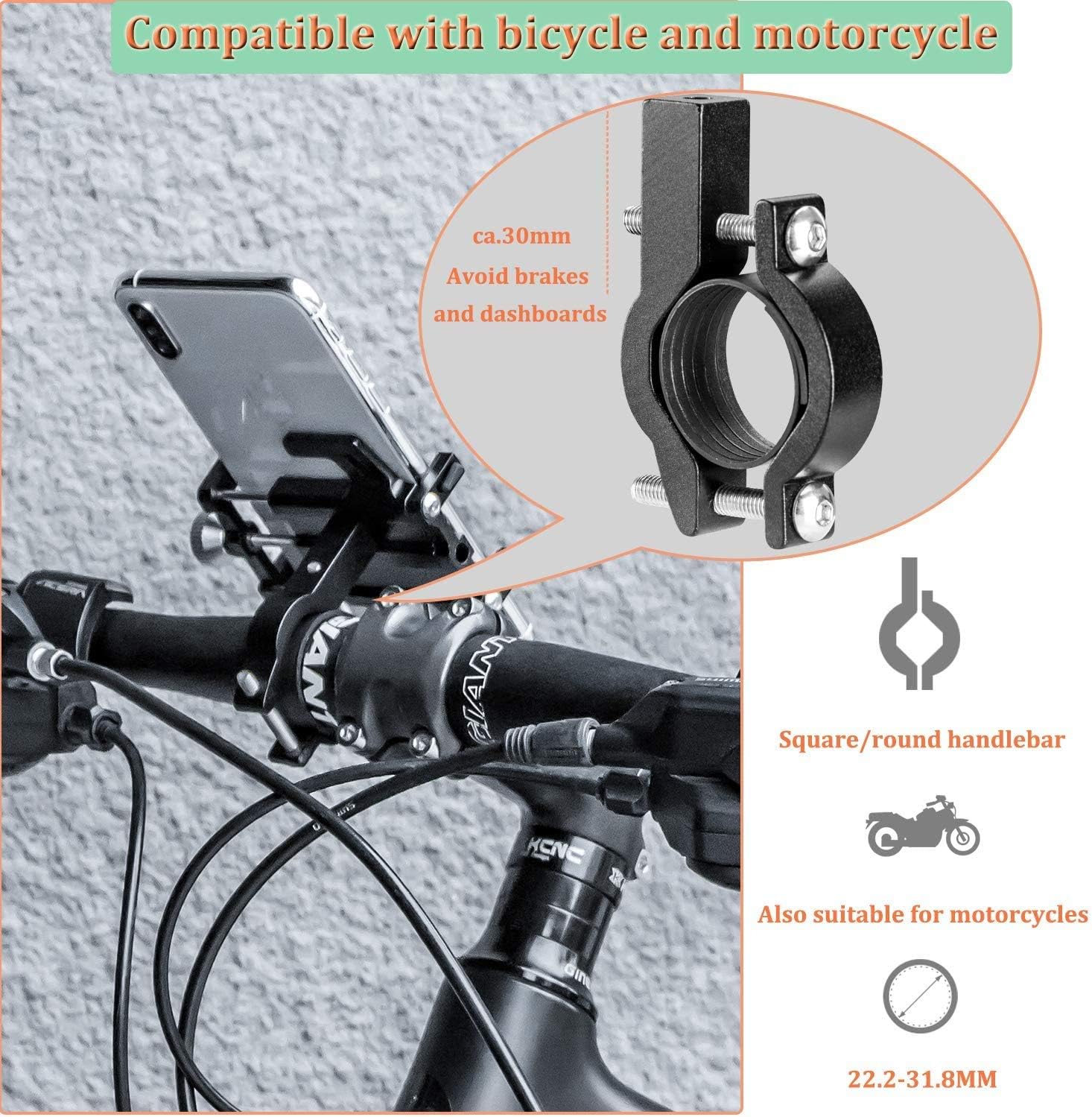
Image: Illustrates compatibility with square/round handlebars and motorcycles, showing a handlebar diameter range of 22.2-31.8mm.
Kullanım Talimatları
To use your ROCKBROS phone holder:
- Akıllı Telefonu Takın: Loosen the adjustment knob on the side of the holder to expand the arms. Carefully place your smartphone into the holder, ensuring it sits securely within the five protective corners.
- Secure Smartphone: Tighten the adjustment knob until your smartphone is held firmly in place. Ensure the phone is centered and that the holder's arms do not obstruct any essential buttons (e.g., volume, power) or ports.
- Ayarlamak Viewaçı: Rotate the entire holder assembly to achieve your desired horizontal or vertical viewing angle. The 360° rotation allows for flexible positioning.
- Remove Smartphone: Loosen the adjustment knob to release the arms and carefully remove your smartphone.

Image: Demonstrates the 360-degree rotation feature and how the holder design allows access to phone buttons and ports.
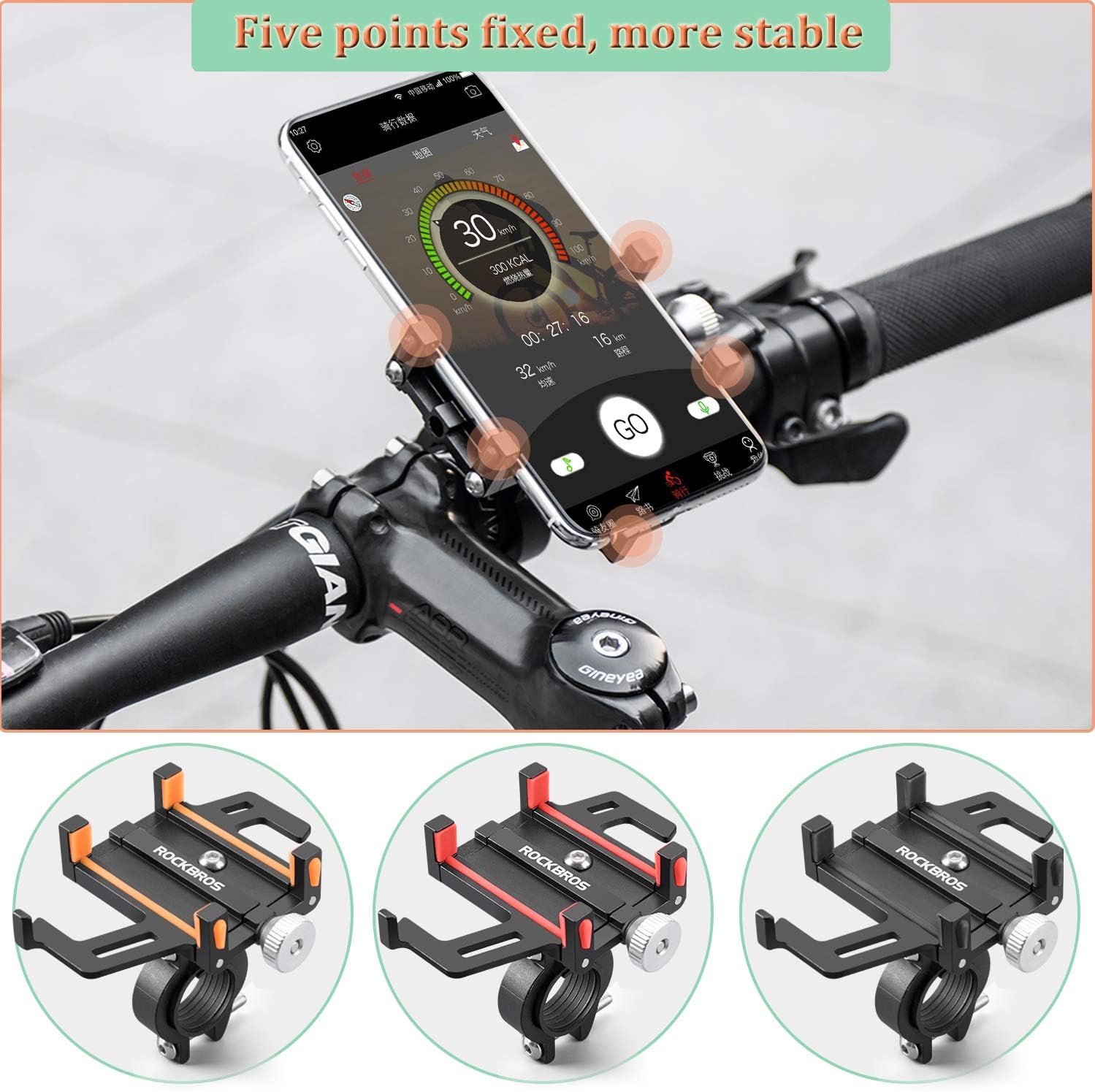
Image: Shows a smartphone securely held by the five-point grip design on a bicycle handlebar, highlighting stability.
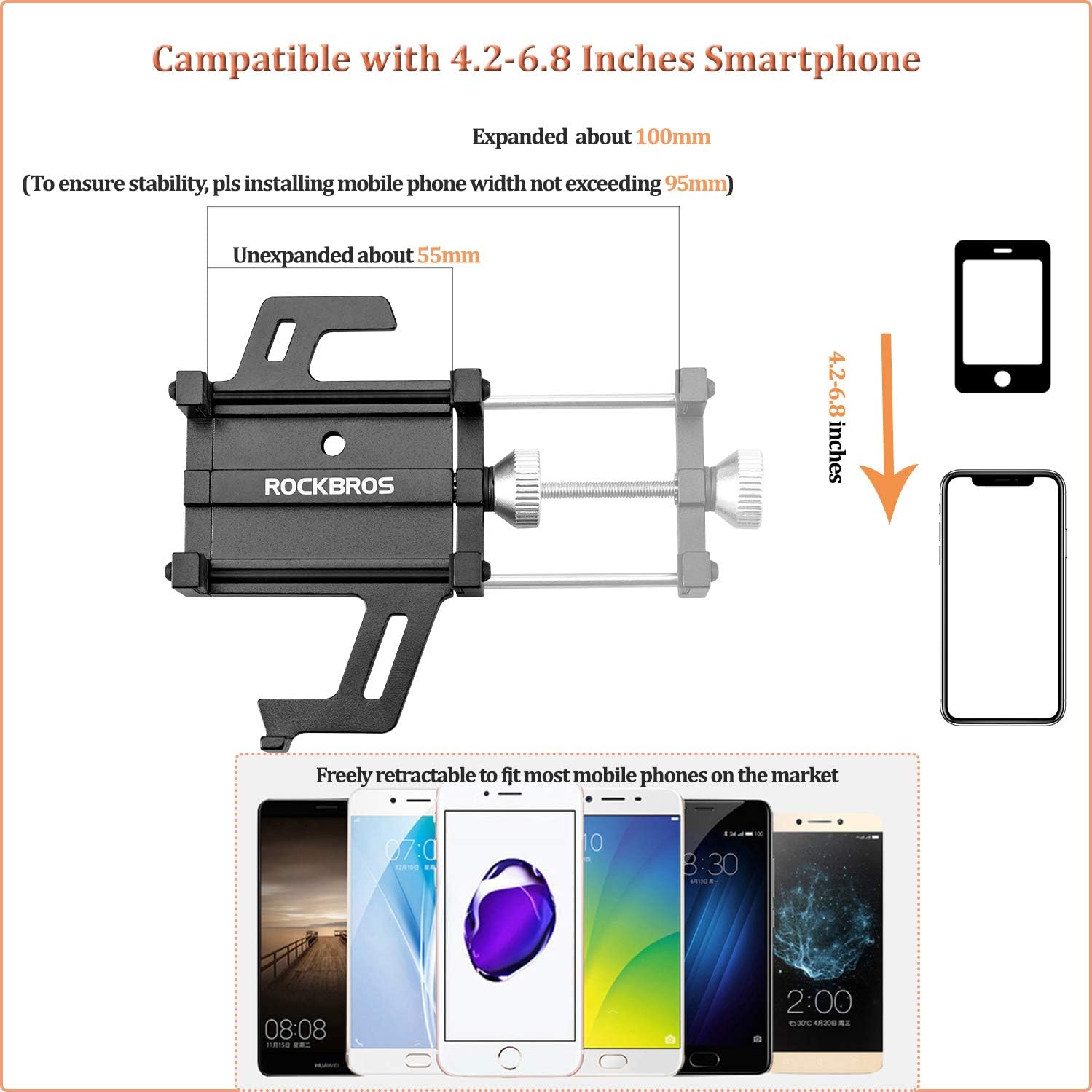
Image: Details the phone holder's compatibility with 4.2-6.8 inch smartphones, showing expanded and unexpanded dimensions (55mm to 95mm width).
Bakım
Regular maintenance ensures the longevity and reliable performance of your phone holder:
- Temizlik: Tutucuyu reklamla silinamp cloth to remove dust and dirt. Avoid harsh chemicals that may damage the aluminum alloy or silicone parts.
- Sızdırmazlığı Kontrol Edin: Periodically check all screws and the adjustment knob to ensure they are securely tightened. Retighten as necessary using the Allen key.
- Silikon Pedler: Inspect the silicone pads for wear or damage. While discoloration of silicone parts can occur over time due to exposure, it typically does not affect performance. Replace if severely damaged.
- Depolamak: If not in use for extended periods, store the phone holder in a clean, dry place away from direct sunlight.
Sorun giderme
| Sorun | Olası Neden | Çözüm |
|---|---|---|
| Phone holder feels loose on the handlebar. | Screws are not tight enough; incorrect shim used. | Gidonu sıkın clamp screws with the Allen key. Ensure the correct rubber shim is used for your handlebar diameter. |
| Smartphone is not held securely. | Adjustment knob not tightened sufficiently; phone width exceeds limits. | Tighten the adjustment knob until the phone is firm. Verify your phone's width is within the 55-95mm range. |
| Holder blocks phone buttons (e.g., volume, power). | Phone is positioned incorrectly within the holder. | Slightly adjust the phone's vertical position within the holder to avoid button obstruction. The holder's design allows for some flexibility. |
| Holder rattles or vibrates excessively. | Loose mounting; worn silicone pads. | Check all mounting screws for tightness. Ensure silicone pads are properly seated and not damaged. |
Özellikler
- Model Numarası: 699-BK
- Malzeme: CNC Aluminum Alloy, Silicone
- Ürün Ölçüleri (U x G x Y): 10 x 4 x 8 cm (yaklaşık)
- Ürün Ağırlığı: 120 Gram
- Compatible Smartphone Width: 55 mm - 95 mm (4.2 - 6.8 inç)
- Compatible Handlebar Diameter: 22.2 mm - 31.8 mm
- Montaj Tipi: Gidon
- Rotasyon: 360 derece
- Suya Dayanıklılık Seviyesi: Su geçirmez
- Maksimum Ağırlık Kapasitesi: 200 Gram
Garanti ve Destek
ROCKBROS is committed to customer satisfaction. If you are not satisfied with your ROCKBROS phone holder for any reason, you may return it within 60 days for a refund. For any questions, concerns, or issues encountered with your product, please contact ROCKBROS customer support. Contact information can typically be found on the product packaging or the official ROCKBROS webalan.