
1. Giriş
This manual provides detailed instructions for the installation, operation, and maintenance of your JOOAN 3MP Wireless Security Camera System, Model 703. This system is designed to provide reliable surveillance with features such as 3MP resolution, AI human detection, audio recording, and remote access.

Resim 1.1: Üzeriview of the JOOAN Wireless Security Camera System components.
2. Sistem Bileşenleri
The JOOAN 3MP Wireless Security Camera System typically includes the following components:
- NVR (Network Video Recorder) with pre-installed 1TB HDD
- Wireless IP Cameras (4 units)
- Power Adapters for NVR and cameras
- USB Mouse
- Ethernet kablosu
- Montaj Vidaları ve Ankrajları
- Kullanım Kılavuzu (bu belge)

Image 2.1: The 1TB Hard Disk Drive included with the NVR for video storage.
3. Kurulum Kılavuzu
3.1 İlk Çalıştırma ve Bağlantı
- NVR'yi HDMI veya VGA kablosu kullanarak bir monitöre bağlayın.
- Connect the USB mouse to the NVR.
- Connect the NVR to power using its adapter.
- Her kamerayı kendi güç adaptörüne bağlayın.
- The cameras will automatically pair with the NVR upon power-up.

Image 3.1: Illustration of the 'Auto Pair, Plug N Play' setup process for the camera system.
The system is designed for 'Plug N Play' functionality, meaning cameras should automatically connect to the NVR once powered. For optimal wireless signal, consider the NVR's built-in router capabilities.

Image 3.2: The NVR features a built-in router, providing up to 200ft range with one wall obstruction and up to 1640ft in open spaces.
3.2 Remote Access Setup (Eseecloud App)
İle view your cameras remotely on mobile devices or PC, download the Eseecloud application.
- Download the Eseecloud app from your mobile app store (iOS/Android) or the Eseecloud software for PC.
- Bir hesap kaydedin ve giriş yapın.
- On the NVR interface, navigate to Network Setup to find the Cloud ID (QR code).
- In the Eseecloud app, scan the Cloud ID QR code or manually enter the ID to add your device.
- Ensure your NVR is connected to the internet for remote viewIng.

Resim 3.3: Uzaktan viewing setup showing the Eseecloud app on mobile and PC for multi-device access.
Video 3.1: Demonstrates how to get a local image within one minute, showcasing the quick setup process.
Video 3.2: Bir overview of the Jooan 3MP Super HD Wireless System, highlighting its features and ease of use.
4. Kullanım Talimatları
4.1 Canlı View ve Oynatma
Sistem kurulduktan sonra şunları yapabilirsiniz: view canlı footage on your connected monitor or through the Eseecloud app. Recorded footage can be accessed via the NVR interface or the app for playback.
4.2 Hareket Algılama ve Uyarılar
The system features advanced AI Human Detection to minimize false alarms. When motion or a human shape is detected, the system can trigger various alerts:
- NVR Buzzer
- E-mail alarmı
- APP Notification (Push Alert)

Image 4.1: Demonstrates motion detection and the corresponding app push alerts and email notifications.
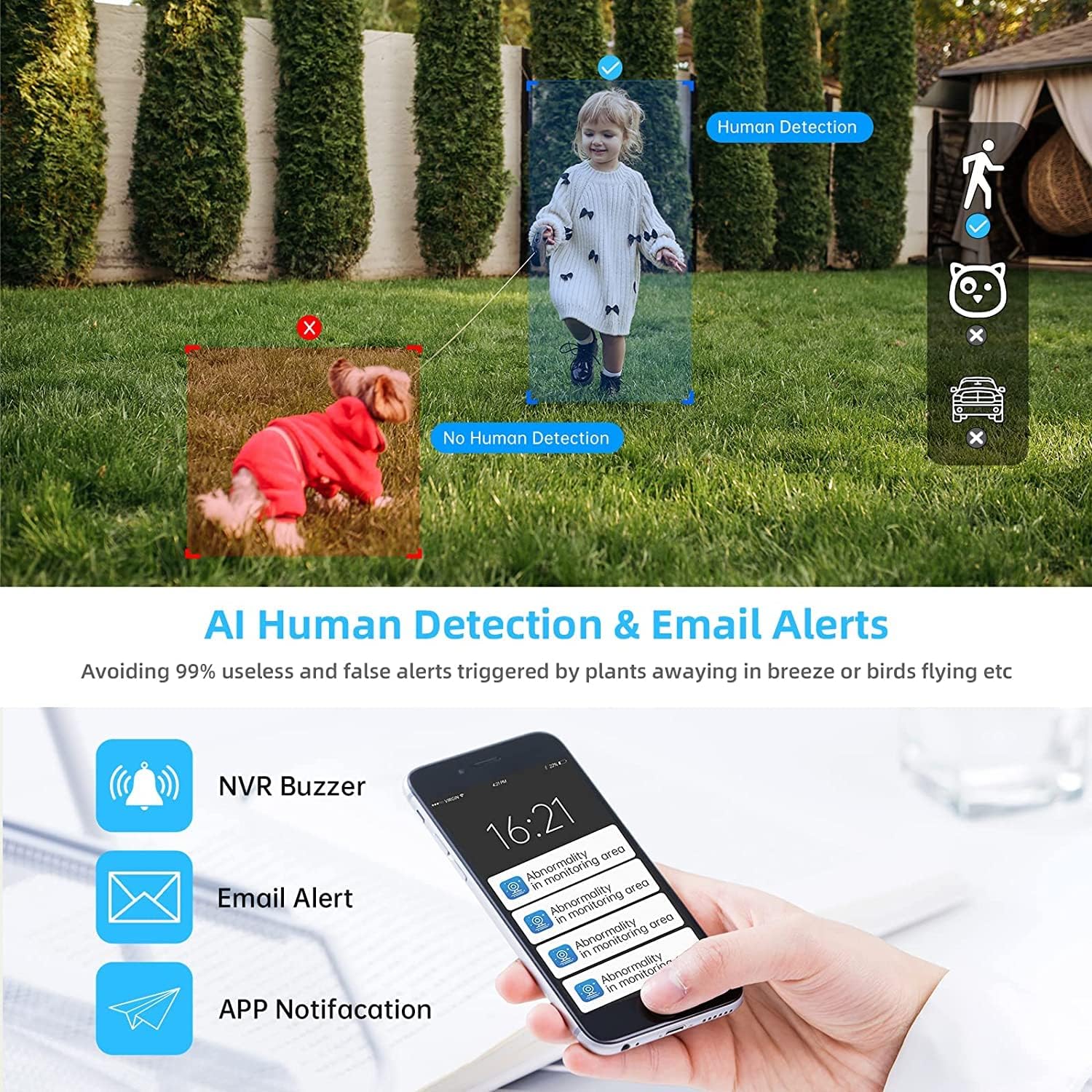
Image 4.2: AI Human Detection feature, distinguishing human shapes from other movements to reduce false alarms.
4.3 Audio Recording (One-Way Audio)
Each camera is equipped with a microphone, allowing for one-way audio recording. You can hear the sound from the monitoring scene during live viewoynatma ve oynatma.
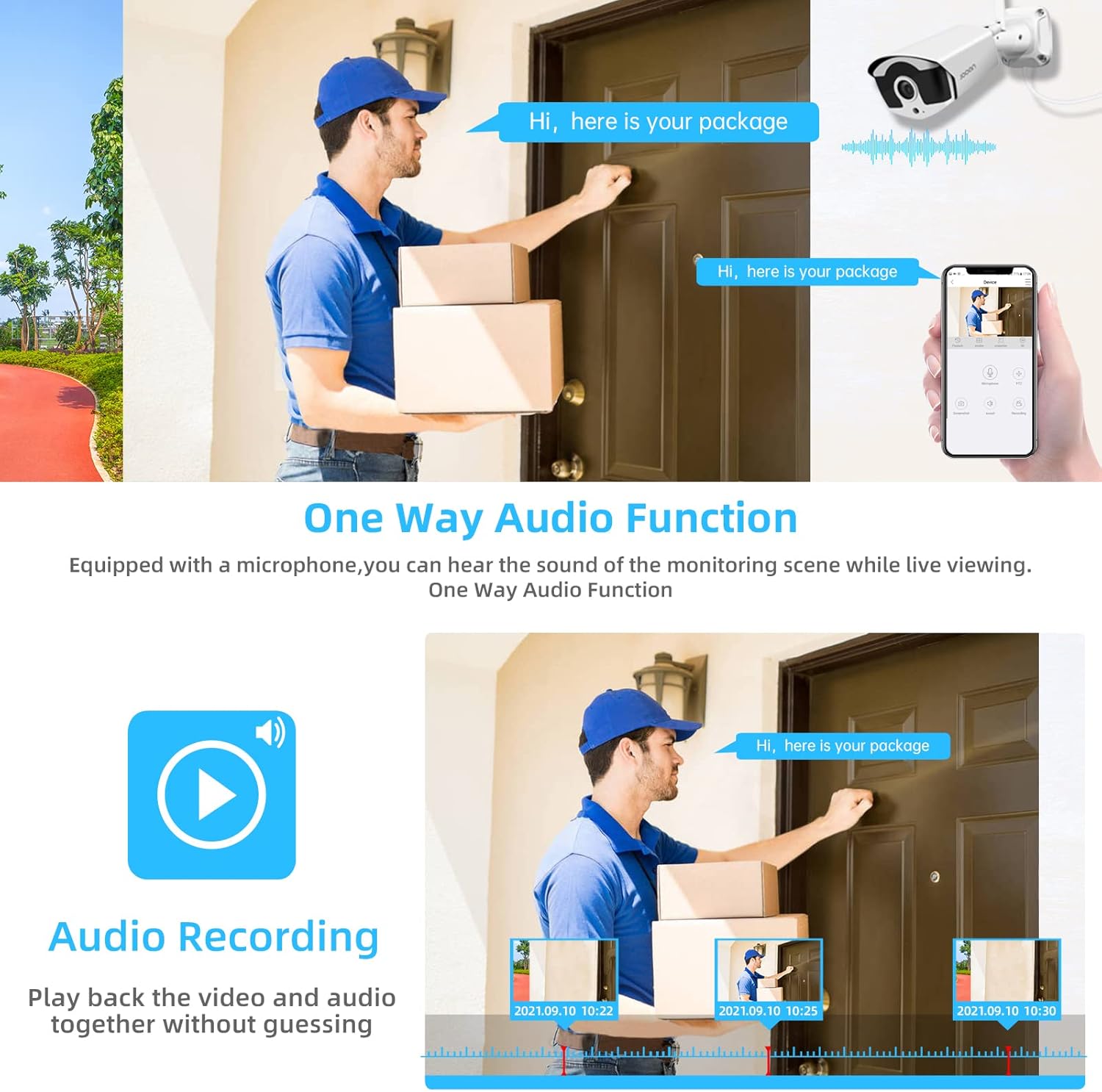
Image 4.3: Illustration of the one-way audio function, showing a delivery person speaking and the audio being recorded.
4.4 Gece Görüşü
The cameras provide clear night vision, ensuring continuous surveillance even in low-light conditions.

Image 4.4: Depiction of the camera's night vision feature, providing clear images in darkness.
Video 4.1: A short clip demonstrating the night time monitoring capabilities of the camera system.
4.5 H.265+ Video Sıkıştırma
The system utilizes advanced H.265+ video compression technology, which significantly reduces storage space requirements while maintaining high video quality. This allows for longer recording times on the 1TB HDD.

Image 4.5: Comparison showing how H.265+ compression saves storage space compared to H.264 and H.265.
5. Bakım
Düzenli bakım, güvenlik sisteminizin uzun ömürlü olmasını ve en iyi performansı göstermesini sağlar.
- Kamera Lensi Temizliği: Kamera lenslerini düzenli olarak yumuşak bir bezle temizleyin.amp Toz ve lekeleri temizlemek için bir bez kullanın. Aşındırıcı temizleyicilerden kaçının.
- Kablo yönetimi: Tüm kabloların güvenli bir şekilde bağlı olduğundan ve çevresel hasarlardan korunduğundan emin olun.
- Yazılım Güncellemeleri: Üreticinin kontrol edin website or the Eseecloud app for firmware updates for the NVR and cameras to ensure the latest features and security patches.
- Çevre Koruma: While cameras are IP67 waterproof, extreme weather conditions can still affect performance. Ensure cameras are mounted securely and protected where possible.

Image 5.1: The IP67 waterproof rating ensures the camera's durability against various weather conditions, including rain, snow, and dust.
6. Sorun Giderme
If you encounter issues with your JOOAN Security Camera System, refer to the following common troubleshooting steps:
6.1 Video Görüntüsü Yok
- Gücü Kontrol Edin: NVR cihazının ve tüm kameraların düzgün şekilde açık olduğundan emin olun.
- Monitör Bağlantısı: NVR ile monitör arasındaki HDMI/VGA kablo bağlantısını doğrulayın.
- Kamera Eşleştirme: If a specific camera has no video, check its power and ensure it's within range of the NVR for wireless connection. Re-pair if necessary (refer to NVR manual for specific re-pairing steps).
6.2 Uzaktan Erişim Sorunları
- İnternet Bağlantısı: NVR'nin Ethernet kablosuyla internete bağlı olduğundan emin olun.
- Uygulama Girişi: Verify your Eseecloud app login credentials.
- Bulut Kimliği: Double-check that the correct Cloud ID is entered in the app.
- Ağ Ayarları: Ensure your router settings are not blocking the NVR's internet access.
6.3 Recording Problems
- HDD Durumu: Check the NVR's settings to ensure the 1TB HDD is detected and functioning correctly.
- Kayıt Programı: Verify that the recording schedule is properly configured.
- Hareket Algılama Ayarları: If using motion-triggered recording, ensure motion detection is enabled and sensitivity is adjusted appropriately.
7. Özellikler
| Özellik | Şartname |
|---|---|
| Marka | JOOAN |
| Model Numarası | 703 |
| Video Yakalama Çözünürlüğü | 3MP (Clearer than 1080p) |
| Kanal Sayısı | 8 |
| Gece Görüşü | Night color (up to 100ft) |
| Kayıt Modu | Continuous, Motion Detection, Event |
| Donanım Arayüzü | 802.11 ac/b/g/n (Wireless) |
| Video Girişi | VGA, HDMI |
| Optik Sensör Teknolojisi | CMOS |
| Su Geçirmezlik Derecesi | IP67 |
| HDD Included | 1TB |
8. Garanti ve Destek
Garanti bilgileri ve teknik destek için lütfen resmi JOOAN web sitesine başvurun. website veya doğrudan müşteri hizmetleriyle iletişime geçin. Garanti talepleri için satın alma kanıtı olarak satın alma makbuzunuzu saklayın.
Ayrıca ek kaynaklara ve sıkça sorulan sorulara da buradan ulaşabilirsiniz. JOOAN Mağazası Amazon'da.