
1. Giriş
The Marmitek View ME is an indoor Wi-Fi camera designed for remote monitoring of your home. It offers Full HD 1080p video, motion detection, two-way audio communication, and infrared night vision. This camera integrates seamlessly with the Smart me application, allowing you to control and monitor your home from your smartphone or tablet.
2. Paket İçeriği
Paketin içinde tüm öğelerin mevcut olduğundan emin olun:
- Marmitek View ME Indoor Wi-Fi Camera
- Güç Adaptörü
- USB kablosu
- Mounting Accessories (if applicable, not explicitly listed but common)
- Kullanım Kılavuzu (bu belge)

Image: The Marmitek View ME product box, showing the camera and branding.
3. Ürün Bittiview
Familiarize yourself with the different parts of your Marmitek View ME camera.
Ön View
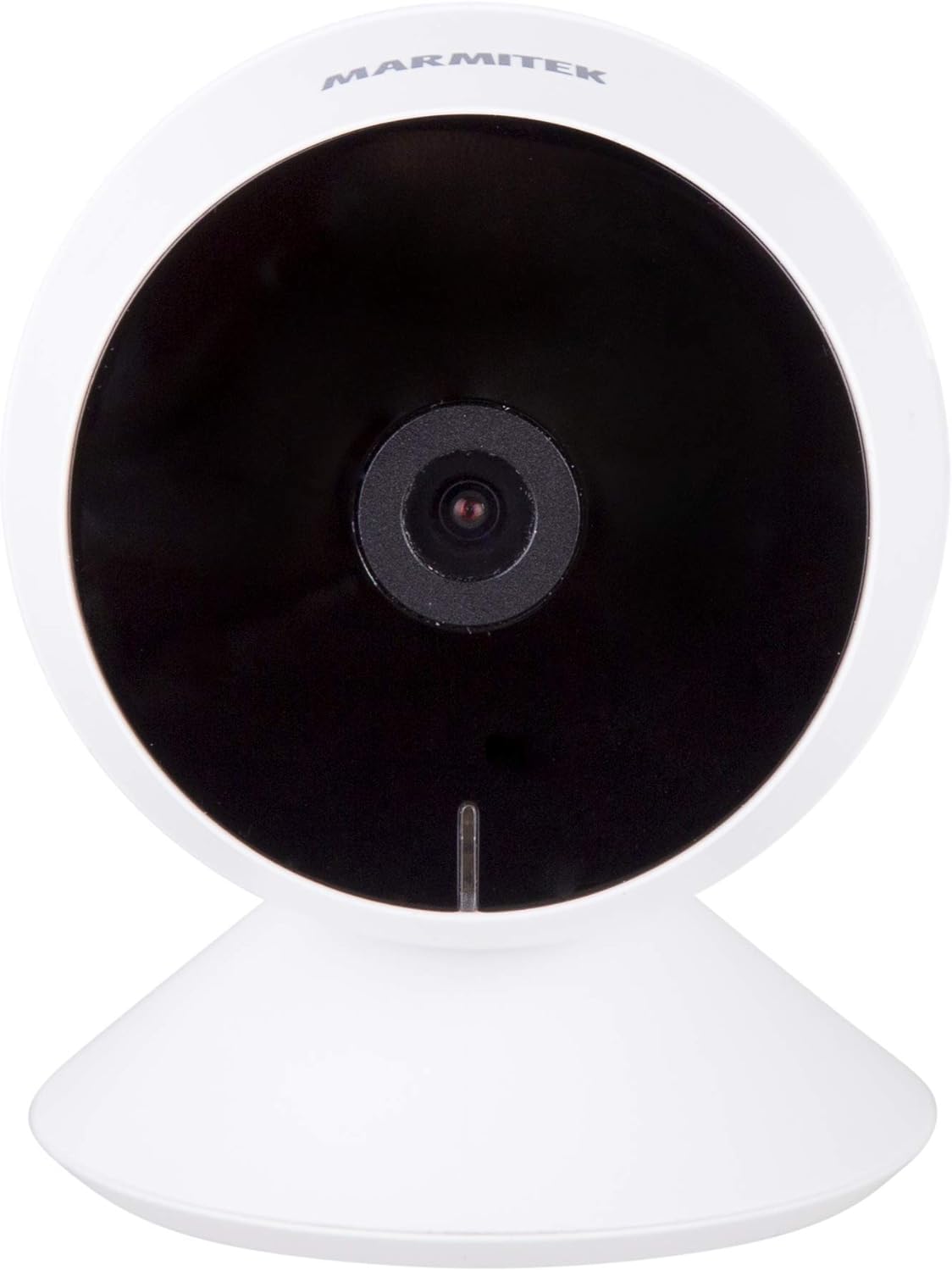
Resim: Ön view of the Marmitek View ME camera, showing the lens and indicator light.
Taraf View

Resim: Yan view of the Marmitek View ME camera, highlighting its compact design.
Arka View

Resim: Arka view of the Marmitek View ME camera, showing the micro-USB port, speaker, and reset button.
4. Kurulum
4.1 Yerleştirme
Position the camera in a central location within the area you wish to monitor. Ensure it has a clear line of sight and is within range of your Wi-Fi network. The camera is designed for indoor use and can be placed on a desk, shelf, or mounted on a wall or ceiling.

Image: The Marmitek View ME camera discreetly placed on a shelf in a living room environment.
4.2 Güç Bağlantısı
- Connect the USB cable to the micro-USB port on the back of the camera.
- USB kablosunun diğer ucunu kutuda bulunan güç adaptörüne takın.
- Güç adaptörünü standart bir elektrik prizine takın.
- The camera will power on, and an indicator light will illuminate.

Image: The Marmitek View ME camera connected to its power adapter via a USB cable.
4.3 Uygulama Yükleme ve Hesap Oluşturma
The Marmitek View ME camera operates with the Smart me application. No gateway or additional software is required.
- İndir Akıllı ben App Store (iOS) veya Google Play Store (Android) uygulamasını indirin.
- Uygulamayı açın ve yeni bir hesap oluşturmak için ekrandaki talimatları izleyin veya zaten bir hesabınız varsa giriş yapın.

Image: The Smart me application logo, featuring a Wi-Fi symbol.
4.4 Wi-Fi'ye Bağlanma
- Ensure your smartphone is connected to a 2.4 GHz Wi-Fi network. The camera does not support 5 GHz networks.
- In the Smart me app, tap the "+" icon to add a new device.
- Select "Camera" or the specific model if listed.
- Follow the in-app instructions to put the camera into pairing mode (usually indicated by a flashing light). You may need to press the reset button on the camera.
- İstenildiğinde Wi-Fi ağınızın şifresini girin.
- The app will generate a QR code. Hold your phone with the QR code in front of the camera lens at a distance of 15-20 cm until you hear a confirmation sound from the camera.
- Once connected, the camera's indicator light will change, and you will see the camera added to your Smart me app.
4.5 SD Kart Takılması (İsteğe Bağlı)
The camera supports local storage via an SD card (not included) for recording videos.
- Locate the SD card slot on the camera (refer to the product overview images).
- Gently insert a compatible microSD card (Class 10 or higher, up to 128GB recommended) into the slot with the contacts facing down until it clicks into place.
- In the Smart me app, navigate to the camera settings to format the SD card before first use.
5. Kullanım Talimatları
5.1 Canlı View
Open the Smart me app and select your View ME camera from the device list to access the live video feed. You can view gerçek zamanlı footagİnternet bağlantısı olan her yerden.

Image: A person interacting with the Smart me application on a smartphone, demonstrating remote access.
5.2 İki Yönlü Ses
The camera features an integrated speaker and microphone for two-way communication. While in live view, tap the microphone icon in the app to speak through the camera, and listen to audio from the camera's surroundings.
5.3 Hareket Algılama ve Bildirimler
The integrated motion detector can alert you to activity. Configure motion detection settings and notification preferences within the Smart me app. You will receive push notifications on your smartphone when motion is detected.
5.4 Kayıt ve Oynatma
If an SD card is installed, the camera can record video footage. You can set the camera to record continuously, on motion detection, or manually. Access recorded videos through the playback function in the Smart me app.
5.5 Gece Görüşü
The camera is equipped with infrared night vision, providing clear video footage up to 10 meters in low-light or dark conditions. This feature activates automatically when ambient light is insufficient.
5.6 Akıllı Ev Entegrasyonu
The Marmitek View ME camera is part of the Smart me ecosystem. You can link it with other Smart me products to create automated scenarios. For example, configure a rule to turn on a connected light bulb when the camera detects motion.

Image: A diagram illustrating the interconnectedness of various Smart me devices, including the camera, within a smart home setup.
6. Bakım
6.1 Temizlik
To clean the camera, gently wipe the lens and exterior with a soft, dry cloth. Do not use harsh chemicals or abrasive cleaners, as these can damage the device.
6.2 Firmware Güncellemesi
Periodically check the Smart me app for available firmware updates. Keeping your camera's firmware up-to-date ensures optimal performance and security.
6.3 SD Kart Yönetimi
If using an SD card for storage, regularly check its status in the app. Format the card periodically to maintain performance and free up space, or replace it if it becomes corrupted or full.
7. Sorun Giderme
- Kamera Wi-Fi'ye bağlanmıyor: Ensure your Wi-Fi network is 2.4 GHz. Check Wi-Fi password. Move the camera closer to the router. Try resetting the camera by pressing the reset button for 5 seconds.
- Yaşam yok view: Check your internet connection and the camera's power supply. Ensure the camera is online in the Smart me app.
- Hareket algılama çalışmıyor: Uygulama ayarlarında hareket algılama özelliğinin etkinleştirildiğinden emin olun. Hassasiyet seviyelerini ayarlayın. Kameranın view engellenmemiştir.
- Çift yönlü ses sorunları: Check your phone's microphone and speaker permissions for the Smart me app. Ensure the camera's microphone and speaker are not obstructed.
- SD kart kayıt yapmıyor: SD kartın doğru şekilde takıldığından ve uygulama içinde biçimlendirildiğinden emin olun. Kartın dolu veya bozuk olup olmadığını kontrol edin.
8. Özellikler
| Özellik | Şartname |
|---|---|
| Model Numarası | 08528 |
| Boyutlar (U x G x Y) | 7.8x6x6 cm |
| Ağırlık | 240 gram |
| Video Çözünürlüğü | Tam HD 1080p |
| Bağlantı | Wi-Fi (sadece 2.4 GHz) |
| Gece Görüş Aralığı | 10 metreye kadar (Kızılötesi) |
| Ses | Two-way (Built-in microphone and speaker) |
| Depolamak | MicroSD kart (en fazla 128 GB, dahil değildir) |
| Güç Kaynağı | AC/DC (230 Volts, 2.5 Watts) |
| İç/Dış Mekan Kullanımı | Kapalı |
| IP Derecelendirmesi | IP54 |
| Uyumlu Cihazlar | Smartphone, Tablet (iOS, Android) |
9. Güvenlik Bilgileri
- Yalnızca verilen güç adaptörünü ve kablosunu kullanın.
- Kamerayı suya veya neme maruz bırakmayın.
- Kamerayı ısı kaynaklarının yakınına veya uzun süre doğrudan güneş ışığına maruz bırakmaktan kaçının.
- Do not attempt to disassemble or repair the camera yourself. Contact support for assistance.
- Fotoğraf makinesini çocukların ve evcil hayvanların erişemeyeceği bir yerde saklayın.
10. Garanti ve Destek
Marmitek products are manufactured to high quality standards. For warranty information, please refer to the warranty card included with your product or visit the official Marmitek website. For technical support, troubleshooting assistance, or further inquiries, please contact Marmitek customer service through their official channels.