
giriiş
The UNITEK Y3035 Storage Drive Enclosure provides a convenient solution for connecting 2.5-inch or 3.5-inch SATA I/II/III Hard Disk Drives (HDDs) or Solid State Drives (SSDs) to your computer via a high-speed USB 3.0 interface. This enclosure allows you to utilize old hard drives as external storage, facilitating data recovery, backup, or expansion of your system's storage capacity.
Ürün Özellikleri
- Evrensel Uyumluluk: 2.5 inç ve 3.5 inç SATA I/II/III HDD'leri ve SSD'leri destekler.
- Yüksek Hızlı Veri Aktarımı: USB 3.0 (USB 3.1 Gen 1) interface offers data transfer rates up to 5Gbps. Backwards compatible with USB 2.0 and USB 1.1.
- UASP Desteği: Implements USB Attached SCSI Protocol for enhanced read and write speeds, improving performance by up to 30% compared to traditional USB 3.0.
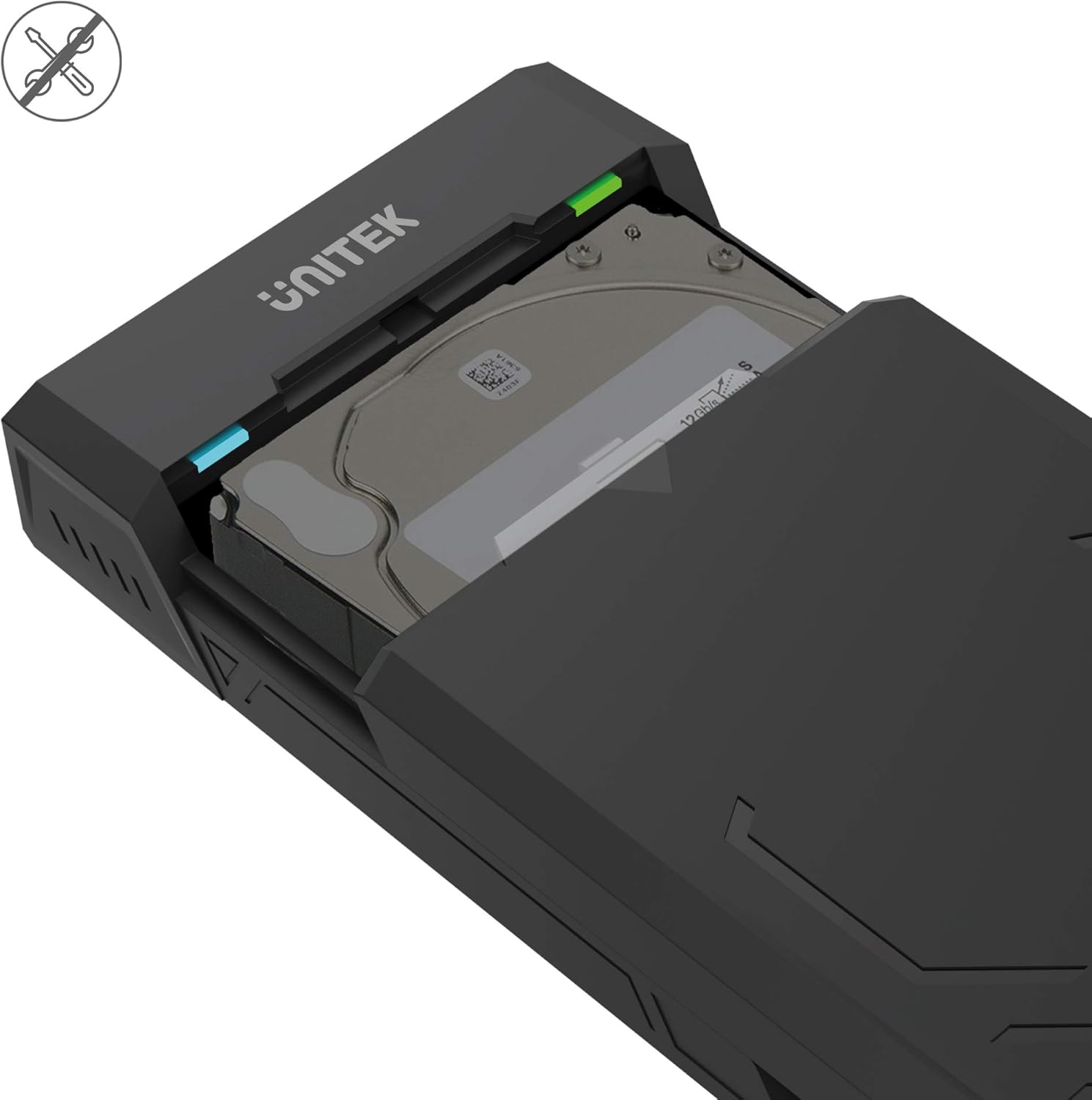
- Aletsiz Tasarım: Allows for quick and easy installation and removal of hard drives without the need for tools.
- Otomatik Uyku Modu: Enerji tasarrufu sağlamak ve sürücünün ömrünü uzatmak için 30 dakika hareketsizlikten sonra uyku moduna geçer.
- Verimli Isı Dağılımı: Designed with ventilation openings to facilitate heat dissipation and maintain optimal operating temperatures.
- Tak ve Çalıştır: No additional drivers are required for operation on most modern operating systems.

Paket İçeriği
Lütfen paketinizde tüm öğelerin mevcut olduğundan emin olun:
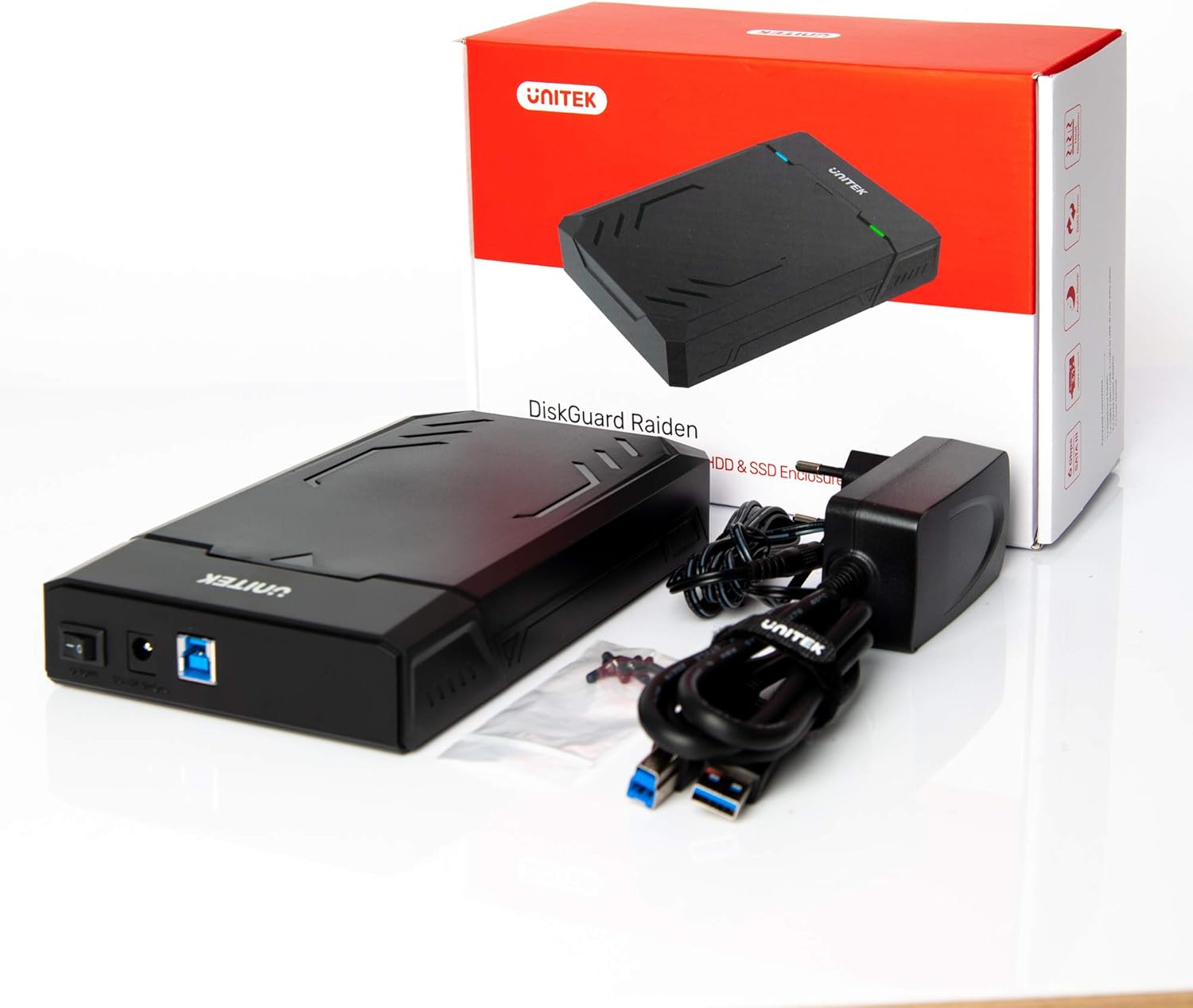
- UNITEK Y3035 Hard Drive Enclosure
- USB 3.0 Veri Kablosu
- Power Adapter (for 3.5-inch HDDs or drives requiring external power)
Kurulum Talimatları
Follow these steps to install your hard drive into the enclosure:
- Muhafazayı Açın: Gently slide open the top cover of the UNITEK Y3035 enclosure.
- Sabit Diski Takın: Align your 2.5-inch or 3.5-inch SATA HDD/SSD with the SATA connector inside the enclosure. Carefully push the drive into the connector until it is firmly seated.
- Muhafazayı Kapatın: Slide the top cover back into place until it clicks securely.
- USB Kablosunu Bağlayın: Connect one end of the provided USB 3.0 data cable to the enclosure's USB port and the other end to an available USB 3.0 port on your computer.
- Connect Power Adapter (if necessary): For 3.5-inch hard drives, or if your 2.5-inch drive requires additional power, connect the provided power adapter to the enclosure's power input and then to a wall outlet. 2.5-inch drives may be bus-powered by the USB port alone.
Kullanım Talimatları
Once connected, the UNITEK Y3035 enclosure operates as a standard external storage device.
- Otomatik Algılama: Your operating system should automatically detect the connected drive. If it's a new drive, you may need to initialize and format it through Disk Management (Windows) or Disk Utility (macOS) before use.
- Verilere Erişim: The drive will appear as a removable storage device in 'My Computer' or 'Finder'. You can drag and drop files, or use it for backups and other storage tasks.
- Güvenli Kaldırma: Always safely eject the drive from your operating system before disconnecting the USB cable or power adapter to prevent data corruption.
- Uyku modu: The enclosure will automatically enter sleep mode after approximately 30 minutes of inactivity. The drive will spin down, and the indicator light may change or turn off. It will resume operation when accessed again.


Bakım
To ensure the longevity and optimal performance of your UNITEK Y3035 enclosure:
- Temizlik: Muhafazanın dışını temizlemek için yumuşak ve kuru bir bez kullanın. Sıvı temizleyicilerden veya çözücülerden kaçının.
- Çevre: Keep the enclosure in a cool, dry place, away from direct sunlight, extreme temperatures, and high humidity.
- İşleme: Handle the enclosure with care to prevent physical damage. Avoid dropping or subjecting it to strong impacts.
- Havalandırma: Uygun ısı dağılımını sağlamak için havalandırma açıklıklarının engellenmediğinden emin olun.
Sorun giderme
If you encounter issues with your UNITEK Y3035 enclosure, refer to the following common solutions:
- Sürücü Algılanmadı:
- Ensure the hard drive is correctly seated within the enclosure's SATA connector.
- USB kablosunun hem muhafazaya hem de bilgisayarınıza güvenli bir şekilde bağlı olduğundan emin olun.
- If using a 3.5-inch HDD, confirm the power adapter is connected and receiving power.
- Kutuyu bilgisayarınızdaki farklı bir USB bağlantı noktasına bağlamayı deneyin.
- Test the enclosure with a different hard drive, or test the hard drive in another enclosure/system to isolate the issue.
- Check Disk Management (Windows) or Disk Utility (macOS) to see if the drive is recognized but uninitialized or unformatted.
- Yavaş Transfer Hızları:
- Ensure the enclosure is connected to a USB 3.0 port on your computer. USB 2.0 ports will result in slower speeds.
- Verify that your operating system and drivers support USB 3.0 and UASP.
- The actual transfer speed can be affected by the performance of the installed hard drive.
- Muhafaza Rastgele Bağlantı Kesiyor:
- Ensure the power adapter is providing stable power, especially for 3.5-inch drives.
- Check for loose USB cable connections.
- Avoid connecting the enclosure through unpowered USB hubs.
Özellikler
| Örnek | Y3035 |
| Marka | Birlik |
| Uyumlu Sürücü Türleri | 2.5 inç / 3.5 inç SATA I/II/III HDD/SSD |
| Donanım Arayüzü | SATA 6.0 Gb/s, USB 3.0 (USB 3.1 Gen 1), USB 2.0, USB 1.1 |
| Veri Aktarım Hızı | Saniyede 5 Gigabit'e Kadar (USB 3.0) |
| Desteklenen Cihaz Sayısı | 1 |
| Muhafaza Malzemesi | Plastik |
| Renk | Siyah |
| Ürün Ağırlığı | 270 Gram |
| Uyumlu Cihazlar | Dizüstü bilgisayar, Masaüstü bilgisayar |
| Üretici | Alterco Robotik EOOD |

Garanti ve Destek
For warranty information, technical support, or further inquiries regarding your UNITEK Y3035 enclosure, please visit the official Unitek webveya müşteri hizmetleri departmanıyla iletişime geçin. Ayrıntılar genellikle ürün ambalajında veya üreticinin web sitesinde bulunabilir. webalan.