
giriiş
This manual provides detailed instructions for the SF Chrome Analog-Digital Black Dial Men's Watch, model 77103PP01. Please read this manual carefully to ensure proper use and to maximize the lifespan of your watch. This watch features both analog and digital time displays, a stopwatch, alarm, and backlight functions, along with 100-meter water resistance.
Kurmak
1. İlk Muayene
Upon unboxing, inspect the watch for any visible damage. Ensure all buttons are functional and the display is clear.

Resim: Ön view of the SF Chrome Analog-Digital Watch, showing both analog hands and digital display. This view highlights the watch face and overall design.
2. Analog Saati Ayarlama
- Pull the crown (the knob on the right side of the watch case) out to the first click position.
- Analog saat ve dakika kollarını istediğiniz zamana ayarlamak için tepeyi çevirin.
- Analog zaman tutmayı başlatmak için kurma kolunu normal konumuna geri itin.
3. Dijital Saat ve Tarihin Ayarlanması
The digital display typically has multiple modes (Time, Date, Alarm, Stopwatch). Refer to the button functions in the 'Operating' section to navigate these modes.
- Press the 'MODE' button (usually bottom-left) repeatedly until the digital time display starts flashing, indicating it's in setting mode.
- Use the 'ADJUST' button (usually top-left) to cycle through the settings (seconds, hour, minute, year, month, day).
- Use the 'SET' or 'START/STOP' button (usually top-right or bottom-right) to increase or decrease the flashing value.
- Tüm ayarlar doğru yapıldıktan sonra, ayar modundan çıkmak için 'MODE' düğmesine tekrar basın.
İşletim
Düğme Fonksiyonları

Resim: Yan view of the SF Chrome Analog-Digital Watch, clearly showing the various control buttons on the watch case. These buttons are used for mode selection and adjustments.
- MODE Button (Bottom-Left): Cycles through different digital display modes (Time, Alarm, Stopwatch, Date). Also used to confirm settings.
- ADJUST Button (Top-Left): Used to select items to be adjusted in setting mode.
- START/STOP Button (Top-Right): Used to increase values during setting, start/stop the stopwatch, or turn the alarm on/off.
- IŞIK Düğmesi (Sağ Alt): Dijital ekranın arka aydınlatmasını etkinleştirir.
Kronometreyi Kullanma
- Press the MODE button until the stopwatch display appears (usually '00:00:00').
- Zamanlamayı başlatmak için BAŞLAT/DURDUR düğmesine basın.
- Press the START/STOP button again to pause the timing.
- To resume, press START/STOP again.
- To reset the stopwatch to zero, press the ADJUST button while the stopwatch is paused.
Alarmın Ayarlanması ve Kullanılması
- Press the MODE button until the alarm display appears (e.g., 'AL 12:00').
- Press the ADJUST button to select the hour or minute to set.
- Use the START/STOP button to adjust the hour or minute.
- Press the MODE button to exit alarm setting.
- To turn the alarm on or off, press the START/STOP button while in the alarm display mode. An alarm icon will typically appear when activated.
Arka Işığı Kullanma
Press the LIGHT button (bottom-right) to illuminate the digital display for a few seconds, allowing visibility in low-light conditions.
Bakım
Saatinizi Temizleme
Saat kasasını ve kayışını düzenli olarak yumuşak ve kuru bir bezle silin. İnatçı kirler için hafifçe silin.amp Bez kullanılabilir ve hemen kurulanmalıdır. Saatin kaplamasına veya contalarına zarar verebileceğinden kimyasal temizleyiciler kullanmaktan kaçının.
Suya Dayanıklılık
This watch is water resistant up to 100 meters. This means it is suitable for swimming and snorkeling, but not for scuba diving. Do not operate any buttons while the watch is submerged in water. Ensure the crown is fully pushed in before exposing the watch to water.

Resim: Arka view of the SF Chrome Analog-Digital Watch, showing the stainless steel case back with engravings for water resistance (WR100M) and model number. This area is crucial for understanding the watch's durability and specifications.
Pil Değişimi
When the digital display becomes dim or the watch stops functioning, the battery may need replacement. Battery replacement should be performed by a qualified watch technician to ensure the water resistance seal is properly maintained.
Depolamak
When not in use, store your watch in a cool, dry place away from direct sunlight and extreme temperatures. The original packaging can be used for safe storage.
Sorun giderme
- Analog ibreler hareket etmiyor: Check if the crown is fully pushed in. If it is, the battery may be depleted.
- Dijital ekran boş veya soluk: Pil zayıflamış veya bitmiş olabilir. Pili değiştirin.
- Digital time is incorrect: Re-enter the digital time setting mode and adjust the time as per the 'Setup' section.
- Alarm çalmıyor: Ensure the alarm function is activated (check for the alarm icon on the display). Verify the alarm time is set correctly.
- Saatin içine su kaçmış: Immediately take the watch to a professional watch repair service. Do not attempt to open the watch yourself, as this will void the warranty and likely cause further damage.
Özellikler
| Özellik | Şartname |
|---|---|
| Model Numarası | 77103PP01 |
| Görüntü Türü | Analog-Dijital |
| Hareket Türü | Kuvars |
| Kasa Malzemesi | Plastik |
| Kasa Çapı | 54.5 Milimetre |
| Kasa Kalınlığı | 16 Milimetre |
| Bant Malzeme Türü | Sentetik |
| Bant Rengi | Mavi |
| Bant Genişliği | 27 Milimetre |
| Kadran Cam Malzemesi | Akrilik |
| Suya Dayanıklılık Derinliği | 100 Metre |
| Ürün Ağırlığı | 120 gr |
| Üretici | Titan Company Ltd |
Garanti ve Destek
This SF watch is covered by a manufacturer's warranty against defects in materials and workmanship. The specific terms and duration of the warranty may vary by region and purchase date. Please refer to the warranty card included with your purchase or contact SF customer support for detailed information.
For technical assistance, service, or warranty claims, please contact the authorized service center or the retailer from whom you purchased the watch. Keep your proof of purchase for warranty validation.
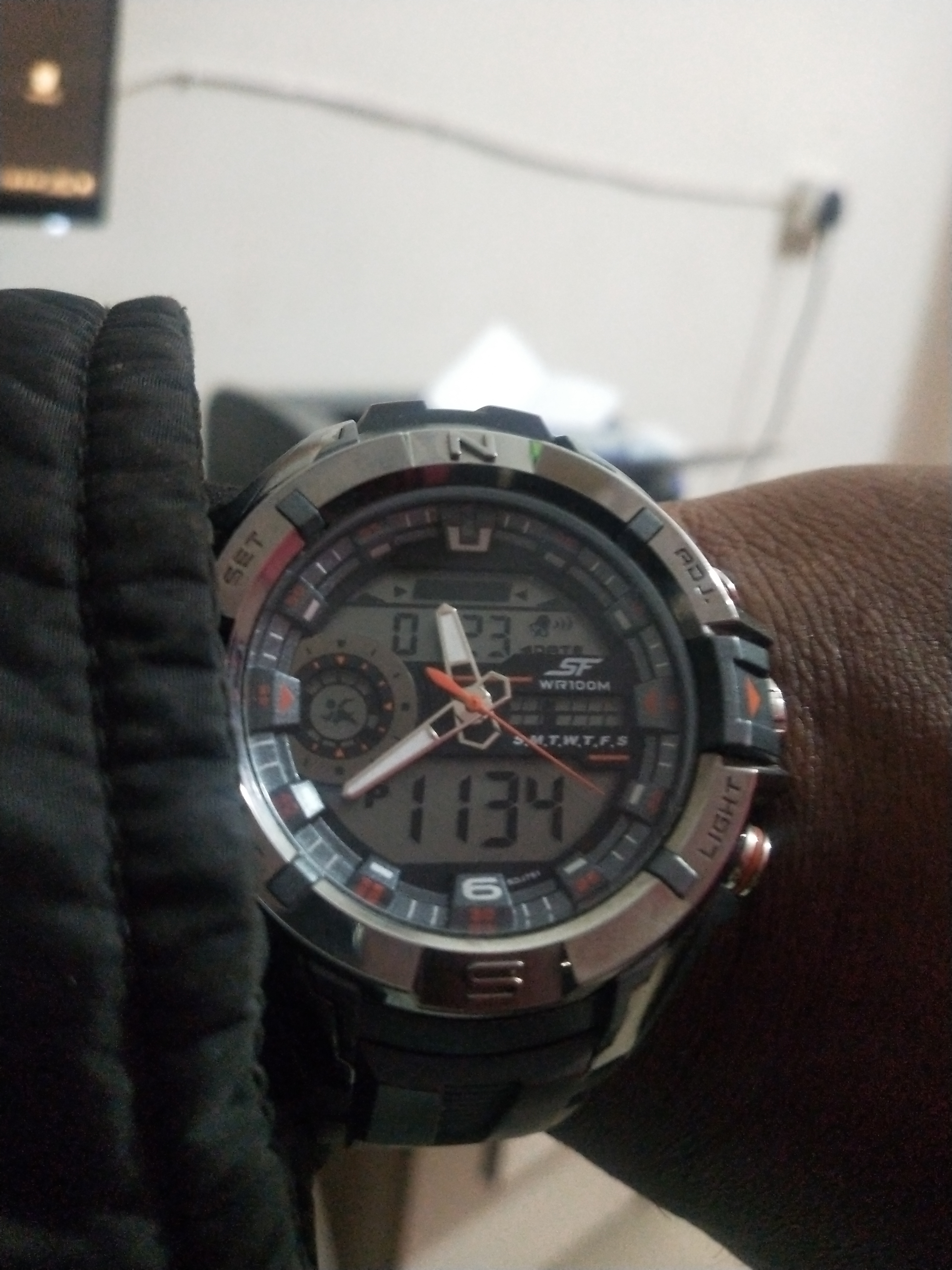
Image: Product packaging for the SF watch, featuring the brand logo and additional product information. This packaging often contains warranty details and user guides.