
giriiş
Thank you for choosing the CACTUS CAC-109-M01 Kids Digital LCD Watch. This manual provides essential information for setting up, operating, and maintaining your watch. This digital watch features a clear LCD display, stopwatch, alarm, and a backlight for visibility in low light conditions. It is also water resistant up to 10 ATM, making it suitable for various activities.
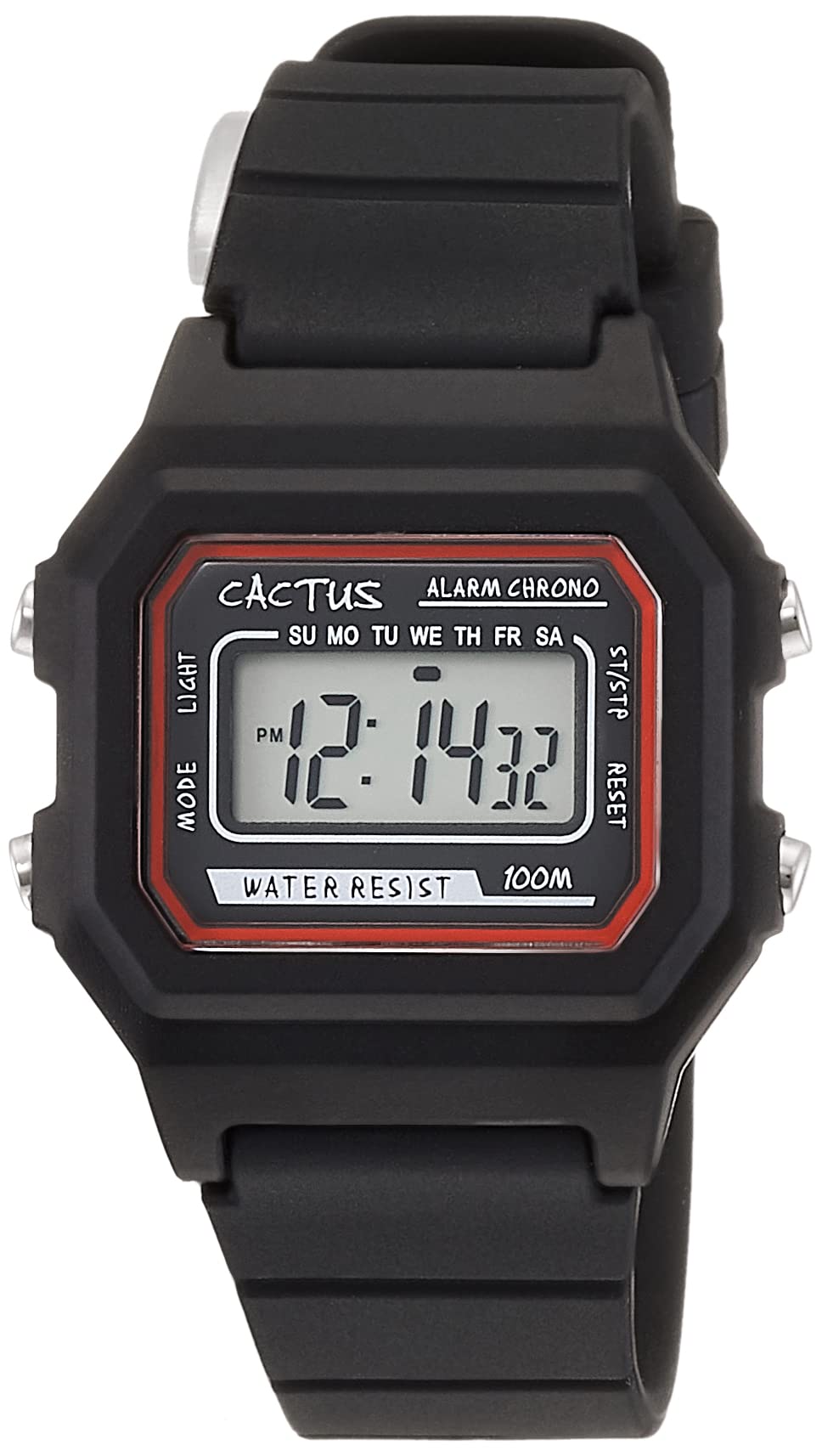
Şekil 1: Ön açılı view of the CACTUS CAC-109-M01 Digital Watch. This image shows the watch face with its digital display, buttons on the side, and the black silicone strap.
Kurmak
Zaman ve Tarihin Ayarlanması
To ensure accurate timekeeping, follow these steps to set the time and date on your watch.

Şekil 2: Önden yakın çekim view of the watch display and control buttons. The buttons are labeled MODE (top left), LIGHT (bottom left), RESET (top right), and START (bottom right).
- Normal saat görüntüleme modunda, tuşuna basın. MOD Saat ayar moduna girmek için düğmesine üç kez basın. Saniye haneleri yanıp sönecektir.
- Basın SIFIRLAMA saniyeyi sıfırlamak için düğmesine basın.
- Basın BAŞLANGIÇ button to advance to the next setting (hours, minutes, month, date, day of the week).
- Bir rakam yanıp sönerken, tuşuna basın SIFIRLAMA değeri ayarlamak için düğmesine basın.
- Repeat step 3 and 4 until all desired settings (hours, minutes, month, date, day of the week) are adjusted.
- Basın MOD button once to exit the setting mode and return to normal time display.
Kullanım Talimatları
Düğme Fonksiyonları
- MOD Düğmesi (Sol Üst): Cycles through display modes (Time, Alarm, Stopwatch, Time Setting).
- IŞIK Düğmesi (Sol Altta): Arka ışığı birkaç saniyeliğine etkinleştirir.
- SIFIRLA Düğmesi (Sağ Üst): Used to reset values or select items during setting.
- BAŞLAT düğmesi (Sağ altta): Used to start/stop functions or advance through settings.
Alarm Fonksiyonu
Your watch includes an alarm feature.
- Normal zaman ekranından, tuşuna basın MOD Alarm moduna girmek için düğmeye bir kez basın. Alarm saati görüntülenecektir.
- Basın SIFIRLAMA Alarmı AÇMA/KAPATMA düğmesi. Etkinleştirildiğinde bir alarm simgesi görünecektir.
- Alarm saatini ayarlamak için tuşuna basın MOD button twice from normal time display to enter alarm setting mode. The hour digits will flash.
- Basın SIFIRLAMA Saati ayarlamak için düğmesine basın.
- Basın BAŞLANGIÇ Dakika ayarına geçmek için düğmeye basın.
- Basın SIFIRLAMA Dakikayı ayarlamak için
- Basın MOD Alarm ayar modundan çıkmak için düğmeye basın.
Kronometre Fonksiyonu
The stopwatch allows you to measure elapsed time.
- Normal zaman ekranından, tuşuna basın MOD Kronometre moduna girmek için düğmeye iki kez basın. Ekranda "00:00:00" görünecektir.
- Basın BAŞLANGIÇ Zamanlamayı başlatmak için düğmeye basın.
- Basın BAŞLANGIÇ Zamanlamayı duraklatmak için tekrar düğmeye basın.
- Basın SIFIRLAMA Duraklatılmış haldeyken kronometreyi "00:00:00" olarak sıfırlamak için düğmeye basın.
- Basın MOD Kronometre modundan çıkmak için düğmeye basın.
Işık Fonksiyonu
Karanlık koşullarda ekranı aydınlatmak için tuşuna basın. IŞIK button (bottom left). The backlight will activate for a few seconds.
Suya Dayanıklılık
This watch is water resistant up to 10 ATM (100 meters). This means it is suitable for swimming, showering, and snorkeling. However, it is not recommended for diving. Avoid pressing buttons underwater, as this can compromise the water resistance seal.

Figure 3: The CACTUS CAC-109-M01 watch displayed on a wrist, showing its size and fit.
Bakım ve Onarım
Temizlik
Saatinizi temizlemek için yumuşak bir bezle hafifçe silin.amp cloth. Avoid using harsh chemicals, solvents, or abrasive cleaners, as these can damage the watch's finish or internal components. For the silicone strap, mild soap and water can be used, ensuring it is thoroughly rinsed and dried.
Pil Değişimi
When the display becomes dim or the watch stops functioning, the battery may need replacement. Battery replacement should ideally be performed by a qualified watch technician to ensure the water resistance seal is maintained. Attempting to replace the battery yourself may void the warranty and compromise the watch's water resistance.
Depolamak
Saatinizi serin, kuru bir yerde, doğrudan güneş ışığından, aşırı sıcaklıklardan ve güçlü manyetik alanlardan uzakta saklayın.
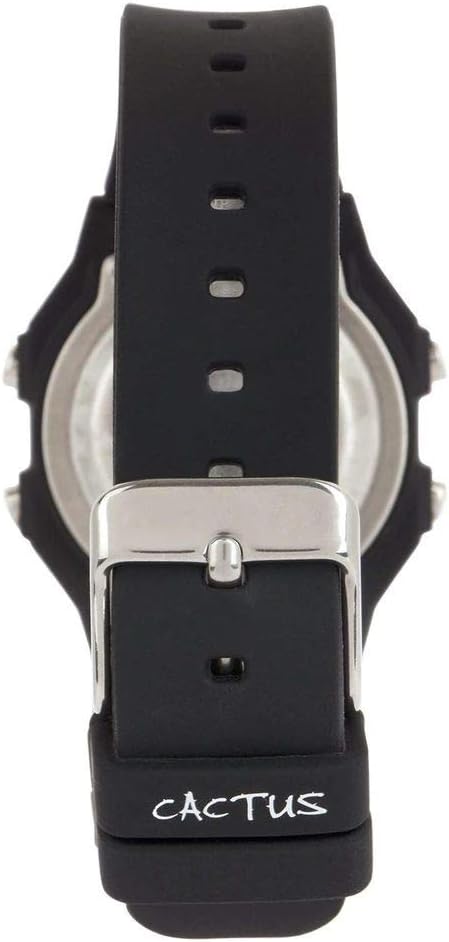
Şekil 4: Geri view of the watch, illustrating the stainless steel case back and the buckle mechanism of the silicone strap.
Sorun giderme
Saatinizle ilgili herhangi bir sorunla karşılaşırsanız lütfen aşağıdaki yaygın sorunlara ve çözümlere bakın:
- Saat ekranı boş veya soluk: This usually indicates a low battery. Refer to the "Battery Replacement" section.
- Düğmeler tepkisiz: Ensure the watch is not in a locked mode (if applicable, though this model typically does not have one). If the issue persists, a battery replacement might be needed, or a soft reset by removing and reinserting the battery (recommended to be done by a professional).
- Zaman yanlış: Re-set the time and date following the "Setting Time and Date" instructions. Ensure you are in the correct time zone.
- Saatin içine su kaçmış: If water appears inside the watch, immediately stop using it and take it to a professional watch repair service. This indicates a compromised water resistance seal.
Ürün Özellikleri
| Model Numarası | CAC-109-M01 |
| Hareket Türü | Dijital Kuvars |
| Görüntü Türü | Dijital lcd |
| Kasa Malzemesi | Reçine |
| Bant Malzemesi | Silikon |
| Suya Dayanıklılık Derinliği | 100 Metres (10 ATM) |
| Ek Özellikler | Alarm, Stopwatch, Light |
| Kasa Çapı | 32 Milimetre |
| Kasa Kalınlığı | 11 Milimetre |
| Ürün Ağırlığı | 24 Gram |
Garanti ve Destek
For warranty information or technical support, please refer to the documentation provided with your purchase or contact the retailer where the watch was acquired. Keep your proof of purchase for warranty claims.