
Bytech CLAUEB121WT
User Manual for BYTECH Ergonomic Headphone
Model: CLAUEB121WT | Brand: Bytech
1. Giriş
Thank you for choosing the BYTECH Ergonomic Headphone (Model: CLAUEB121WT). This manual provides essential information for the proper setup, operation, and maintenance of your new headphone. Please read it thoroughly before use.
This headphone features a convenient single-earbud design, which enhances safety by allowing environmental awareness, making it ideal for activities such as running, biking, or driving. Its ergonomic design ensures a comfortable fit, and the inline button control provides easy access to call and audio functions.
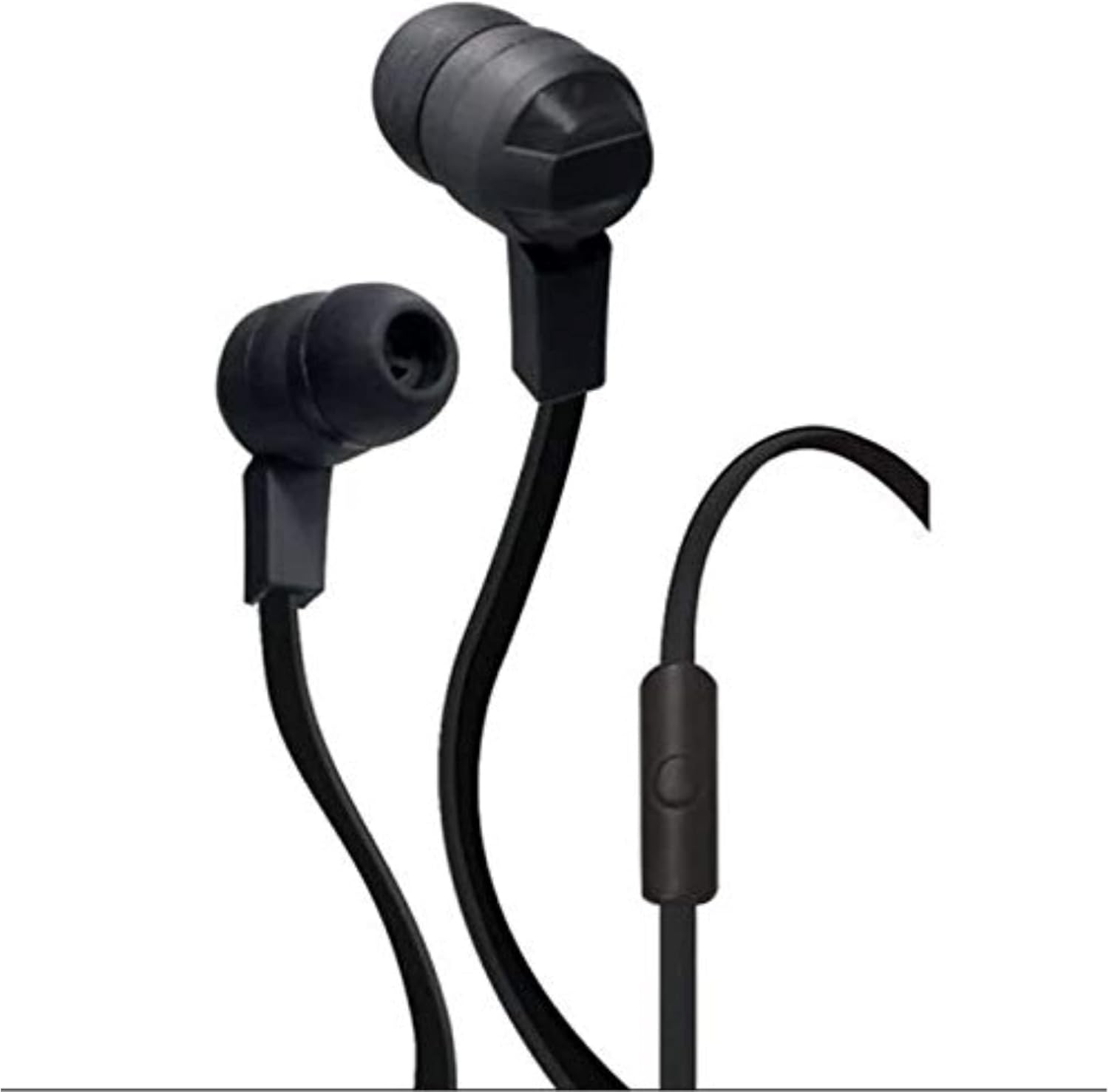
Figure 1: BYTECH Ergonomic Headphone. This image displays the black, wired single-earbud headphone with its inline control button and tangle-free ribbon cable.
2. Kurulum
2.1 Paketin Açılması ve Bileşenler
Tüm ürünleri ambalajından dikkatlice çıkarın. Aşağıdaki bileşenlerin mevcut olduğundan emin olun:
- BYTECH Ergonomic Headphone (CLAUEB121WT)
- Small, Medium, and Large Ear-cups (pre-installed or in separate bag)
2.2 Connecting the Headphone
The BYTECH Ergonomic Headphone uses a standard 3.5 mm audio jack for wired connectivity.
- Identify the 3.5 mm audio jack on your audio device (smartphone, tablet, laptop, etc.).
- Insert the 3.5 mm plug of the headphone firmly into the audio jack of your device until it clicks into place.
- Adjust the ear-cup size for a comfortable and secure fit. The headphone comes with small, medium, and large ear-cups to ensure optimal comfort.
3. Kullanım Talimatları
3.1 Ses Oynatma
Once connected to your audio device, the headphone will play audio from your device. Use your device's volume controls to adjust the sound level.
3.2 Inline Button Control
The headphone features a handy inline button control for convenient operation without needing to access your device directly.
- Tek basım: Ses oynatımını başlat/durdur.
- Single Press (during call): Answer an incoming call or end an active call.
- Çift baskı: Skip to the next track (functionality may vary by device).
- Üçlü Basın: Go back to the previous track (functionality may vary by device).
- Basılı Tut: Activate voice assistant (e.g., Siri, Google Assistant) or reject an incoming call (functionality may vary by device).
4. Bakım ve Özen
Proper care will extend the life of your BYTECH Ergonomic Headphone.
- Temizlik: The sweat-proof, tangle-free ribbon cable design is easy to clean. Use a soft, dry cloth to wipe down the headphone and cable. For stubborn dirt, a slightly damp cloth can be used, but ensure no moisture enters the earbud or 3.5mm jack.
- Depolamak: When not in use, store the headphone in a clean, dry place away from extreme temperatures and direct sunlight. Avoid tangling the cable.
- Nem: While sweat-proof, avoid submerging the headphone in water or exposing it to heavy rain.
- İşleme: Do not pull on the cable to disconnect the headphone from your device. Always grasp the 3.5 mm plug.
5. Sorun Giderme
If you experience issues with your headphone, please refer to the following common problems and solutions:
| Sorun | Olası Neden | Çözüm |
|---|---|---|
| Ses yok veya düşük ses seviyesi |
|
|
| Mikrofon çalışmıyor |
|
|
| Inline button not responding |
|
|
Bu çözümleri denedikten sonra sorun devam ederse lütfen müşteri desteğiyle iletişime geçin.
6. Özellikler
| Özellik | Detay |
|---|---|
| Model Adı | CLAUEB121WT |
| Bağlantı Teknolojisi | Kablolu |
| Kulaklık Girişi | 3.5 mm Jak |
| Dahil Bileşenler | Earbud Stereo Headphone w/Mic |
| Malzeme | Plastik, Kauçuk |
| Kablo Özelliği | Dolaşmayan |
| Ürün Ağırlığı | 0.35 Pound (yaklaşık 158.76 g) |
| Ürün Boyutları | 2.54x2.54x2.54 cm |
| Marka | Baytek |
| Renk | Siyah |
| Kulak Yerleşimi | Kulakta |
| Form Faktörü | Kulakta |
| Gürültü Kontrolü | Hiçbiri |
| ASIN | B07YV6B5MG |
| İlk Mevcut Tarih | 8 Ekim 2019 |
7. Garanti ve Destek
7.1 Ürün Garantisi
Specific warranty information for the BYTECH Ergonomic Headphone (CLAUEB121WT) is typically provided by the manufacturer or seller at the time of purchase. Please refer to your purchase documentation or the manufacturer's official webAyrıntılı garanti şartları ve koşulları için siteyi ziyaret edin.
7.2 Müşteri Desteği
For technical assistance, troubleshooting beyond this manual, or warranty claims, please contact Bytech customer support through their official website or the retailer from whom you purchased the product. Have your model number (CLAUEB121WT) and purchase details ready when contacting support.
Ask a question about this manual
Ask about setup, troubleshooting, compatibility, parts, safety, or missing instructions. Manuals+ will review the question and use this page’s manual context to help answer it.