
giriiş
This manual provides instructions for the Speedlink PIAVO Wireless Ergonomic Vertical Mouse (Model SL-630019-BK-01). This ergonomic mouse is designed to promote a natural, relaxed wrist posture, reducing strain on the hand, arm, shoulder, and neck during extended computer use. It features 5 buttons, adjustable DPI settings, and wireless 2.4 GHz connectivity.

Şekil 1: Speedlink PIAVO Wireless Ergonomic Vertical Mouse, front view. This image shows the overall ergonomic design of the mouse.
Paket İçeriği
Lütfen pakette tüm öğelerin mevcut olduğundan emin olun:
- Speedlink PIAVO Wireless Ergonomic Vertical Mouse
- USB-A Alıcı
- Pil (önceden takılı veya ayrı olarak dahil)
- Kullanım Kılavuzu (bu belge)

Şekil 2: Packaging of the Speedlink PIAVO Wireless Ergonomic Vertical Mouse. The box indicates "Wireless Vertical Mouse" and "10m Range".
Kurmak
- Pili takın: If the battery is not pre-installed, open the battery compartment on the underside of the mouse and insert the included battery, ensuring correct polarity.
- USB Alıcısını Bağlayın: Locate an available USB-A port on your computer or laptop. Insert the USB-A receiver into the port.
- Fareyi Açma: Farenin alt tarafında bulunan Açma/Kapama düğmesini bulun. Düğmeyi "Açık" konumuna getirin.
- Sürücü Kurulumu: The mouse is designed for plug-and-play operation. Your operating system (e.g., Windows) should automatically detect and install the necessary drivers. This process typically takes a few seconds.
- Test: Once installed, move the mouse to test cursor movement. If the cursor does not respond, ensure the mouse is powered on and the USB receiver is securely connected.

Şekil 3: Underside of the mouse, illustrating the battery compartment and the On/Off switch. Ensure the switch is in the 'On' position for operation.
Kullanım Talimatları
The Speedlink PIAVO mouse features 5 buttons and adjustable DPI settings for optimal control.
- Sol Tıklama Düğmesi: Standart birincil tıklama işlevi.
- Sağ Tıklama Butonu: Standart ikincil tıklama fonksiyonu.
- Kaydırma tekerleği: Belgeler arasında gezinmek için ve web Sayfalar. Orta tıklama işlevi için de basılabilir.
- DPI Değiştirme Düğmesi: Located near the scroll wheel. Press this button to cycle through the available DPI settings (800, 1200, 1600 DPI). This adjusts the cursor speed and sensitivity.
- İleri/Geri Düğmeleri: Located on the side of the mouse, typically used for navigation in web tarayıcılar veya file kaşifler.
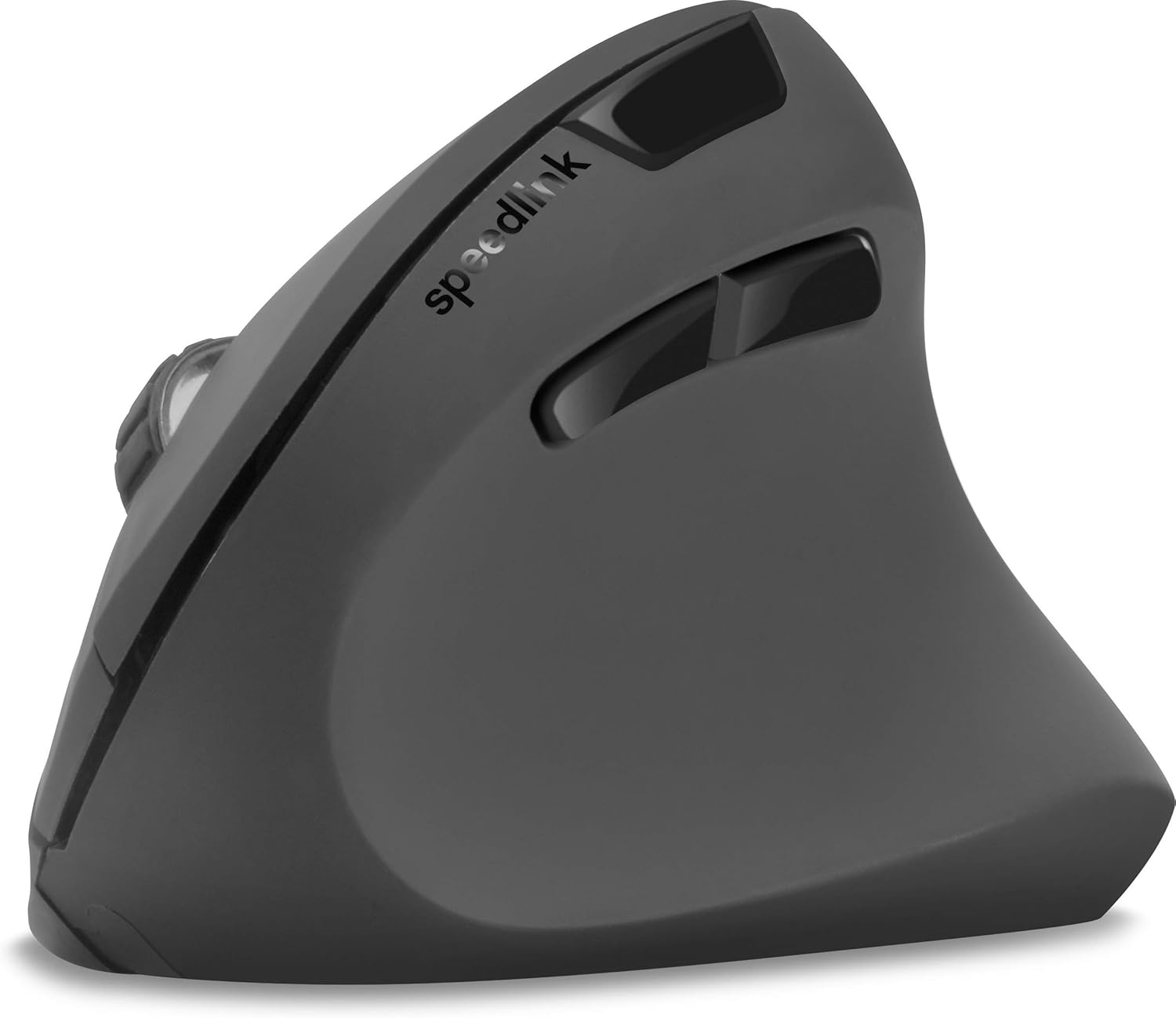
Şekil 4: Yukarıdan aşağıya view of the mouse, highlighting the left/right click buttons, scroll wheel, and DPI switch button.

Şekil 5: Taraf view of the mouse, illustrating the ergonomic grip and the forward/backward navigation buttons.
Enerji tasarrufu modu
The mouse features an energy-saving mode to conserve battery life. If the mouse is inactive for a period, it will enter a sleep state. To wake it up, simply move the mouse or press any button.
Bakım
To ensure the longevity and optimal performance of your Speedlink PIAVO mouse, follow these maintenance guidelines:
- Temizlik: Farenin dış yüzeyini temizlemek için yumuşak, kuru bir bez kullanın. İnatçı kirler için, biraz daha yumuşak bir bez yeterli olacaktır.amp Bez kullanılabilir, ancak fareye nem girmemesine dikkat edin. Sert kimyasallar veya aşındırıcı temizleyiciler kullanmaktan kaçının.
- Sensör Temizleme: Occasionally, dust or debris may accumulate around the optical sensor on the underside of the mouse. Use a soft brush or compressed air to gently clean the sensor area.
- Pil Değişimi: When the mouse performance degrades or it stops responding, it may be time to replace the battery. Open the battery compartment, remove the old battery, and insert a new one of the same type, observing polarity.
- Depolamak: When not in use for extended periods, it is recommended to switch off the mouse using the On/Off switch to conserve battery life. Store the mouse and USB receiver in a dry, dust-free environment.
Sorun giderme
| Sorun | Olası Neden | Çözüm |
|---|---|---|
| Fare yanıt vermiyor / İmleç hareket etmiyor. |
|
|
| İmlecin düzensiz hareketi. |
|
|
| DPI setting resets after sleep/reboot. | This is a known characteristic for some mice; the DPI setting may revert to default. | Press the DPI switch button to select your preferred sensitivity after waking the mouse or restarting the computer. |
Özellikler
| Model Numarası | SL-630019-BK-01 |
| Bağlantı | Wireless 2.4 GHz via USB-A Receiver |
| Hareket Algılama | Optik |
| Düğme Sayısı | 5 |
| DPI Ayarları | 800, 1200, 1600 DPI (Adjustable) |
| El Yönelimi | Sağ elini kullanan |
| kablosuz Menzil | 10 metreye kadar |
| Güç Kaynağı | Battery-powered (Battery included) |
| Uyumlu İşletim Sistemleri | Pencereler |
| Ağırlık | 106 Gram |
| Renk | Siyah |
Garanti ve Destek
Ürün verilerinde belirli garanti koşulları ve müşteri destek iletişim bilgileri yer almamaktadır. Lütfen ürün ambalajına veya üreticinin resmi web sitesine bakın. webEn güncel garanti bilgileri ve destek seçenekleri için bu siteyi ziyaret edin.
Daha fazla yardım için şu adresi ziyaret edebilirsiniz: Speedlink official webalan.