
1. Giriş
The Unitek Y-3036 is a tool-free external enclosure designed for 2.5-inch SATA I/II/III Hard Disk Drives (HDDs) and Solid State Drives (SSDs). It provides a convenient solution for connecting your 2.5-inch drives to a computer via USB 3.0, offering fast data transfer speeds and easy portability. This manual provides detailed instructions for the proper installation, operation, and maintenance of your Unitek Y-3036 enclosure.
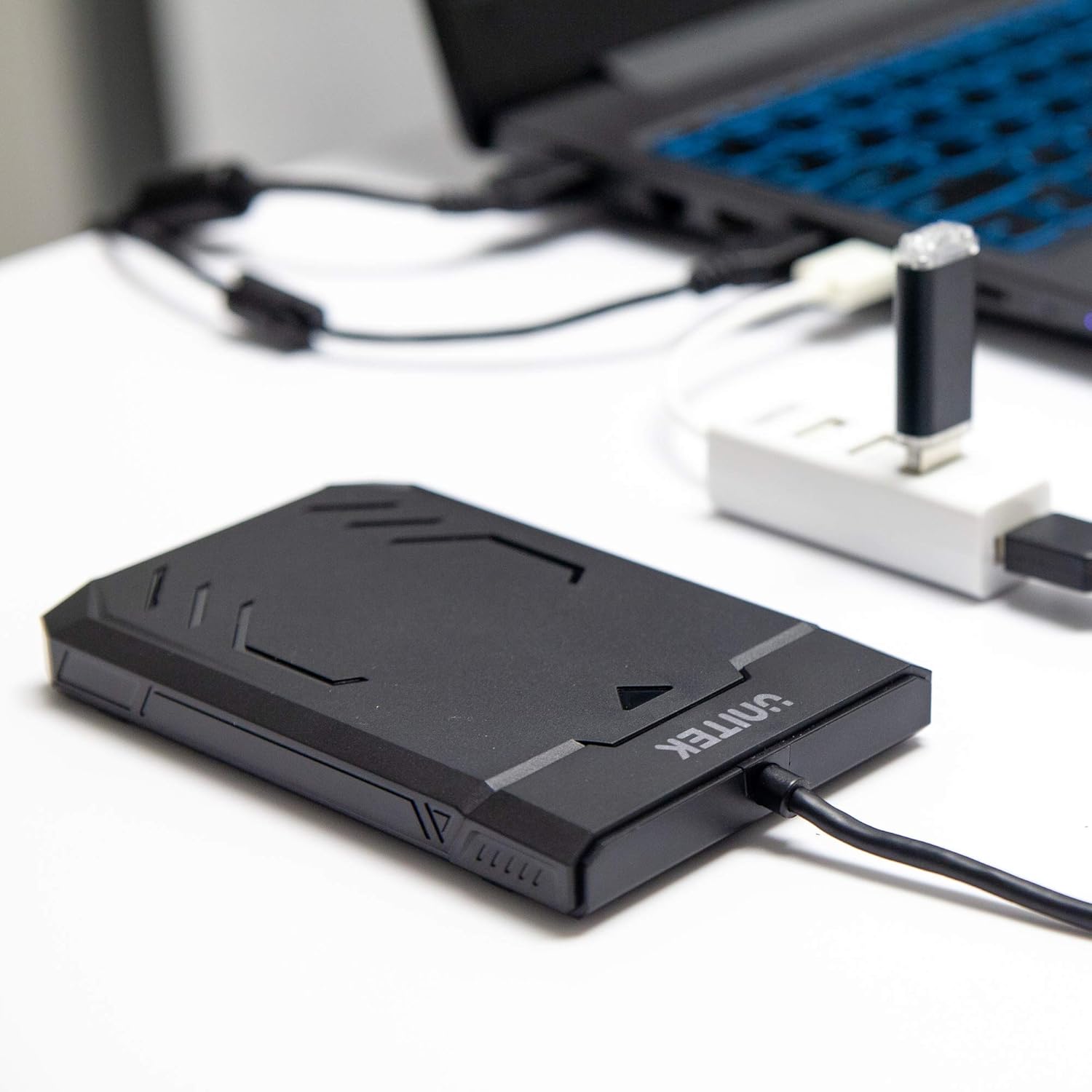
Image 1.1: Unitek Y-3036 enclosure connected to a laptop.
2. Paket İçeriği
Lütfen paketinizde tüm öğelerin mevcut olduğundan emin olun:
- Unitek Y-3036 2.5-inch Hard Drive Enclosure with integrated USB 3.0 cable
- Foam pad for drive stability
- Kullanım Kılavuzu (bu belge)

Image 2.1: Enclosure with integrated cable and foam pad.
3. Özellikler
| Örnek | Unitek Y-3036 |
| Uyumlu Sürücü Tipi | 2.5-inch SATA I/II/III HDD/SSD (up to 9.5mm thickness) |
| Arayüz | USB 3.0 (USB 2.0 ile geriye dönük uyumlu) |
| Veri Aktarım Hızı | Up to 6Gbps (SATA III), supports UASP |
| Boyutlar (U x G x Y) | Xnumxmm x xnumxmm x xnumxmm (xnumx "x xnumx" x xnumx ") |
| Malzeme | Plastik |
| Özellikler | Tool-free assembly, Plug & Play, LED indicator, Sleep function, Built-in USB cable |

Resim 3.1: Ürün boyutları.
4. Kurulum ve Kurulum
The Unitek Y-3036 enclosure features a tool-free design for easy installation of your 2.5-inch HDD or SSD.
- Muhafazayı Açın: Gently slide the top cover of the enclosure to open it.
- Sürücüyü takın: Align your 2.5-inch SATA HDD or SSD with the SATA connector inside the enclosure. Carefully push the drive into the connector until it is firmly seated. Ensure the drive is oriented correctly.
- Add Foam Pad (Optional): If your drive is thinner than 9.5mm, you may use the included foam pad to secure it snugly within the enclosure and prevent movement. Place the foam pad on top of the drive before closing the cover.
- Muhafazayı Kapatın: Slide the top cover back into place until it clicks securely.

Image 4.1: Enclosure open with a 2.5-inch HDD inserted.

Resim 4.2: Ayrıntılı view of drive insertion.
5. Kullanım Talimatları
Once your drive is installed in the enclosure, follow these steps to use it with your computer:
- Bilgisayara Bağlan: Plug the integrated USB 3.0 cable from the enclosure into an available USB port on your computer. For optimal performance, use a USB 3.0 port.
- LED Göstergesi: The enclosure features an LED indicator. When connected, the LED will illuminate, indicating power. It will flash during data transfer activity.
- Sürücü Tanıma: Your operating system should automatically detect the new drive. If it's a new drive, you may need to initialize and format it through your operating system's disk management utility before it appears in 'My Computer' or 'Finder'.
- Güvenli Kaldırma: Always safely eject the drive from your operating system before disconnecting the USB cable to prevent data corruption.
6. Bakım
To ensure the longevity and optimal performance of your Unitek Y-3036 enclosure:
- Temizlik: Muhafazanın dış yüzeyini temizlemek için yumuşak, kuru bir bez kullanın. Sıvı temizleyiciler veya çözücüler kullanmaktan kaçının.
- Depolamak: Kullanılmadığı zaman muhafazayı serin, kuru ve doğrudan güneş ışığından ve aşırı sıcaklıklardan uzak bir yerde saklayın.
- İşleme: Handle the enclosure with care to avoid drops or impacts, which could damage the internal drive or the enclosure itself.
7. Sorun Giderme
If you encounter issues with your Unitek Y-3036 enclosure, refer to the following common problems and solutions:
- Sürücü Algılanmadı:
- USB kablosunun hem muhafazaya hem de bilgisayara güvenli bir şekilde bağlı olduğundan emin olun.
- Bilgisayarınızdaki farklı bir USB bağlantı noktasına bağlanmayı deneyin.
- Verify that the 2.5-inch HDD/SSD is properly seated in the enclosure's SATA connector.
- Bilgisayarınızın Disk Yönetimi (Windows) veya Disk Yardımcı Programı (macOS) uygulamasını kullanarak sürücünün tanınıp tanınmadığını ancak başlatılmamış veya biçimlendirilmemiş olup olmadığını kontrol edin.
- Test the enclosure with a different 2.5-inch SATA drive, or test your drive directly with another enclosure/adapter if available.
- Yavaş Transfer Hızları:
- Ensure you are connected to a USB 3.0 port on your computer. USB 2.0 ports will operate at slower speeds.
- İşletim sisteminizin ve sürücülerinizin güncel olduğundan emin olun.
- The actual speed depends on the performance of the installed HDD/SSD.
- LED Göstergesi Yanmıyor:
- Confirm the USB cable is fully plugged into a powered USB port.
- Farklı bir USB portu deneyin.
8. Güvenlik Bilgileri
Lütfen aşağıdaki güvenlik kurallarına uyun:
- Do not expose the enclosure to water, moisture, or extreme temperatures.
- Avoid dropping or subjecting the enclosure to severe impacts.
- Do not attempt to open or modify the enclosure beyond the intended drive installation. This may void any warranty and could cause damage.
- Çocukların erişemeyeceği yerde saklayınız.
9. Garanti ve Destek
Unitek products are designed for reliability and performance. For warranty information or technical support, please refer to the official Unitek webWeb sitesini ziyaret edin veya yerel satıcınızla iletişime geçin. Garanti talepleri için satın alma fişinizi satın alma belgesi olarak saklayın.