
giriiş
Satın aldığınız için teşekkür ederizasing the Tojock DVP-506 HD DVD Player. This manual provides essential information for setting up, operating, and maintaining your new device. Please read this manual thoroughly before use to ensure proper operation and to maximize your entertainment experience.
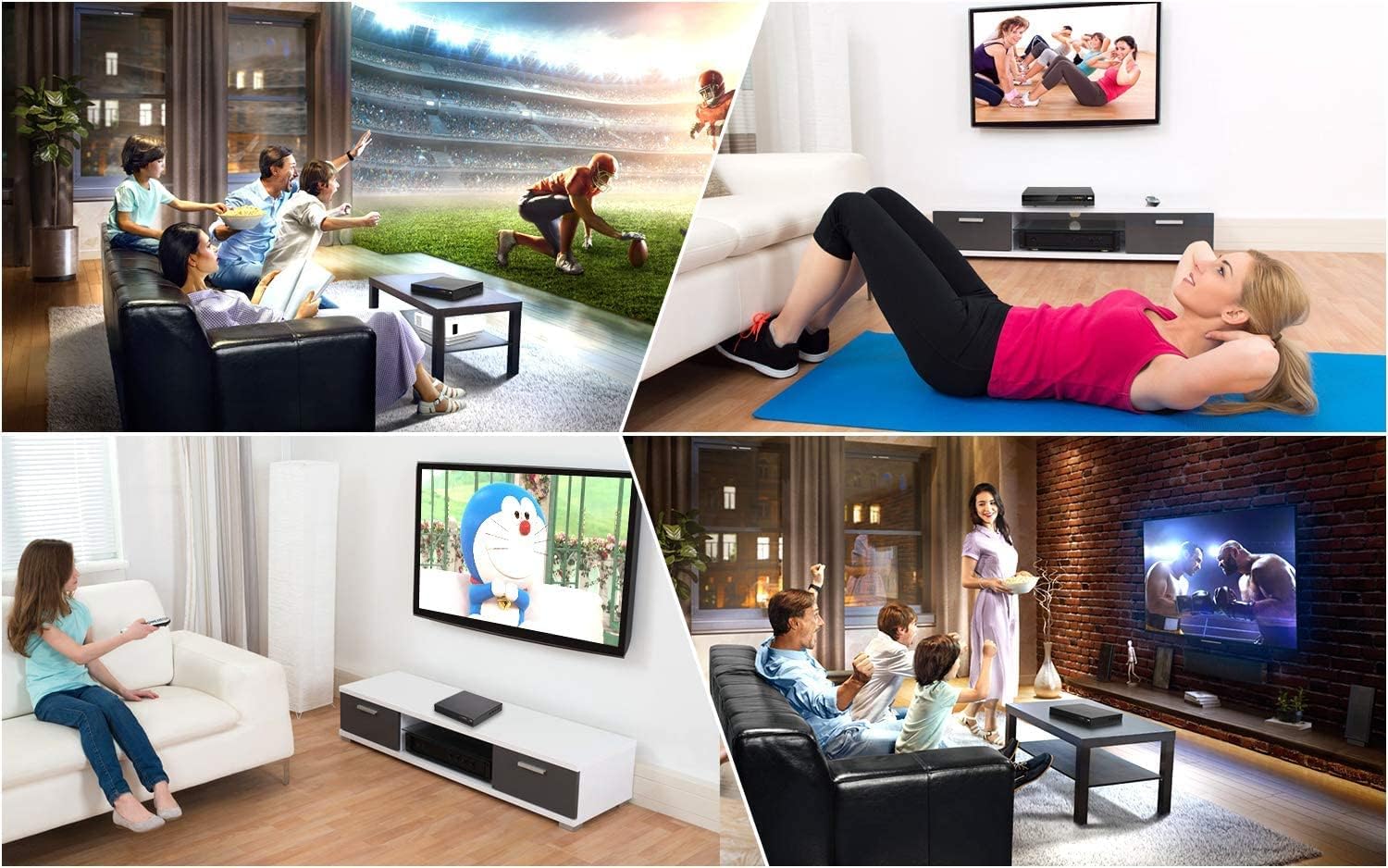
The Tojock DVP-506 is designed to enhance your home entertainment, offering versatile playback options for various media formats.
Güvenlik Bilgileri
Güvenli çalışmayı sağlamak ve hasarı önlemek için lütfen aşağıdaki önlemlere uyun:
- Yangın veya elektrik çarpmasını önlemek için üniteyi yağmura veya neme maruz bırakmayın.
- Havalandırma açıklıklarını kapatmayın. Uygun hava akışı için ünitenin etrafında yeterli boşluk olduğundan emin olun.
- Cihazı dengesiz yüzeylere yerleştirmekten kaçının.
- C'yi açmayınasing. Tüm servis işlemlerini yetkili personele yaptırın.
- Şimşekli fırtınalarda veya uzun süre kullanılmadığında ünitenin fişini çekin.
Paket İçeriği
Paketinizde tüm öğelerin bulunduğunu doğrulayın:
- 1x Tojock DVP-506 DVD Player
- 1x Uzaktan Kumanda (Piller dahil değildir)
- 1x HDMI Kablosu
- 1x AV Kablosu
- 1x Kullanım Kılavuzu

All components included in the Tojock DVP-506 package.
Ürün Bittiview
Familiarize yourself with the components of your DVD player.
Ön Panel

The front panel features the disc tray, LED display, and essential control buttons.
- Disc Door: Insert DVDs and CDs here.
- Görüntülemek: Shows current status, track number, and time.
- USB Girişi: Medya oynatmak için USB flash sürücüleri bağlayın.
- Kontrol Düğmeleri: Play/Pause, Stop, Next/Previous, Power.
Arka Panel

The rear panel provides various connectivity options for your television and audio system.
- HDMI Çıkışı: For high-definition video and audio connection to modern TVs or projectors.
- Audio Left/Right Output (RCA): For analog audio connection.
- Video Çıkışı (RCA): Analog video bağlantısı için.
- Coaxial Digital Output: For digital audio connection to compatible audio receivers.
- AC Girişi: Güç bağlantısı.
Kurmak
Follow these steps to connect your Tojock DVP-506 DVD Player to your television.
TV'ye bağlanma
You have two primary options for connecting the DVD player to your TV:
- HDMI Connection (Recommended for HD Quality):
- Connect one end of the provided HDMI cable to the HDMI Output port on the back of the DVD player.
- Connect the other end of the HDMI cable to an HDMI Input port on your TV. Note the HDMI input number (e.g., HDMI 1, HDMI 2).
- RCA (AV) Connection (Standard Definition):
- Connect the yellow plug of the provided AV cable to the Video Output (yellow) port on the back of the DVD player.
- Connect the white plug to the Audio Left Output (white) port.
- Connect the red plug to the Audio Right Output (red) port.
- Connect the other ends of the yellow, white, and red plugs to the corresponding Video In and Audio In ports on your TV.

Connect your DVD player using either HDMI for high-definition or RCA for standard-definition output.
Güç Açık
- Connect the power cord to the AC Input on the back of the DVD player and then to a power outlet.
- Press the Power button on the front panel of the DVD player or on the remote control.
- Turn on your TV and select the correct input source (e.g., HDMI 1, AV) that corresponds to your connection.
İşletim
Learn how to play various media formats on your Tojock DVP-506.
Disk Oynatma
The Tojock DVP-506 supports a wide variety of disc formats, including CD, DVD, DVD-R/+R, DVD-/+RW, CD-R/-RW, VCD, and SVCD. It is also an all-region free player (except for CPRM), allowing playback of DVDs from any region (1-6).
- Ensure the DVD player is powered on and connected to your TV.
- Etiketli yüzü yukarı bakacak şekilde diski disk tepsisine nazikçe yerleştirin. Oynatıcı diski otomatik olarak yükleyecektir.
- Playback should begin automatically. If a menu appears, use the remote control's arrow keys and OK button to navigate.
- Use the Play, Pause, Stop, Fast Forward, Rewind, and Skip buttons on the remote control to manage playback.

Experience enhanced visual quality with 1080p up-conversion and enjoy discs from any region.
USB Oynatma
The built-in USB 2.0 port allows direct playback of digital media files (AVI/MPG/MPEG4/VOB video files up to 720*480/576 resolution, JPEG images, MP3/WMA audio) from a USB flash drive (FAT/FAT32 format, up to 32GB).
- USB flash sürücünüzü ön paneldeki USB bağlantı noktasına takın.
- The player should automatically detect the USB drive and display a menu for file Seçim.
- Gezinmenizi sağlayın files using the remote control and press OK to play.

Easily play your digital media filedoğrudan bir USB flash sürücüden.
İşlevi Devam Ettir
The player features a breakpoint memory function, allowing it to resume playback from where you left off on a previously played disc.

The resume function allows you to continue watching from your last viewing noktası.
Resmi Ürün Videosu
This video demonstrates how the Tojock DVP-506 DVD player can boost the quality of your DVD collection, showcasing its performance and features.
Bakım
Doğru bakım, DVD oynatıcınızın ömrünü uzatacaktır.
- Ünitenin Temizlenmesi: Dış yüzeyi yumuşak ve kuru bir bezle silin. Aşındırıcı temizleyiciler veya çözücüler kullanmayın.
- Temizleme Diskleri: Use a soft, lint-free cloth to wipe discs from the center outwards. Avoid touching the playback surface.
- Havalandırma: Ensure the player's ventilation slots are not blocked to prevent overheating.
Sorun giderme
Sorunlarla karşılaşırsanız aşağıdaki yaygın sorunlara ve çözümlere bakın:
| Sorun | Olası Neden | Çözüm |
|---|---|---|
| Güç yok | Güç kablosu bağlı değil; Elektrik prizi arızalı. | Güç kablosunun güvenli bir şekilde takılı olduğundan emin olun. Farklı bir priz deneyin. |
| Resim yok | Incorrect TV input selected; Video cable loose or damaged. | Select the correct HDMI/AV input on your TV. Check video cable connections. |
| Ses yok | Audio cable loose or damaged; TV/receiver volume too low or muted. | Check audio cable connections. Adjust TV/receiver volume and ensure it's not muted. |
| Disk oynatılamıyor / Disk hatası | Disk kirli, çizik veya uyumsuz formatta. | Diski temizleyin. Farklı bir disk deneyin. Disk formatının desteklendiğinden emin olun. |
| USB sürücüsü tanınmıyor | Incorrect USB format; Drive capacity too large. | Ensure USB drive is FAT/FAT32 format and up to 32GB. Try reformatting the drive (backup data first). |
Sorun devam ederse lütfen müşteri hizmetleriyle iletişime geçin.
Özellikler
- Ürün Ölçüleri: 10.43 x 9.25 x 1.97 inç
- Ürün Ağırlığı: 2.16 pound
- Model Numarası: DVP-506
- Medya Türü: CD, DVD, JPG, JPEG, MP3, WMA
- Özel Özellikler: Region Free, Anti-Shock, Upscaling
- Çözünürlük: 1920x1080 (Yükseltilmiş Çözünürlük)
- Bağlantı Tipi: HDMI, RCA, USB, Coaxial
- Bağlantı Teknolojisi: RCA, Infrared, USB, HDMI, Coaxial
- Renk: Siyah
- Üretici: Tojock
- Menşei ülke: Çin
Garanti ve Destek
Your Tojock DVP-506 DVD Player comes with a 12-Month Warranty from the date of purchase. This warranty covers manufacturing defects under normal use.
For technical support, warranty claims, or any questions regarding your product, please contact our customer service team. We offer 24-hour customer service to assist you.
Please refer to the contact information provided on the product packaging or the official Tojock webEn güncel destek detayları için siteyi ziyaret edin.