
1. Giriş
This manual provides essential instructions for the installation, operation, maintenance, and troubleshooting of your VIVOTEK CC9381-HV 5MP Dome Camera. Please read this manual thoroughly before using the product to ensure proper setup and functionality. The CC9381-HV is a high-performance surveillance camera designed for reliable monitoring with a 180-degree field of view and advanced imaging capabilities.
2. Güvenlik Bilgileri
Ürünün hasar görmesini önlemek ve kullanıcı güvenliğini sağlamak için aşağıdaki güvenlik önlemlerine uyun:
- Ensure the power source matches the camera's requirements (AC/DC, 220V).
- Do not expose the camera to extreme temperatures outside its operating range (Upper Temperature Rating: 50 Degrees Celsius).
- Avoid direct exposure to water or moisture unless the product's IP rating specifically allows it (International Protection Rating: IP21).
- Kamerayı sökmeye veya değiştirmeye çalışmayın. Tüm bakım işlemlerini yetkili personele yaptırın.
- Mount the camera securely using appropriate hardware to prevent it from falling.
3. Paket İçeriği
Verify that all items are present in the package. If any items are missing or damaged, contact your vendor immediately.
- VIVOTEK CC9381-HV Dome Camera
- Montaj Braketi ve Donanımı
- Kurulum Kılavuzu
- Accessory Kit (e.g., screws, anchors)
4. Kurulum
4.1 Fiziksel Kurulum
The VIVOTEK CC9381-HV camera is designed for bracket mounting. Choose a suitable location that provides the desired field of view and is within reach of power and network connections. The camera dimensions are approximately 8.5 x 7 x 3.5 inches.
- Mark the drilling points on the mounting surface using the provided template or bracket.
- Gerekirse pilot delikler açın ve duvar dübellerini yerleştirin.
- Birlikte verilen vidaları kullanarak montaj braketini yüzeye sabitleyin.
- Kamerayı montaj braketine takın ve yerine sıkıca kilitlendiğinden emin olun.
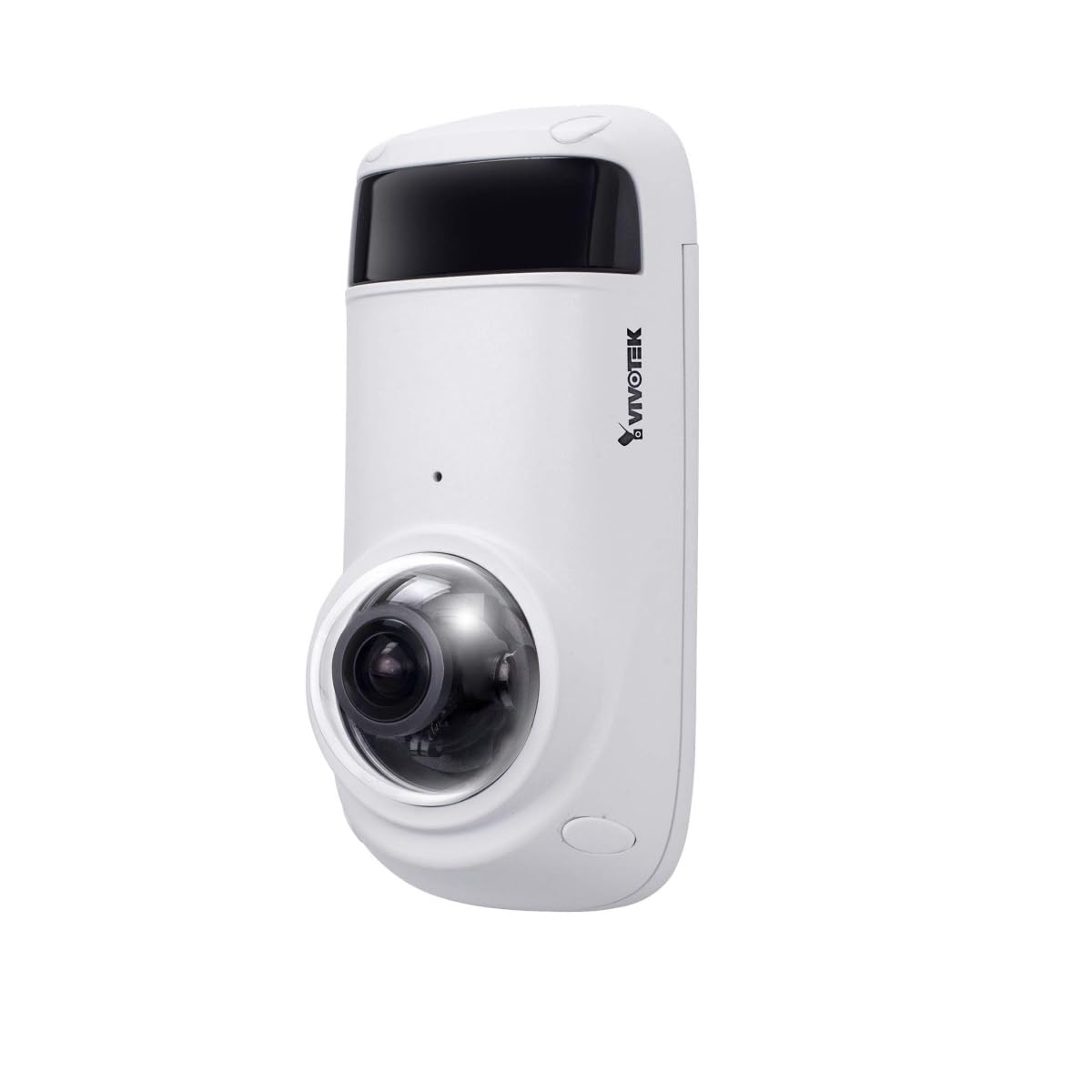
Figure 1: VIVOTEK CC9381-HV Dome Camera. This image shows the compact dome design of the surveillance camera, suitable for various indoor and outdoor installations.
4.2 Güç Bağlantısı
Connect the camera to a suitable AC/DC power source. Ensure the voltage (220V) ve sutage (3600W) requirements are met to prevent damage.
4.3 Ağ Bağlantısı
The CC9381-HV supports both wired and Wi-Fi connectivity. For wired connection, connect an Ethernet cable from your network router or switch to the camera's network port. For Wi-Fi setup, refer to the camera's web interface for wireless configuration after initial wired setup.
5. Kullanım Talimatları
5.1 İlk Erişim ve Yapılandırma
After connecting power and network, access the camera's web interface using its IP address. You may need to use a VIVOTEK utility to discover the camera's IP address on your network. Follow the on-screen prompts to set up a strong password and configure basic network settings.
5.2 Canlı View ve Kayıt
Kamera 180 derecelik bir görüş alanı sağlar. view maksimum ile webcam image resolution of 5 MP and a frame rate of 30 fps. You can view canlı footage and configure recording settings through the web interface or compatible VIVOTEK software.
- Video Yakalama Formatı: Supports MJPEG and MP4 formats.
- Düşük Işık Teknolojisi: Features Night Color technology for enhanced visibility in low-light conditions.
- Uyarı tipi: Configurable for Motion Only alerts.
5.3 Uzaktan Kumanda
The camera supports remote control, allowing you to manage settings and view footage from a distance using compatible software or mobile applications. The controller type is Iris.
6. Bakım
Düzenli bakım, kameranızın en iyi performansını ve uzun ömrünü sağlar.
- Temizlik: Fotoğraf makinesinin objektifini ve gövdesini yumuşak, kuru bir bezle nazikçe silin. Sert kimyasallar veya aşındırıcı temizleyiciler kullanmayın.
- Donanım Yazılımı Güncellemeleri: VIVOTEK'i periyodik olarak kontrol edin. webFotoğraf makinenizin en yeni özelliklere ve güvenlik geliştirmelerine sahip olduğundan emin olmak için ürün yazılımı güncellemelerini bu siteden yapabilirsiniz.
- Çevre Kontrolü: Ensure the camera's environment remains within specified temperature and humidity ranges.
7. Sorun Giderme
If you encounter issues with your VIVOTEK CC9381-HV camera, refer to the following common problems and solutions:
| Sorun | Olası Neden | Çözüm |
|---|---|---|
| Güç göstergesi yok | Power cable disconnected; faulty power adapter | Check power connections; test with a known good power adapter. |
| Ağ üzerinden kameraya erişilemiyor | Incorrect IP address; network cable issue; Wi-Fi not configured | Verify IP address; check network cable; ensure Wi-Fi settings are correct. |
| Kötü görüntü kalitesi | Dirty lens; insufficient lighting; incorrect settings | Clean the lens; ensure adequate lighting or enable Night Color; adjust image settings. |
| Hareket algılama çalışmıyor | Motion detection disabled; incorrect sensitivity settings | Enable motion detection in settings; adjust sensitivity levels. |
If the problem persists, contact VIVOTEK technical support for further assistance.
8. Özellikler
Detailed technical specifications for the VIVOTEK CC9381-HV Dome Camera:
| Özellik | Şartname |
|---|---|
| Model Numarası | CC9381-HV |
| Maksimum Webkamera Görüntü Çözünürlüğü | 5 MP |
| Video Yakalama Çözünürlüğü | 720p (Etkin Video Çözünürlüğü: 1920) |
| Kare Hızı | 30 kare/saniye |
| Alanı View | 180 Derece |
| Düşük Işık Teknolojisi | Gece Rengi |
| Bağlantı Teknolojisi | Kablolu, Wi-Fi |
| Bağlantı Protokolü | Wifi |
| Güç Kaynağı | AC DC |
| Cilttage | 220 |
| Netage | 3600 |
| Montaj Tipi | Braket Dağı |
| Ürün Boyutları | 8.5 x 7 x 3.5 inç |
| Ürün Ağırlığı | 2.42 pound (1.1 Kilogram) |
| Üst Sıcaklık Derecesi | 50 Derece Santigrat |
| Uluslararası Koruma Derecelendirmesi | IP21 |
| Video Yakalama Formatı | MJPEG, MP4 |
| Uyarı Tipi | Yalnızca Hareket |
| Kontrol Yöntemi | Uzak |
| Denetleyici Türü | İris |
| Fotoğraf Sensörü Teknolojisi | CMOS |
| Takılan Flash Bellek Boyutu | 128 GB |
| Optik Yakınlaştırma | 3x |
| Önerilen Kullanımlar | Security, Surveillance |
9. Garanti ve Destek
VIVOTEK ürünleri sınırlı bir garanti kapsamındadır. Garanti şartları ve koşulları için lütfen ürününüzle birlikte verilen garanti kartına bakın veya resmi VIVOTEK web sitesini ziyaret edin. website. For technical support, product registration, or service inquiries, please contact VIVOTEK customer service or your authorized dealer.
VIVOTEK Resmi Webalan: www.vivotek.com