
1. Giriş
This manual provides detailed instructions for the installation, operation, and maintenance of your COOAU 4MP Wireless Security Camera, Model 827S-400. Designed for indoor use, this camera offers advanced features such as 4MP Ultra HD video, Pan/Tilt/Zoom (PTZ) functionality, two-way audio, and intelligent detection capabilities to enhance your home monitoring experience.
2. Ürün Bittiview
The COOAU 4MP Wireless Security Camera is a versatile indoor monitoring device. Familiarize yourself with its components and key features:
2.1 Bileşenler
- COOAU 4MP Wireless Security Camera Unit
- Güç Adaptörü
- USB Güç Kablosu
- Montaj Aksesuarları (vidalar, duvar dübelleri)
- Kullanım Kılavuzu (bu belge)
2.2 Temel Özellikler
- 4MP Ultra HD Video: Yiyeceklerin net ve ayrıntılı görüntülerini yakalar.tage.
- Pan/Tilt/Zoom (PTZ): Offers 360° horizontal and 120° vertical rotation for comprehensive coverage.
- İki Yönlü Ses: İletişim için dahili mikrofon ve hoparlör.
- Akıllı Algılama: Features sound detection, motion detection, and motion tracking with alerts.
- Gelişmiş Gece Görüşü: Düşük ışık koşullarında net izleme olanağı sağlar.
- Esnek Depolama: Supports local storage via Micro SD card (up to 128GB, not included) and cloud storage options.
- Alexa Uyumluluğu: Sesli kontrol için Amazon Alexa ile entegre olur.

Image: The COOAU 4MP Wireless Security Camera, highlighting its compact design and key functionalities like 360-degree coverage and 4MP HD view.
3. Kurulum
Follow these steps to set up your COOAU Wireless Security Camera:
3.1 Uygulama Kurulumu
- Scan the QR code provided in the camera's packaging or search for "MIPC" in your device's app store (Apple App Store for iOS or Google Play Store for Android).
- MIPC uygulamasını indirip yükleyin.
- Uygulamayı açın ve yeni bir kullanıcı hesabı oluşturun veya zaten bir hesabınız varsa giriş yapın.
3.2 Güç Bağlantısı
- USB güç kablosunu kameranın güç girişine bağlayın.
- Güç adaptörünü standart bir elektrik prizine takın.
- The camera will power on and initiate its startup sequence. Wait for a voice prompt indicating it's ready for connection.
3.3 Ağ Yapılandırması (Wi-Fi)
- In the MIPC app, tap the '+' icon to add a new device.
- Select the camera type (e.g., "Wireless IP Camera").
- Choose "Wi-Fi connection" as the network connection method.
- Follow the on-screen instructions to enter your Wi-Fi network details (SSID and password).
- The app may instruct you to scan a QR code displayed on your phone with the camera, or to place your phone near the camera for sound pairing.
- Once connected, you will hear a confirmation sound from the camera, and the app will indicate successful addition.
- Set a new password for the camera for security purposes.
Video: Demonstrates the indoor camera connection steps, including app installation, power connection, and Wi-Fi setup.
3.4 Kamerayı Monte Etme
The camera can be placed on a flat surface or mounted to a ceiling. Use the provided mounting accessories for ceiling installation. Ensure the camera is positioned to cover the desired monitoring area.
4. Kullanım Talimatları
Learn how to utilize the various features of your COOAU camera:
4.1 Canlı View ve PTZ Kontrolü
- Open the MIPC app and select your camera from the device list to access the live video feed.
- Use the on-screen controls to pan (rotate horizontally up to 355°), tilt (move vertically up to 120°), and digitally zoom the camera view.
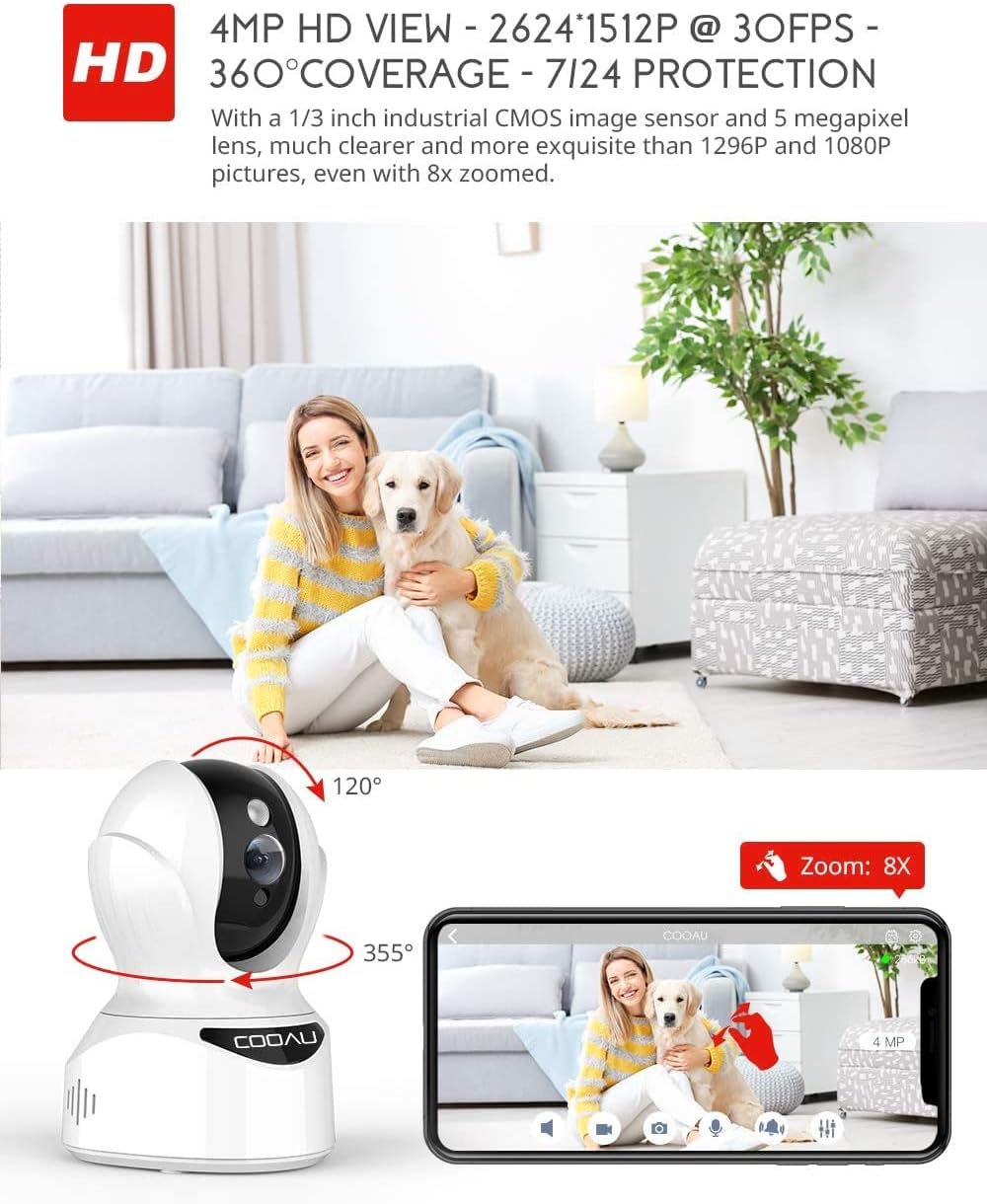
Image: Illustrates the camera's Pan/Tilt capabilities, offering 355° horizontal and 120° vertical rotation for comprehensive room coverage.
4.2 İki Yönlü Ses
- canlı iken view, tap the microphone icon in the app to speak through the camera's speaker.
- Kameranın dahili mikrofonu, kameranın bulunduğu yerden gelen sesleri duymanızı sağlar.

Image: Depicts the two-way audio feature, enabling clear communication through the camera's built-in anti-noise and echo cancellation microphone and speaker.
4.3 Akıllı Algılama ve Uyarılar
- Access the camera settings in the MIPC app to configure motion detection, sound detection, and motion tracking.
- Enable push notifications to receive alerts on your smartphone when activity is detected.
- Motion tracking allows the camera to automatically follow moving objects within its field of view.
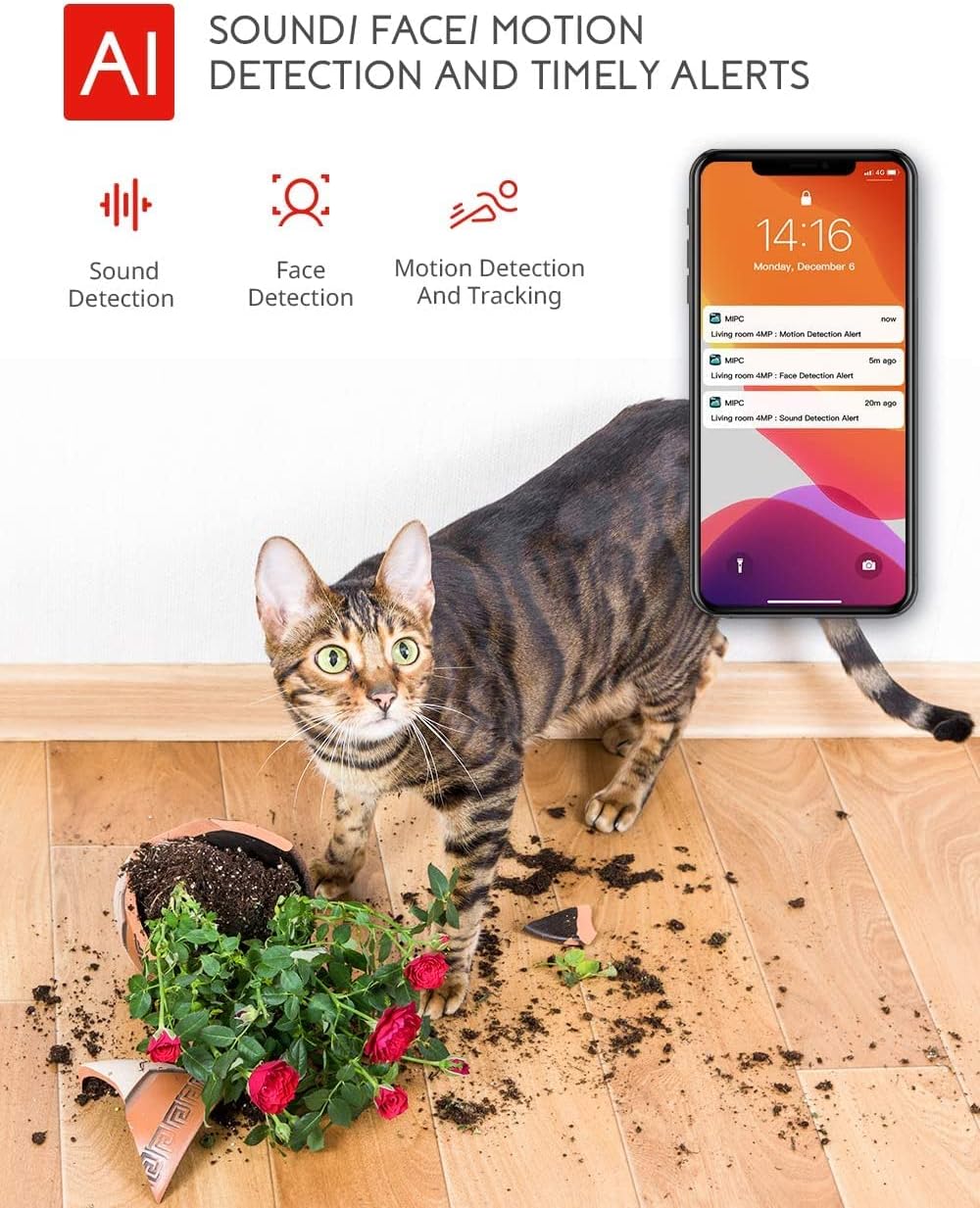
Image: Highlights the AI-powered sound, face, and motion detection features, with timely alerts sent to your smartphone.
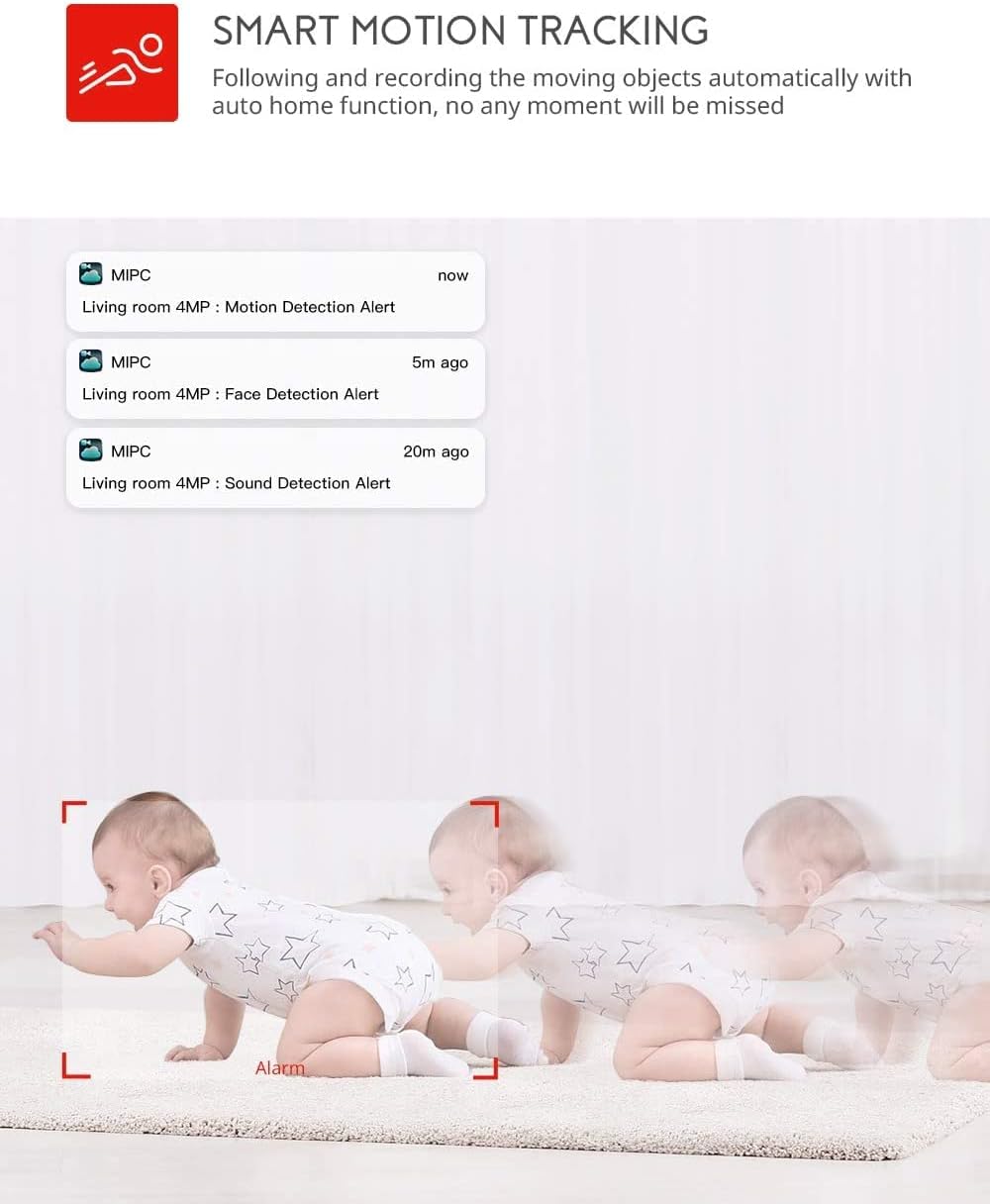
Image: Illustrates the smart motion tracking feature, where the camera automatically follows and records moving objects.
4.4 Gece Görüşü
- Kamera, düşük ışık koşullarında otomatik olarak gece görüş moduna geçiyor.
- This feature provides clear black and white video footage without additional light sources.
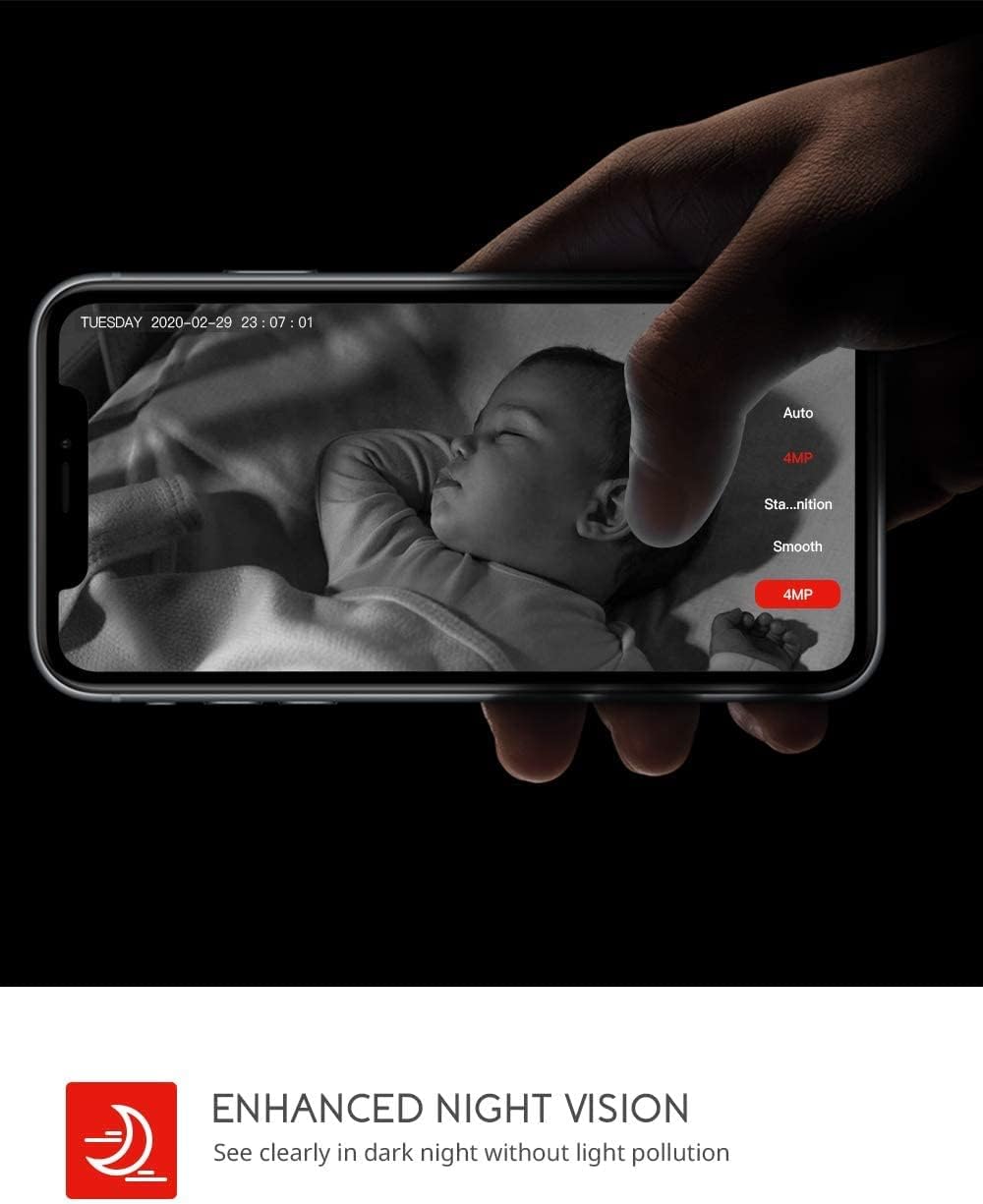
Image: Demonstrates the enhanced night vision capability, providing clear visibility in dark environments.
4.5 Depolama Seçenekleri
- Mikro SD kart: Insert a Micro SD card (up to 128GB, Class 10 or higher recommended) into the designated slot for local video recording.
- Bulut Depolama: The MIPC app offers optional cloud storage services for secure off-site backup of your recordings.
4.6 Multi-User Support
- Share camera access with family members or trusted individuals through the MIPC app.
- This allows multiple users to view Canlı yayını izleyin ve aynı anda bildirimler alın.

Image: Illustrates the camera's support for multiple devices and users, allowing footage sharing across various platforms.
5. Bakım
Doğru bakım, kameranızın uzun ömürlü olmasını ve en iyi performansı göstermesini sağlar:
- Temizlik: Fotoğraf makinesinin objektifini ve gövdesini temizlemek için yumuşak, kuru bir bez kullanın. Aşındırıcı temizleyicilerden veya çözücülerden kaçının.
- Atama: Kameranın doğrudan güneş ışığından, ısı kaynaklarından ve aşırı nemden uzakta, sabit bir yere yerleştirildiğinden emin olun.
- Yazılım Güncellemeleri: Fotoğraf makinenizin en yeni özelliklere ve güvenlik geliştirmelerine sahip olduğundan emin olmak için MIPC uygulamasındaki aygıt yazılımı güncellemelerini düzenli olarak kontrol edin.
- Güç Kaynağı: Yalnızca kamerayla birlikte verilen orijinal güç adaptörünü kullanın.
6. Sorun Giderme
Kameranızla ilgili sorunlarla karşılaşırsanız, aşağıdaki yaygın sorunlara ve çözümlere bakın:
| Sorun | Çözüm |
|---|---|
| Kamera Wi-Fi'ye bağlanamıyor. | Ensure your Wi-Fi password is correct. Check if the camera is within range of your Wi-Fi router. Reset the camera by pressing the reset button for 1 second and try connecting again. Ensure your router is 2.4GHz compatible. |
| Kötü video kalitesi. | Check your internet connection speed. Ensure the camera lens is clean. Adjust the video resolution settings in the MIPC app. |
| Hareket algılama çalışmıyor. | Verify that motion detection is enabled in the app settings. Adjust the sensitivity level. Ensure there are no obstructions blocking the camera's view. |
| Two-way audio is unclear. | Ensure your phone's volume is up. Check for any interference or background noise near the camera or your phone. |
| Camera is offline. | Check the power connection to the camera. Verify your Wi-Fi network is active and stable. Restart the camera and your router. |
7. Özellikler
Detailed technical specifications for the COOAU 4MP Wireless Security Camera (Model 827S-400):
| Özellik | Şartname |
|---|---|
| Model Numarası | 827S-400 |
| Etkili Hareketsiz Çözünürlük | 4 MP |
| Etkili Video Çözünürlüğü | 4 MP |
| Bağlantı Teknolojisi | Kablosuz (Wi-Fi) |
| İç/Dış Mekan Kullanımı | Kapalı |
| Özel Özellikler | Motion Sensor, Sound Detection, Motion Tracking, 2-Way Audio, Night Vision |
| Denetleyici Türü | Amazon Alexa |
| Montaj Tipi | Tavan Montajı |
| Depolama Seçenekleri | Cloud/SD Storage (up to 128GB) |
| Kare Hızı | 30 kare/saniye |
| Ürün Boyutları | 3.35 x 3.35 x 4.72 inç |
| Güç Kaynağı | AC/DC |
| GTIN / UPC | 889328768553 |
8. Garanti ve Destek
For warranty information or technical support, please contact COOAU customer service. You can reach us via:
- Resmi Posta Kutusu: info@cooau.net
- Resmi Facebook: COOAU Official