
1. Giriş
The Reloop Groove Blaster BT is a portable 100W loudspeaker designed for high sound pressure levels and robust bass performance. It features a built-in Bluetooth 4.0 interface for wireless audio streaming up to 30 meters and an integrated, rechargeable Li-ion battery providing up to 10 hours of music playback. NFC connectivity simplifies pairing with supported devices. The speaker's 3-way frequency separation, with two 3-inch midrange drivers, one 1-inch tweeter, and a 6-inch low-frequency driver, ensures a balanced and wide stereo sound.

Figure 1.1: Reloop Groove Blaster BT in use, highlighting its 10-hour battery life.
2. Paket İçeriği
Paketin içerisinde tüm ürünlerin mevcut olduğundan emin olun:
- Groove Blaster BT Portable Bluetooth Speaker
- Detachable Carrying Handle
- Power Supply Unit (located in the adapter compartment)
3. Kontroller ve Bağlantılar
3.1 Üst Kontrol Paneli
The top panel provides access to all primary playback and pairing functions.
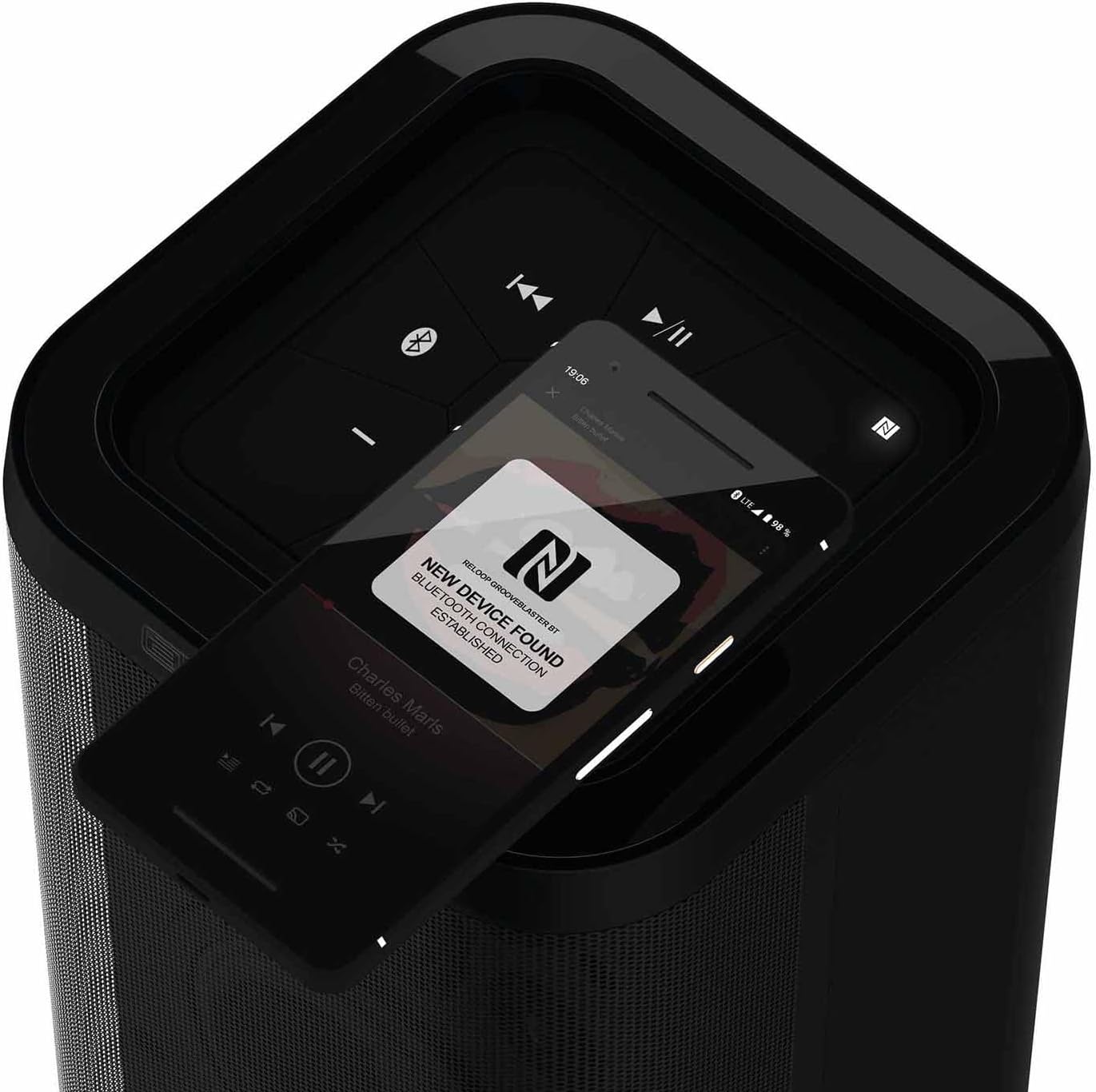
Şekil 3.1: Ayrıntılı view of the top control panel.
- Güç Düğmesi (ⓘ): Hoparlörü açmak veya kapatmak için basılı tutun.
- Play/Pause (▶/‖‖): Medya oynatmayı kontrol eder.
- Previous Track (⏮): Geçerli parçanın veya önceki parçanın başına atlar.
- Next Track (⏭): Bir sonraki parçaya atlar.
- Sesi kıs (-): Hoparlörün ses seviyesini düşürür.
- Sesi Aç (+): Hoparlörün ses seviyesini artırır.
- Bluetooth Pairing Button (ⓘ): Bluetooth eşleştirme modunu başlatır.
- NFC Area (N): Touch NFC-enabled devices here for quick pairing.
- Speaker Pairing Button (Speaker Pairing): Activates Smart Link function to connect two Groove Blaster BT speakers.
3.2 Arka Bağlantılar
The rear panel houses the power input, USB charging port, and auxiliary input, protected by an adapter compartment.

Figure 3.2: Rear connection panel with adapter compartment open.
- DC IN: Power input for the included power supply unit.
- Battery Level LEDs: Indicate the current battery charge status.
- USB POWER OUT (5V DC 1A): Harici cihazları şarj etmek için USB portu.
- AUX GİRİŞİ: Kablolu ses bağlantıları için 3.5 mm yardımcı giriş.
- Power Supply Holder: Compartment to store the power supply unit.
4. Kurulum
4.1 Pilin Şarj Edilmesi
Before first use, fully charge the integrated Li-ion battery. Connect the included power supply unit to the DC IN port on the rear of the speaker and plug it into a wall outlet. The battery level LEDs will indicate charging status. A full charge provides up to 10 hours of playback, depending on usage and volume.
4.2 Açma/Kapatma
Press and hold the Power button (ⓘ) on the top control panel for approximately 2 seconds to turn the speaker on or off. An audible cue will confirm the action.
5. Kullanım Talimatları
5.1 Bluetooth Eşleştirme
- Ensure the Groove Blaster BT is powered on.
- Press the Bluetooth Pairing button (ⓘ) on the top panel. The Bluetooth indicator LED will flash, indicating pairing mode.
- Ses cihazınızda (akıllı telefon, tablet, dizüstü bilgisayar) Bluetooth'u etkinleştirin ve kullanılabilir cihazları arayın.
- Select "Groove Blaster BT" from the list of devices.
- Once connected, the Bluetooth indicator LED will glow solid, and an audible confirmation will sound.
The speaker has a Bluetooth range of up to 30 meters.
5.2 NFC Eşleştirme
For NFC-enabled devices, pairing is simplified:
- Ensure NFC is enabled on your audio device.
- Gently tap your NFC-enabled device against the NFC area (N) on the top control panel of the Groove Blaster BT.
- Follow any on-screen prompts on your device to confirm the connection.
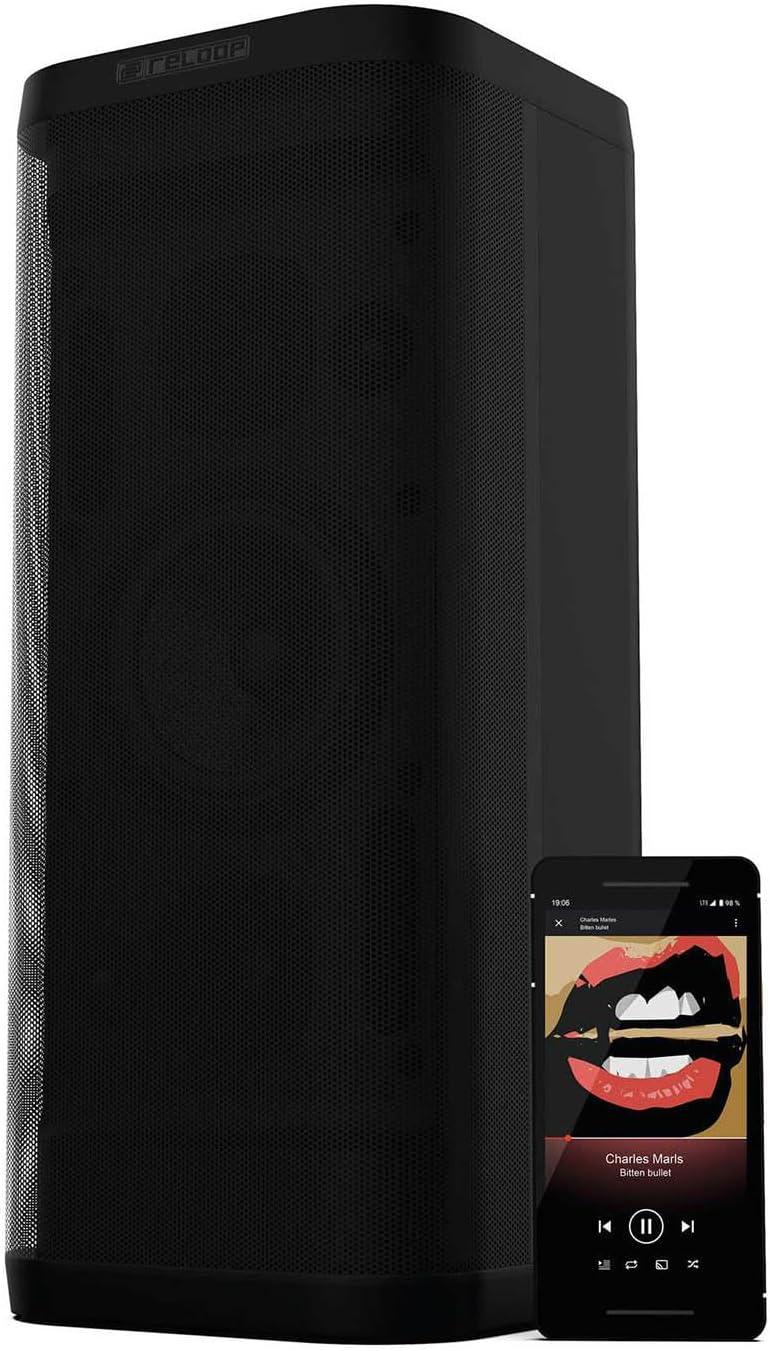
Figure 5.1: NFC pairing in progress.
5.3 Smart Link (Speaker Pairing)
The Smart Link function allows you to wirelessly connect two Groove Blaster BT speakers for a stereo experience or to double the overall volume across multiple rooms.
- Ensure both Groove Blaster BT speakers are powered on and not connected to any Bluetooth device.
- On the first speaker, press the "Speaker Pairing" button. The LED will flash.
- Aynı işlemi ikinci hoparlörde de tekrarlayın.
- The speakers will automatically search and connect to each other. Once connected, an audible confirmation will sound, and the LEDs will glow solid.
- Now, connect your audio device to one of the paired speakers via Bluetooth (as described in Section 5.1). Audio will play through both speakers.

Figure 5.2: Two Groove Blaster BT speakers connected using Smart Link.
5.4 Oynatma Kontrolleri
Use the buttons on the top control panel to manage your audio playback:
- Basmak Play/Pause (▶/‖‖) to start or pause music.
- Basmak Previous Track (⏮) Önceki şarkıya gitmek için.
- Basmak Next Track (⏭) Bir sonraki şarkıya geçmek için.
- Basmak Sesi kıs (-) or Sesi Aç (+) to adjust the audio level.
5.5 USB Şarj Fonksiyonu
The USB POWER OUT port (5V DC 1A) on the rear of the speaker can be used to charge external devices such as smartphones or tablets. Connect your device's USB charging cable to this port.
6. Bakım
6.1 Temizlik
Hoparlörün dış yüzeyini yumuşak, kuru bir bezle silin. Aşındırıcı temizleyiciler, cilalar veya çözücüler kullanmayın. Hoparlörün açıklıklarına hiçbir sıvının girmemesine dikkat edin.
6.2 Pil Bakımı
To prolong battery life, avoid fully discharging the speaker frequently. If storing the speaker for an extended period, charge it to approximately 50% every few months.
7. Sorun Giderme
| Sorun | Olası Neden | Çözüm |
|---|---|---|
| Hoparlör açılmıyor. | Pil bitmiş. | Connect the speaker to the power supply and charge the battery. |
| Hoparlörden ses gelmiyor. | Ses seviyesi çok düşük veya tamamen kapalı. Cihaz bağlı değil. | Increase volume on speaker and connected device. Ensure Bluetooth or AUX connection is established. |
| Bluetooth cihazı eşleştirilemiyor. | Hoparlör eşleştirme modunda değil. Cihaz çok uzakta. Parazit. | Press Bluetooth pairing button. Move device closer. Avoid obstacles. Restart both devices. |
| Smart Link not connecting. | Speakers already paired to a device. | Ensure both speakers are disconnected from any Bluetooth devices before initiating Smart Link. |
| Kötü ses kalitesi. | Low battery. Device too far. Source audio quality. | Charge speaker. Move device closer. Use high-quality audio files. |
8. Özellikler
| Özellik | Şartname |
|---|---|
| Marka | Yeniden döngüye al |
| Model Numarası | GROOVE-BLASTER-BT |
| Hoparlör Maksimum Çıkış Gücü | 100 Watt |
| Frekans Tepkisi | 50 Hz (alt sınır, tam aralık belirtilmemiş) |
| Bağlantı Teknolojisi | Bluetooth, NFC |
| Bluetooth Menzili | 30 Metre |
| Ses Çıkışı Modu | Stereo |
| Muhafaza Malzemesi | Metal |
| Subwoofer Çapı | 6 inç |
| Tweeter Çapı | 1 inç |
| Pil Türü | Lityum İyon (dahil) |
| Pil Kapasitesi | 6600 Miliamp Saat |
| Pilin Ortalama Ömrü | 10 Saat |
| USB Güç Çıkışı | 5V DC 1A |
| Ürün Ağırlığı | 4.65 Kilogram |
| Kontrol Yöntemi | Dokunmak |
| Su geçirmez | HAYIR |
9. Garanti ve Destek
The Reloop Groove Blaster BT comes with a 1 yıllık sınırlı garanti. For warranty claims or technical support, please contact your retailer or visit the official Reloop webiletişim bilgileri için site.