
1. Ürün Bittiview
The myCharge HubMax HBLC10V is a portable power bank designed to charge various mobile devices. It features an internal 10050mAh battery, built-in Lightning and USB-C cables, and an integrated foldable wall plug for convenient recharging.

Image 1.1: The myCharge HubMax HBLC10V portable charger, showcasing its compact design with integrated Lightning and USB-C cables, and a foldable wall plug.
2. Paket İçeriği
- myCharge HubMax HBLC10V Portable Charger
- Entegre Lightning Kablosu
- Entegre USB-C Kablosu
- Integrated Wall Plug
3. Kurulum ve İlk Şarj
Before first use, it is recommended to fully charge your myCharge HubMax HBLC10V.
- Locate the Wall Plug: Extend the foldable wall prongs located on the side of the device.
- Güce Bağlanın: Plug the device directly into a standard AC wall outlet.
- Monitör Şarjı: The LED indicator lights on the device will illuminate to show the charging status. A full charge typically takes approximately 4.6 hours. All indicator lights will be solid when fully charged.
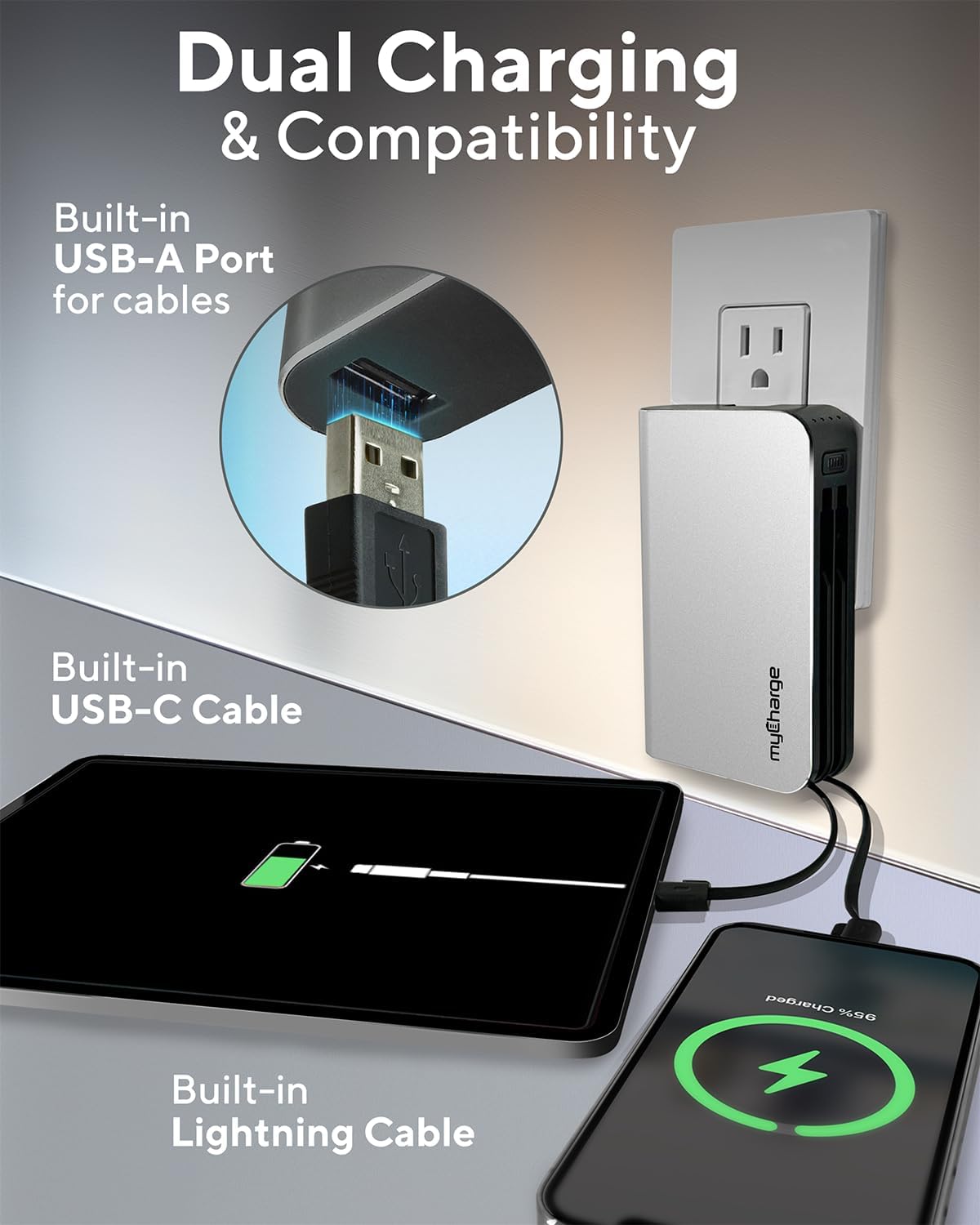
Image 3.1: The myCharge HubMax HBLC10V connected to a wall outlet for recharging, illustrating its integrated wall plug and multiple charging outputs.
4. Kullanım Talimatları
The myCharge HubMax HBLC10V allows you to charge up to three devices simultaneously.
4.1 Charging Devices with Built-in Cables
- Identify Cable: Select the appropriate built-in cable for your device (Lightning for Apple devices, USB-C for compatible Android and other devices).
- Cihazı Bağla: Plug the selected cable directly into your mobile device's charging port.
- Şarj Etmeye Başlayın: The myCharge HubMax will automatically begin charging your device. The LED indicator lights will show the remaining battery level of the power bank.
4.2 Charging a Third Device via USB-A Port
For devices requiring a standard USB-A connection, use the integrated USB-A port.
- Connect Your Cable: Plug your device's USB-A charging cable (not included) into the USB-A port on the myCharge HubMax.
- Cihazı Bağla: Plug the other end of your cable into your mobile device.
- Şarj Etmeye Başlayın: Şarj işlemi otomatik olarak başlayacaktır.

Resim 4.1: Ayrıntılı view of the myCharge HubMax HBLC10V, emphasizing its all-in-one design with built-in wall prongs, Lightning and USB-C cables, and an additional USB-A port for charging up to three devices.
4.3 Hızlı Şarj Özellikleri
The HubMax supports Power Delivery and Quick Charge 3.0 via its USB-C cable, enabling faster charging for compatible devices. This can charge devices up to 2.4 times faster than standard chargers.
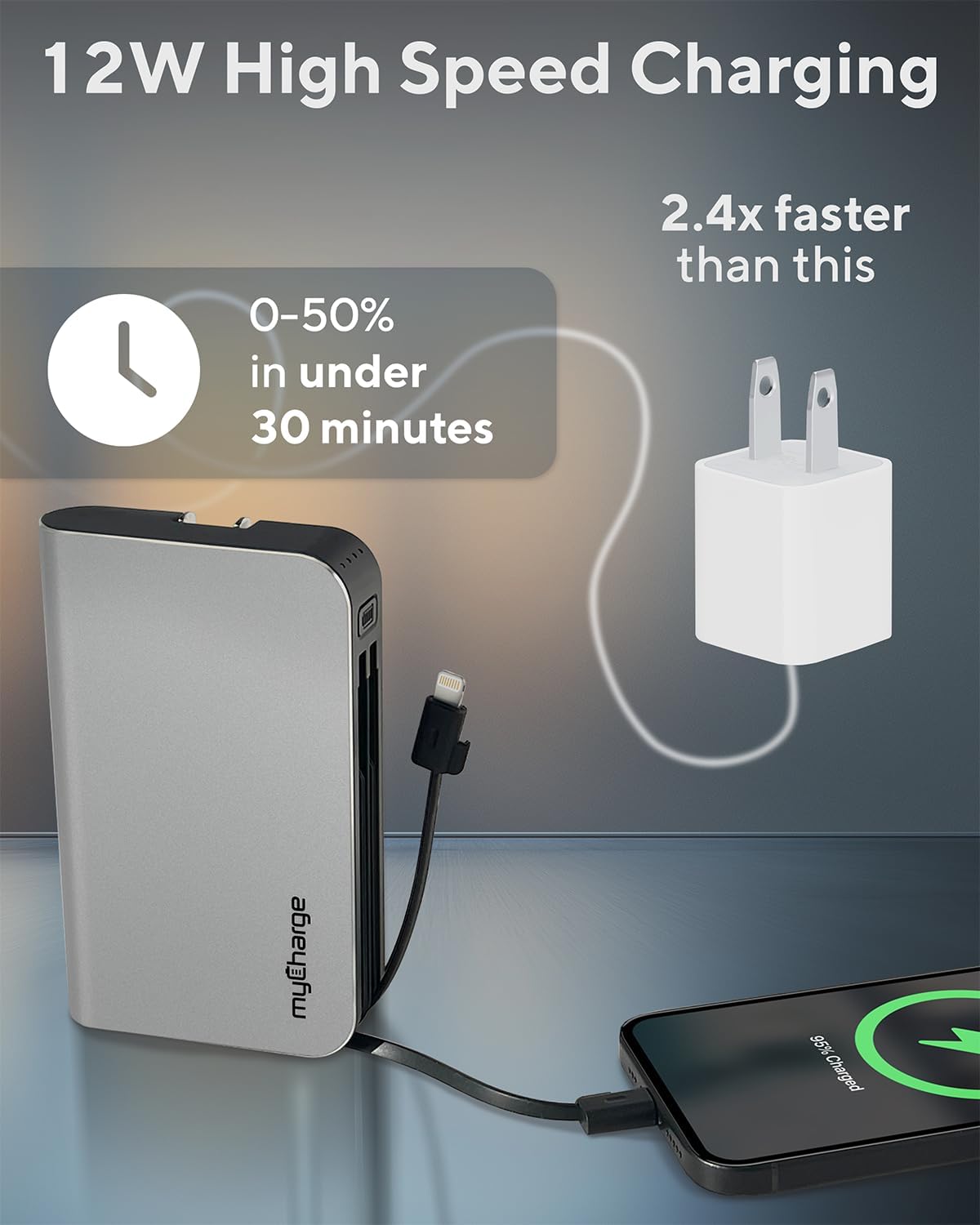
Image 4.2: The myCharge HubMax HBLC10V demonstrating its 12W high-speed charging capability, capable of charging a device from 0% to 50% in under 30 minutes.
5. Bakım ve Özen
- Depolamak: Powerbank cihazınızı serin, kuru ve doğrudan güneş ışığından ve aşırı sıcaklıklardan uzak bir yerde saklayın.
- Temizlik: Cihazın dış yüzeyini temizlemek için yumuşak, kuru bir bez kullanın. Sert kimyasallar veya aşındırıcı malzemeler kullanmaktan kaçının.
- İşleme: Handle the device with care. Avoid dropping it or subjecting it to strong impacts, as this can damage internal components and shorten its lifespan.
- Pil Ömrü: For optimal battery health, avoid completely draining the power bank frequently. Recharge it when the battery level is low.
6. Sorun Giderme
If you encounter issues with your myCharge HubMax HBLC10V, refer to the following common solutions:
- Cihaz Şarj Olmuyor:
- Ensure the myCharge HubMax itself is sufficiently charged. Check the LED indicators.
- Verify that the built-in cable or your external USB-A cable is securely connected to both the power bank and your device.
- Try a different device or cable to rule out issues with the connected device or cable.
- Yavaş Şarj:
- Ensure your device supports fast charging protocols (Power Delivery, Quick Charge 3.0) to benefit from the HubMax's fast charging capabilities.
- Birden fazla cihazı aynı anda şarj etmek, tek tek cihazların şarj hızını düşürebilir.
- Şarj kablosunun hasarlı olup olmadığını kontrol edin.
- Power Bank Şarj Olmuyor:
- Ensure the wall plug is fully extended and securely inserted into a working AC wall outlet.
- Farklı bir priz deneyin.
If problems persist, please contact myCharge customer support for further assistance.
7. Özellikler
| Özellik | Detay |
|---|---|
| Model Numarası | HBLC10V |
| Pil Kapasitesi | 10050 mAh (Lityum İyon) |
| Ürün Boyutları | 2.8 x 0.9 x 4.6 inç |
| Ürün Ağırlığı | 10.2 ons |
| Dahili Kablolar | Yıldırım, USB-C |
| Additional Port | USB-A |
| Şarj Süresi | Approx. 4.6 hours (via integrated wall plug) |
| Özel Özellikler | Integrated Wall Plug, Fast Charging (PD, QC 3.0) |
| Üretici | benimŞarjım |
8. Garanti ve Destek
myCharge products are typically covered by a manufacturer's warranty. For specific warranty details, registration, or to initiate a warranty claim, please refer to the official myCharge websiteye gidin veya doğrudan müşteri destekleriyle iletişime geçin.
For technical assistance, troubleshooting not covered in this manual, or general inquiries, please visit the myCharge support page or contact their customer service department.
Note: Warranty terms and support availability may vary. Always refer to the latest information provided by the manufacturer.