
1. Giriş
This manual provides essential information for the safe and efficient use of your TCL 32B400 32-inch HD LCD TV. Please read it thoroughly before operating the television and retain it for future reference.
The TCL 32B400 features a direct-lit LED backlight for uniform high brightness and image quality. Its VA panel technology delivers superior contrast, allowing for natural expression of subtle light and dark details. Equipped with a dual tuner, this TV supports terrestrial digital, BS digital, and 110-degree CS digital broadcasts, enabling simultaneous recording of one program while watching another. It supports various recording functions including instant, scheduled, daily/weekly repeat, and event recording. Connectivity options include two HDMI Ver1.4a input terminals (Port 1 supports ARC) and one USB2.0 input/output terminal, allowing connection to Blu-ray/DVD players/recorders and external speakers via ARC.

Şekil 1: Ön view of the TCL 32B400 TV.
2. Kurulum
2.1 Kutudan Çıkarma ve Bileşen Kontrolü
Tüm bileşenleri ambalajından dikkatlice çıkarın. Aşağıda listelenen tüm öğelerin mevcut olduğundan emin olun:
- Uzaktan kumanda x1
- AAA piller x2
- miniB-CAS card x1
- Güç kablosu x1
- Tip-over prevention parts set x1
- Ayak x2
- Screws (ST4, 20mm) x4 (for 32-inch model)
- Kullanım kılavuzu
- Hızlı rehber
- Garanti kartı

Şekil 2: Dahil edilen aksesuarlar.
2.2 Stand Kurulumu
- Televizyonunuzun hasar görmesini önlemek için ekranı aşağı bakacak şekilde yumuşak ve düz bir yüzeye yerleştirin.
- Align the stands with the corresponding slots on the bottom of the TV.
- Secure each stand using the provided screws (ST4, 20mm).
2.3 Bağlantı Kabloları
Connect the necessary cables to the appropriate ports on the TV. Refer to the connection diagram below.
- Güç Kablosu: Güç kablosunu televizyonun güç girişine ve ardından duvar prizine bağlayın.
- Anten: Connect your terrestrial digital antenna cable to the 'Antenna Input' port. For BS/CS broadcasts, connect the satellite antenna cable to the 'BS/CS 110°' port.
- HDMI Cihazları: Connect external devices like Blu-ray players or game consoles to the HDMI input ports. HDMI Port 1 supports Audio Return Channel (ARC).
- USB Cihazları: Connect external USB storage devices for recording to the USB port.
- miniB-CAS Card: Insert the miniB-CAS card into its dedicated slot.

Figure 3: Connection terminals overview.
2.4 İlk Kurulum
After connecting all cables and powering on the TV, follow the on-screen instructions to complete the initial setup, including channel tuning and network configuration (if applicable).
3. Kullanım Talimatları
3.1 Temel İşlemler
- Güç Açma/Kapatma: Uzaktan kumandanın veya televizyonun güç düğmesine basın.
- Kanal Seçimi: Use the 'CH +/-' buttons or number buttons on the remote control.
- Ses Ayarı: Use the 'VOL +/-' buttons on the remote control.
- Giriş kaynağı: Press the 'Input' button on the remote to select between HDMI, TV, and other connected sources.
3.2 Kayıt Programları
Your TCL 32B400 TV supports recording to an external USB Hard Disk Drive (HDD) thanks to its dual tuner. This allows you to record one program while watching another.
- Connect a compatible external USB HDD to the TV's USB port.
- Format the HDD if prompted by the TV.
- To record, select the desired program and use the recording options in the TV menu (e.g., instant recording, scheduled recording via EPG).

Figure 4: Dual tuner allows watching one program while recording another.
3.3 Görüntü ve Ses Ayarları
Access the TV's menu to adjust picture (brightness, contrast, color, sharpness) and sound (bass, treble, balance, sound mode) settings to your preference.
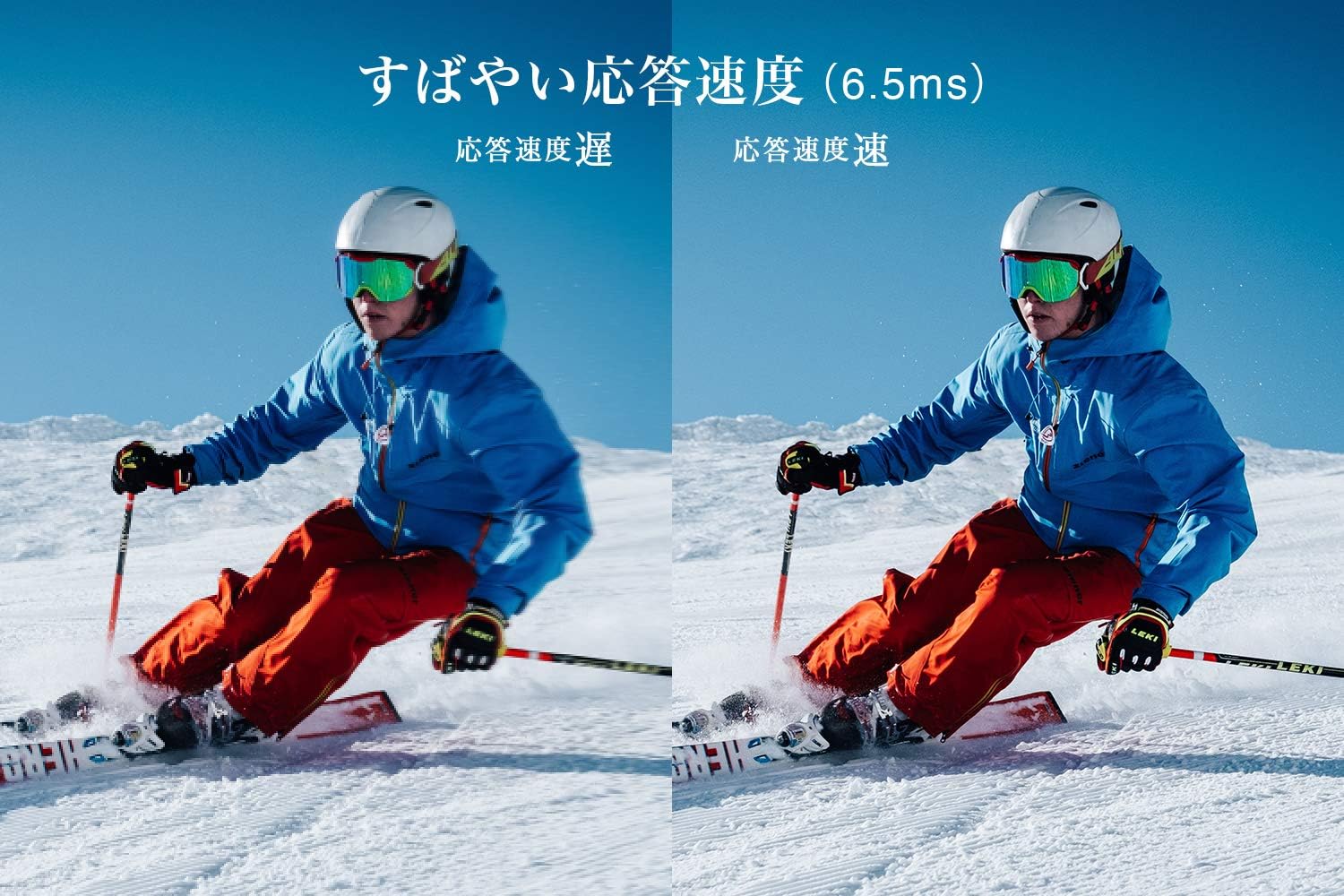
Figure 5: The TV features a fast response speed of 6.5ms for clear motion.
4. Bakım
4.1 Ekranı Temizleme
Ekranı yumuşak, kuru ve tüy bırakmayan bir bezle nazikçe silin. İnatçı lekeler için, hafifçe silin.ampen the cloth with water or a specialized screen cleaner (ensure it's suitable for LCD screens) and wipe carefully. Avoid applying excessive pressure.
4.2 TV Gövdesinin Temizlenmesi
Wipe the TV body with a soft, dry cloth. Do not use abrasive cleaners, waxes, or solvents as they can damage the finish.
4.3 Genel Bakım
- Televizyonu doğrudan güneş ışığına veya aşırı sıcaklıklara maruz bırakmaktan kaçının.
- Televizyonunuzun aşırı ısınmasını önlemek için çevresinde yeterli havalandırma olduğundan emin olun.
- Şimşekli fırtınalar sırasında veya uzun süre kullanılmayacaksa televizyonu elektrik prizinden çıkarın.
5. Sorun Giderme
If you encounter issues with your TV, refer to the following common troubleshooting steps. If the problem persists, contact customer support.
5.1 Güç Yok
- Güç kablosunun hem televizyona hem de duvar prizine sağlam bir şekilde bağlı olup olmadığını kontrol edin.
- Başka bir cihazı takarak duvar prizinin çalıştığından emin olun.
- Televizyonun üzerindeki güç düğmesine basın, uzaktan kumandaya değil.
5.2 No Picture/No Signal
- Doğru giriş kaynağının seçildiğinden emin olun (örneğin, HDMI 1, TV).
- Tüm kablo bağlantılarını (HDMI, anten) gevşeklik veya hasar açısından kontrol edin.
- Harici bir cihaz kullanıyorsanız, cihazın açık ve düzgün çalıştığından emin olun.
- Perform a channel scan if you are watching broadcast TV.
5.3 Ses Yok
- Ses seviyesini kontrol edin ve televizyonun sesinin kısılmadığından emin olun.
- Harici hoparlör kullanıyorsanız, bunların doğru şekilde bağlı ve açık olduğundan emin olun.
- Televizyon menüsünden ses ayarlarını kontrol edin.
5.4 Uzaktan Kumanda Çalışmıyor
- Pilleri yenileriyle değiştirin.
- Uzaktan kumanda ile televizyonun kızılötesi sensörü arasında herhangi bir engel olmadığından emin olun.
6. Özellikler
| Özellik | Şartname |
|---|---|
| Ekran Boyutu | 32 inç |
| Ekran Teknolojisi | LCD |
| Çözünürlük | Yüksek Çözünürlük (1366x768) |
| Yenileme Hızı | 60 Hz |
| En Boy Oranı | 16:9 |
| Kontrast Oranı | 3000:1 |
| ViewAçı | 178/178 degrees (JEITA standard, CR>=10) |
| Arka Aydınlatma Tipi | Doğrudan aydınlatmalı LED |
| Tepki Hızı | 6.5ms |
| Boyutlar (standlı) | G731 x Y491 x D186 mm |
| Boyutlar (stand hariç) | G731 x Y436 x D76 mm |
| Ağırlık (stand ile) | 4.4 Kilogram |
| Ağırlık (standsız) | 4.3 Kilogram |
| Duvara Montaj (VESA) | 100x100mm |
| Yıllık Güç Tüketimi | 45 kWh/yıl |
| HDMI Bağlantı Noktaları | 2 (HDMI Ver1.4a, Port 1 supports ARC) |
| USB Bağlantı Noktaları | 1 (USB2.0) |
| Tuner Türü | Terrestrial Digital, BS Digital, 110-degree CS Digital (Dual Tuner) |
| Model Yılı | 2019 |

Figure 6: TV dimensions and recommended viewmesafe.

Figure 7: VA panel technology provides superior contrast and depth.
7. Garanti ve Destek
7.1 Üretici Garantisi
This product comes with a 1-year manufacturer's warranty from the date of purchase. Please retain your proof of purchase for warranty claims.
7.2 Müşteri Desteği
For any inquiries, technical assistance, or repair requests, please contact TCL customer support. Our dedicated Japanese staff are available to assist you.
- Telefon: 0120-955-517
- Çalışma Saatleri: 9:00 - 18:00 (Weekdays and Holidays, excluding year-end and New Year holidays)
- Webalan: https://www.tcl.com/jp/ja/services.html
Nationwide repair service is available.
Figure 8: TCL Customer Support details.