
1. Giriş
Thank you for choosing the Sodo MH3 Wireless On-Ear Bluetooth Headphones. This device offers both high-quality audio playback as on-ear headphones and the versatility of a portable Bluetooth speaker. This manual provides essential information for safe and efficient use, including setup, operation, and maintenance instructions.
2. Güvenlik Bilgileri
- Cihazı aşırı sıcaklıklara, doğrudan güneş ışığına veya yüksek neme maruz bırakmayın.
- Kulaklığınızı düşürmekten veya sert darbelere maruz bırakmaktan kaçının.
- Keep the device away from water and other liquids. It is not water-resistant.
- Do not attempt to disassemble, repair, or modify the headphones yourself. This may void the warranty and cause damage.
- Clean the headphones with a soft, dry cloth only. Do not use abrasive cleaners or solvents.
- Uzun süre yüksek ses seviyesinde dinlemek işitme hasarına neden olabilir. Ses seviyesini güvenli bir düzeye ayarlayın.
3. Paket İçeriği
Lütfen paketi aşağıdaki öğeler açısından kontrol edin:
- Sodo MH3 Wireless On-Ear Bluetooth Headphones (with integrated headband)
- USB Şarj Kablosu
- 3.5 mm Ses Kablosu (AUX kablosu)
- Kullanıcı Kılavuzu
4. Ürün Bittiview
Familiarize yourself with the components of your Sodo MH3 headphones.
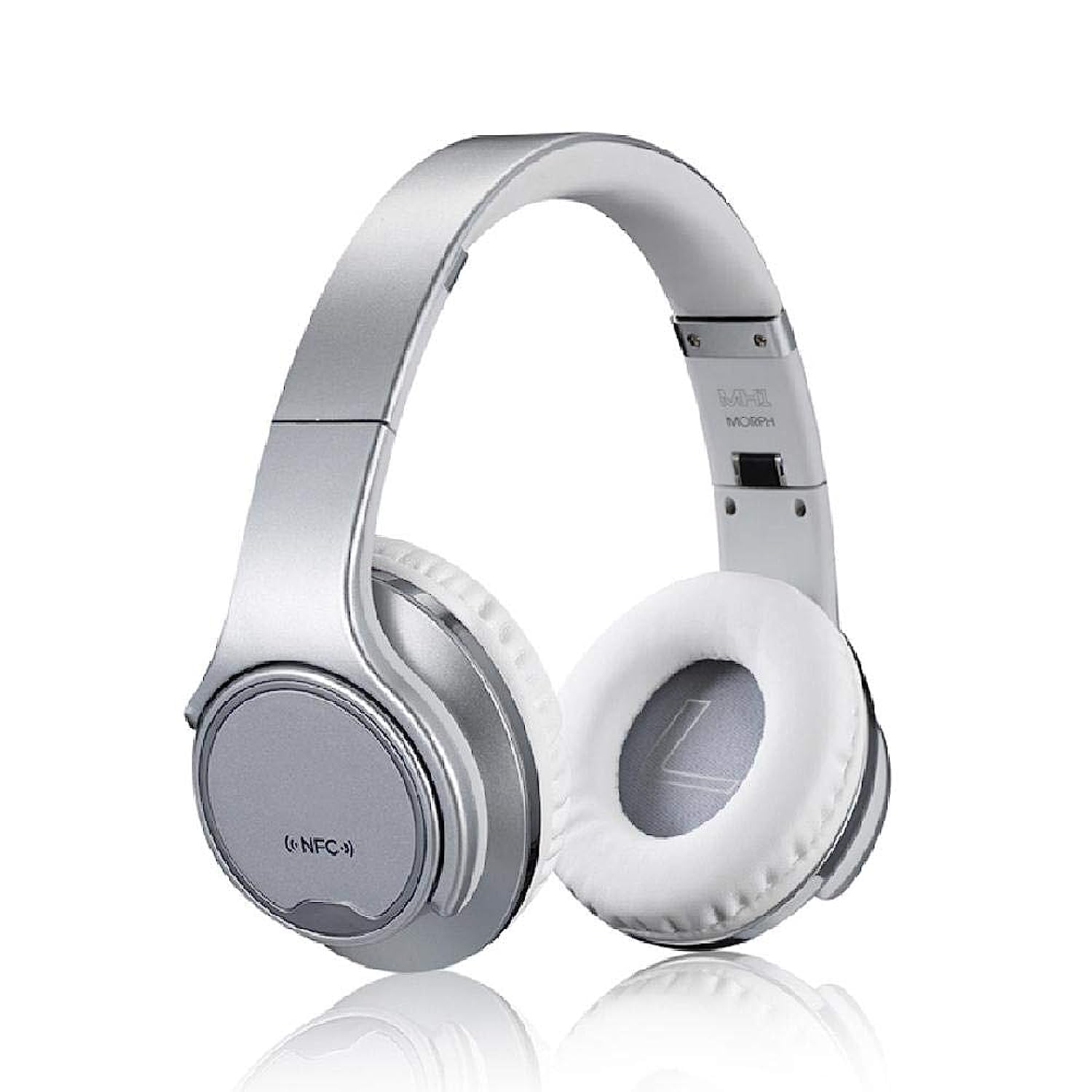
Resim 1: Ön view of the Sodo MH3 Wireless On-Ear Bluetooth Headphones. The image shows the silver headband and white earcups, indicating the overall design.

Resim 2: Taraf view of the Sodo MH3 Wireless On-Ear Bluetooth Headphones. This view highlights the adjustable headband and the cushioning on the earcups.
Controls and Ports (Refer to diagram in physical manual for exact locations):
- Güç Düğmesi: Used to turn the device on/off and for pairing.
- Sesi Aç/Sonraki Parça Düğmesi: Increases volume, skips to the next track.
- Sesi Azaltma/Önceki Parça Düğmesi: Decreases volume, goes to the previous track.
- Çok Fonksiyonlu Düğme (MFB): Play/Pause, Answer/End calls, Mode switch.
- Mikrofon: Eller serbest görüşmeler için.
- LED Göstergesi: Güç, şarj ve Bluetooth durumunu gösterir.
- Mikro USB Şarj Bağlantı Noktası: Dahili bataryayı şarj etmek için.
- 3.5 mm AUX Girişi: Kablolu ses bağlantısı için.
5. Kurulum
5.1 Kulaklıkların Şarj Edilmesi
- Connect the small end of the USB charging cable to the Micro USB charging port on the headphones.
- USB şarj kablosunun büyük ucunu bir USB güç adaptörüne (dahil değildir) veya bir bilgisayarın USB portuna takın.
- Şarj sırasında LED göstergesi yanacak (örneğin kırmızı) ve tamamen şarj olduğunda sönecek veya rengi değişecektir (örneğin mavi).
- İlk kullanımdan önce tam şarj için yaklaşık 2-3 saat bekleyin.
5.2 Açma/Kapatma
- Açmak İçin: Press and hold the Power button for approximately 3 seconds until the LED indicator flashes and you hear a power-on prompt.
- Kapatmak İçin: LED göstergesi sönene ve kapatma uyarısı duyana kadar Güç düğmesini yaklaşık 3 saniye basılı tutun.
5.3 Bluetooth Pairing (Headphone Mode)
- Kulaklıkların kapalı olduğundan emin olun.
- Güç düğmesini yaklaşık 5-7 saniye basılı tutun; LED göstergesi dönüşümlü olarak kırmızı ve mavi yanıp sönmeye başlayacak, bu da eşleştirme modunu gösterir.
- Ses cihazınızda (akıllı telefon, tablet, bilgisayar) Bluetooth'u etkinleştirin.
- Arama "MH3" or "Sodo MH3" in the list of available Bluetooth devices.
- Select "MH3" to connect. Once connected, the LED indicator will flash blue slowly, and you will hear a confirmation tone.
- Şifre sorulursa "0000" girin.
5.4 Kablolu Bağlantı (AUX Modu)
- Connect one end of the 3.5mm audio cable to the AUX input port on the headphones.
- Connect the other end of the 3.5mm audio cable to the audio output jack of your device (e.g., phone, MP3 player).
- The headphones will automatically switch to wired mode. Bluetooth functionality will be disabled in this mode.
6. Kullanım Talimatları
6.1 Playing Audio (Bluetooth Mode)
- Oynat/Duraklat: MFB’ye bir kez basın.
- Sonraki Parça: Sesi Açma tuşuna basılı tutun.
- Önceki parça: Sesi Azaltma düğmesini basılı tutun.
- Sesi aç: Sesi Açma tuşuna kısa basın.
- Sesi kıs: Sesi Azaltma düğmesine kısa basın.
6.2 Çağrı Yönetimi
- Cevap Çağrısı: Press the MFB once when a call comes in.
- Çağrı Sonu: Görüşme sırasında MFB düğmesine bir kez basın.
- Çağrıyı Reddet: Press and hold the MFB for 2 seconds when a call comes in.
- Son Numarayı Tekrar Ara: MFB'ye iki kez basın.
6.3 Switching Between Headphone and Speaker Mode
The Sodo MH3 features a unique 2-in-1 design, allowing it to function as both on-ear headphones and a portable Bluetooth speaker.
- To switch to Speaker Mode: Rotate the earcups outwards. The sound will project from the external speakers.
- To switch to Headphone Mode: Rotate the earcups inwards to cover your ears. The sound will be directed to the internal headphone drivers.
- The device automatically detects the orientation of the earcups and adjusts the audio output accordingly.
7. Bakım
- Temizlik: Use a soft, dry, lint-free cloth to wipe the surfaces of the headphones. Do not use liquid cleaners or sprays.
- Depolamak: Kullanmadığınız zaman kulaklıklarınızı serin, kuru, doğrudan güneş ışığından ve aşırı sıcaklıklardan uzak bir yerde saklayın.
- Pil Bakım: Pil ömrünü uzatmak için, sık kullanılmasa bile kulaklıkları düzenli olarak şarj edin. Pilin uzun süre tamamen boşalmasından kaçının.
8. Sorun Giderme
| Sorun | Olası Neden | Çözüm |
|---|---|---|
| Kulaklık açılmıyor. | Pil zayıf. | Kulaklığı tam şarj edin. |
| Bluetooth üzerinden eşleştirme yapılamıyor. | Kulaklık eşleştirme modunda değil; cihazda Bluetooth devre dışı; cihaz çok uzakta. | Kulaklıkların eşleştirme modunda olduğundan (kırmızı/mavi yanıp sönüyor) emin olun. Cihazınızda Bluetooth'u etkinleştirin. Cihazınızı kulaklıklara daha yakın bir mesafeye (10 metre içinde) getirin. |
| Bluetooth modunda ses yok. | Ses çok düşük; kulaklık bağlı değil; cihazda yanlış ses çıkışı seçilmiş. | Hem kulaklıkların hem de bağlı cihazın ses seviyesini artırın. Kulaklıkları yeniden eşleştirin. Cihazınızdaki ses çıkışı ayarlarını kontrol edin. |
| Ses bozulması. | Cihaz çok uzakta; parazit; düşük pil. | Bağlı cihaza daha yakın durun. Güçlü elektromanyetik girişimden kaçının. Kulaklıkları şarj edin. |
| Mikrofon çalışmıyor. | Incorrect input device selected on computer/phone; microphone blocked. | Check audio input settings on your device. Ensure microphone port is clear. |
9. Özellikler
| Marka | Sodo |
| Örnek | MH3 |
| Renk | Gümüş |
| Bağlantı Teknolojisi | Kablosuz (Bluetooth) |
| Kulaklık Tipi | Kulak üstü |
| Hoparlör İşlevi | Yes (2-in-1 design) |
| Mikrofon Dahil | Evet |
| Gürültü Kontrolü | Hiçbiri |
| Malzeme | Plastik |
| Önerilen Kullanımlar | Sports, Exercise |
| Kontrol Türü | Volume Control, Voice |
| Su Direnç Seviyesi | Suya dayanıklı değil |
| Kulaklık girişi | 3.5 mm jak |
| Hassasiyet | 97 dB |
| Boyutlar | 23x20.2x10.8 cm |
| Ağırlık | 450 gram |
| Dahil Bileşenler | Kafa bandı (entegre) |
10. Garanti ve Destek
For warranty information and support, please refer to the warranty card included with your product or contact the retailer where you purchased the Sodo MH3 headphones. Keep your proof of purchase for warranty claims.
For further assistance or technical support, please visit the official Sodo webWeb sitelerini ziyaret edebilir veya müşteri hizmetleri departmanıyla iletişime geçebilirsiniz. İletişim bilgileri genellikle ürün ambalajında veya üreticinin web sitesinde bulunur. webalan.