
1. Üzeriview
The mooas Digital Mirror Alarm Clock (Square) is a versatile LED desk clock featuring time display, alarm with snooze function, and temperature display. Its mirror finish and clear LED digits make it a functional and aesthetic addition to any room. This manual provides detailed instructions for setup, operation, and maintenance.
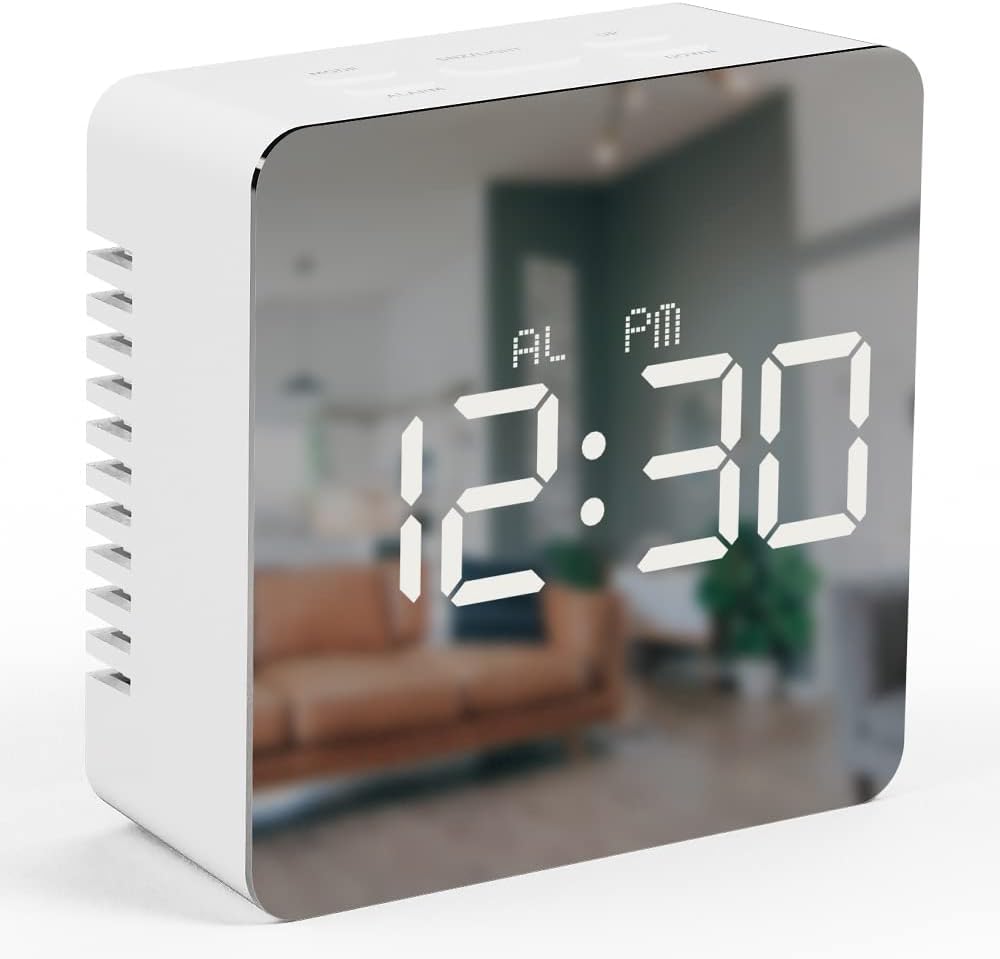
Image 1.1: The mooas Digital Mirror Alarm Clock (Square) displaying the current time.
2. Paket İçeriği
Lütfen paketi aşağıdaki öğeler açısından kontrol edin:
- 1 x mooas Digital Mirror Alarm Clock (Square)
- 1 x USB Güç Kablosu
- 1 x İngilizce Kullanım Kılavuzu
Note: 3 x AAA batteries are required for battery-powered operation and are not included.
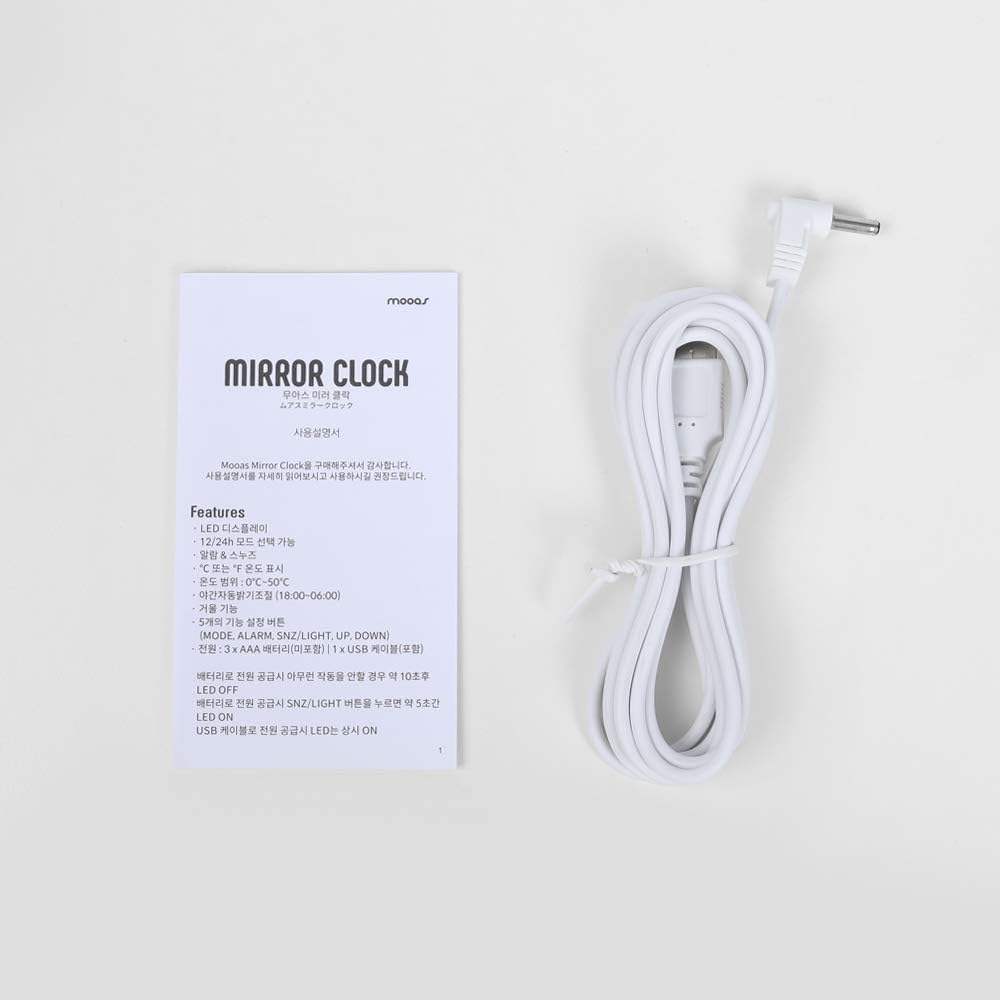
Image 2.1: Included USB cable and instruction manual.
3. Kurulum
3.1 Saatin Çalıştırılması
The clock can be powered in two ways:
- USB Güç Kaynağı (Sürekli ekran kullanımı için önerilir): Connect the included USB cable to the DC 5V port on the back of the clock and plug the other end into a USB power adapter (not included) or a powered USB port. The LED display will remain continuously on.
- Battery Power (For temporary display): Open the battery compartment on the back of the clock and insert 3 x AAA batteries (not included), ensuring correct polarity. When powered by batteries, the LED display will turn off automatically after 10 seconds of inactivity to conserve power. To reactivate the display, press any button.

Resim 3.1: Arka view of the clock, indicating the battery compartment and USB power input.
3.2 Düğme Fonksiyonları
The clock features five functional buttons located on the top:
- TARİFİ: Used to switch between Time, Alarm, and Temperature display modes, and to enter setting modes.
- ALARM: Used to activate/deactivate the alarm and enter alarm setting mode.
- SNZ/LIGHT: Activates snooze during an alarm. Press and hold to adjust LED brightness.
- YUKARI: Increases values during setting modes.
- AŞAĞI: Decreases values during setting modes.
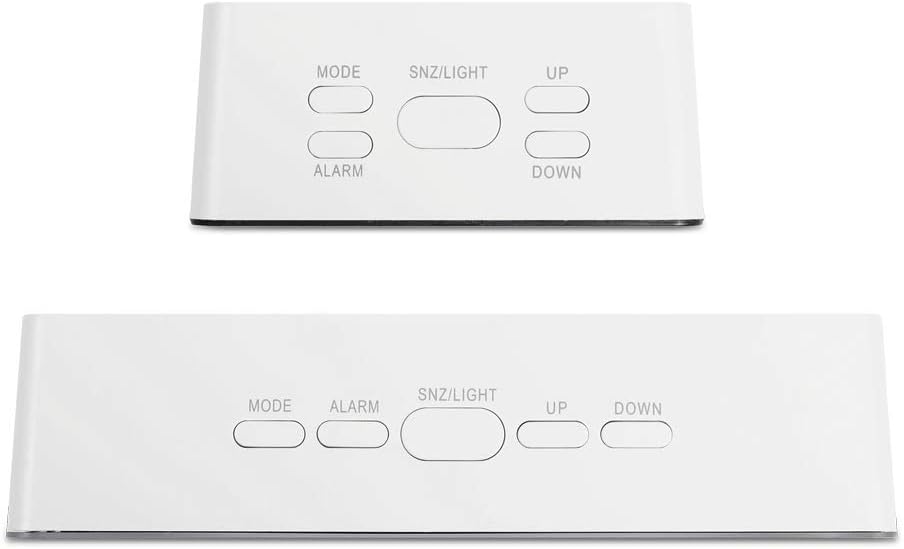
Image 3.2: Location and labels of the control buttons on top of the clock.
4. Kullanım Talimatları
4.1 Setting the Time (12/24H)
- Zaman görüntüleme modunda, basılı tutun. MOD button for 3 seconds to enter time setting. The hour digits will flash.
- Basmak UP or AŞAĞI Saati ayarlamak için
- Basmak MOD Tekrar saati onaylayın ve dakika ayarına geçin. Dakika rakamları yanıp sönecektir.
- Basmak UP or AŞAĞI dakikayı ayarlamak için
- Basmak MOD again to confirm the minute and select 12-hour or 24-hour format. '12H' or '24H' will flash.
- Basmak UP or AŞAĞI Tercih ettiğiniz saat biçimini seçmek için.
- Basmak MOD to exit time setting.
4.2 Alarmı Ayarlama
- In Time display mode, press the ALARM Alarmın geçerli saatini görüntülemek için düğmeye bir kez basın.
- Basılı tutun ALARM button for 3 seconds to enter alarm setting. The alarm hour digits will flash.
- Basmak UP or AŞAĞI alarm saatini ayarlamak için.
- Basmak ALARM Tekrar saati onaylayın ve alarm dakikası ayarına geçin. Alarm dakikası rakamları yanıp sönecektir.
- Basmak UP or AŞAĞI alarm dakikasını ayarlamak için.
- Basmak ALARM Alarm ayarından çıkmak için.
- Alarmı etkinleştirmek veya devre dışı bırakmak için tuşuna basın ALARM button once in Time display mode. An alarm icon will appear on the display when activated.
4.3 Erteleme İşlevi
Alarm çaldığında, düğmesine basın. SNZ/IŞIK button to activate the snooze function. The alarm will temporarily stop and sound again after approximately 5 minutes. To turn off the alarm completely, press any other button.
4.4 Temperature Display (℃/℉)
The clock automatically displays the temperature. To switch between Celsius (℃) and Fahrenheit (℉):
- In Time display mode, press the MOD button repeatedly until the temperature is displayed.
- Basın AŞAĞI button to toggle between ℃ and ℉.

Image 4.1: The clock displaying temperature in Celsius.
4.5 Parlaklık Ayarı
The clock offers two levels of LED brightness. To adjust:
- Basılı tutun SNZ/IŞIK button. The display brightness will cycle between the two levels.
- Release the button when the desired brightness is achieved.
The LED display also features an automatic dimming function, reducing brightness between 18:00 (6 PM) and 06:00 (6 AM) by default.

Image 4.2: User interacting with the clock's buttons.
5. Bakım
- Clean the clock with a soft, dry cloth. Avoid abrasive cleaners or solvents.
- Saati doğrudan güneş ışığından, aşırı sıcaklıklardan ve yüksek nemden uzak tutun.
- Pil kullanıyorsanız, sızıntıyı önlemek için saat uzun süre kullanılmayacaksa pilleri çıkarın.
6. Sorun Giderme
| Sorun | Olası Neden | Çözüm |
|---|---|---|
| Display is off or dim (battery power) | LED display turns off after 10 seconds to save power. | Press any button to reactivate the display. For continuous display, use USB power. |
| Saat açılmıyor | Güç yok veya piller düşük. | Ensure USB cable is securely connected to a power source, or replace AAA batteries. |
| Alarm çalmıyor | Alarm aktif değil. | Basın ALARM button once to ensure the alarm icon is displayed. |
| Incorrect time/temperature display | Ayarların düzenlenmesi gerekiyor. | Refer to sections 4.1 and 4.4 to set the time and temperature unit. |
7. Özellikler
- Marka: mooalar
- Modeli: Digital Mirror Alarm Clock (Square)
- Görüntüleme Türü: Dijital LED
- Renk: Beyaz
- Malzeme: Akrilonitril Bütadien Stiren
- Boyutlar (G x Y x D): 3.2" x 3.2" x 1.4"
- Ağırlık: Yaklaşık 0.19 lb
- Güç Kaynağı: USB (DC 5V) or 3 x AAA Batteries (not included)
- Sıcaklık Aralığı: 32℉ ila 122℉ (0°C ila 50°C)
- Özellikler: Time (12/24H), Alarm, Snooze, Temperature (℃/℉), 2-level Brightness, Automatic Dimming
- Montaj Tipi: Masaüstü

Image 7.1: Detailed dimensions of the square model clock.
8. Garanti ve Destek
For warranty information and customer support, please refer to the contact details provided on the product packaging or the official mooas webalan. Garanti talepleri için satın alma makbuzunuzu saklayın.


