
1. Giriş
This manual provides detailed instructions for the installation, operation, and maintenance of your Time2 Oscar 2 Twin Pack Outdoor Security Cameras. The Oscar 2 cameras are designed for outdoor surveillance, offering 1080p Full HD video, night vision, motion and sound detection, and two-way audio communication. Please read this manual thoroughly before using the product to ensure proper setup and functionality.
2. Kutuda Neler Var?
Paketi açtığınızda lütfen aşağıdaki tüm öğelerin dahil olduğunu doğrulayın:
- 2 x Time2 Oscar WiFi Camera
- 2 x Güç Adaptörü
- 2 x Wall Mounting Kit (screws and wall plugs)
- 1 x Hızlı Başlangıç Kılavuzu

Image: The Time2 Oscar 2 camera shown with its retail packaging, indicating the contents of the box.
3. Ürün Özellikleri
The Time2 Oscar 2 cameras are equipped with advanced features for comprehensive outdoor security:
- 1080p Tam HD Video: Yiyeceklerin net ve ayrıntılı görüntülerini yakalar.tagve gece gündüz.
- Üstün Gece Görüşü: Automatic infrared night vision with IR cut for clear images in low light or darkness.
- 100° Alanı View: Provides a wide coverage area for monitoring your property.
- Hareket ve Ses Algılama: Advanced sensors detect unusual movement or sounds, sending instant alerts.
- İki Yönlü Ses: Dahili mikrofon ve hoparlör, gerçek zamanlı iletişim imkanı sağlar.
- Yerel ve Bulut Depolama: Supports local storage via MicroSD card (up to 128GB, not included) and optional cloud storage via CLAN CLOUD subscription.
- Hava koşullarına dayanıklı tasarım: IP65 rated for outdoor use, resistant to rain and dust.
- Güç Kaynağı: Ensures continuous operation without battery recharging.
- Aktivite Bölgeleri: Yanlış uyarıları azaltmak için algılama alanlarını özelleştirin.
- Alexa Entegrasyonu: Ses kontrolü için Amazon Alexa ile uyumludur.
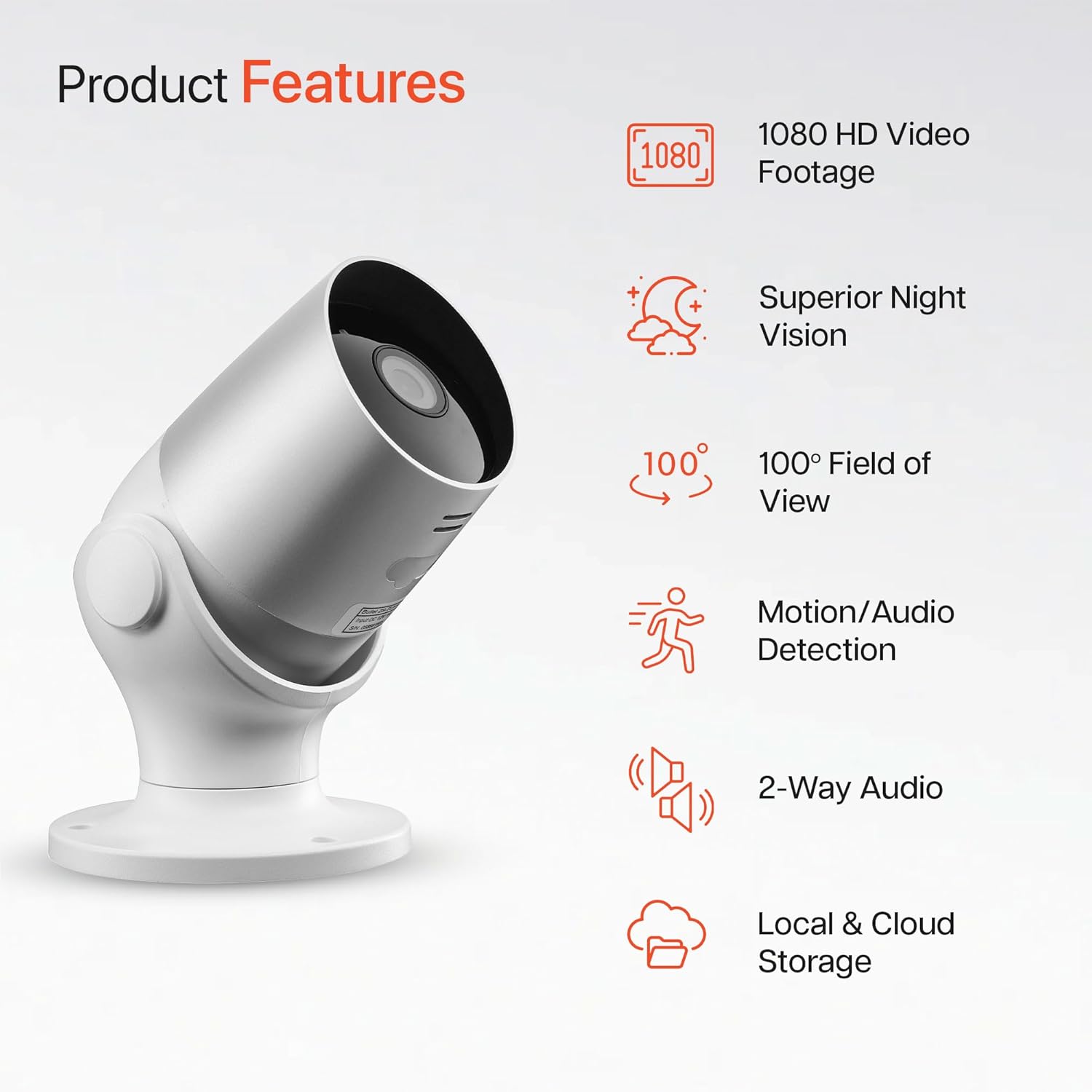
Image: An illustration highlighting the main features of the Oscar 2 camera, including 1080p HD video, night vision, 100° field of view, motion/audio detection, two-way audio, and storage options.
4. Kurulum
4.1 Uygulama İndirme ve Hesap Oluşturma
- Download the "CLAN" app from your smartphone's app store (iOS or Android).
- Uygulamayı açın ve yeni bir hesap oluşturmak için ekrandaki talimatları izleyin veya zaten bir hesabınız varsa giriş yapın.
4.2 MicroSD Kart Kurulumu (İsteğe bağlı)
For local video storage, you can install a MicroSD card (up to 128GB, not included) into the camera.
- Locate the MicroSD card slot on the camera (refer to the Quick Start Guide for exact location).
- MicroSD kartı yerine oturana kadar dikkatlice yuvaya yerleştirin.
- MicroSD kartı takmadan veya çıkarmadan önce kameranın kapalı olduğundan emin olun.
4.3 Camera Installation and Power Connection
The Oscar 2 cameras are designed for wall mounting and require a mains power connection.
- Bir Konum Seçin: İstenilen ortamı sağlayan bir dış mekan seçin. viewing angle and is within reach of a power outlet. Consider the 100° field of view.
- Kamerayı Monte Edin: Use the provided wall mounting kit (screws and wall plugs) to securely attach the camera to a wall or suitable surface. The camera housing allows for rotation to adjust the lens angle.
- Gücü bağlayın: Plug the power adapter into the camera and then into a mains power outlet. The camera will power on automatically.
4.4 Pairing with the CLAN App
- Akıllı telefonunuzun 2.4 GHz Wi-Fi ağına bağlı olduğundan emin olun (5 GHz ağları desteklenmemektedir).
- Open the CLAN app and tap the "+" icon to add a new device.
- Select "Oscar 2" from the list of devices.
- Follow the in-app instructions, which typically involve scanning a QR code displayed on your phone with the camera lens or listening for a sound prompt.
- Once paired, you can name your camera and begin configuring settings.
5. Operating Your Oscar 2 Camera
5.1 Canlı View ve İzleme
From the CLAN app home screen, tap on your camera's name to access the live video feed. You can view multiple cameras simultaneously if you have more than one Oscar 2 device.

Image: A smartphone displaying the CLAN app interface, showing a live view from the Oscar 2 camera and various control options.
5.2 Hareket ve Ses Algılama
The Oscar 2 camera can detect movement and sound, sending instant alerts to your smartphone or tablet.
- Uyarıları Etkinleştir: Navigate to the camera settings in the CLAN app and enable motion and sound detection alerts.
- Hassasiyeti Ayarlayın: You can adjust the sensitivity level of both motion and sound detection to minimize false alarms.
- Aktivite Bölgelerini Ayarla: Kameranın görüş alanı içindeki belirli alanları tanımlayın view where you want motion detection to be active. This helps focus on critical areas and ignore irrelevant movements.
5.3 İki Yönlü Ses
Çift yönlü iletişim için dahili mikrofonu ve hoparlörü kullanın.
- canlı iken view, tap the microphone icon in the app to speak through the camera's speaker.
- Kameranın mikrofonundan gelen sesi dinlemek için hoparlör simgesine dokunun.
- This feature is useful for interacting with visitors or deterring intruders.
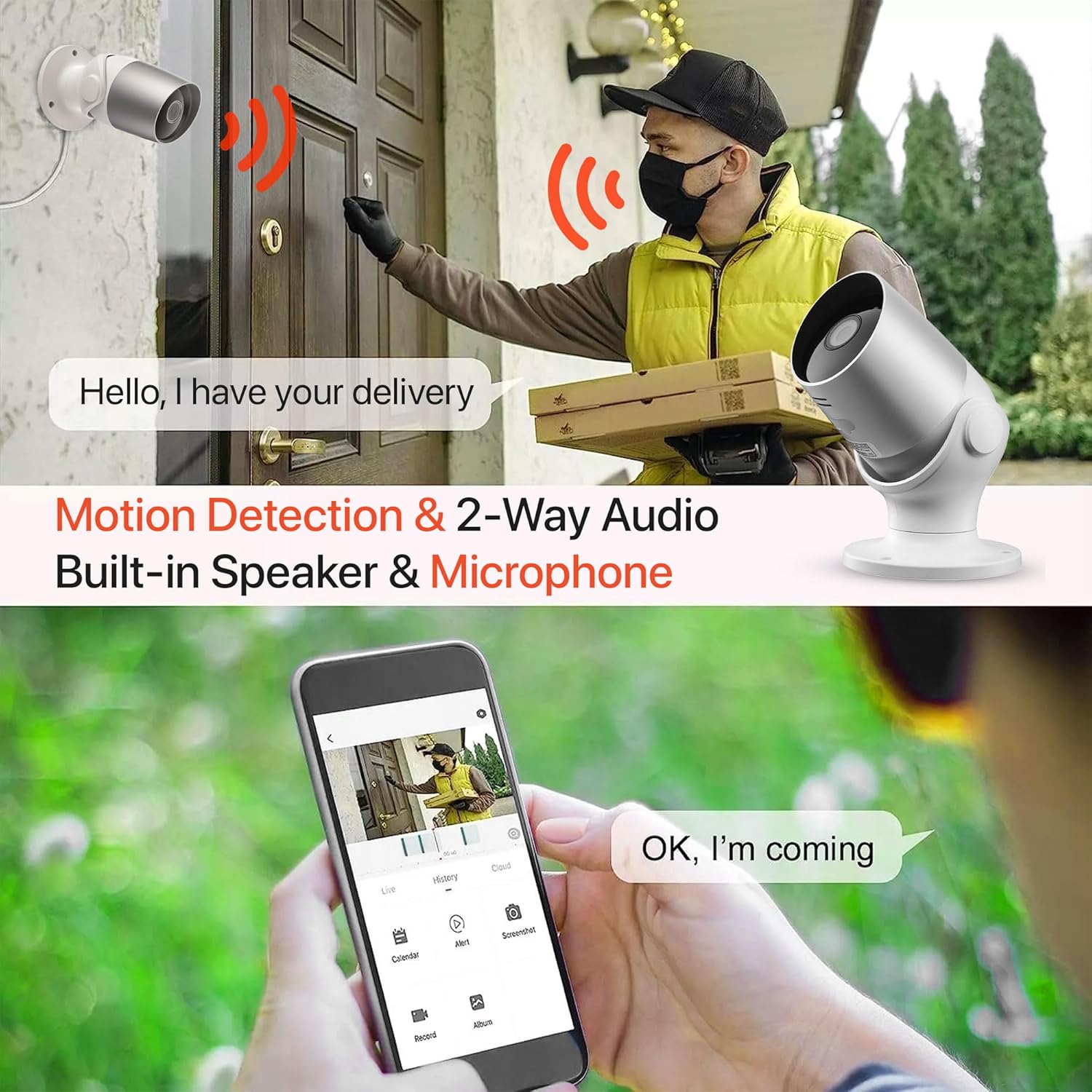
Image: An illustration demonstrating the two-way audio feature, showing a user communicating with a delivery person via the Oscar 2 camera and smartphone app.
5.4 Kayıt ve Oynatma
The Oscar 2 cameras offer flexible recording options:
- Sürekli Kayıt: If a MicroSD card is installed, the camera can record continuously for up to 21 days (with a 128GB card).
- Hareket Algılamalı Kayıt: The camera can be set to record only when motion or sound is detected. Recordings include 5 seconds of pre-event footage.
- Local Storage (MicroSD): Kayıtlı foo'ya erişintage directly from the MicroSD card via the CLAN app.
- Cloud Storage (CLAN CLOUD): Subscribe to CLAN CLOUD for secure off-site storage of your recordings, accessible from anywhere.
- Playback: Use the playback feature in the CLAN app to review Kaydedilen olaylar.
5.5 Gece Görüşü
The camera automatically switches to infrared night vision in low-light conditions, providing clear black and white images. The integrated IR cut filter ensures accurate color representation during the day.

Image: A visual representation of the camera's 24/7 monitoring capability, showing how the view changes from morning (color) to afternoon (color) to night (infrared night vision).
5.6 Alexa Entegrasyonu
The Oscar 2 cameras are compatible with Amazon Alexa. To enable this feature, link your CLAN account within the Alexa app. You can then use voice commands to view Kameranızın görüntüsünü, Alexa özellikli uyumlu cihazlarda izleyebilirsiniz.
6. Bakım
- Temizlik: Kameranın lensini düzenli olarak yumuşak bir bezle temizleyin.amp cloth to ensure optimal image clarity. Do not use harsh chemicals or abrasive materials.
- Donanım Yazılımı Güncellemeleri: Ensure your camera's firmware is up to date. The CLAN app will typically notify you of available updates. Follow the in-app instructions to perform updates, which can improve performance and add new features.
- Güç Döngüsü: If the camera experiences issues, try power cycling it by unplugging it from the power source for a few seconds and then plugging it back in.
7. Sorun Giderme
- Kamera Wi-Fi'ye Bağlanmıyor:
- Wi-Fi ağınızın 2.4 GHz olduğundan emin olun. Kamera 5 GHz ağları desteklemiyor.
- Kameranın Wi-Fi yönlendiricinizin kapsama alanında olduğundan emin olun.
- Uygulamada Wi-Fi şifrenizin doğru girildiğinden emin olun.
- Yönlendiricinizi ve kameranızı yeniden başlatın.
- Sık Hareket Algılama Uyarıları:
- Adjust the motion detection sensitivity settings in the CLAN app to a lower level.
- Define specific activity zones to exclude areas with frequent irrelevant movement (e.g., trees swaying, busy roads).
- Environmental factors like heavy rain or snow can sometimes trigger alerts; consider adjusting sensitivity during adverse weather.
- Kötü Görüntü Kalitesi:
- Kir veya lekeleri temizlemek için kamera lensini temizleyin.
- Kameranın görüş alanında herhangi bir engel olmadığından emin olun view.
- Check your internet connection speed; a slow connection can affect live stream quality.
- İki Yönlü Ses Sorunları:
- Telefonunuzun sesinin açık olduğundan ve uygulamanın mikrofon iznine sahip olduğundan emin olun.
- Check the camera's speaker and microphone settings in the app.
- Daha net iletişim için arka plan gürültüsünü en aza indirin.
- Recordings Not Saving:
- If using a MicroSD card, ensure it is correctly inserted and formatted within the app. Check if the card is full.
- If using cloud storage, verify your CLAN CLOUD subscription is active.
8. Özellikler
| Özellik | Detay |
|---|---|
| Model Adı | Oskar 2 |
| Ürün Boyutları | 8.9x17.8x19.1 cm |
| Ağırlık | 720 gram |
| Üretici | Zaman2 |
| Bağlantı Teknolojisi | Kablosuz (Wi-Fi) |
| Özel Özellik | Motion and Sound Alerts |
| İç/Dış Mekan Kullanımı | Dış mekan |
| Uyumlu Cihazlar | Bilgisayar, Akıllı Telefon, Tablet |
| Güç Kaynağı | Electric Cable (Mains Powered) |
| Denetleyici Türü | Amazon Alexa |
| Montaj Tipi | Duvara Montaj |
| Renk | Beyaz |
| Form Faktörü | Mermi |
| Su Direnç Seviyesi | Su geçirmez (IP65) |
| Cilttage | 12 Volt |
| Netage | 5 Watt |
| Video Yakalama Formatı | MP4 |
| Etkili Video Çözünürlüğü | 1080 Piksel (1080p) |
| ViewAçı | 100 Derece |
| Öğe Sayısı | 2 (İkili Paket) |
| UPC | 045912296356 |
9. Garanti ve Destek
9.1 Garanti Bilgileri
Your Time2 Oscar 2 cameras come with a manufacturer's warranty. Please refer to the warranty card included in your product packaging or visit the official Time2 webAyrıntılı garanti şartları ve koşulları için siteyi ziyaret edin.
9.2 Müşteri Desteği
If you encounter any issues or have questions not covered in this manual, please contact Time2 customer support. Contact details can typically be found on the Time2 webSitede veya ürününüzle birlikte verilen Hızlı Başlangıç Kılavuzunda bulabilirsiniz.
For the latest information, FAQs, and support resources, please visit the official Time2 webalan.