
giriiş
The KECHAODA A26 is a compact dual SIM mobile phone designed for essential communication. It features a small form factor, Bluetooth connectivity for use as a dialer with other smartphones, and an 800 mAh battery providing up to 4 hours of talk time. This manual will guide you through the setup, operation, and maintenance of your device.
Kutu İçeriği
Paketi açtığınızda aşağıdaki tüm öğelerin mevcut olduğundan emin olun:
- KECHAODA A26 Mobile Phone
- Şarj Edilebilir Pil (800 mAh)
- Mikro USB Şarj Kablosu
- Kullanıcı Kılavuzu
- Garanti Kartı
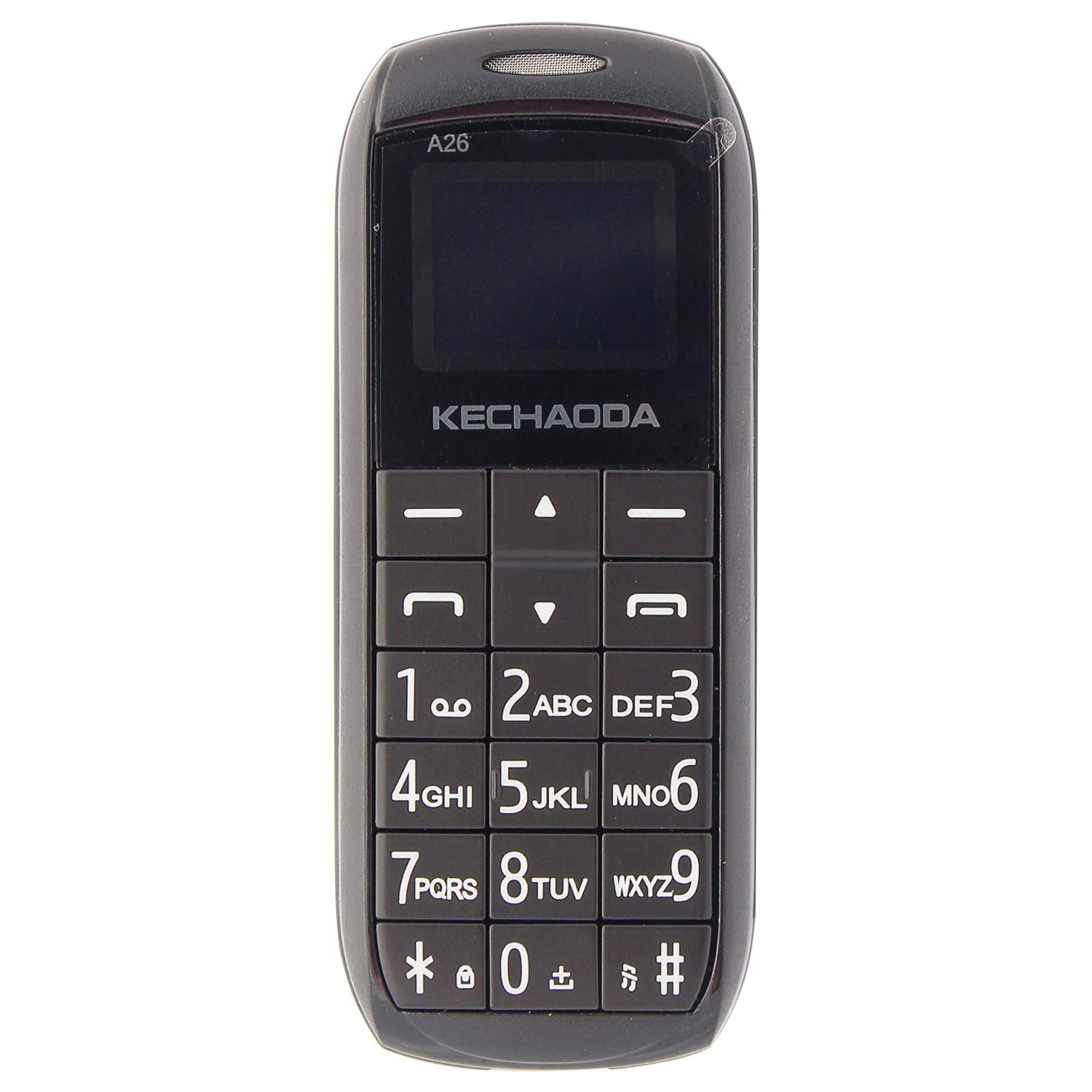
Resim: Ön view of the KECHAODA A26 Mobile Phone, showcasinkompakt tasarımı ve tuş takımı sayesinde.
Ürün Bittiview
The KECHAODA A26 is designed for portability and ease of use. Familiarize yourself with its physical features:
- Boyutlar: Approximately 40 x 15 x 4 Millimeters
- Ağırlık: Yaklaşık 95 gram
- Görüntülemek: 1.6-inch black and white LCD screen
- SIM Desteği: Dual Micro SIM card slots
- Bağlantı: Bluetooth, 2G GSM Network
- Limanlar: Micro USB for charging, 3.5mm headphone jack
- Malzeme: Dayanıklı plastik yapı

Resim: Yan view of the KECHAODA A26 Mobile Phone, highlighting its slim profile.

Resim: Üst view of the KECHAODA A26 Mobile Phone, showing the Micro USB charging port and headphone jack.
Kurmak
1. Pil ve SIM Kartların Takılması
- Telefonun arka kapağını dikkatlice çıkarın.
- Insert the 800 mAh battery into its compartment, ensuring the contacts align correctly.
- Locate the dual Micro SIM card slots. Insert your SIM cards into the designated slots.
- Arka kapağı yerine tam oturana kadar takın.
2. Cihazın Şarj Edilmesi
- Connect the Micro USB charging cable to the phone's charging port.
- Plug the other end of the cable into a compatible USB power adapter or computer USB port.
- Allow the phone to charge fully before initial use. The battery indicator on the screen will show charging status.
Kullanım Talimatları
1. Güç Açma/Kapatma
- Cihazı açmak için, ekran ışığı yanana kadar Güç/Çağrı Sonlandırma düğmesini basılı tutun.
- To power off, press and hold the Power/End Call button until the power-off prompt appears, then confirm.
2. Arama Yapma
- From the home screen, use the numeric keypad to dial the desired phone number.
- Press the Call button (usually a green phone icon) to initiate the call.
- To end a call, press the Power/End Call button (usually a red phone icon).
3. Kısa Mesaj Gönderme
- Ana ekrandan 'Mesajlar' menüsüne gidin.
- 'Mesaj Yaz' veya 'Yeni Mesaj' seçeneklerinden birini seçin.
- Enter your message using the keypad. Multiple presses on a key cycle through letters and numbers.
- Alıcının telefon numarasını girin veya rehberinizden seçin.
- Mesajı gönder.
4. Bluetooth Dialer Functionality
The KECHAODA A26 can connect to another smartphone via Bluetooth and act as a dialer, allowing you to make and receive calls through your primary phone's SIM while using the compact A26.
- Enable Bluetooth on both your KECHAODA A26 and your primary smartphone.
- On the A26, navigate to the Bluetooth settings and search for available devices.
- Select your primary smartphone from the list and pair the devices. Follow any on-screen prompts for pairing codes.
- Once paired, you can use the A26 to dial numbers and manage calls that are routed through your connected smartphone.
5. FM Radyo
The phone includes an FM radio feature. To use it, ensure headphones are connected to the 3.5mm jack, as they often act as the antenna.
- Connect a pair of wired headphones to the phone.
- Navigate to the 'FM Radio' application in the menu.
- İstasyonları taramak için navigasyon tuşlarını kullanın veya manuel olarak bir frekansa ayarlayın.
Özellikler
| Marka | KEKAODA |
| Örnek | A26 |
| İşletim Sistemi | Symbian 9.3 |
| CPU Modeli | ARMv7 |
| Bellek Depolama Kapasitesi | 16 MB |
| Ekran Boyutu | 1.6 İnç (LCD) |
| Çözünürlük | 720p |
| Renk | Siyah |
| SIM Kart Yuvası Sayısı | Çift SIM |
| Bağlayıcı Türü | Mikro USB |
| Form Faktörü | Smartphone (Feature Phone) |
| Human Interface Types | Dial (Keypad) |
| Malzeme Özellikleri | Plastik |
| Kulaklık Girişi | Evet |
| Ürün Özellikleri | Bluetooth, Dual SIM |
| Pil Kapasitesi | 800 Miliamp Hours (Lithium-Ion) |
| Telefon Konuşma Süresi | 4 Saat |
| Ürün Ağırlığı | 95 Gram |
| Ürün Boyutları | 40 x 15 x 4 milimetre |
| Kablosuz Sağlayıcı | Tüm Taşıyıcılar için Kilidi Açıldı |
| Hücresel Teknoloji | 2G |
| Ağ Bağlantı Teknolojisi | GSM |
| Model Yılı | 2019 |
Sorun giderme
If you encounter issues with your KECHAODA A26, refer to the following common solutions:
- Telefon açılmıyor: Ensure the battery is correctly inserted and fully charged. Connect the charger and try again.
- Ağ sinyali yok: Check if your SIM cards are properly inserted. Ensure you are in an area with 2G GSM network coverage.
- Pil şarj olmuyor: Verify that the Micro USB cable and charger are working correctly. Try a different charging cable or power source. Ensure the charging port is clean and free of debris.
- Bluetooth bağlantı sorunları: Ensure Bluetooth is enabled on both devices. Make sure both devices are within range and try re-pairing them.
- Tuş takımı çalışmıyor: Power off the phone, remove the battery, wait a few seconds, then reinsert the battery and power on.
Garanti ve Destek
The KECHAODA A26 comes with a 1 yıllık üretici garantisi. For warranty claims or technical support, please contact the manufacturer or your retailer with your proof of purchase.
Üretici: Dharam & Company, SS Care
Üretici İletişim Bilgileri: Dharam & Company