
1. Giriş
The BONECO U310 Ultrasonic Humidifier is designed to provide optimal indoor air quality with ease and efficiency. This 2-in-1 top-fill unit offers quiet operation and adjustable mist output levels, effectively adding moisture to rooms up to 860 square feet. Built with high-quality components, including a non-corrosive titanium membrane, the U310 ensures reliable performance. Its user-friendly design allows for simple water refilling and easy cleaning, supported by a 2-in-1 water filter for pure humidification without residue.

Şekil 1.1: Ön view of the BONECO U310 Ultrasonic Warm Mist Humidifier, showcasing its sleek design, control knob, and transparent water level window.
Video 1.1: Bir overview of the BONECO U310 Humidifier, highlighting its features and quiet operation for large rooms.
2. Kurulum
- Nemlendiriciyi kutusundan çıkarın: Carefully remove all components from the packaging. Ensure all packing materials are removed from inside the unit.
- Atama: Place the humidifier on a flat, stable, and water-resistant surface. Ensure it is not placed directly on carpet or near walls to prevent moisture damage. The unit measures 12.10 inches long, 6.50 inches wide, and 12.79 inches tall.
- Güç Bağlantısı: Güç kablosunu uygun bir 120V AC elektrik prizine takın.
- Su Tankını Doldurun: Open the top lid of the humidifier. Fill the water tank with clean, cool tap water. The U310 features a convenient top-fill design. Do not exceed the maximum fill line. The unit has a capacity of 3.17 gallons.
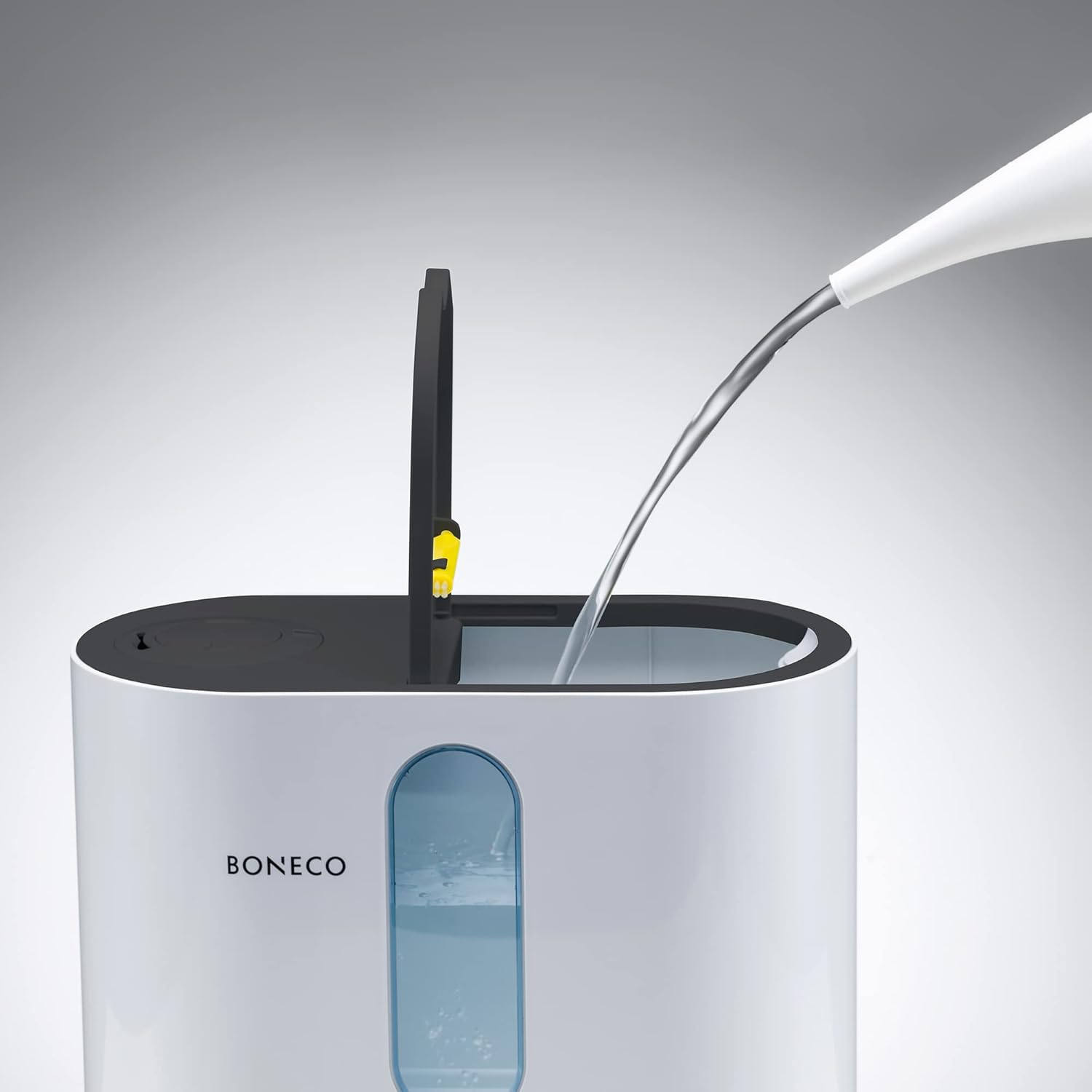
Figure 2.1: Illustrates the easy top-fill method for adding water to the BONECO U310 Humidifier.

Şekil 2.2: Arka view of the humidifier, highlighting the power cord and air vents.
3. Kullanım Talimatları
- Güç Açma/Kapatma: Press the power button on the control panel to turn the humidifier on or off.
- Sis Çıkışını Ayarla: Use the mist level button to cycle through different mist output settings (low, medium, high). The ultrasonic technology ensures quiet operation.
- Sıcak Buhar Fonksiyonu: Activate the warm mist feature by pressing the dedicated button. This provides a comfortable, warm mist for enhanced humidification.
- Nem Kontrolü: Set your desired humidity level using the humidity button. The humidifier will automatically maintain this level, turning on and off as needed.
- Zamanlayıcı Fonksiyonu: Utilize the timer button to set a specific operating duration for the humidifier, up to 12 hours.
- Uyku modu: Engage sleep mode to dim the display lights for undisturbed rest while the humidifier continues to operate.
- Aroma Fonksiyonu: For a pleasant fragrance, pull out the aroma tray located on the side of the unit. Add a few drops of your preferred essential oil to the aroma pad and reinsert the tray.
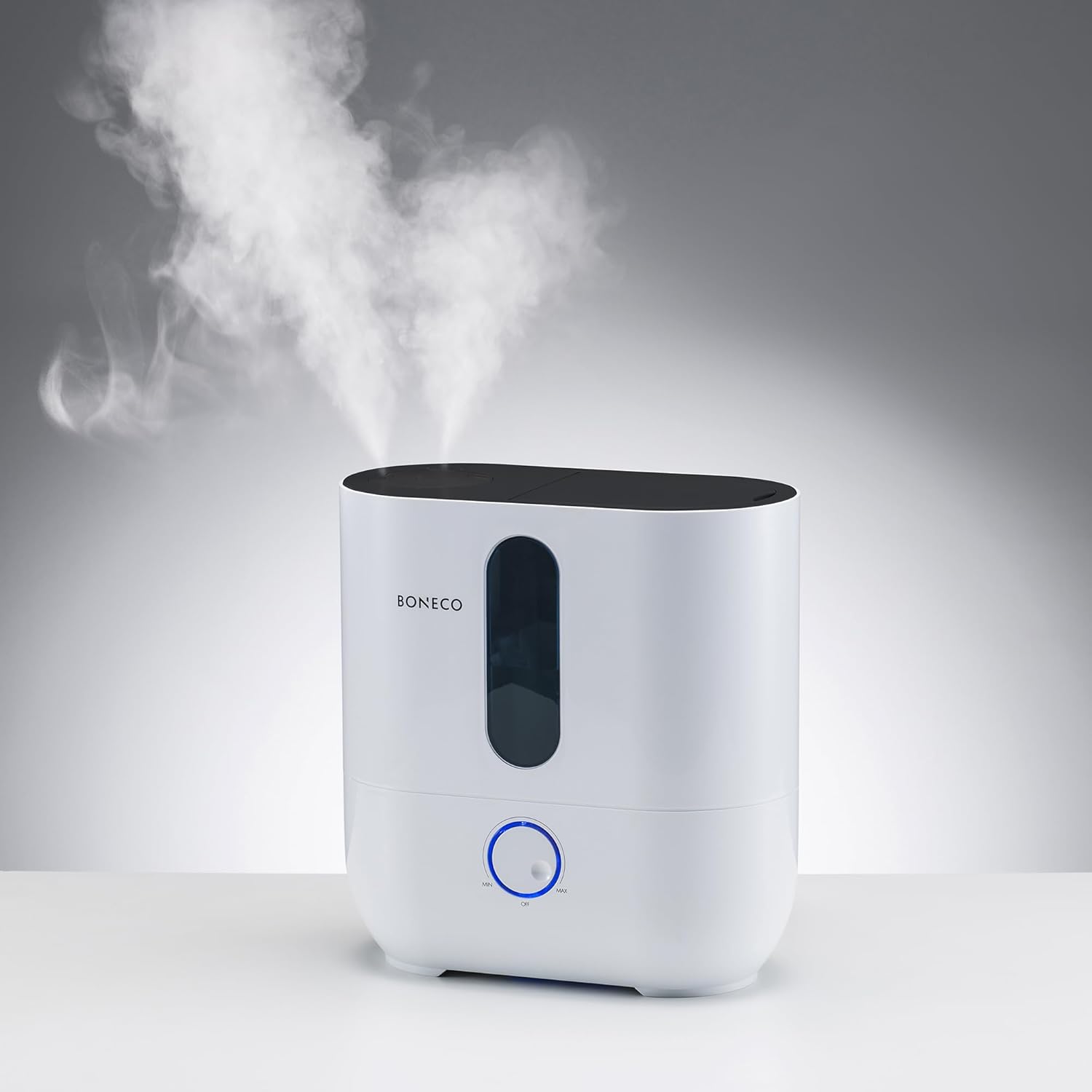
Figure 3.1: The BONECO U310 Humidifier actively releasing mist into the air, demonstrating its humidification capability.

Figure 3.2: Demonstrates how to access the aroma tray for adding essential oils.

Figure 3.3: Close-up of adding essential oils to the designated aroma pad.
4. Bakım
Regular maintenance is crucial for the longevity and optimal performance of your BONECO U310 Humidifier. The 2-in-1 water filter ensures pure humidification without leaving residue, but periodic cleaning is still necessary.
- Genel Temizlik: Clean the humidifier every 2-4 weeks of use. All components are designed for easy hand cleaning.
- Kireç çözme: Use BONECO EZCal Cleaner & Descaler as recommended to prevent mineral buildup, especially if using hard water.
- Filtre Bakımı: Periodically check and clean the 2-in-1 water filter according to the user manual to maintain humidification efficiency.
5. Sorun Giderme
If you encounter issues with your BONECO U310 Humidifier, please refer to the following common troubleshooting tips:
- Sis Çıkışı Yok: Check if the water tank is empty. Ensure the unit is properly assembled and powered on. Verify that the mist output level is not set to zero.
- Alışılmadık Gürültü: Ensure the humidifier is placed on a flat, stable surface. Check for any foreign objects in the water tank or base.
- Su Kaçağı: Confirm that the water tank cap is securely tightened and the tank is correctly seated on the base. Avoid overfilling the tank.
- Low Water Level Indicator: The tank window and low water level indicator will alert you when refilling is needed.
For further assistance, please contact BONECO customer support.
6. Özellikler
| Marka | Boneco |
| Model Adı | U310 Warm Mist Ultrasonic Humidifier |
| Renk | Beyaz |
| Çalışma Modu | Ultrasonik |
| Zemin Alanı Kapsamı | 860 Metrekare |
| Ürün Boyutları | 6.5"D x 12.1"G x 12.79"Y |
| Ürün Ağırlığı | 6 Pound |
| Su Tankı Kapasitesi | 3.17 Gallons (1.5 Gallons Volume) |
| Cilttage | 120 Volt (AC) |
| Netage | 115 watt |
| Özel Özellik | Corded, Auto Shut-Off, Low-Indicator Light |
| Dahil Bileşenler | Cleaning brush, Aqua Pro Filter, EZCal packet |
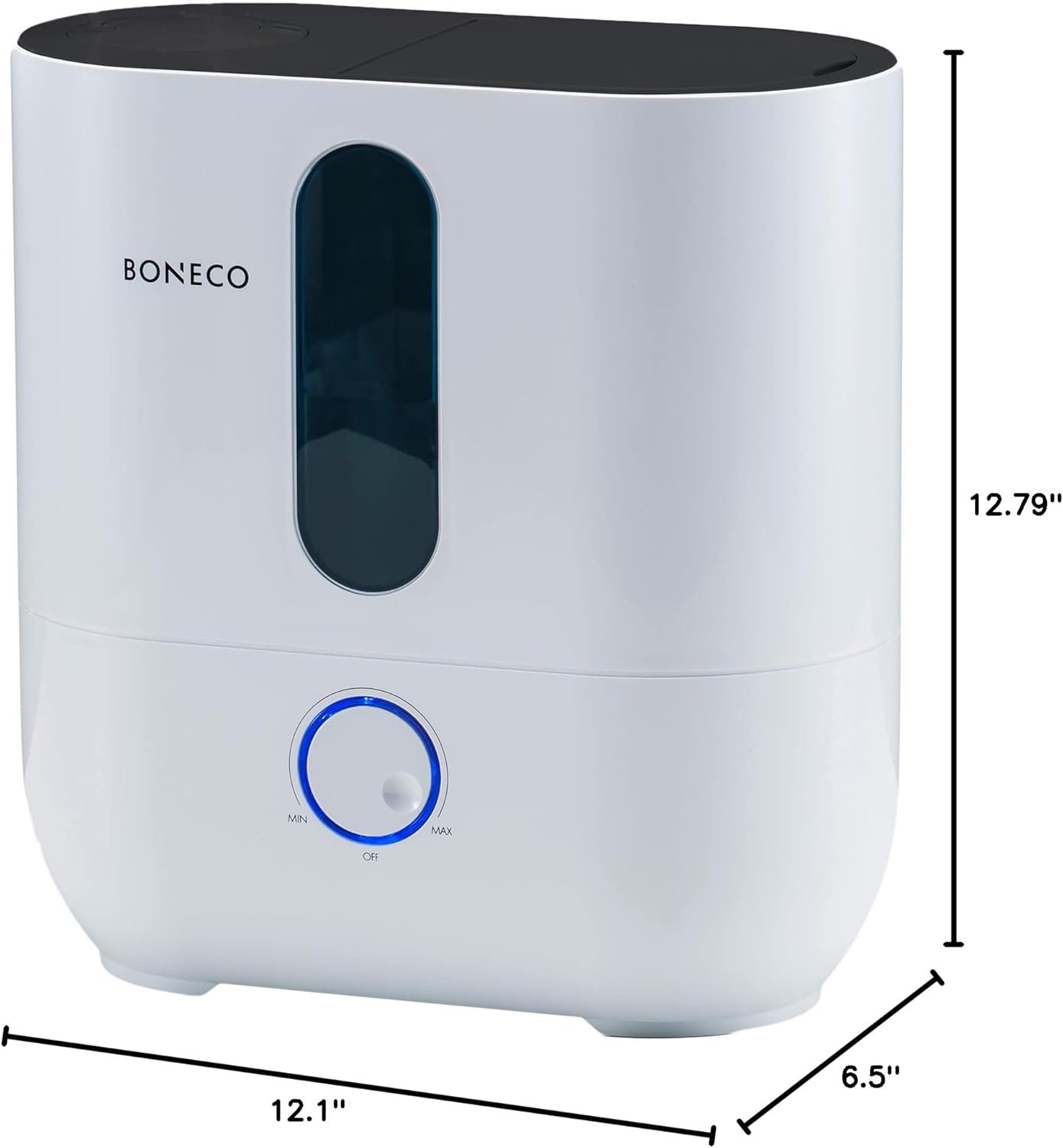
Figure 6.1: Product dimensions for the BONECO U310 Humidifier.
7. Garanti ve Destek
BONECO products are backed by a commitment to quality and reliability. The parent company has been a trusted Swiss manufacturer since 1956.
- Garanti: The BONECO U310 Humidifier comes with a 3-year manufacturer's warranty. Please retain your proof of purchase for warranty claims.
- Müşteri Desteği: For any questions, concerns, or technical support, please refer to the contact information provided in your product packaging or visit the official BONECO webalan.