
giriiş
This manual provides detailed instructions for the installation, operation, and maintenance of your NEC SL2100 IP7WW-12TXH-B1 12-Button Display Speaker Telephone. Please read this manual thoroughly before using the telephone to ensure proper functionality and to prevent damage.
Güvenlik Bilgileri
Yangın, elektrik çarpması ve kişilerin yaralanma riskini azaltmak için bu ürünü kullanırken her zaman temel güvenlik önlemlerine uyun.
- Bu ürünü örneğin suyun yakınında kullanmayın.ampKüvetin, lavabonun, mutfak lavabosunun veya çamaşır leğeninin yanında, ıslak bir bodrumda veya bir yüzme havuzunun yakınında.
- Avoid using the telephone during an electrical storm. There may be a remote risk of electric shock from lightning.
- Gaz kaçağının olduğu bölgede gaz kaçağını telefonla bildirmeyin.
- Use only the power source specified in this manual or marked on the product. This telephone is powered by the phone system.
- Temizlemeden önce bu ürünü duvar prizinden çıkarın. Sıvı temizleyiciler veya aerosol temizleyiciler kullanmayın. Reklam kullanınamp temizlik bezi.
Paket İçeriği
Paketin içinde tüm öğelerin mevcut olduğundan emin olun:
- NEC SL2100 IP7WW-12TXH-B1 12-Button Display Speaker Telephone (Black)
- El cihazı
- Ahize Kablosu
- Base Stand (for desk or wall mounting)
- Ethernet Cable (if applicable for IP connection)
Ürün Bittiview
The NEC SL2100 IP7WW-12TXH-B1 is a corded 12-button display speaker telephone designed for use with NEC SL2100 systems. It features a clear display for call information and menu navigation, a built-in speakerphone for hands-free communication, and 12 programmable function keys.
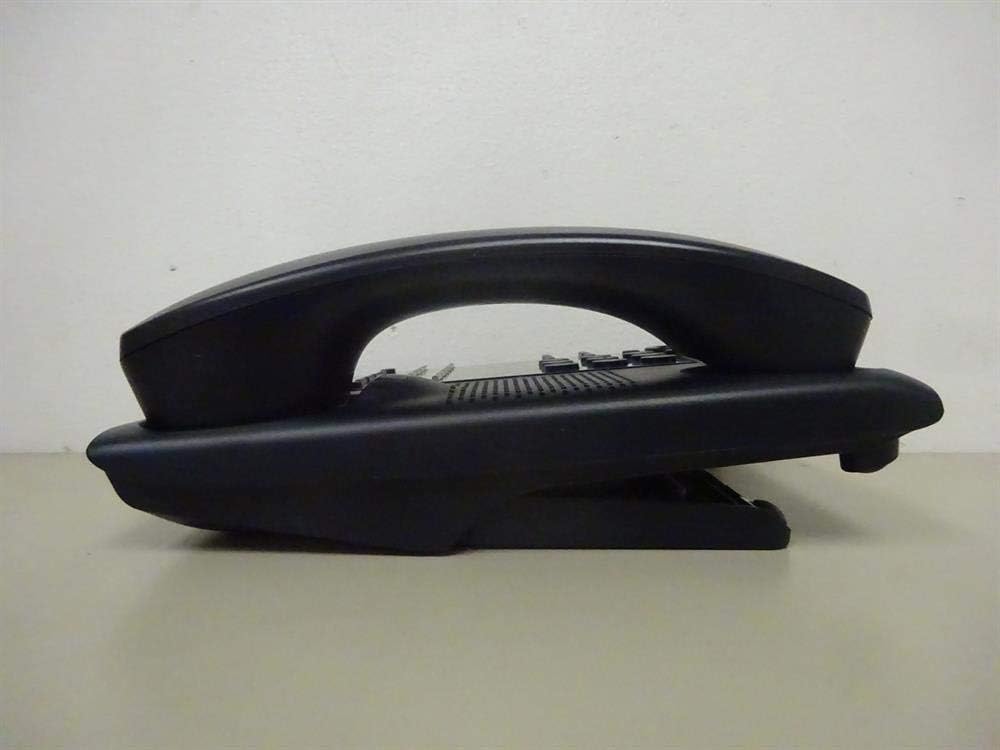
Şekil 1: Taraf view of the NEC SL2100 IP7WW-12TXH-B1 telephone, showing the ergonomic design of the handset and base unit.

Şekil 2: Arka view of the telephone, illustrating the various connection ports for the handset and network, as well as the integrated wall-mounting slots.
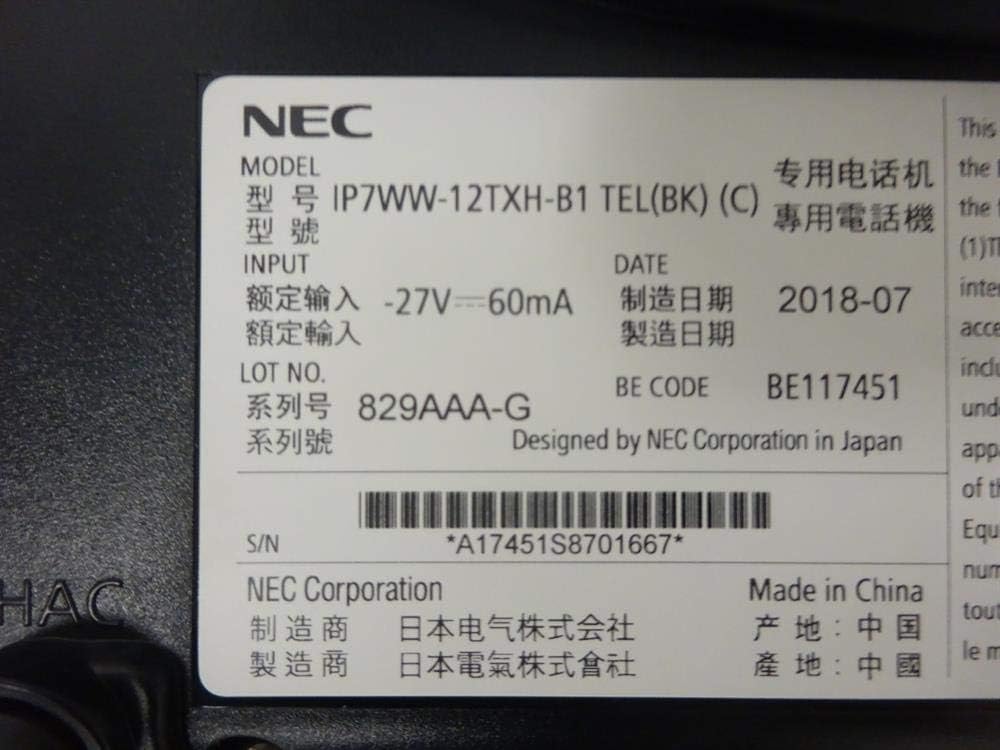
Şekil 3: Close-up of the product label, displaying model number IP7WW-12TXH-B1, input specifications, and manufacturer details.
Kurmak
1. Assembling the Telephone
- Taban Standını takın: Align the base stand with the slots on the bottom of the telephone. Slide it into place until it clicks securely. The stand can be adjusted for different viewing angles or reversed for wall mounting.
- Telefonu bağlayın: Plug one end of the coiled handset cord into the handset and the other end into the designated port on the side of the telephone base.
2. Connecting to the System
This telephone is designed to connect to an NEC SL2100 system. Ensure your SL2100 system is properly installed and configured.
- Ağ kablosunu bağlayın: Plug one end of an Ethernet cable into the LAN port on the back of the telephone. Plug the other end into an available port on your NEC SL2100 system or a network switch connected to the system.
- Güç Açık: The telephone receives power directly from the NEC SL2100 system (Power over Ethernet - PoE) or via a separate power adapter (not included, if PoE is not available). Once connected, the telephone should power on automatically.
- Başlangıç konfigürasyonu: The telephone will typically register with the SL2100 system automatically. If prompted, follow the on-screen instructions or consult your system administrator for specific extension number assignment or network settings.
Kullanım Talimatları
Çağrı Yapmak
- Asansör Telefonu: Ahizeyi kaldırın ve çevir sesini dinleyin.
- Numarayı Çevir: Tuş takımını kullanarak istediğiniz telefon numarasını çevirin.
- Hoparlör: Basın KONUŞMACI button to activate the speakerphone, then dial the number.
Çağrı Alma
- Asansör Telefonu: When the telephone rings, lift the handset to answer.
- Hoparlör: Basın KONUŞMACI button to answer the call hands-free.
Ekranı Kullanma
The display shows call information, menu options, and system status. Use the navigation buttons (usually arrow keys) to scroll through menus and the GİRMEK or SEÇME Seçimleri onaylamak için düğmesine basın.
Programmable Function Keys (12 Buttons)
The 12 buttons on the telephone can be programmed for various functions such as speed dial, line access, feature activation, or direct station selection. Consult your system administrator for the specific programming of these keys.
Konferans Görüşmeleri
The telephone supports 3-way conference calls. To initiate a conference call:
- Establish a call with the first party.
- Basın KONF (Conference) button or the designated programmable key. The first party will be put on hold.
- İkinci kişinin numarasını çevirin.
- İkinci tarafa bağlandıktan sonra, tuşuna basın. KONF Üç partiye de katılmak için tekrar düğmeye tıklayın.
Arayan Kimliği
When an incoming call is received, the caller's information (name and number, if available) will be displayed on the screen.
Çoklu Hat İşlemi
This telephone supports multi-line operation, allowing you to manage multiple calls simultaneously. Use the designated line keys or programmable keys to switch between active lines or place calls on hold.
Bakım
Temizlik
To clean the telephone, unplug it from the network connection. Use a soft, slightly damp cloth. Do not use harsh chemicals, abrasive cleaners, or excessive moisture. Avoid spraying cleaners directly onto the telephone.
Depolamak
If storing the telephone for an extended period, ensure it is clean and dry. Store it in a cool, dry place away from direct sunlight and extreme temperatures.
Sorun giderme
- Çevir Sesi Yok:
- Check all cable connections, especially the network cable to the SL2100 system.
- Ensure the SL2100 system is powered on and functioning correctly.
- If using a separate power adapter (not PoE), ensure it is properly connected and receiving power.
- Ekran Çalışmıyor:
- Verify the telephone is receiving power.
- Try disconnecting and reconnecting the network cable.
- Arama yapılamıyor/alınamıyor:
- Çevir sesini kontrol edin.
- Ensure the telephone is properly registered with the SL2100 system.
- Contact your system administrator to verify line assignments and system status.
- Kötü Ses Kalitesi:
- Check handset and network cable connections.
- Ensure there is no interference from other electronic devices.
- Test with another telephone if possible to isolate the issue.
Özellikler
| Özellik | Şartname |
|---|---|
| Marka | YÖK |
| Model Numarası | IP7WW-12TXH-B1 (Mfr Part Number: BE117451) |
| Renk | Siyah |
| Telefon Türü | fitilli |
| Malzeme | Plastik |
| Güç Kaynağı | Phone System (PoE compatible) |
| Çevirici Türü | Tek Tuş Takımı |
| Ürün Boyutları (U x G x Y) | 15 x 12 x 6 inç |
| Yanıtlama Sistemi Türü | Dijital (Sistem Bağımlı) |
| Uyumlu Cihazlar | NEC SL2100 Systems, NEC SL2100 IP7WW-082U-B1 8 Port Digital Station Card |
| Konferans Görüşmesi Yeteneği | 3 yollu |
| Çoklu Hat İşlemi | Evet |
| Arayan Kimliği | Evet |
Garanti ve Destek
For warranty information, please refer to the documentation provided with your NEC SL2100 system or contact your NEC authorized dealer. For technical support, please contact your system administrator or NEC customer service.
NEC Şirketi
For further assistance, please visit the official NEC website or contact your local support representative.