
SUNITEC BC920
SUNITEC BC920 Bluetooth Car Speaker User Manual
Hands-Free Bluetooth Car Speaker for Cell Phone
1. Ürün Bittiview
The SUNITEC BC920 is a versatile Bluetooth car speaker designed to provide clear, hands-free communication and audio streaming in your vehicle. It features advanced DSP noise-cancellation technology for crystal-clear calls and supports voice assistants like Siri and Google Assistant for safe driving.

Resim: Ön view of the SUNITEC BC920 Bluetooth Car Speaker, showing its compact design and control buttons.
2. Paket İçeriği
Lütfen aşağıdaki öğelerin kutucuğunu işaretleyin:
- SUNITEC BC920SA Bluetooth Car Kit
- Araba şarj cihazı
- USB şarj kablosu
- Quick user guide / User Manual

Image: Back of the SUNITEC BC920 product box, detailing key features and package contents.
3. Cihaz Düzeni
Familiarize yourself with the buttons and ports on your SUNITEC BC920 speakerphone.
- Arama tuşu: Answer/End calls, Redial.
- Sesi Aç (+): Sesi artırın.
- Sesi kıs (-): Sesi azaltın.
- Sessiz tuşu: Mute/unmute microphone.
- Güç düğmesi: Açık/Kapalı.
- Mikro USB Bağlantı Noktası: Şarj etmek için.
- Vizör Klipsi: For attaching to car visor.

Resim: Yakın çekim view of the SUNITEC BC920, highlighting the call button, volume controls, and mute button.
4. Kurulum ve Şarj
4.1 İlk Şarj
Before first use, fully charge the SUNITEC BC920. Connect the provided USB charging cable to the Micro USB port on the device and the other end to the car charger or a standard USB power adapter (not included). The LED indicator will show charging status.
The device features a long-lasting battery, providing up to 22 hours of talk time and 1000 hours of standby time on a full charge.

Image: Illustration showing the SUNITEC BC920 and its impressive battery life, with icons for 22 hours talk time and 1000 hours standby time.
4.2 Açma/Kapatma
- Açmak İçin: Slide the power switch to the "ON" position. You will hear a voice prompt "Power On".
- Kapatmak İçin: Slide the power switch to the "OFF" position. You will hear a voice prompt "Power Off".
The device also features an auto power on/off function. A built-in vibration sensor automatically turns on the car kit when it detects car door opening, allowing it to reconnect with your phone. When the device is not in use for a period, it will turn off automatically to save battery.

Image: Visual representation of the SUNITEC BC920's auto power-on feature, showing the device activating when a car door is opened.
4.3 Bluetooth Eşleştirme
To connect the SUNITEC BC920 to your mobile phone:
- Hoparlörün açık olduğundan emin olun.
- On your phone, go to Bluetooth settings and enable Bluetooth.
- Arama available devices. The speakerphone will appear as "BC920".
- Select "BC920" to pair. You will hear a voice prompt "Pairing" and then "Connected" upon successful connection.
The SUNITEC BC920 supports connecting two Bluetooth cell phones simultaneously, allowing for easy switching between music and calls from different devices.

Image: Diagram illustrating the dual connection capability of the SUNITEC BC920, showing two smartphones connected simultaneously.
5. Kullanım Talimatları
5.1 Arama Yapma ve Alma
- Bir Aramayı Cevaplama: Basın Arama tuşu bir kere.
- Aramayı Bitirme: Basın Arama tuşu Bir çağrı sırasında bir kez.
- Bir Aramayı Reddetme: Basılı tutun Arama tuşu 2 saniye boyunca.
- Son aranan numara tekrar aranıyor: Çift basın Arama tuşu.
- Sesi Ayarlama: Kullanın Sesi Aç (+) Ve Sesi kıs (-) düğmeler.
- Mikrofonu Sessize Alma: Basın Sessiz Düğmesi during a call. Press again to unmute.
The built-in 2W powerful speaker and DSP noise-cancellation technology ensure clear calls and high-quality audio even in noisy environments.

Image: Graphic highlighting the clear speech and high-quality audio features of the SUNITEC BC920, with sound waves emanating from the speaker.
5.2 Voice Assistant (Siri/Google Assistant)
The SUNITEC BC920 supports voice assistants, allowing you to make calls, send texts, or get driving directions hands-free, enhancing driving safety.
- Voice Assistant'ı Etkinleştirme: Basılı tutun Arama tuşu for 2 seconds to activate Siri (iOS) or Google Assistant (Android).
- Etkinleştirildikten sonra, aşağıdaki gibi komutlar verebilirsiniz:
- "Call [Contact Name]"
- "Text [Contact Name] [Message]"
- "Show me directions to [Destination]"
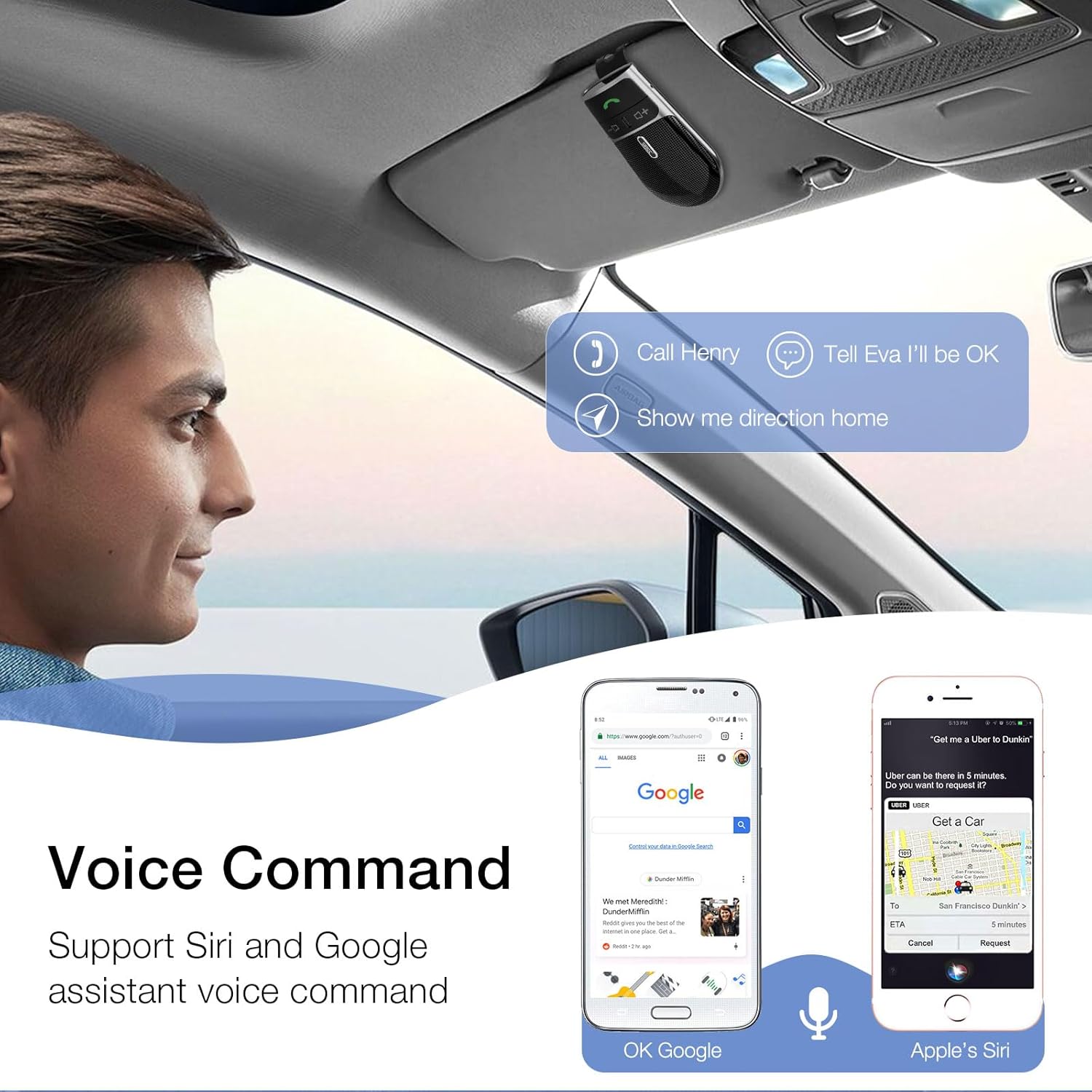
Image: A user in a car interacting with the SUNITEC BC920 to use voice commands for calling, texting, and navigation via Siri or Google Assistant.
5.3 Sesli Yönlendirme
The device provides clear voice prompts for various operational statuses, making it easy to use without visual confirmation.
- "Power On"
- "Power Off"
- "Pairing"
- "Connected"
- "Disconnected"
- "Battery Low"
Image: Depiction of the SUNITEC BC920 providing voice guidance, with a list of common voice prompts.
6. Bakım
- Cihazı yumuşak ve kuru bir bezle temizleyin. Aşındırıcı temizleyiciler veya çözücüler kullanmayın.
- Cihazı aşırı sıcaklıklardan, nemden ve doğrudan güneş ışığından uzak tutun.
- Do not disassemble the device. This will void the warranty and may cause damage.
- Uzun süre kullanılmayacağı zaman serin ve kuru bir yerde saklayınız.
7. Sorun Giderme
| Sorun | Olası Neden | Çözüm |
|---|---|---|
| Cihaz açılmıyor. | Pil bitmiş. | Cihazı tamamen şarj edin. |
| Telefonla eşleştirilemiyor. | Bluetooth is off on phone; device not in pairing mode; too many paired devices. | Ensure phone Bluetooth is on. Restart both devices. Clear previous Bluetooth connections on your phone. |
| Görüşmeler sırasında ses kalitesi düşük. | Pil zayıf; parazit; cihaz telefondan çok uzakta. | Charge the device. Move closer to your phone. Avoid sources of strong electromagnetic interference. |
| Sesli asistan yanıt vermiyor. | Not activated correctly; phone settings. | Ensure you press and hold the Call Button for 2 seconds. Check voice assistant settings on your phone. |
8. Özellikler
| Özellik | Detay |
|---|---|
| Model Numarası | BC920 |
| Ürün Boyutları | 4.5 x 2.6 x 1 inç |
| Ürün Ağırlığı | 2.2 ons |
| Piller | 1 Lityum Polimer pil (dahil) |
| Bağlantı Teknolojisi | Bluetooth |
| Güç Kaynağı | Pil ile çalışır |
| Malzeme | Plastik |
| Özel Özellik | DSP Noise Cancellation, Microphone |
| Konuşma Zamanı | 22 Saate Kadar |
| Bekleme Süresi | 1000 Saate Kadar |
9. Güvenlik Bilgileri
Proper usage while driving and battery handling precautions are essential. Always refer to the full user manual for comprehensive safety warnings.
- Cihazı sürüşünüzü engelleyecek şekilde kullanmayın. Her zaman trafik güvenliğine öncelik verin.
- Cihazı suya veya aşırı neme maruz bırakmayın.
- Aşırı sıcaklıklardan kaçının.
- Pilleri yerel yönetmeliklere uygun şekilde imha edin. Yakmayın.
10. Garanti ve Destek
SUNITEC offers a customer-friendly policy for its products:
- Garanti: 365 Days free return for any problems.
- Müşteri Hizmetleri: Expect a quick response within 24 hours for inquiries.
For further assistance, please contact SUNITEC support:
- Telefon: 0755-36863386 / 26863387 / 36863389
- E-posta: destek@sunitec.net
- Webalan: www.sunitec.net/en/

Image: Information regarding SUNITEC's customer service, including contact details and warranty period.
Ask a question about this manual
Ask about setup, troubleshooting, compatibility, parts, safety, or missing instructions. Manuals+ will review the question and use this page’s manual context to help answer it.