
1. Giriş
The August Home Smart Lock + Connect Wi-Fi Bridge provides a secure and convenient way to manage access to your home. This device replaces the interior thumbturn of your existing deadbolt, transforming it into a smart lock that can be controlled remotely. It integrates with your home Wi-Fi network via the included Connect Wi-Fi Bridge, enabling features like remote locking/unlocking, virtual key sharing, and voice control through compatible smart home systems.
2. Ürün Özellikleri
- Anahtarsız Giriş: Lock and unlock your door using the August app on your smartphone or Apple Watch.
- Sanal Anahtarlar: Grant secure, time-limited, or permanent access to guests, family, or service providers. Monitor entry and exit with real-time notifications and an activity feed.
- Otomatik Kilit Açma: The lock automatically unlocks as you approach your door, eliminating the need to fumble for keys.
- Auto-Lock & DoorSense: Automatically locks your door after a set period or when the DoorSense sensor detects the door is closed and secured.
- Uzaktan Erişim: The included August Connect Wi-Fi Bridge enables full voice control and remote access to your lock from anywhere.
- Akıllı Ev Entegrasyonu: Compatible with Amazon Alexa, Hey Google, Samsung SmartThings, Philips Hue, and other smart home systems.
3. Neler Dahil?
The August Home Smart Lock + Connect Wi-Fi Bridge package includes the following components:
- August Smart Lock (Satin Nickel)
- DoorSense Sensörü
- Ağustos Bağlantılı Wi-Fi Köprüsü
- 4 adet AA Pil
- Lock Adapter and Mounting Hardware
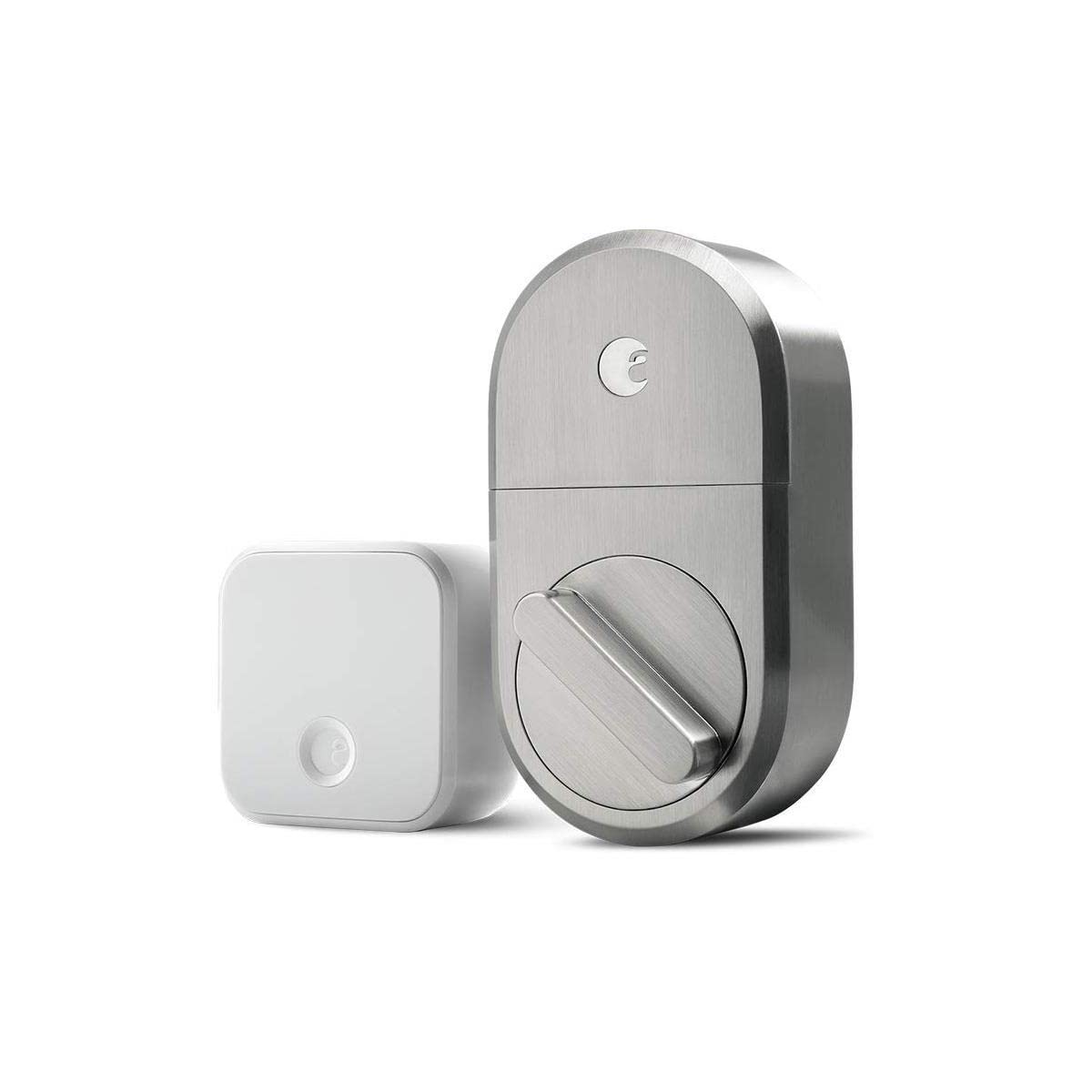
Image: August Smart Lock and Connect Wi-Fi Bridge components in packaging.
4. Kurulum
The August Smart Lock is designed for easy installation on the inside of your door, replacing only the thumbturn of your existing single-cylinder deadbolt. Your existing exterior lock hardware remains unchanged.
4.1 Uyumluluk Kontrolü
Ensure your door has a compatible single-cylinder deadbolt. The August Smart Lock is not compatible with certain older deadbolt models or multi-point locking systems. Refer to the August app for detailed compatibility information.
4.2 Kurulum Adımları
Download the free August app for iOS or Android. The app provides step-by-step animated instructions for physical installation. Typically, this involves:
- Removing the interior thumbturn of your existing deadbolt.
- Attaching the August mounting plate to your door.
- Selecting and installing the correct lock adapter for your deadbolt.
- Mounting the August Smart Lock onto the adapter and mounting plate.
- Installing the 4 AA batteries into the Smart Lock.
- Installing the DoorSense sensor on the door frame to detect door open/closed status.

Image: August Smart Lock installed on the interior side of a door.

Resim: Dış mekan view of a door with a standard deadbolt, compatible with August Smart Lock.
Video: Bir fazlaview of the August Smart Lock and Connect Wi-Fi Bridge, demonstrating its features and installation process.
5. Kurulum
After physical installation, the August app guides you through the digital setup process.
5.1 Smart Lock Setup
- Open the August app and create an account or log in.
- Follow the in-app instructions to add your new Smart Lock.
- The app will prompt you to calibrate the lock, which involves locking and unlocking it a few times to learn its full range of motion.
5.2 August Connect Wi-Fi Bridge Setup
The Connect Wi-Fi Bridge is essential for remote access and smart home integrations.
- Plug the August Connect Wi-Fi Bridge into an electrical outlet within 15 feet of your Smart Lock.
- In the August app, navigate to the lock settings and select "Set Up Connect Device."
- Ensure your smartphone is connected to your home's 2.4GHz Wi-Fi network during setup, as the bridge may not connect on a 5GHz network.
- Follow the app's instructions to connect the bridge to your Wi-Fi network and link it to your Smart Lock.
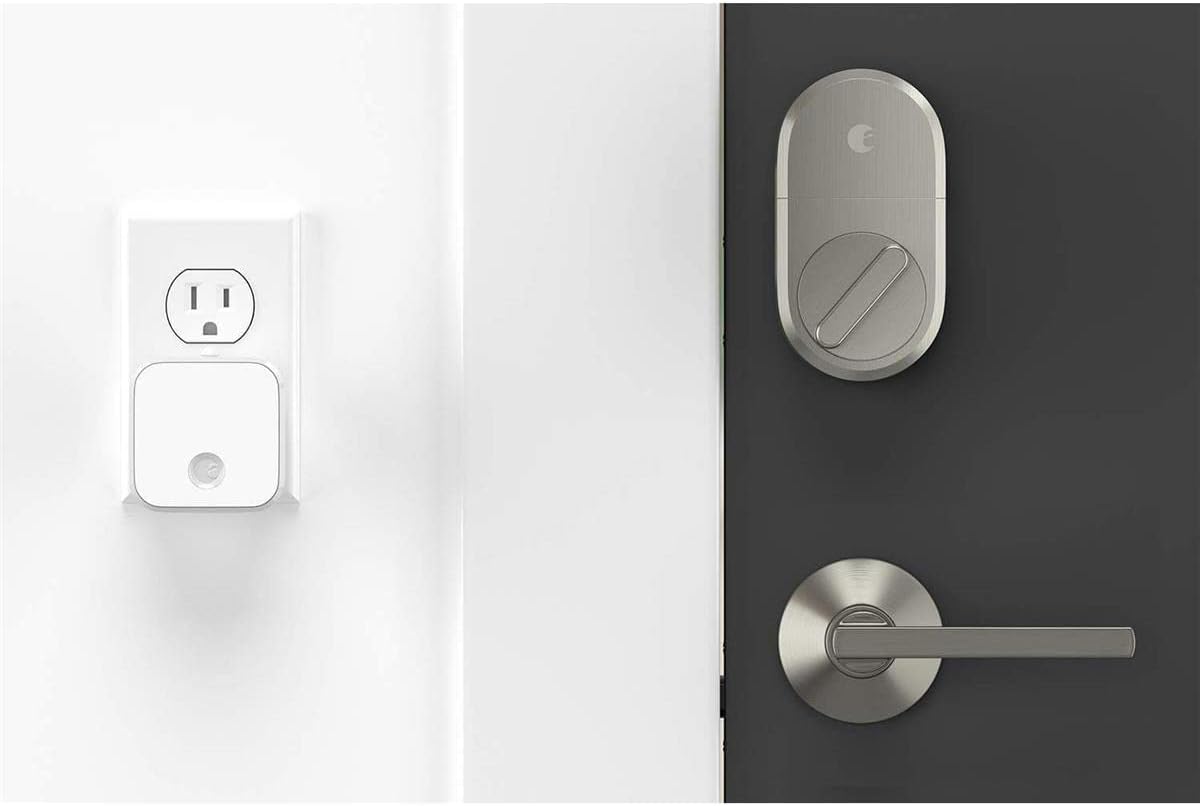
Image: August Smart Lock and Connect Wi-Fi Bridge plugged into an outlet.
6. Kullanım Talimatları
The August Smart Lock offers multiple ways to control your door.
6.1 Using the August App
The August app is your primary interface for managing the Smart Lock.
- Kilitle/Kilidi Aç: Tap the large circle on the app's main screen to toggle between locked (red) and unlocked (green) states.
- Etkinlik Akışı: View a chronological log of all lock and unlock events, including who accessed the door and when.
- Misafir Erişimi: From the app, you can invite guests and set their access permissions (e.g., permanent, temporary, recurring).
- DoorSense: The app displays the current status of your door (open or closed) based on the DoorSense sensor.

Image: August Home app interface showing door status as closed and unlocked.
6.2 Auto-Unlock and Auto-Lock
These features provide hands-free convenience:
- Otomatik Kilit Açma: Enabled via the app, this feature uses your phone's location to detect when you arrive home and automatically unlocks the door.
- Otomatik kilit: Configurable in the app, Auto-Lock will automatically secure your door after a specified delay once it has been closed (detected by DoorSense).
6.3 Ses Kontrolü
With the August Connect Wi-Fi Bridge, you can use voice commands through compatible smart assistants:
- Amazon Alexa: Link your August account in the Alexa app to enable commands like "Alexa, lock the front door" or "Alexa, is the front door locked?"
- Google Asistan: Link your August account in the Google Home app for similar voice commands.
7. Bakım
7.1 Pil Değişimi
The August Smart Lock operates on 4 AA batteries. The August app will notify you when battery levels are low. To replace the batteries:
- Press down on the August logo at the top of the lock and remove the faceplate.
- Pil kapağını çıkarın.
- Dört adet AA pilin tamamını yenileriyle değiştirin.
- Replace the battery cover and faceplate.
8. Sorun Giderme
- Wi-Fi Bridge Connection Issues: Ensure the August Connect Wi-Fi Bridge is plugged into an outlet within 15 feet of the Smart Lock. Verify your home Wi-Fi network is 2.4GHz, as the bridge may not connect to 5GHz networks.
- Lock Calibration Errors: If the lock experiences issues during calibration (e.g., "checksum error"), try manually locking and unlocking the deadbolt a few times, then restart the August app and attempt calibration again.
- Ses Kontrolü Çalışmıyor: Confirm that your August account is correctly linked within the Alexa or Google Home app. Ensure the Connect Wi-Fi Bridge has a stable connection to both the Smart Lock and your home Wi-Fi.
- DoorSense Inaccuracy: Check that the DoorSense sensor is securely mounted and properly aligned with the magnet on the door frame.
9. Özellikler
| Marka | Ağustos Ana Sayfa |
| Model Numarası | AUG-SL04-C03-N04 |
| Renk | Saten Nikel |
| Malzeme | Nikel |
| Ürün Boyutları (U x G x Y) | 2.6 x 1.63 x 4.8 inç |
| Ürün Ağırlığı | 2.8 Ons |
| Bağlantı Protokolü | Wifi |
| Kontrol Yöntemi | Ses, Uygulama |
| Özel Özellik | Auto-Lock, Keyless |
| Güç Kaynağı | 4 AA Pil (dahil) |
| Cilttage | 110-240V (for Wi-Fi Bridge) |
| Gerekli İşletim Sistemi | iOS (9.0 or higher) or Android (5.0 or higher) |
10. Garanti ve Destek
The August Home Smart Lock + Connect Wi-Fi Bridge comes with a 1-year manufacturer's warranty. For technical support, warranty claims, or additional information, please visit the official August Home websitesine gidin veya müşteri hizmetleriyle iletişime geçin.