
1. Giriş
The SUNMI L2 SmartOrder is a rugged industrial terminal designed for various business applications requiring mobility and data capture. It features an Android 7.1 operating system, a 5-inch display, and an integrated 1D/2D Zebra scanner. This manual provides essential information for the proper setup, operation, and maintenance of your device.
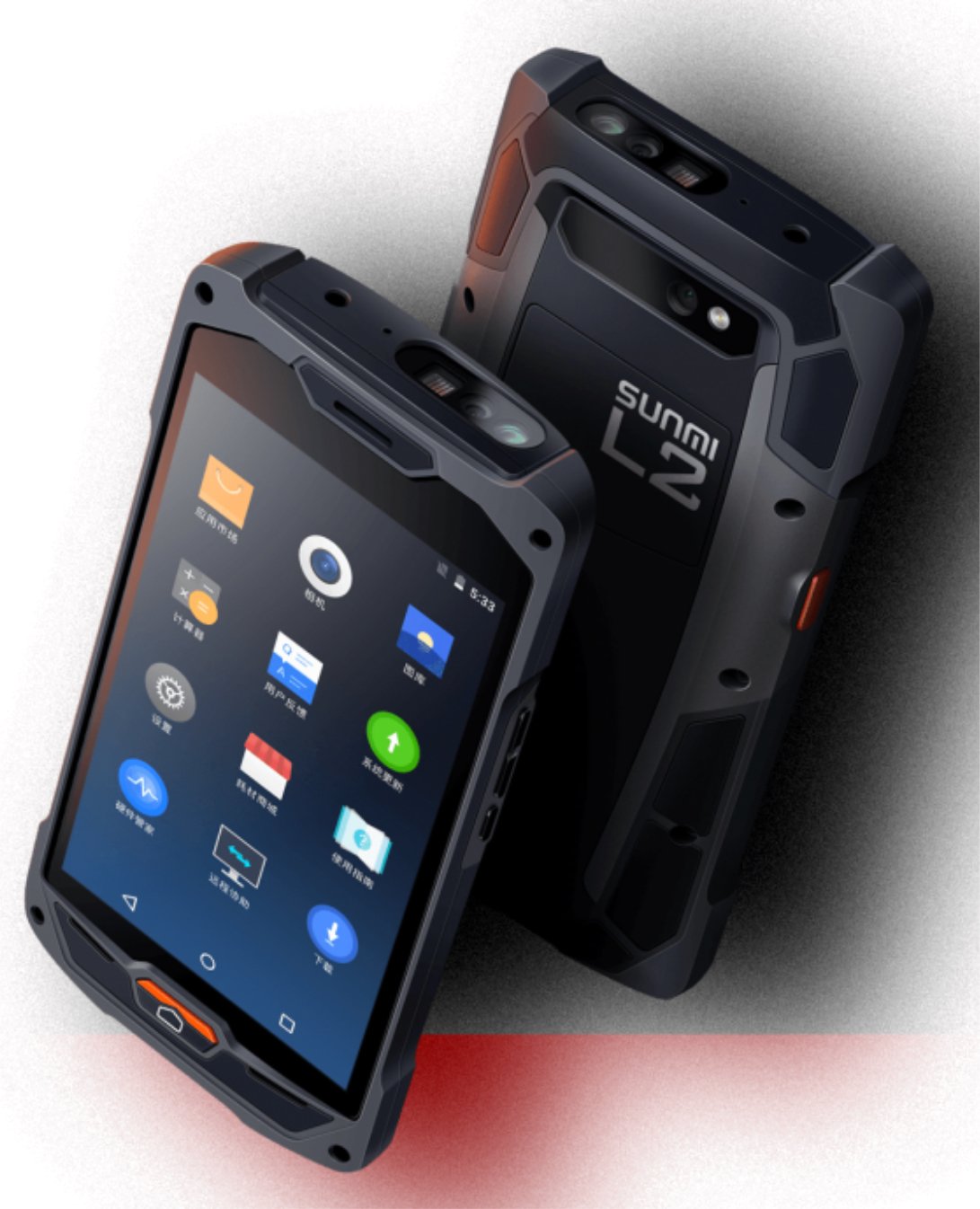
Şekil 1: Ön ve arka view of the Sunmi L2 SmartOrder industrial terminal.
2. Güvenlik Bilgileri
Yaralanma veya hasarı önlemek için lütfen cihazı kullanmadan önce tüm güvenlik talimatlarını okuyun. Bu kılavuzu ileride başvurmak üzere saklayın.
- Cihazı aşırı sıcaklıklara, doğrudan güneş ışığına veya yüksek neme maruz bırakmayın.
- Use only SUNMI-approved accessories and power adapters.
- Avoid dropping or subjecting the device to severe impact, despite its rugged design.
- Cihazı kendiniz sökmeye veya onarmaya çalışmayın. Yetkili servis personeline başvurun.
- Cihazı tıbbi cihazlardan uzak tutunuz, aksi takdirde tıbbi cihazların çalışmasını etkileyebilir.
3. Cihaz Bittiview
The SUNMI L2 SmartOrder is designed for durability and functionality. Key features include:
- 5 inç Ekran: High-resolution touchscreen for clear visibility.
- 1D/2D Zebra Scanner: Integrated for efficient barcode and QR code scanning.
- USB-C Bağlantı Noktası: Şarj ve veri aktarımı için.
- SIM Kart Yuvası: Hücresel ağ bağlantısı için.
- TF Kart Girişi: Genişletilebilir depolama için.
- PSAM Card Slot (Optional): For enhanced security in professional applications.
- NFC Induction Area: For near-field communication.

Şekil 2: Arka view showing SIM card slot, TF card slot, PSAM card slot, and NFC induction area.

Figure 3: Three different scanner options for the Sunmi L2: Zebra Code Scanner, Standard Code Scanner, and without scanner.
4. Kurulum
4.1. Pilin Takılması ve Şarj Edilmesi
The device is equipped with a 5000mAh high-volume battery. Ensure the battery is fully charged before initial use.
- Kutuda bulunan USB-C kablosunu cihaz üzerindeki USB-C portuna bağlayın.
- Connect the other end of the USB-C cable to a compatible power adapter and plug it into a power outlet.
- The charging indicator will illuminate. Allow the device to charge completely before disconnecting.

Figure 4: Illustration of the 5000mAh high-volume battery with Quick Charge technology.
4.2. SIM ve TF Kart Kurulumu
To install SIM or TF cards:
- Locate the card slot cover on the rear of the device (refer to Figure 2).
- Kapağı dikkatlice açın.
- Insert the SIM card into the designated SIM card slot with the gold contacts facing down.
- Insert the TF card (microSD) into the TF card slot if additional storage is required.
- Close the card slot cover securely to maintain the device's IP67 rating.
4.3. İlk Güç Açma
After charging, press and hold the power button located on the side of the device until the screen illuminates and the SUNMI logo appears. The device will boot into the Android 7.1 operating system.
5. Kullanım Talimatları
5.1. Temel Gezinme
The SUNMI L2 operates on Android 7.1. Navigate the interface using the touchscreen. Swipe to unlock, tap icons to open applications, and use the navigation buttons (Home, Back, Recent Apps) as standard for Android devices.
5.2. Using the 1D/2D Zebra Scanner
The integrated Zebra scanner is located at the top of the device.
- Cihazınızda tarama uygulamasını açın.
- Point the scanner window at the barcode or QR code you wish to scan.
- Press the dedicated scan button (if available on your model) or trigger the scan via the software interface.
- Ensure the barcode is well-lit and within the scanner's optimal range for accurate reading.

Şekil 5: Alt view of the Sunmi L2, highlighting its rugged design and integrated scanner.
5.3. Bağlantı
Cihaz çeşitli bağlantı seçeneklerini destekler:
- WLAN (Wi-Fi): Supports 2.4 GHz and 5 GHz bands. Access Wi-Fi settings from the Android system menu to connect to available networks.
- Bluetooth (BT): Pair with other Bluetooth-enabled devices such as printers or headsets via the Bluetooth settings.
- GPRS/LTE: Utilize cellular data by inserting a SIM card and configuring network settings.
- NFC: For short-range wireless communication, typically used for contactless payments or data exchange.
6. Bakım
6.1. Cihazın Temizlenmesi
Cihazın performansını ve görünümünü korumak için:
- Yumuşak, tiftiksiz bir bez kullanın ve hafifçe kurulayın.ampened with water or a mild screen cleaner.
- Avoid using harsh chemicals, abrasive cleaners, or solvents, as these can damage the device's surface and seals.
- Su ve toz geçirmezliği korumak için temizliğe başlamadan önce tüm bağlantı noktası kapaklarının sıkıca kapatıldığından emin olun.
6.2. Pil Bakımı
Doğru pil bakımı, pilin ömrünü uzatır:
- Pilin sık sık tamamen boşaltılmasından kaçının.
- Cihazı aşırı sıcak veya soğuğa maruz bırakmayın, çünkü bu pil performansını düşürebilir.
- Cihazı uzun süre saklayacaksanız, pili yaklaşık %50'ye kadar şarj edin ve serin, kuru bir yerde saklayın.
6.3. Depolama
When not in use, store the SUNMI L2 in a cool, dry environment, away from direct sunlight and corrosive materials.
7. Sorun Giderme
This section addresses common issues you might encounter with your SUNMI L2 device.
- Cihaz açılmıyor: Ensure the battery is sufficiently charged. Connect the device to a power source and attempt to power it on again.
- Scanner not working: Verify that the scanning application is active and the scanner is enabled in the device settings. Ensure the barcode is clean, undamaged, and properly illuminated.
- Bağlantı sorunları (Wi-Fi/Hücresel): Check your Wi-Fi network connection or cellular data settings. Ensure the SIM card is correctly inserted. Try restarting the device.
- Dokunmatik ekran tepki vermiyor: Cihazı yeniden başlatın. Sorun devam ederse, destek ekibiyle iletişime geçin.
8. Özellikler
Key technical specifications for the SUNMI L2 SmartOrder:
| Model Numarası | Sunmi L2 Zebra T8900 |
| İşletim Sistemi | Android 7.1 |
| Görüntülemek | 5 inç |
| İşlemci | Dört çekirdekli |
| Veri deposu | 2 GB |
| ROM | 16 GB |
| Tarayıcı | 1D/2D Zebra Scanner |
| Bağlantı | USB-C, WLAN 2.4/5 GHz, Bluetooth, GPRS, LTE, NFC |
| Pil | 5000mAh (up to 2 days use, 30 days standby) |
| Dayanıklılık | IP67 rated (dust-proof, water-resistant, drop-resistant) |
| Çalışma Sıcaklığı | -20°C ile +55°C arası |
| Ağırlık | 349.27 gr |
| Uyumlu Cihazlar | Desktop computer, Laptop, POS, Smartphone, Tablet |

Figure 6: Sunmi L2 device partially submerged in water, demonstrating its IP67 dust-proof and water-resistant capabilities.
9. Garanti ve Destek
For detailed warranty information, technical support, or service inquiries, please refer to the official SUNMI website or contact your authorized SUNMI distributor. Please retain your purchase receipt as proof of purchase for any warranty claims.