
DBPOWER B07F8RPKJP
DBPOWER Fitness Tracker User Manual
Model: B07F8RPKJP
giriiş
This manual provides comprehensive instructions for the setup, operation, and maintenance of your DBPOWER Fitness Tracker. This device is designed to help you monitor your daily activity, sleep patterns, and heart rate, supporting your fitness and wellness goals.
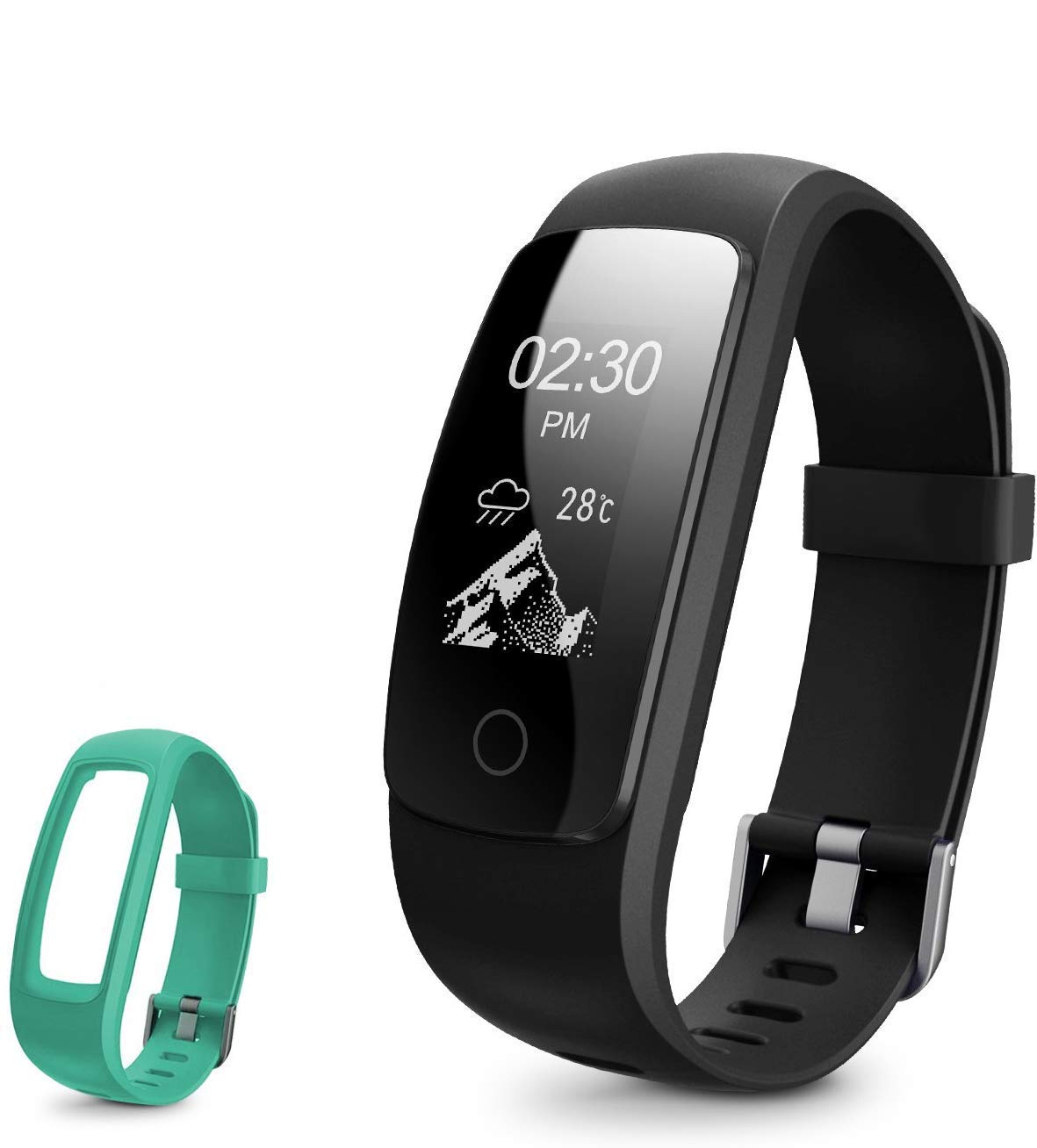
Image: The DBPOWER Fitness Tracker, featuring a black band and an additional green band, showcasing its sleek design and color options.
Kurmak
1. Cihazın Şarj Edilmesi
Before first use, fully charge the fitness tracker. The device features a built-in USB charging connector. Simply remove the strap from one end to reveal the USB plug and insert it into any standard USB port (e.g., computer, USB wall adapter).
- Şarj süresi: Yaklaşık 1-2 saat.
- Standby time: Up to 5-7 days on a full charge.

Image: A four-panel illustration demonstrating how to charge the fitness tracker via USB. It shows detaching the strap, revealing the USB connector, and plugging it into a power source.
2. Uygulama İndirme ve Eşleştirme
Tüm özelliklerden yararlanmak için, yardımcı uygulamayı akıllı telefonunuza indirin. Arama the app name (usually mentioned in the quick start guide or on the product packaging) in your device's app store (Google Play Store for Android, Apple App Store for iOS). Once installed, open the app and follow the on-screen instructions to pair your fitness tracker via Bluetooth.
- Akıllı telefonunuzda Bluetooth'un etkinleştirildiğinden emin olun.
- Keep the tracker close to your phone during the pairing process.
Kullanım Talimatları
1. Ekranda Gezinme
The fitness tracker features a 0.96-inch OLED display with swipe navigation. You can interact with the device by swiping across the screen, tapping to select, and using a return gesture to go back.

Image: An illustration showing the 0.96-inch OLED display of the fitness tracker and how to navigate through its menus using swipe, tap, and return gestures.
2. Aktivite Takibi
The tracker accurately records your daily activity, including steps taken, distance covered, calories burned, and active minutes. It supports 14 sports modes to track various physical activities.
- Adımlar, Mesafe, Kaloriler: Gün boyunca otomatik olarak takip edilir.
- Spor Modları: Select the appropriate mode in the app or on the device before starting an activity for more accurate tracking.

Image: This image highlights the message alert capabilities and various activity tracking metrics of the fitness tracker, such as calories, distance, and activity duration, along with its multi-sport modes.
3. Kalp Hızı İzleme
The device features a 24-hour continuous heart rate monitor, providing insights into your heart rate activity during different periods, including peak and cardio exercises.

Image: A visual representation of the fitness tracker's 24-hour continuous heart rate monitoring feature, showing the device on a wrist and a smartphone displaying heart rate data.
4. Sleep Tracking and Silent Alarm
The fitness tracker automatically recognizes your sleep state, monitoring your sleep progress and identifying deep and light sleep hours. This data helps you understand and improve your sleep quality. You can also set a silent alarm through the companion app, which will vibrate on your wrist to wake you up.

Image: A person sleeping with the fitness tracker on their wrist, illustrating the auto sleep tracking and silent alarm functions, with a smartphone screen showing sleep duration and quality data.
5. Bildirimler ve Uyarılar
Receive various alerts directly on your wrist when connected to your smartphone:
- Çağrı Uyarısı: Notifies you of incoming calls.
- Sedanter Uyarısı: Hareketsiz geçen dönemlerden sonra hareket etmenizi hatırlatır.
- Alarm Uyarısı: Vibrates for set alarms.
- Message/SNS Alert: Displays notifications from SMS, Mail, Facebook, Instagram, and up to 16 other SNS applications.
- Kayıp Önleme Uyarısı: Notifies you if your phone moves out of Bluetooth range.
Bakım
1. Suya Dayanıklılık
The DBPOWER Fitness Tracker is IP67-rated water-resistant. This means it can withstand splashes, rain, and brief immersion. It is suitable for wearing in the shower and when washing hands. However, it is not recommended for swimming or prolonged submersion.
2. Temizlik
To clean your tracker, wipe it with a soft, damp, lint-free cloth. Do not use abrasive cleaners or harsh chemicals. Ensure the charging contacts are clean and dry before charging.
3. Pil Bakımı
Pil ömrünü uzatmak için cihazı aşırı sıcaklıklara maruz bırakmaktan kaçının. Derin deşarjı önlemek için, sürekli kullanılmasa bile cihazı düzenli olarak şarj edin.
Sorun giderme
- Cihaz açılmıyor: Ensure the device is fully charged. Connect it to a USB power source for at least 10 minutes.
- Telefonla eşleştirilemiyor:
- Telefonunuzda Bluetooth'un etkin olduğundan emin olun.
- Make sure the tracker is within Bluetooth range (typically 10 meters).
- Restart both the tracker and your phone.
- Telefonunuzun Bluetooth ayarlarından cihazı unutun ve uygulama üzerinden tekrar eşleştirmeyi deneyin.
- Hatalı faaliyet verileri:
- Takip cihazının bileğinize sıkıca oturduğundan, bilek kemiğinizin yaklaşık bir parmak genişliğinde yukarısında olduğundan emin olun.
- Calibrate the tracker through the app if an option is available.
- Bildirimler görünmüyor:
- Check app notification settings to ensure they are enabled for the desired applications.
- Uygulamanın telefonunuzda arka planda çalıştığından emin olun.
- Verify that your phone's operating system allows the app to send notifications.
Özellikler
| Özellik | Detay |
|---|---|
| Marka | DBPOWER |
| Örnek | B07F8RPKJP |
| Görüntü Türü | OLED |
| Ekran Boyutu | 0.96 inç |
| Suya Dayanıklılık | IP67 |
| Pil Ömrü (Bekleme) | 5-7 gün |
| Şarj Süresi | 1-2 saat |
| Uyumlu işletim sistemi | Android, iOS |
| Ağırlık | 113 gr |
| Kalp Atış Hızı Monitörü | 24-hour continuous |
| Etkinlik Takibi | Steps, Distance, Calories, Active Minutes |
| Spor Modları | 14 mod |
| Uyku İzleme | Automatic (Deep/Light Sleep) |
| Bağlantı | USB (şarj için) |
Garanti ve Destek
Garanti Bilgileri
This DBPOWER Fitness Tracker comes with a standard manufacturer's warranty. Please refer to the product packaging or the official DBPOWER website for specific warranty terms and conditions, including coverage duration and claim procedures.
Müşteri Desteği
For technical assistance, troubleshooting, or warranty claims, please contact DBPOWER customer support. Contact information can typically be found on the product packaging, the official DBPOWER websitenizden veya satın alma noktanızdan.
ilgili belge yok
Ask a question about this manual
Ask about setup, troubleshooting, compatibility, parts, safety, or missing instructions. Manuals+ will review the question and use this page’s manual context to help answer it.