
giriiş
The Homtime C1 Pro is an advanced electronic alarm clock designed for modern bedrooms, offering a blend of essential features and convenient functionalities. It integrates a Bluetooth speaker, dual USB charging ports, a large dimmable LCD screen, and a built-in thermometer. This manual provides detailed instructions to help you set up, operate, and maintain your C1 Pro alarm clock.
Kutuda Neler Var?
- 1 x Homtime C1 Pro Ana Ünite
- 1 x Güç Adaptörü
- 1 x Kullanım Kılavuzu
Temel Özellikler
- Basit Ayarlar: Unique rotary button and alarm setting button for easy time and alarm adjustment.
- Adjustable LCD Display: 4-level dimmable screen (High, Medium, Low, Off) for optimal visibility day or night. Displays time (12H/24H), temperature (°F/°C), charging status, and alarm time.
- Melody Alarm: Customize your ringtone using an SD card. Alarm volume increases gradually.
- Erteleme İşlevi: 9-minute interval snooze.
- Çift USB Şarj Bağlantı Noktaları: Two 5V/3A universal USB ports for simultaneous charging of two devices.
- Bluetooth Hoparlör: Compact speaker with balanced bass for wireless audio streaming.
- Aux-in Connection: Built-in 3.5mm aux cable for wired music playback.
- Pil Yedekleme: Requires 3 AAA batteries (not included) to maintain alarm settings during power outagee.
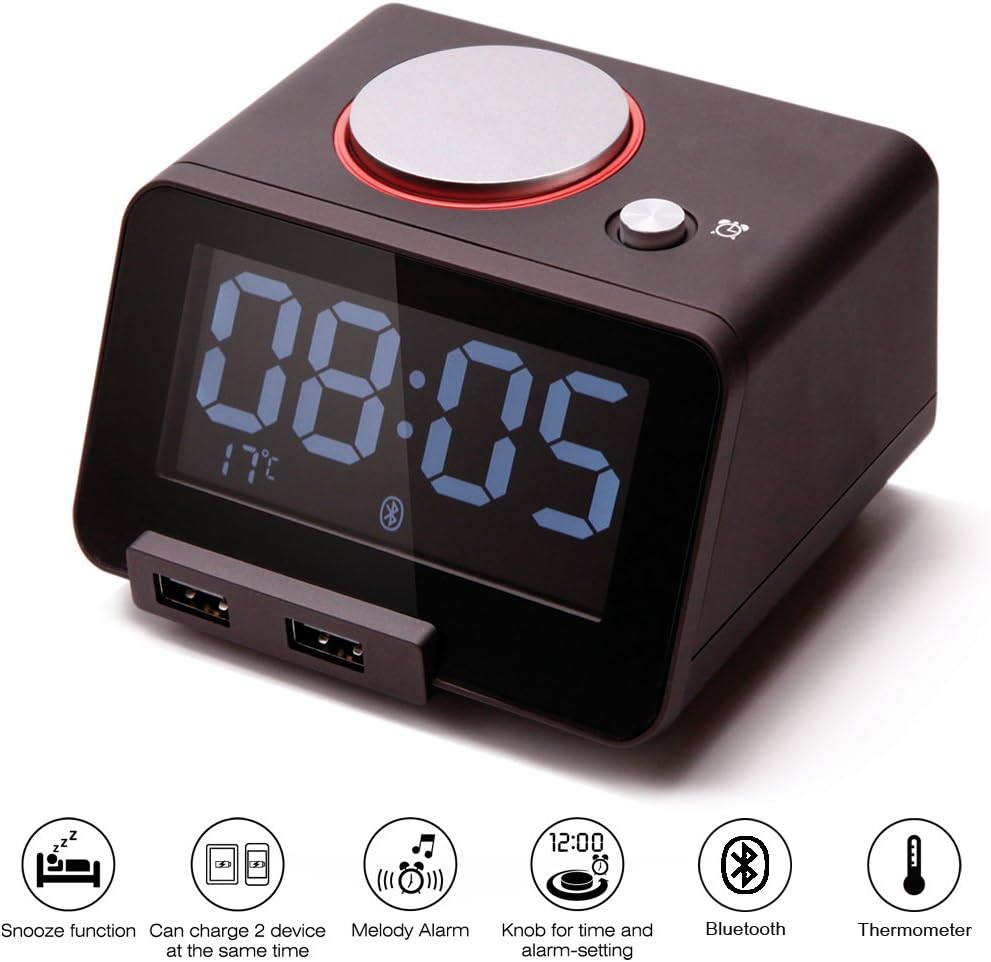
Figure 1: Homtime C1 Pro highlighting its main features.
Kurmak
- Güç Bağlantısı: Connect the provided power adapter to the DC 5V port on the back of the C1 Pro and plug it into a wall outlet. The display will light up.
- Yedek Pilleri Takın (İsteğe Bağlı Ama Tavsiye Edilir): Open the battery compartment on the bottom and insert 3 AAA batteries (not included). This ensures time and alarm settings are retained during power interruptions.
- Başlangıç Zaman Ayarı: The clock typically displays 00:00 upon first power-up. To set the time, gently rotate the large silver knob on top of the clock. Press the knob to confirm the hour, then rotate to set minutes, and press again to confirm.
- Alarm Saatini Ayarlayın: Press the small alarm button next to the rotary knob. The alarm time will flash. Rotate the large knob to set the desired alarm hour and minutes, pressing the knob to confirm each. Press the alarm button again to save.
- Insert Micro SD Card (for Custom Ringtones): If you wish to use custom alarm melodies, store your favorite songs onto a Micro SD card. Insert the Micro SD card into the card slot located at the back of the unit.

Figure 2: Labeled components of the Homtime C1 Pro for easy setup.

Figure 3: Inserting a Micro SD card for custom alarm melodies.
Kullanım Talimatları
- Ekran Parlaklığının Ayarlanması: Press the large rotary knob on top of the clock to cycle through four brightness levels: High, Medium, Low, and Off. This allows you to adjust the display to your preference, especially for nighttime use.
- Erteleme İşlevi: When the alarm sounds, press the large rotary knob to activate the snooze function. The alarm will pause for 9 minutes and then sound again.
- Canceling Alarm: To completely turn off the alarm, press the small alarm button next to the rotary knob.
- Sıcaklık Göstergesi: The current room temperature is displayed on the bottom left of the LCD screen. To switch between Celsius (°C) and Fahrenheit (°F), locate the small button on the back of the unit labeled 'C/F' and press it.
- 12H/24H Time Format: To switch between 12-hour and 24-hour time formats, locate the button on the back of the unit labeled '12H/24H' and press it.
- Bluetooth Bağlantısı:
- Mobil cihazınızda Bluetooth'un etkinleştirildiğinden emin olun.
- On your device, search for Bluetooth devices and select "C1pro" from the list.
- Once connected, you can play audio from your device through the C1 Pro's speaker.
- USB Şarj: The two USB ports on the front of the unit provide 5V/3A output for charging. Simply connect your device's USB charging cable to one of the ports. The C1 Pro can charge two devices simultaneously.
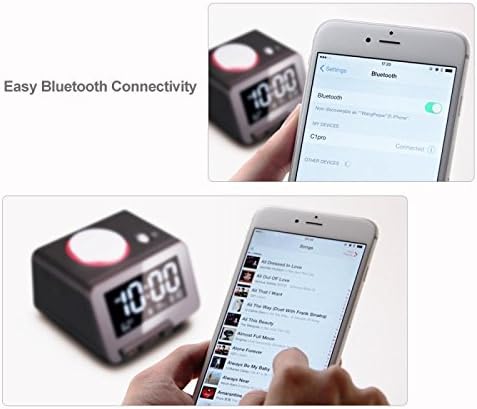
Figure 4: Adjusting the LCD display brightness.

Figure 5: Connecting your device via Bluetooth.
Video 1: Resmi ürün bittiview demonstrating features like time setting, temperature display, USB charging, and Bluetooth connectivity.
Bakım
- Temizlik: Çalar saatin yüzeyini temizlemek için yumuşak, kuru bir bez kullanın. Sıvı temizleyiciler veya aşındırıcı malzemeler kullanmayın.
- Pil Değişimi: If using backup batteries, replace them periodically (e.g., annually) to ensure continuous functionality during power outagee.
- Depolamak: If storing the unit for an extended period, remove the AAA backup batteries to prevent leakage.
Sorun giderme
- Ekran boş: Ensure the power adapter is securely connected to both the clock and a working power outlet. Check if the display brightness is set to 'Off' by pressing the large rotary knob.
- Alarm çalmıyor: Verify the alarm time is set correctly. Ensure the alarm is enabled (check the alarm indicator on the display). Check if the volume is set to an audible level. If using an SD card, ensure it is properly inserted and contains playable audio files.
- Cannot set time/alarm: Ensure the rotary knob is functioning correctly. Refer to the 'Setup' section for detailed instructions on time and alarm setting.
- USB şarjı çalışmıyor: Ensure the C1 Pro is powered on. Try a different USB cable or device to rule out cable/device issues.
- Bluetooth bağlanmıyor: Ensure Bluetooth is enabled on your device and the C1 Pro is within range. Try restarting both the C1 Pro and your mobile device.
- Sıcaklık ölçümü doğru görünmüyor: Ensure the clock is placed in an area with good air circulation, away from direct heat sources or drafts.
Özellikler
| Özellik | Şartname |
|---|---|
| Marka | zaman |
| Model Numarası | C1PRO |
| Renk | Siyah |
| Görüntü Türü | LCD |
| Ürün Boyutları | 4.33"G x 2.52"Y |
| Ürün Ağırlığı | 1.15 pound |
| Güç Kaynağı | Battery Powered (Main power via adapter) |
| Piller Gerekli | 3 adet AAA pil (yedek pil olarak, dahil değildir) |
| USB Çıkışı | 5V/3A (Total for 2 ports) |
| Özel Özellikler | Snooze, Alarm, Adjustable Volume, Thermometer, Bluetooth, Aux-in |
| Malzeme | Polycarbonate, Acrylonitrile Butadiene Styrene |
Garanti ve Destek
Homtime products are designed for reliability and performance. The manufacturer, All Best Technology Limited, typically provides a warranty for their products. Please refer to the warranty card included with your purchase for specific terms and conditions, including warranty duration and contact information for support. For general inquiries or technical assistance, you may visit the official Homtime store on Amazon or contact their customer service as per the details provided in your product packaging.