
giriiş
Thank you for choosing the PowerPac 12-Inch Table Fan, model PPTF303. This manual provides comprehensive instructions for the safe and efficient use of your new fan. Please read all instructions carefully before operating the appliance and retain this manual for future reference.
Önemli Güvenlik Talimatları
Yangın, elektrik çarpması veya yaralanma riskini azaltmak için her zaman aşağıdaki temel güvenlik önlemlerini izleyin:
- Bu fanı kullanmadan önce tüm talimatları okuyun.
- Güç kaynağı hacmini sağlayıntage, fan üzerindeki derecelendirme etiketiyle eşleşir.
- Temizlemeden, bakımını yapmadan veya yerini değiştirmeden önce mutlaka vantilatörün fişini prizden çekin.
- Fan çalışırken parmaklarınızı veya herhangi bir nesneyi ızgaradan içeri sokmayın.
- Keep the fan away from water or other liquids. Do not operate in wet conditions.
- Vantilatörü hasarlı bir kablo veya fişle çalıştırmayın. Kablo hasarlıysa, tehlikeyi önlemek için üretici, servis temsilcisi veya benzer şekilde yetkili kişiler tarafından değiştirilmelidir.
- Bu cihaz, fiziksel, duyusal veya zihinsel yetenekleri kısıtlı olan veya deneyim ve bilgi eksikliği bulunan kişiler (çocuklar dahil) tarafından, güvenliklerinden sorumlu bir kişi tarafından cihazın kullanımıyla ilgili olarak gözetim veya talimat sağlanmadığı sürece kullanılmak üzere tasarlanmamıştır.
- Çocukların cihazla oynamamalarını sağlamak için gözetim altında tutulmaları gerekir.
- Do not use the fan near curtains, plants, or other objects that could be drawn into the fan blades.
- Vantilatörün devrilmesini önlemek için onu düz ve sabit bir yüzeye yerleştirin.
- The fan is equipped with built-in thermal protection against overheating. If the fan overheats, it will automatically shut off. Unplug the fan and allow it to cool down before restarting.
Ürün Bittiview
Bileşenler
The PowerPac 12-Inch Table Fan PPTF303 includes the main fan unit with its base, grille, blades, motor housing, control panel, and power cord.
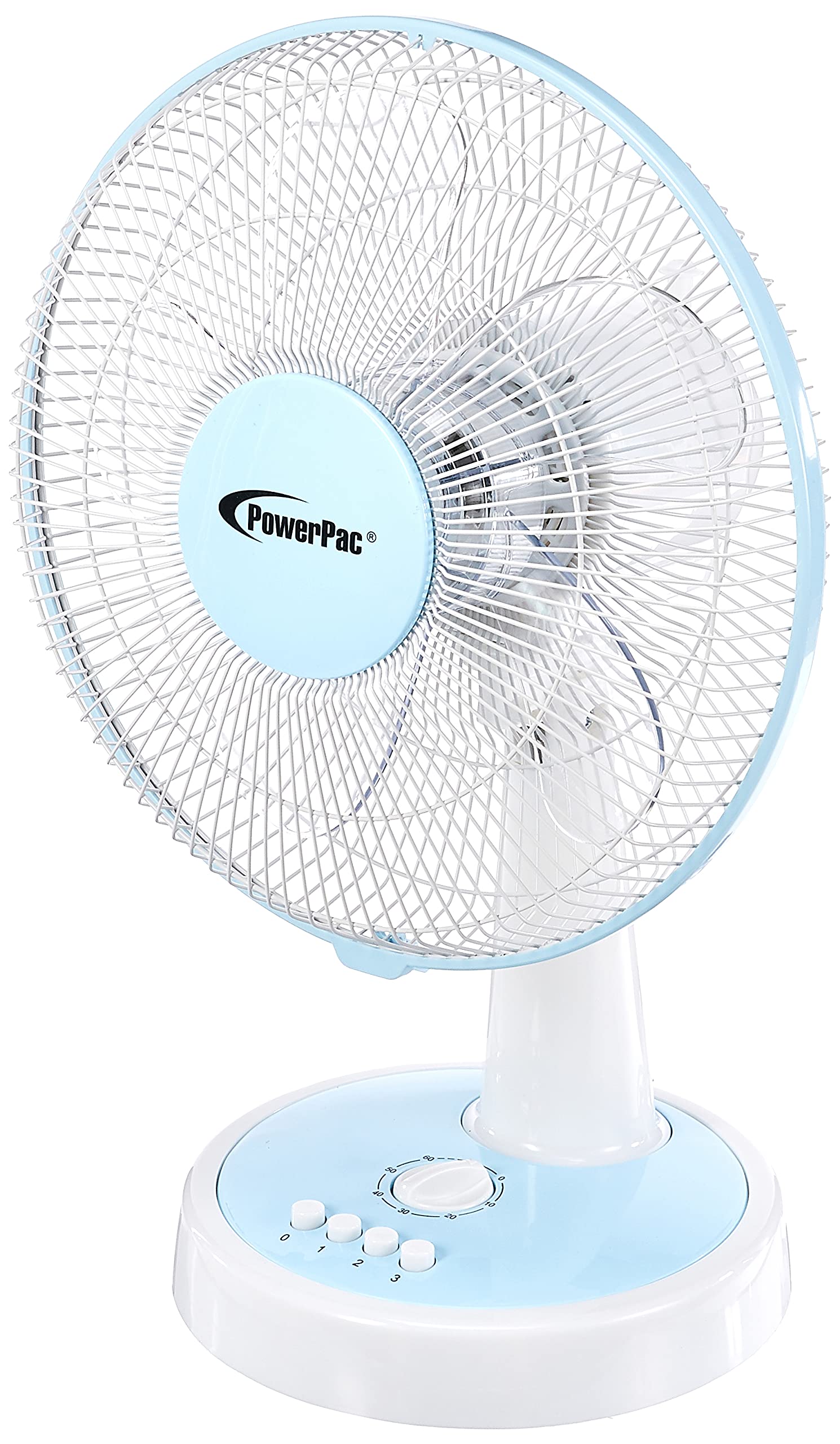
Şekil 1: Ön view of the PowerPac 12-Inch Table Fan PPTF303.
Özellikler
- 3 Hız Ayarı: Choose from low, medium, or high airflow.
- Dahili Termal Koruma: Aşırı ısınmayı önlemek için otomatik olarak kapanır.
- High Velocity Motor: Designed for maximum air circulation.
- Salınım: Provides wide-area cooling.
- Zamanlayıcı Fonksiyonu: Zaman ayarlı çalışma imkanı sağlar.
Kurmak
The PowerPac 12-Inch Table Fan PPTF303 typically comes pre-assembled. Follow these steps for initial setup:
- Paketi aç: Carefully remove the fan from its packaging. Retain packaging for storage or return if necessary.
- Atama: Place the fan on a firm, level surface where it will not be easily knocked over. Ensure there is adequate space around the fan for proper air circulation and oscillation.
- Güç Bağlantısı: Insert the power plug into a suitable electrical outlet. Ensure the outlet voltage matches the fan's requirements.
Kullanım Talimatları
Your PowerPac Table Fan features a touch control method for easy operation.
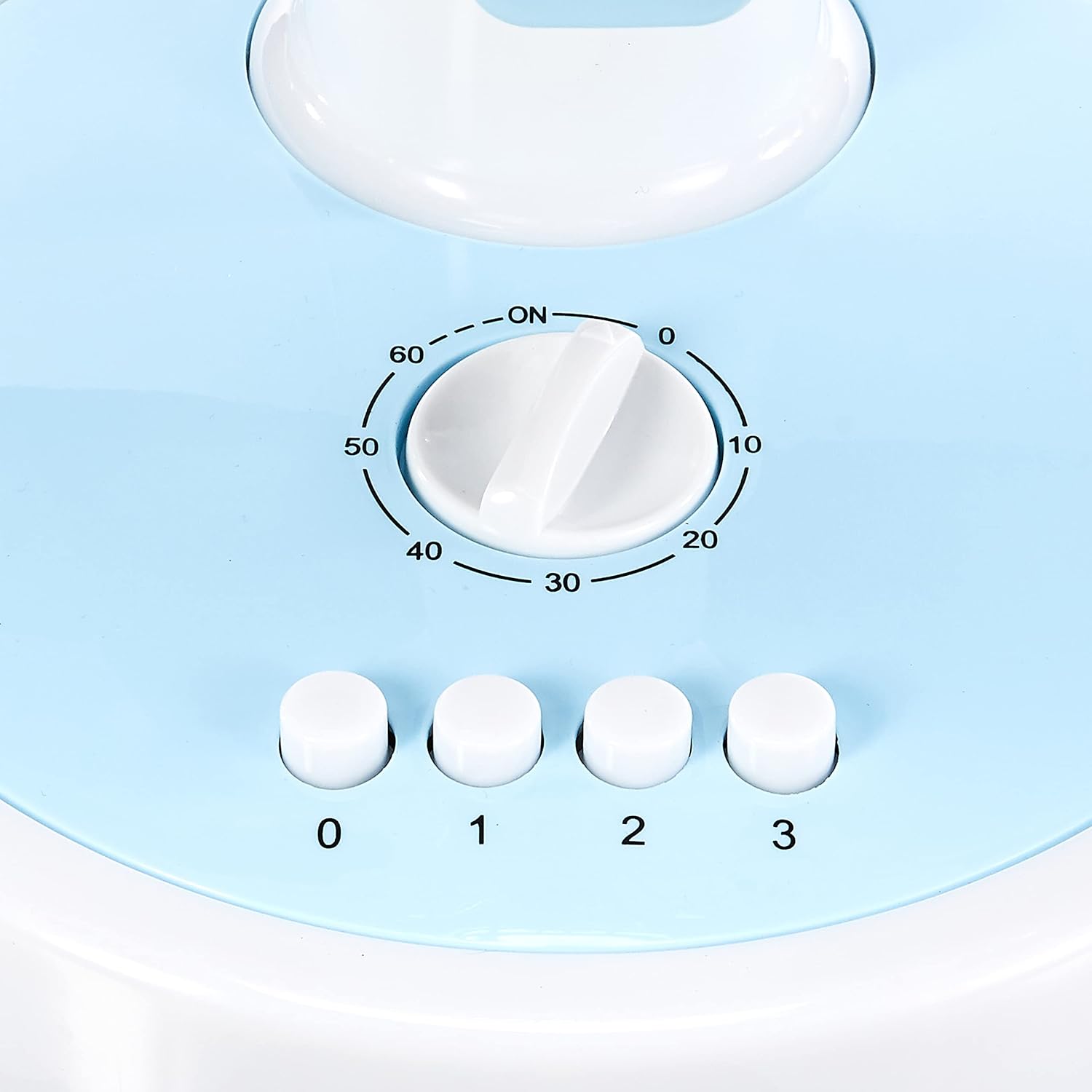
Figure 2: Close-up of the control panel with speed and timer settings.
- Güç Açma/Kapatma: Press the '0' button to turn the fan off. To turn it on, select a speed setting (1, 2, or 3).
- Fan Hızının Ayarlanması:
- Press '1' for Low speed.
- Press '2' for Medium speed.
- Press '3' for High speed.
- Salınım: To activate the oscillation feature, press the button located on the top of the motor housing. Press it again to stop oscillation.
- Zamanlayıcı Fonksiyonu: The fan includes a timer dial, typically marked from 0 to 60 minutes. Turn the dial clockwise to set the desired operating time. The fan will automatically switch off once the set time has elapsed.
Bakım
Düzenli bakım, fanınızın optimum performans göstermesini ve uzun ömürlü olmasını sağlar.
- Temizlik:
- Temizlemeden önce mutlaka fanın fişini çekin.
- Yumuşak bir d kullanınamp Dış yüzeyleri silmek için bez kullanın. Aşındırıcı temizleyiciler veya çözücüler kullanmayın.
- To clean the fan blades, carefully remove the front grille (refer to specific instructions if provided with your model for grille removal). Wipe the blades with a damp cloth. Ensure all parts are dry before reassembling and operating.
- Depolamak: Uzun süre kullanılmadığı zamanlarda, vantilatörü orijinal ambalajında veya temiz ve kuru bir yerde saklayın.
Sorun giderme
Fanınızla ilgili herhangi bir sorunla karşılaşırsanız, lütfen aşağıdaki yaygın sorunlar ve çözümler bölümüne bakın:
| Sorun | Olası Neden | Çözüm |
|---|---|---|
| Fan çalışmıyor. | No power supply; fan unplugged; thermal protection activated. | Check power cord connection; ensure outlet is functional; unplug and allow fan to cool for 30 minutes before restarting. |
| Zayıf hava akışı. | Fan speed set too low; dirty blades/grille. | Increase fan speed; clean blades and grilles as per maintenance instructions. |
| Vantilatör alışılmadık bir ses çıkarıyor. | Loose parts; obstruction in blades. | Unplug and check for any loose parts or obstructions. If noise persists, contact customer support. |
If the problem persists after attempting these solutions, please contact PowerPac customer support.
Özellikler
Key technical specifications for the PowerPac 12-Inch Table Fan PPTF303:
| Şartname | Detay |
|---|---|
| Marka | Güç Paketi |
| Model Adı | PPTF303 |
| Elektrikli Fan Tasarımı | Masa Vantilatörü |
| Boyut | 12 inç |
| Hız Sayısı | 3 |
| Güç Kaynağı | Kablolu Elektrik |
| Netage | 70 watt |
| Kontrol Yöntemi | Dokunmak |
| Özel Özellikler | Timer, Oscillation, Thermal Protection |
| Malzeme | Plastik |
| Menşei ülke | Çin |

Figure 3: Approximate dimensions of the PowerPac 12-Inch Table Fan PPTF303.
Garanti ve Destek
The PowerPac 12-Inch Table Fan PPTF303 comes with a 1 Yıl Yerel (Singapur) Üretici GarantisiLütfen garanti talepleriniz için satın alma belgenizi saklayın.
For technical support, service, or warranty inquiries, please contact PowerPac customer service through their official webÜrünün satın alındığı site veya perakendeci.