
1. Giriş
This instruction manual provides essential information for the installation, operation, and maintenance of the Hikvision DS-7604NI-K1/4P 4-Channel 4K PoE Network Video Recorder (NVR). Please read this manual thoroughly before using the product to ensure correct and safe operation. Keep this manual for future reference.
2. Güvenlik Bilgileri
Yaralanmayı veya cihaza zarar gelmesini önlemek için aşağıdaki güvenlik önlemlerine uyun:
- Güç Kaynağı: Yalnızca bu cihaz için belirtilen güç adaptörünü kullanın. Güç hacminin doğru ayarlandığından emin olun.tage stabildir ve cihazın gereksinimlerini karşılar.
- Havalandırma: Havalandırma açıklıklarını kapatmayın. Aşırı ısınmayı önlemek için yeterli hava akışı sağlayın.
- Çevre: Avoid exposing the device to extreme temperatures, humidity, dust, or corrosive environments. Do not place heavy objects on the device.
- Kurulum: Install the device on a stable surface. Avoid strong vibrations or impacts.
- Servis: Cihazı sökmeye veya üzerinde değişiklik yapmaya çalışmayın. Tüm servis işlemlerini yetkili personele yaptırın.
3. Ürün Bittiview
The Hikvision DS-7604NI-K1/4P is a 4-channel Network Video Recorder designed for surveillance systems. It supports up to 4K resolution for live view, recording, and playback, and features Power-over-Ethernet (PoE) interfaces for direct connection and power supply to compatible IP cameras.
3.1 Paket İçeriği
- Hikvision DS-7604NI-K1/4P NVR Ünitesi
- Güç Adaptörü
- USB Mouse
- HDD Montajı İçin Vidalar
- Hızlı Başlangıç Kılavuzu
3.2 Ön Panel
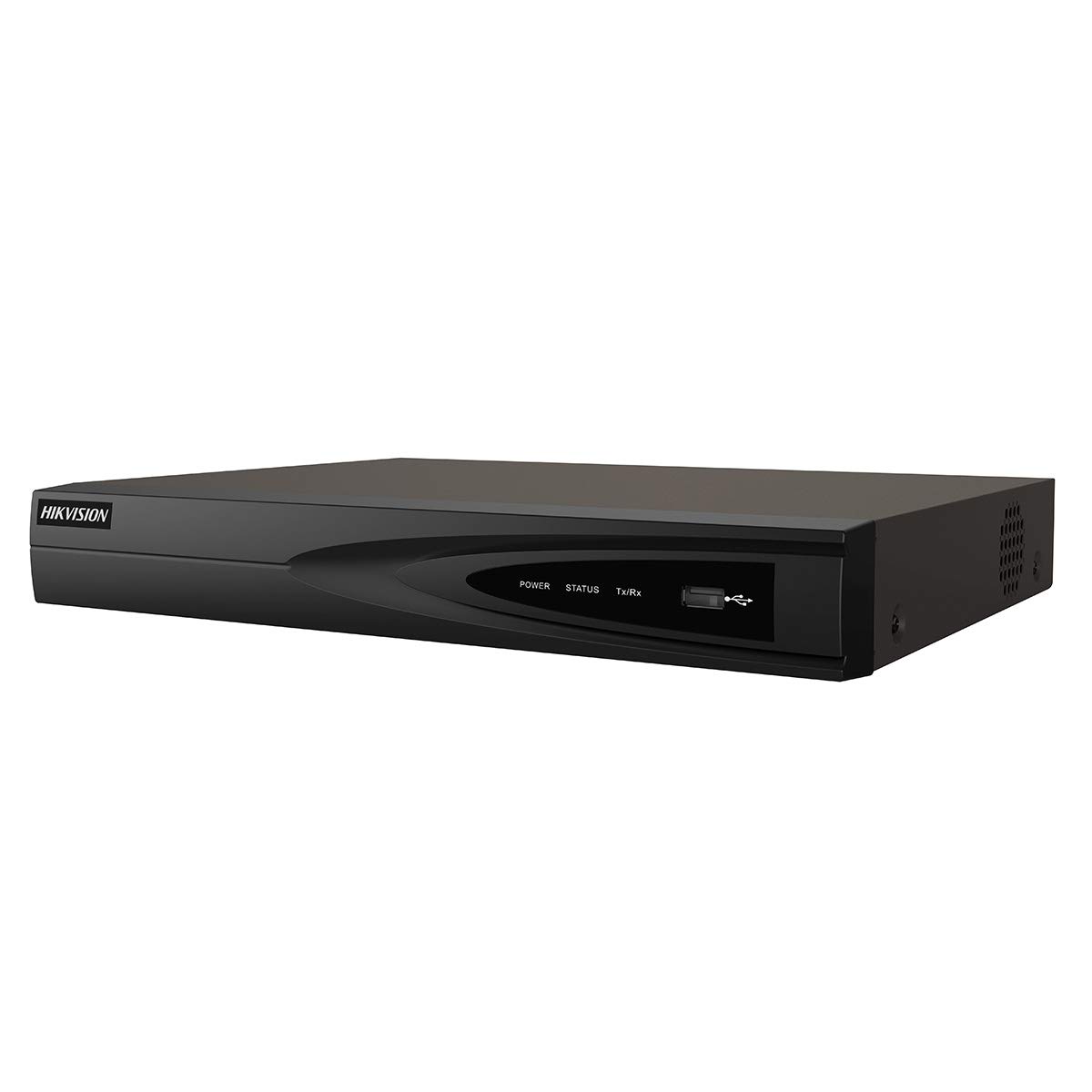
Resim 1: Ön view of the Hikvision DS-7604NI-K1/4P NVR. This image displays the front panel of the NVR, typically featuring status indicator lights and a USB port for peripheral connections.
3.3 Arka Panel
Arka panelde bağlantı için çeşitli bağlantı noktaları bulunur:
- PoE Bağlantı Noktaları (x4): For connecting IP cameras and providing power.
- LAN Bağlantı Noktası: Yönlendiriciye veya anahtara ağ bağlantısı için.
- HDMI Çıkışı: Yüksek çözünürlüklü video çıkışı için monitöre veya televizyona bağlanmak üzere kullanılır.
- VGA Çıkışı: For connecting to a monitor for video output.
- USB Ports (x2 total, typically one front, one rear): Fare, USB bellek veya diğer çevre birimleri için.
- Ses Girişi (RCA): For connecting an external audio source.
- Güç Girişi: Güç adaptörünü bağlamak için.
4. Kurulum
4.1 Sabit Disk Kurulumu (İsteğe Bağlı)
The NVR supports one internal SATA hard drive for video storage (up to 6 TB). If a hard drive is not pre-installed, follow these steps:
- NVR'nin üst kapağını sökün ve çıkarın.
- SATA veri kablosunu ve güç kablosunu sabit diske bağlayın.
- Align the hard drive with the mounting holes and secure it with the provided screws.
- Replace the NVR's top cover and secure it with screws.
4.2 Çevre Birimlerini Bağlama
- İzleme: Monitörü NVR'ın HDMI veya VGA çıkış portuna bağlayın.
- Fare: USB fareyi NVR üzerindeki bir USB bağlantı noktasına bağlayın.
- Ağ: NVR'nin LAN portunu bir Ethernet kablosu kullanarak yönlendiricinize veya ağ anahtarınıza bağlayın.
- Kameralar: Connect IP cameras to the NVR's PoE ports. The NVR will automatically power and detect compatible Hikvision PoE cameras.
4.3 Açma ve İlk Yapılandırma
- Güç adaptörünü NVR'nin güç girişine ve ardından bir elektrik prizine bağlayın.
- The NVR will power on automatically.
- Upon first boot, the NVR will guide you through an initialization wizard. Follow the on-screen prompts to set up a strong password, network settings, and hard drive formatting (if applicable).
- Ensure the hard drive is formatted before recording can begin.
5. Operasyon
5.1 Canlı View
After initial setup, the NVR will display the live video feed from connected cameras on the monitor. You can switch between single-camera view ve çoklu kamera ızgarası view Ekrandaki kontrolleri veya fareyi kullanarak.
5.2 Kayıt
NVR çeşitli kayıt modlarını destekler:
- Sürekli Kayıt: Sürekli olarak video kaydı yapıyor.
- Hareket Algılama Kaydı: Yalnızca kamerada hareket algılandığında kayıt yapar view.
- Planlanmış Kayıt: Önceden belirlenmiş bir zamanlamaya göre kayıtlar.
Configure recording settings via the NVR's menu interface (typically accessible by right-clicking on the live view screen and selecting 'Menu').
5.3 Oynatma
Yırttıview kaydedilmiş footage:
- Access the 'Playback' menu from the NVR's main interface.
- İstediğiniz kamerayı/kameraları ve tarih/saat aralığını seçin.
- Foo'da gezinmek için oynatma kontrollerini (oynat, duraklat, ileri sar, geri al) kullanıntage.
5.4 Uzaktan Erişim
uzaktan kumanda için viewing and management, download the Hik-Connect app on your mobile device or use the Hik-Connect web portal. The NVR must be connected to the internet, and you will need to register the device with your Hik-Connect account. Refer to the Hik-Connect documentation for detailed instructions.
6. Bakım
6.1 Firmware Güncellemesi
Resmi Hikvision sitesini düzenli olarak kontrol edin. website for firmware updates. Updating the firmware can improve performance, add new features, and enhance security. Follow the instructions provided with the firmware update package carefully.
6.2 Sabit Sürücü Yönetimi
Regularly check the health status of your hard drive through the NVR's menu. If the hard drive shows errors or is nearing its end of life, consider replacing it to prevent data loss. You may also need to format the hard drive periodically, which will erase all recorded data.
6.3 Temizlik
Clean the exterior of the NVR with a soft, dry cloth. Do not use liquid cleaners or aerosols. Ensure ventilation openings are free from dust and debris.
7. Sorun Giderme
| Sorun | Olası Neden | Çözüm |
|---|---|---|
| Monitörde video görüntüsü yok. | Gevşek kablo bağlantısı, monitörde yanlış giriş kaynağı, NVR açık değil. | HDMI/VGA kablo bağlantılarını kontrol edin. Monitörün doğru girişe ayarlandığından emin olun. NVR gücünü doğrulayın. |
| Kamera görüntüsü yok | Camera not powered, network issue, camera not added/activated. | Check PoE cable connection. Ensure camera is powered. Verify camera IP address and add it to the NVR. |
| Cannot record video | No hard drive, hard drive not formatted, hard drive full, recording schedule not set. | Install and format a hard drive. Check hard drive status. Configure recording schedule. |
| Uzaktan erişim çalışmıyor | NVR not connected to internet, incorrect network settings, Hik-Connect account issue. | Verify NVR network connection. Check network settings (IP, DNS). Ensure NVR is added to Hik-Connect. |
8. Özellikler
| Özellik | Şartname |
|---|---|
| Model Numarası | DS-7604NI-K1/4P |
| Marka | Hikvision |
| Bağlantı Teknolojisi | Ethernet |
| Uyumlu Cihazlar | Kamera |
| Ürün Boyutları (U x G x Y) | 8.5x29.8x42.1 cm |
| Bellek Depolama Kapasitesi | 6TB |
| Sabit Disk Boyutu | 6TB |
| Kanal Sayısı | 4 |
| Ürün Ağırlığı | 2.2 pound |
| Dijital Video Medya Formatı | Sabit Disk |
| Ses Girişi | RCA |
| Toplam USB Bağlantı Noktaları | 2 |
| Video Girişi | VGA, HDMI |
| Birim Sayısı | 1.0 Sayım |
| Üretici | Hikvision |
| Küresel Ticari Kimlik Numarası | 06954273652883 |
| Parça Numarası | KNVRDS7604NI-K1/4P |
9. Garanti ve Destek
Garanti bilgileri, teknik destek ve servis talepleri için lütfen resmi Hikvision web sitesine başvurun. webWeb sitesini ziyaret edin veya yetkili Hikvision bayinizle iletişime geçin. Garanti talepleri için satın alma fişinizi satın alma belgesi olarak saklayın.
Çevrimiçi Kaynaklar: Visit the official Hikvision support page for FAQs, downloads, and contact information.