
giriiş
Thank you for choosing the Bluesound WM200 Universal Wall Mount. This manual provides essential information for the safe and correct installation, operation, and maintenance of your wall mount. Please read these instructions thoroughly before installation and retain them for future reference.
The WM200 wall mount is specifically designed for use with Bluesound PULSE, PULSE 2, PULSE 2i, PULSE MINI, and PULSE MINI 2i speakers, offering a secure and aesthetically pleasing mounting solution.
Güvenlik Bilgileri
- Tüm talimatları okuyunuz: Before installation, carefully read and understand all instructions.
- Verify wall structure: Ensure the mounting surface can safely support the combined weight of the wall mount and your speaker. Consult a professional if unsure.
- Uygun araçları kullanın: Use only the recommended tools and hardware for installation.
- Güvenli kurulum: Improper installation can result in serious injury or damage to equipment. Ensure all fasteners are tightened securely.
- Çocukların erişemeyeceği yerlerde saklayın: Küçük parçalar boğulma tehlikesi oluşturabilir.
Paket İçeriği
Kuruluma başlamadan önce tüm bileşenlerin mevcut olduğundan emin olun:
- 1 x Bluesound WM200 Universal Wall Mount
- Montaj Donanımı (vidalar, duvar dübelleri)
- Kullanım Kılavuzu (bu belge)
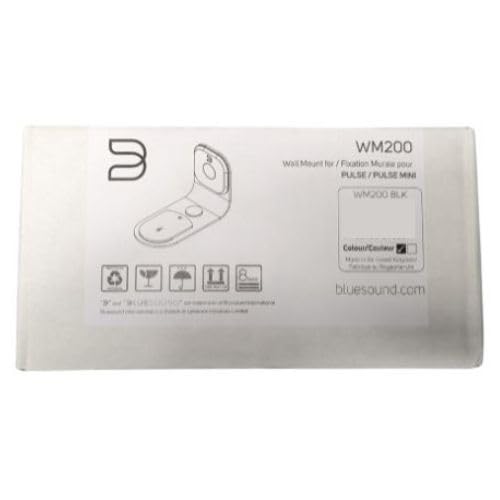
Figure 1: Bluesound WM200 Wall Mount product packaging.
Kurulum ve Yükleme
Follow these steps to securely install your Bluesound WM200 Universal Wall Mount:
- Konum seç: Select a suitable wall location, ensuring it is structurally sound and free from electrical wires or plumbing. Consider the optimal listening height and desired swivel range.
- Delme Noktalarını İşaretleyin: Hold the wall mount against the wall at the desired height and use a pencil to mark the drilling points for the mounting screws. Ensure the mount is level.
- Matkap Delikleri: Using an appropriate drill bit for your wall type (e.g., masonry for brick, wood bit for studs), drill pilot holes at the marked locations. If drilling into drywall without a stud, insert the provided wall anchors.
- Duvara Montaj Aparatını Takın: Align the wall mount with the drilled holes. Insert the mounting screws and tighten them securely. Do not overtighten. The mount is constructed from durable steel for reliable support.
- Rota Kabloları: The WM200 features rubber mouldings designed for flexible wire management. Route your speaker's power and audio cables through these mouldings to keep them tidy and protected.
- Attach Speaker: Carefully slide your compatible Bluesound speaker onto the wall mount. Ensure it is seated firmly and securely.

Figure 2: Bluesound WM200 Wall Mount with compatible speaker (speaker sold separately).
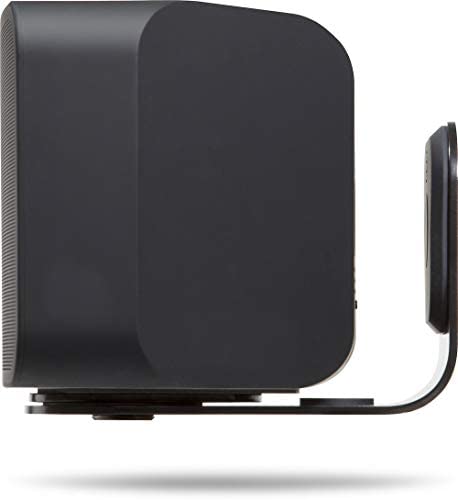
Şekil 3: Yan view of the WM200 mount securely holding a Bluesound speaker.
Operasyon
The Bluesound WM200 Universal Wall Mount offers a 120° total swivel control. This allows you to adjust the direction of your speaker to optimize sound projection and listening experience. Gently pivot the speaker and mount assembly to achieve the desired angle.
Bakım
To ensure the longevity and appearance of your Bluesound WM200 Wall Mount, follow these simple maintenance guidelines:
- Temizlik: Tozu temizlemek için montaj yüzeyini yumuşak, kuru bir bezle silin. İnatçı lekeler için hafifçe kuru bir bez kullanın.amp Bez kullanılabilir ve hemen kurutulmalıdır. Aşındırıcı temizleyicilerden veya çözücülerden kaçının.
- Periyodik Kontroller: Periodically check all mounting screws to ensure they remain tight and secure. Do not overtighten.
Sorun giderme
If you encounter any issues with your WM200 Wall Mount, consider the following:
- Montaj gevşek gibi görünüyor: Ensure all mounting screws are securely fastened to the wall and that the speaker is correctly seated on the mount. Re-check the wall structure for stability.
- Speaker not fitting: Verify that your speaker model is compatible with the WM200 mount (PULSE, PULSE 2, PULSE 2i, PULSE MINI, PULSE MINI 2i).
- Difficulty swiveling: Ensure no cables are obstructing the swivel mechanism. The swivel should operate smoothly with gentle force.
Özellikler
| Model Numarası | WM200 |
| Marka | Mavi ses |
| Renk | Siyah |
| Malzeme | Çelik |
| Montaj Tipi | Duvara Montaj |
| Ürün Boyutları (U x G x Y) | 19 x 13 x 9.5 Santimetre |
| Ürün Ağırlığı | 1.02 Kilogram |
| Döner Kontrol | 120° total |
| Tel Yönetimi | Integrated rubber mouldings |

Şekil 4: Ör.ample installation of the Bluesound WM200 Wall Mount in a living space.
Garanti Bilgileri
Bluesound products are manufactured to the highest quality standards. This product is covered by a limited warranty against defects in materials and workmanship. The specific terms and duration of the warranty may vary by region. Please refer to the warranty card included with your product or visit the official Bluesound webayrıntılı garanti bilgileri için site.
Destek
For technical assistance, troubleshooting, or further inquiries regarding your Bluesound WM200 Universal Wall Mount, please visit the official Bluesound support website or contact their customer service department. You can typically find contact information and FAQs on the Bluesound webalan: