
giriiş
This manual provides instructions for the setup, operation, maintenance, and troubleshooting of your Rampage KM-RX9 CYPHER Gaming Keyboard and Mouse Set. This set includes a USB wired keyboard with rainbow ground illumination and a wired gaming mouse. Please read this manual thoroughly before using the product to ensure proper functionality and longevity.
Güvenlik Bilgileri
- Cihazı sıvılardan ve aşırı nemden uzak tutun.
- Cihazı aşırı sıcaklıklara maruz bırakmayın.
- Cihazı düşürmekten veya güçlü darbelere maruz bırakmaktan kaçının.
- Cihazı kendiniz sökmeye veya onarmaya çalışmayın. Yetkili servis personeline başvurun.
- Yalnızca uyumlu USB bağlantı noktalarıyla kullanın.
Paket İçeriği
Lütfen kutuyu açtıktan sonra içeriğini kontrol edin. Standart paket şunları içermelidir:
- Rampage KM-RX9 CYPHER Gaming Keyboard
- Rampage KM-RX9 CYPHER Gaming Mouse
- Kullanım Kılavuzu (bu belge)
Kurmak
Follow these steps to set up your Rampage KM-RX9 CYPHER Gaming Keyboard and Mouse Set:
- Klavyeyi Bağlayın: Locate an available USB port on your computer. Plug the USB connector of the Rampage KM-RX9 keyboard into the USB port.
- Fareyi Bağlayın: Locate another available USB port on your computer. Plug the USB connector of the Rampage KM-RX9 mouse into the USB port.
- Sürücü Kurulumu: The keyboard and mouse are typically plug-and-play devices. Your operating system (Windows, macOS, Linux) should automatically detect and install the necessary drivers. This process may take a few moments.
- Doğrulama: Once drivers are installed, the keyboard and mouse should be ready for use. Test by typing on the keyboard and moving/clicking the mouse. The keyboard's rainbow illumination should activate automatically.
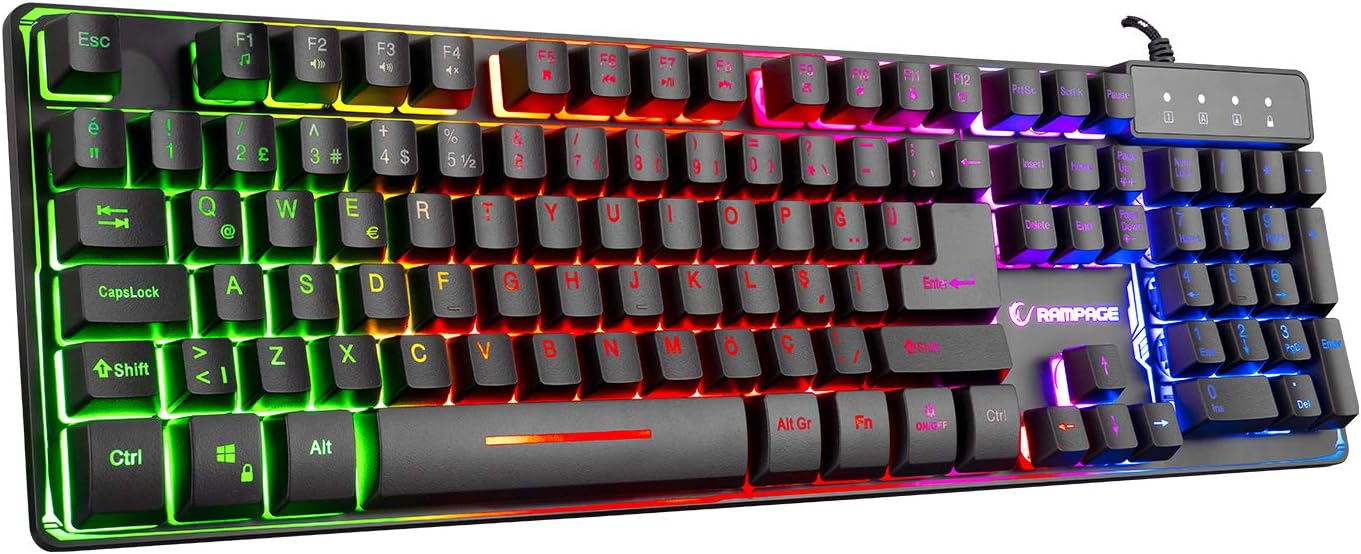
Şekil 1: Üst view R'ninampage KM-RX9 CYPHER Gaming Keyboard, showcasing its full QWERTY layout and vibrant rainbow backlighting.
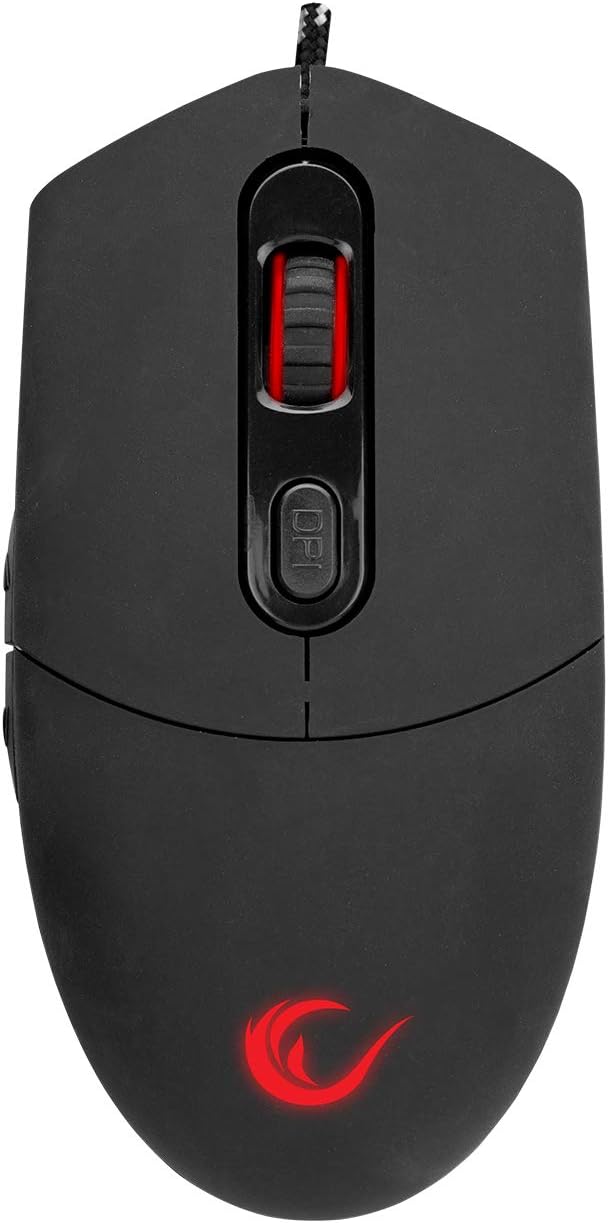
Şekil 2: Üst view R'ninampage KM-RX9 CYPHER Gaming Mouse, featuring the scroll wheel and DPI adjustment button.
Klavyenin Kullanımı
Temel Fonksiyonlar
- Yazma: The keyboard features a standard QWERTY layout for general typing and gaming.
- Fonksiyon Tuşları (F1-F12): These keys may have secondary multimedia or system functions when pressed in combination with the Fn key. Refer to the keycap legends for specific functions (e.g., volume control, media playback).
Aydınlatma Kontrolü
The KM-RX9 keyboard features rainbow ground illumination. Specific controls for lighting modes or brightness are typically managed via dedicated keys or key combinations:
- Look for keys with light bulb icons or specific 'Fn' key combinations (e.g., Fn + Kaydırma Kilidi or Fn + Page Up/Down) to cycle through lighting effects or adjust brightness.
- The illumination is designed to provide a consistent rainbow effect across the keyboard's base.
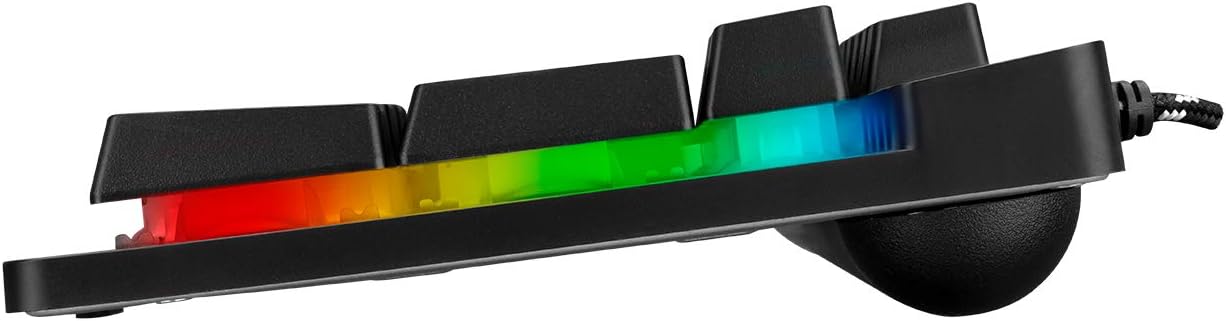
Şekil 3: Yan profile R'ninampage KM-RX9 keyboard, illustrating the distinct rainbow ground illumination effect.
Fareyi Çalıştırma
Temel Fonksiyonlar
- Sol tık: Birincil eylem düğmesi.
- Sağ tık: İkincil işlem düğmesi, genellikle bağlam menüleri için kullanılır.
- Kaydırma tekerleği: Belgeler arasında gezinmek için kullanılır ve web Sayfalar. Ayrıca orta tıklama düğmesi olarak da işlev görebilir.
- Yan Düğmeler: The mouse features additional side buttons, commonly used for forward/backward navigation in web browsers or programmable for in-game actions.
DPI Ayarlaması
The mouse includes a DPI (Dots Per Inch) adjustment button, usually located near the scroll wheel. Pressing this button cycles through different sensitivity levels, allowing you to adjust cursor speed on the fly to suit your preferences or game requirements.
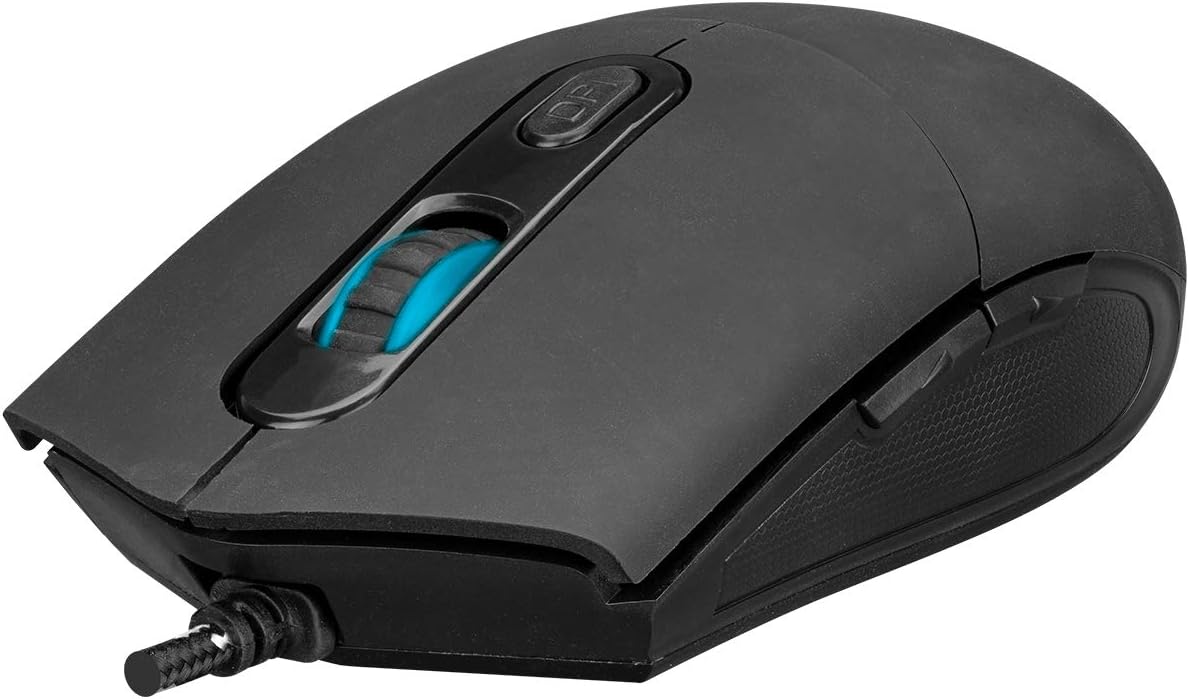
Şekil 4: Açısal view R'ninampage KM-RX9 mouse, highlighting the scroll wheel and the DPI adjustment button.

Şekil 5: Yan view R'ninampage KM-RX9 mouse, showcasing its ergonomic design and textured grip for enhanced control.
Bakım
Proper maintenance ensures the longevity and performance of your gaming set:
- Klavyeyi Temizleme: Use a soft, dry cloth to wipe down the keyboard surface. For dust between keys, use compressed air. Do not use harsh chemicals or abrasive cleaners.
- Fareyi Temizleme: Fare yüzeyini yumuşak, hafif nemli bir bezle silin.amp cloth. Ensure no moisture enters the device. Clean the optical sensor area on the bottom of the mouse with a cotton swab if tracking issues occur.
- Depolamak: When not in use for extended periods, store the keyboard and mouse in a clean, dry environment, away from direct sunlight and extreme temperatures.
Sorun giderme
If you encounter issues with your Rampage KM-RX9 set, try the following solutions:
- Klavye/Fare Yanıt Vermiyor:
- USB kablolarının bilgisayarınızın USB bağlantı noktalarına güvenli bir şekilde takılı olduğundan emin olun.
- Cihazları farklı USB bağlantı noktalarına takmayı deneyin.
- Bilgisayarınızı yeniden başlatın.
- Check your computer's Device Manager (Windows) or System Information (macOS/Linux) to see if the devices are recognized.
- Illumination Not Working (Keyboard):
- Verify that the keyboard is properly connected.
- Press the dedicated lighting control keys or Fn key combinations to ensure illumination is not turned off or set to a very dim mode.
- Fare İzleme Sorunları:
- Farenin alt kısmındaki optik sensörü temizleyin.
- Fareyi uygun bir yüzeyde (örneğin, yansıtıcı veya şeffaf bir yüzey değil, fare altlığı) kullandığınızdan emin olun.
- Adjust the DPI settings using the DPI button.
Özellikler
| Ürün Modeli | KM-RX9 |
| Marka | Rampage (Everest Rampyaş) |
| Bağlantı Teknolojisi | USB Kablolu |
| Klavye Düzeni | Q klavye |
| Özel Özellikler | Rainbow Ground Illuminated Keyboard, DPI Adjustable Mouse |
| Uyumlu Cihazlar | Masaüstü bilgisayar, Dizüstü bilgisayar, Tablet |
| İşletim Sistemi Uyumluluğu | Windows, macOS, Linux |
| Ürün Boyutları | Keyboard: 54 x 17 x 4.2 cm; 830 g |
| Güç Kaynağı | Electric Corded (USB) |
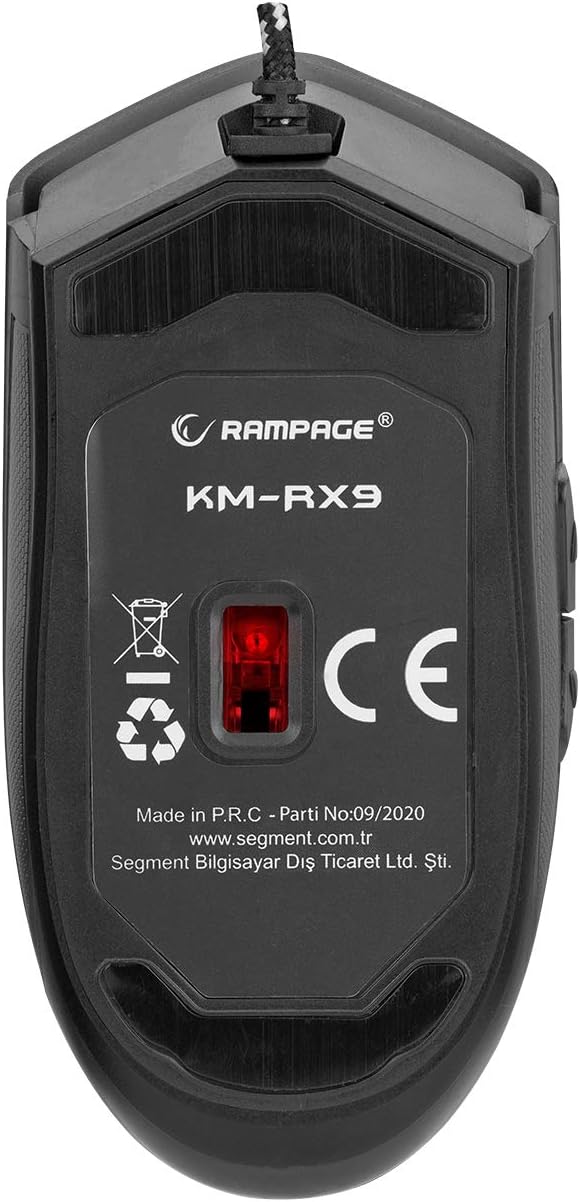
Şekil 6: Alt view R'ninampage KM-RX9 mouse, displaying the model number and optical sensor.
Garanti ve Destek
For warranty information and customer support, please refer to the documentation provided at the time of purchase or contact your retailer. You may also visit the official Rampyaş webDaha fazla yardım için siteyi ziyaret edin.