
Sharp PN-B501
Sharp PNB501 50-Inch Monitor User Manual
Model: PN-B501
giriiş
Thank you for choosing the Sharp PNB501 50-inch monitor. This display is designed for high-quality visual performance, featuring a 1920x1080 resolution, a 5000:1 contrast ratio, and a built-in System-on-Chip (SoC) for enhanced functionality. This manual provides essential information for the proper installation, operation, and maintenance of your monitor. Please read it thoroughly before use and keep it for future reference.

Şekil 1: Ön view of the Sharp PNB501 50-inch monitor, showcasinŞık tasarımıyla dikkat çekiyor.
Kurmak
Follow these steps to set up your Sharp PNB501 monitor. Ensure all components are present and undamaged before proceeding.
1. Paketin Açılması ve Yerleştirilmesi
- Carefully remove the monitor from its packaging. Retain all packaging materials for future transport or storage.
- Place the monitor on a stable, flat surface or mount it securely using a compatible VESA mount (sold separately). Ensure adequate ventilation around the display.
2. Bağlantı Kabloları
The PNB501 features various input ports for versatile connectivity.
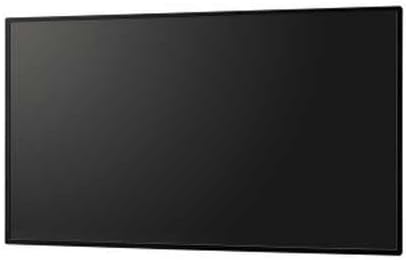
Şekil 2: Arka view Monitörün çeşitli giriş ve çıkış portlarını vurgulayan bir ekran görüntüsü.
- Güç Bağlantısı: Connect the power cord to the monitor's AC inlet and then to a grounded electrical outlet.
- Video Girişi: Connect your video source (e.g., PC, media player) to the monitor using a DisplayPort cable (Display Port x 1 Mini) or other available video inputs.
- Ses Bağlantısı: If your video source does not transmit audio via the video cable, connect an audio cable from your source to the monitor's audio input.
- Ağ bağlantısı: For network features or SoC functionality, connect an Ethernet cable to the LAN port.
3. İlk Açılış
- Press the power button on the monitor or remote control.
- The monitor will display the Sharp logo and then search for an active input signal.
- If no signal is detected, ensure your source device is powered on and the correct input is selected on the monitor.
Kullanım Talimatları
This section covers the basic operation of your Sharp PNB501 monitor.
1. Güç Açma/Kapatma
- Monitörü açmak için, Güç button on the monitor's control panel or the remote control.
- To turn off the monitor, press the Güç button again. The monitor will enter standby mode.
2. Giriş Seçimi
Farklı video kaynakları arasında geçiş yapmak için:
- Basın Giriş or Kaynak button on the remote control or monitor.
- Use the navigation buttons to select the desired input (e.g., DisplayPort, HDMI).
- Basmak Girmek or OK Seçiminizi onaylamak için.
3. Menü Navigasyonu
Access and adjust monitor settings using the On-Screen Display (OSD) menu:
- Basın Menü OSD'yi açmak için düğme.
- Kullanın Yukarı/Aşağı or Sol/Sağ navigation buttons to browse through menu options (e.g., Picture, Audio, System).
- Basmak Girmek or OK to select a sub-menu or adjust a setting.
- Use the navigation buttons to change values or select options.
- Basmak Menü tekrar veya Çıkış to close the OSD.
Bakım
Proper maintenance ensures the longevity and optimal performance of your Sharp PNB501 monitor.
1. Ekranın Temizlenmesi
- Temizlemeden önce mutlaka monitörü kapatın ve fişini çekin.
- Yumuşak, tiftiksiz bir bez kullanın ve hafifçe kurulayın.ampSu veya özel bir ekran temizleme solüsyonu ile temizleyin.
- Ekran yüzeyini nazikçe silin. Aşırı baskı uygulamaktan kaçının.
- Ekran yüzeyine zarar verebileceğinden aşındırıcı temizleyiciler, alkol, benzen veya tiner kullanmayın.
2. Dolabın Temizlenmesi
- Wipe the monitor cabinet with a soft, dry cloth.
- İnatçı kirler için hafifçe kurulanmış bir bez kullanın.ampened with a mild, non-abrasive detergent solution, then wipe dry.
3. Depolama
- If storing the monitor for an extended period, place it in its original packaging to protect it from dust and physical damage.
- Doğrudan güneş ışığından ve aşırı sıcaklıklardan uzakta, serin ve kuru bir yerde saklayın.
Sorun giderme
This section provides solutions to common issues you might encounter with your Sharp PNB501 monitor. If the problem persists, please contact customer support.
Güç Yok
- Güç kablosunun hem monitöre hem de çalışan bir elektrik prizine güvenli bir şekilde bağlandığından emin olun.
- Başka bir cihaz takarak prizin aktif olup olmadığını kontrol edin.
- Press the power button firmly on the monitor or remote control.
Sinyal Yok / Boş Ekran
- Verify that the video cable (e.g., DisplayPort) is securely connected to both the monitor and the source device.
- Ensure the source device (e.g., computer) is powered on and outputting a signal.
- Use the monitor's input selection feature to ensure the correct input source is chosen.
- Try connecting a different video source or cable to rule out a faulty component.
Kötü Görüntü Kalitesi
- Check the resolution settings on your source device. Ensure it is set to the monitor's native resolution (1920x1080).
- Adjust picture settings (brightness, contrast, sharpness) via the OSD menu.
- Ensure the video cable is not damaged or excessively long.
Ses Yok
- Increase the volume on the monitor and the source device.
- Check if the audio cable is properly connected (if not using audio over DisplayPort).
- Ensure the audio output on your source device is not muted or set to an incorrect output.
Özellikler
Detailed technical specifications for the Sharp PNB501 monitor:
| Özellik | Şartname |
|---|---|
| Marka | Keskin |
| Model Numarası | PN-B501 |
| Ekran Görüntü Boyutu | 49.5 inç |
| Ekran Çözünürlüğü | 1920x1080 (FHD 1080p) |
| En Boy Oranı | 16:9 |
| Ekran Yüzeyi Açıklaması | Parlak |
| Ürün Ağırlığı | 49 pound |
| Ürün Boyutları (UxGxY) | 44.21 x 2.76 x 25.47 inç |
| İşlemci Sayısı | 4 (Built-in SoC) |
| Üretici | SHARP ELEKTRONİK ŞİRKETİ |
| İlk Mevcut Tarih | 2 Mart 2018 |
Garanti ve Destek
Sharp stands behind the quality of its products. For specific warranty terms and conditions, please refer to the warranty card included with your product or visit the official Sharp website. General support information is provided below.
Müşteri Desteği
If you require technical assistance, have questions about your product, or need to arrange for service, please contact Sharp customer support. You can often find contact information on the official Sharp webÜrünü satın aldığınız site veya perakendeci aracılığıyla.
For additional resources and product information, you may visit the official Sharp store page:
Visit the Sharp Store on Amazon
Please note that return policies, such as the 30-day easy returns, are typically handled by the retailer.
Ask a question about this manual
Ask about setup, troubleshooting, compatibility, parts, safety, or missing instructions. Manuals+ will review the question and use this page’s manual context to help answer it.