
giriiş
This manual provides detailed instructions for the proper use and maintenance of your Casio Illuminator AQ-E10 digital-analog watch. Please read this manual thoroughly to ensure optimal performance and longevity of your timepiece. The AQ-E10 features both analog and digital time displays, an alarm, a stopwatch, and an illuminator backlight.
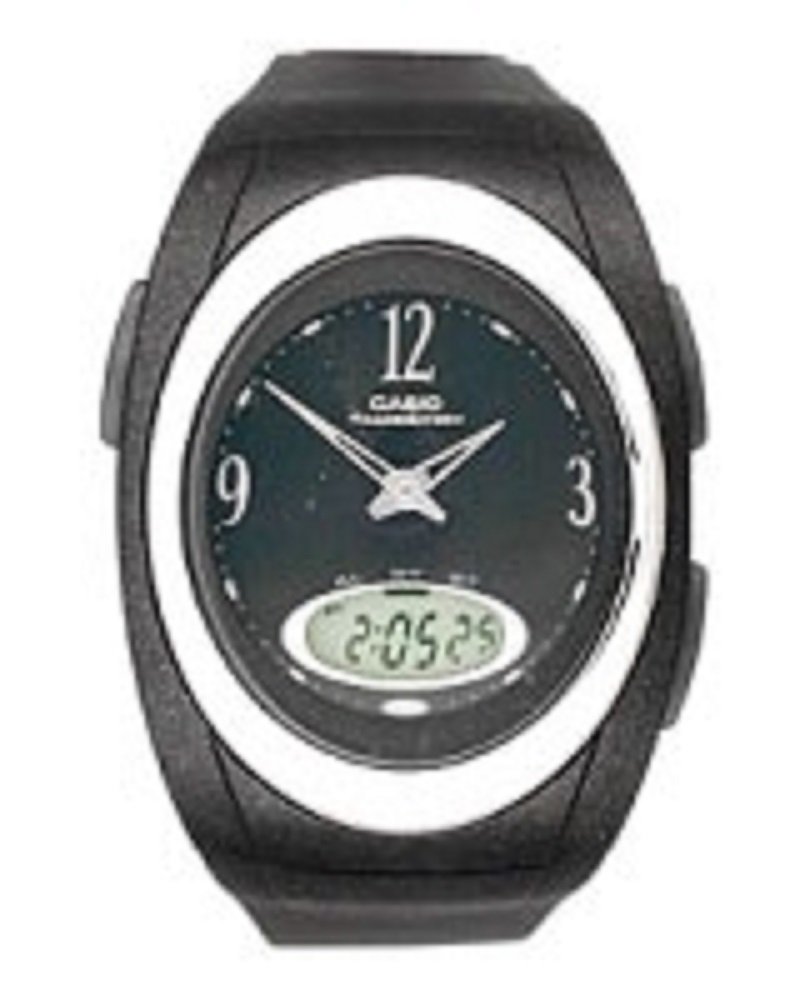
Ön view of the Casio Illuminator AQ-E10 watch, showcasing its digital and analog display, black rubber strap, and round black dial.
Kurmak
İlk Muayene
Upon unboxing, inspect the watch for any visible damage. Ensure all buttons operate smoothly. If any issues are found, contact your retailer.
Dijital Saat ve Tarihin Ayarlanması
- Zaman tutma modunda, basılı tutun. AYARLAMAK button (usually top-left) until the seconds digits start to flash, indicating the setting screen.
- Basın MOD button (usually bottom-left) to cycle through the settings: Seconds → Hour → Minutes → Year → Month → Day → 12/24-hour format.
- Kullanın ARAMAK button (usually top-right) or İLERİ button (usually bottom-right) to increase the flashing value. Hold the button to change values rapidly.
- Tüm ayarlar yapıldıktan sonra, AYARLAMAK button again to exit the setting screen.
Synchronizing Analog Hands
The analog hands are typically synchronized automatically with the digital time. If they are out of sync, refer to the detailed instructions in the operating section for manual adjustment, or consult the full Casio module manual for your specific watch module number (often found on the watch's case back).
Saatin Çalıştırılması
Mod Navigasyonu
Basın MOD button to cycle through the watch's functions: Timekeeping Mode → Alarm Mode → Stopwatch Mode.
Zaman İşleyişi Modu
This mode displays the current time (hours, minutes, seconds) and date (month, day, day of the week) digitally, alongside the analog hands.
Alarm Modu
- Zaman Tutma Modundan, tuşuna basın. MOD until you reach the Alarm Mode. The alarm time will be displayed.
- Basılı tutun AYARLAMAK Alarm saati rakamları yanıp sönene kadar düğmesine basın.
- Kullanın ARAMAK or İLERİ İstediğiniz alarm saatini ayarlamak için düğmeye basın.
- Basmak MOD to move to the minutes setting, then use ARAMAK or İLERİ Dakikaları ayarlamak için
- Basmak AYARLAMAK Onaylamak ve çıkmak için.
- Alarmı AÇMAK/KAPATMAK için, ARAMAK Alarm Modundayken düğmeye basılı tutmadan AYARLAMAK). An indicator will show if the alarm is active.
Kronometre Modu
- Zaman Tutma Modundan, tuşuna basın. MOD until you reach the Stopwatch Mode. The display will show "00'00"00".
- Basın ARAMAK Kronometreyi başlatmak için düğmeye basın.
- Basmak ARAMAK Tekrar kronometreyi durdurmak için.
- Basın AYARLAMAK button to reset the stopwatch to "00'00"00".
Illuminator (Backlight)
Basın IŞIK button (usually top-right or a dedicated button) to illuminate the digital display for easy viewing in low-light conditions. The illumination duration is typically a few seconds.
Bakım
Suya Dayanıklılık
The Casio AQ-E10 is designed to be water resistant. However, it is important to avoid operating the watch buttons while submerged in water to prevent water ingress. Avoid exposing the watch to hot water or steam, as this can compromise the seals.
Temizlik
Saat kasasını ve kayışını yumuşak ve kuru bir bezle silin. İnatçı kirler için hafifçe silin.amp cloth can be used, followed by a dry cloth. Avoid using chemical cleaners, as they may damage the watch's materials.
Pil Değişimi
The watch is powered by a battery. When the display becomes dim or functions become erratic, it may be time for a battery replacement. It is highly recommended to have the battery replaced by a qualified watch technician to ensure proper sealing and water resistance integrity.
Depolamak
Uzun süre kullanılmayacaksa, saati serin, kuru ve doğrudan güneş ışığından ve aşırı sıcaklıklardan uzak bir yerde saklayın.
Sorun giderme
- Yanlış Zaman Gösterimi: If the digital or analog time is incorrect, refer to the "Setting the Digital Time and Date" and "Synchronizing Analog Hands" sections under Setup to re-adjust.
- Blank or Dim Digital Display: This usually indicates a low battery. Arrange for battery replacement by a professional.
- Yanıt Vermeyen Düğmeler: Ensure the watch is not in a locked mode (if applicable, though not a common feature for this model). If the issue persists, a battery replacement or professional inspection may be required.
- Saatin içinde yoğuşma oluştu: If condensation appears inside the watch, it indicates a breach in water resistance. Stop using the watch immediately and have it inspected by a professional to prevent further damage.
Özellikler
- Model Numarası:
- AQ-E10-1BEF
- Görüntüleme Biçimi:
- Analog-Dijital
- Hareket Türü:
- Kuvars
- Özel Özellikler:
- Alarm, Chronograph (Stopwatch), Illuminator (Backlight)
- Güç Kaynağı:
- Pil
- Toka Tipi:
- Toka
- Kayış Malzemesi:
- Lastik
- Kasa Malzemesi:
- Lastik
- Kristal Türü:
- Akrilik
- Kayış Rengi:
- Siyah
- Kadran Rengi:
- Siyah
- Kasa Kalınlığı:
- 7 Milimetre
- Kayış Genişliği:
- 16 Milimetre
- Ebatlar (Paket):
- 11 x 11 x 7.49 cm; 27.22 g
- Suya Dayanıklılık:
- General water resistance (specific depth not provided, avoid button operation underwater).
Garanti ve Destek
Your Casio Illuminator AQ-E10 watch is covered by a manufacturer's warranty. For specific warranty terms and conditions, please refer to the warranty card included with your purchase or visit the official Casio website. For technical support, service, or inquiries, please contact Casio customer service or an authorized service center.
Resmi Casio Webalan: www.casio.com