
giriiş
Black ürününüzün kullanıcı kılavuzuna hoş geldinizweb BWA16WI003 4-Foot Lightning Cable. This manual provides essential information for the proper setup, operation, and maintenance of your cable. Please read these instructions carefully before use.
Ürün Bittiview
Paket İçeriği
- 1 x Siyahweb BWA16WI003 4-Foot Lightning Cable
Temel Özellikler
- 4-foot (1.2 meter) length for extended reach.
- Lightning connector for Apple devices.
- USB-A connector for power sources and data transfer.
- Durable construction for reliable use.
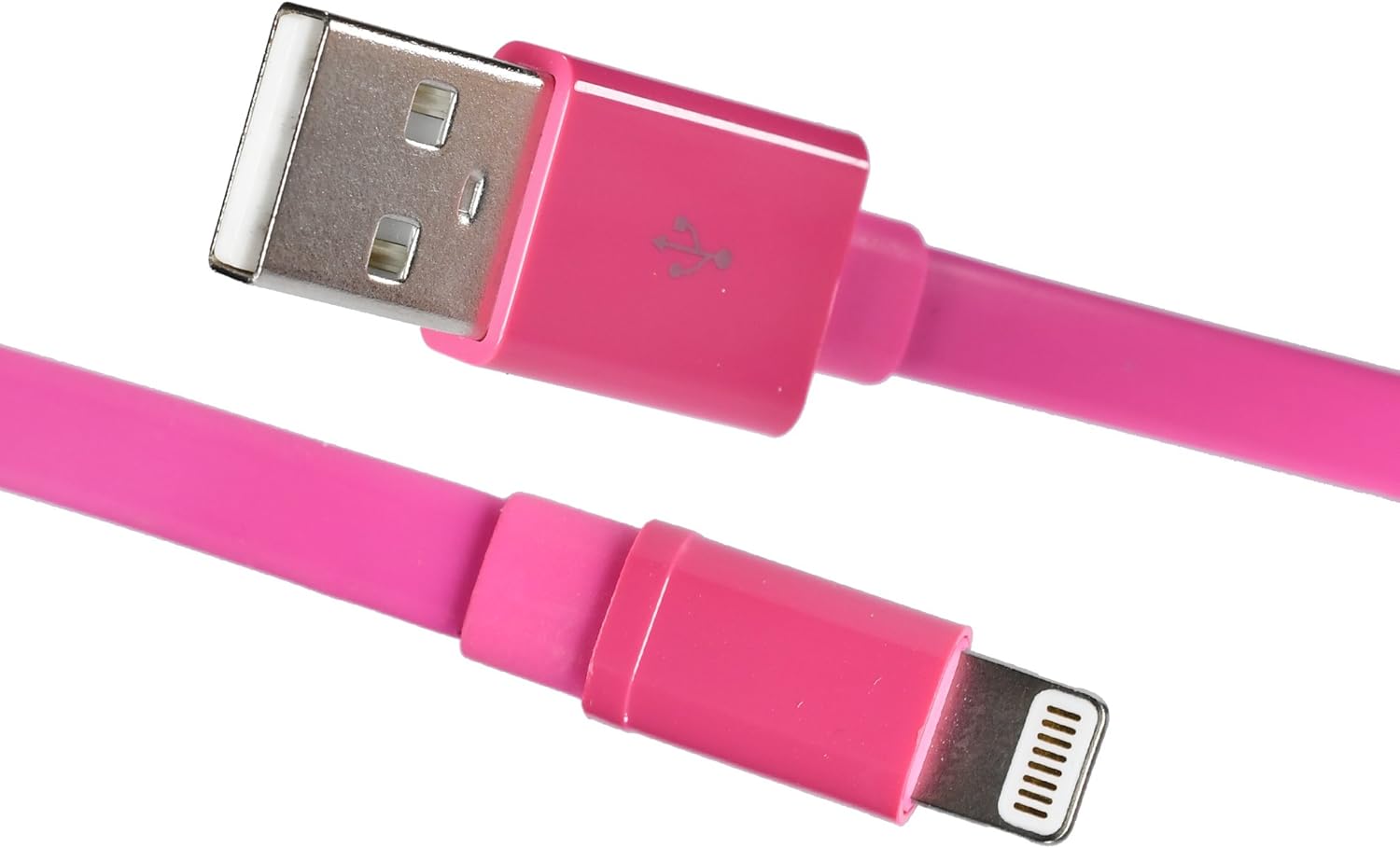
Resim: Siyahweb BWA16WI003 Lightning Cable, showcasing both the USB-A and Lightning connectors.
Kurulum ve Bağlantı
- Identify Connectors: Locate the USB-A connector (larger, rectangular) and the Lightning connector (smaller, reversible).
- Güç Kaynağına Bağlanın: Insert the USB-A connector into a compatible USB power adapter, computer USB port, or other USB charging device.
- Cihaza Bağlan: Insert the Lightning connector into the charging/sync port of your Apple device (iPhone, iPad, iPod). Ensure a firm connection.

Image: The Lightning connector being inserted into an Apple iPhone, demonstrating proper connection.
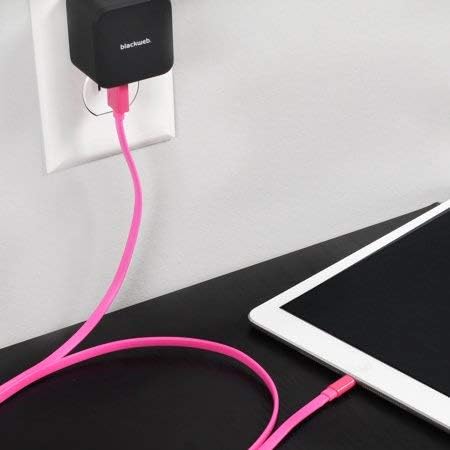
Resim: Siyahweb Lightning cable connected to a wall power adapter and an iPad, illustrating a typical charging setup.

Resim: Siyahweb Lightning cable connecting an iPhone to a laptop's USB port for charging or data synchronization.
Kullanım Talimatları
Cihazınızı Şarj Etme
Once connected to a power source and your Apple device, the device should begin charging automatically. A charging indicator (e.g., battery icon) will typically appear on your device's screen.
Veri Senkronizasyonu
When connected to a computer, the cable facilitates data transfer between your Apple device and the computer. Follow your device's instructions for syncing photos, videos, music, and other data.
Bakım ve Özen
- Depolamak: Store the cable in a clean, dry place when not in use. Avoid extreme temperatures.
- Temizlik: Gently wipe the cable with a soft, dry cloth. Do not use harsh chemicals or abrasive cleaners.
- Elleçleme: Avoid bending the cable sharply or pulling it by the cord. Always grasp the connector ends when plugging or unplugging.
- Denetleme: Periodically inspect the cable and connectors for any signs of damage, such as fraying or bent pins. Discontinue use if damage is observed.

Resim: Siyahweb Lightning cable neatly coiled, demonstrating proper storage to prevent damage.
Sorun giderme
Cihaz Şarj Edilmiyor
- Bağlantıları Kontrol Et: Ensure both the USB-A and Lightning connectors are fully and securely inserted.
- Güç Kaynağını Doğrulayın: Confirm that the USB power adapter or computer USB port is functional and providing power. Try a different power source.
- Kabloyu inceleyin: Check the cable for any visible damage. If damaged, replace the cable.
- Cihazı yeniden başlat: Sometimes, restarting your Apple device can resolve charging issues.
Veri Aktarım Sorunları
- Bağlantıları Kontrol Et: Ensure secure connections at both ends.
- Computer Recognition: Verify that your computer recognizes the connected Apple device. You may need to unlock your device and confirm "Trust This Computer."
- Yazılım Güncellemeleri: Ensure your computer's operating system and your device's iOS are up to date.
Özellikler
| Özellik | Detay |
|---|---|
| Örnek | BWA16WI003 |
| Marka | Siyahweb |
| Kablo Tipi | Lightning to USB-A |
| Uzunluk | 4 feet (yaklaşık 1.2 metre) |
| Renk | Pembe |
| Bağlayıcı Cinsi | Erkek-Erkek |
| Ürün Ağırlığı | 1.92 ons (yaklaşık 54 gram) |
| Ürün Boyutları | 7 x 2 x 5 inç (ambalaj) |
Güvenlik Bilgileri
- Kabloyu suya veya aşırı neme maruz bırakmayın.
- Kabloyu sökmeye veya değiştirmeye çalışmayın.
- Çocukların erişemeyeceği yerde saklayınız.
- Use only with compatible devices and power sources.
- Disconnect the cable during lightning storms or when unused for long periods.
Garanti ve Destek
For warranty information or technical support, please refer to the documentation provided with your purchase or contact Blackweb Müşteri hizmetleri.
You can often find support resources on the official Blackweb webalan.