
Andoer HDV-534K
Andoer HDV-534K 4K 48 MP WiFi Dijital Video Kamera Kullanım Kılavuzu
Model: HDV-534K
giriiş
This manual provides comprehensive instructions for the operation and maintenance of your Andoer HDV-534K 4K 48 MP WiFi Digital Video Camera. Please read this manual thoroughly before using the camera to ensure proper functionality and to maximize your user experience.
The Andoer HDV-534K is a high-definition digital video camera capable of recording 4K (2880 x 2160) video at 24 frames per second (interpolated) and capturing still photos at 48MP (9212 x 5184) (interpolated). It features a 3-inch capacitive touchscreen for intuitive control and vivid display.
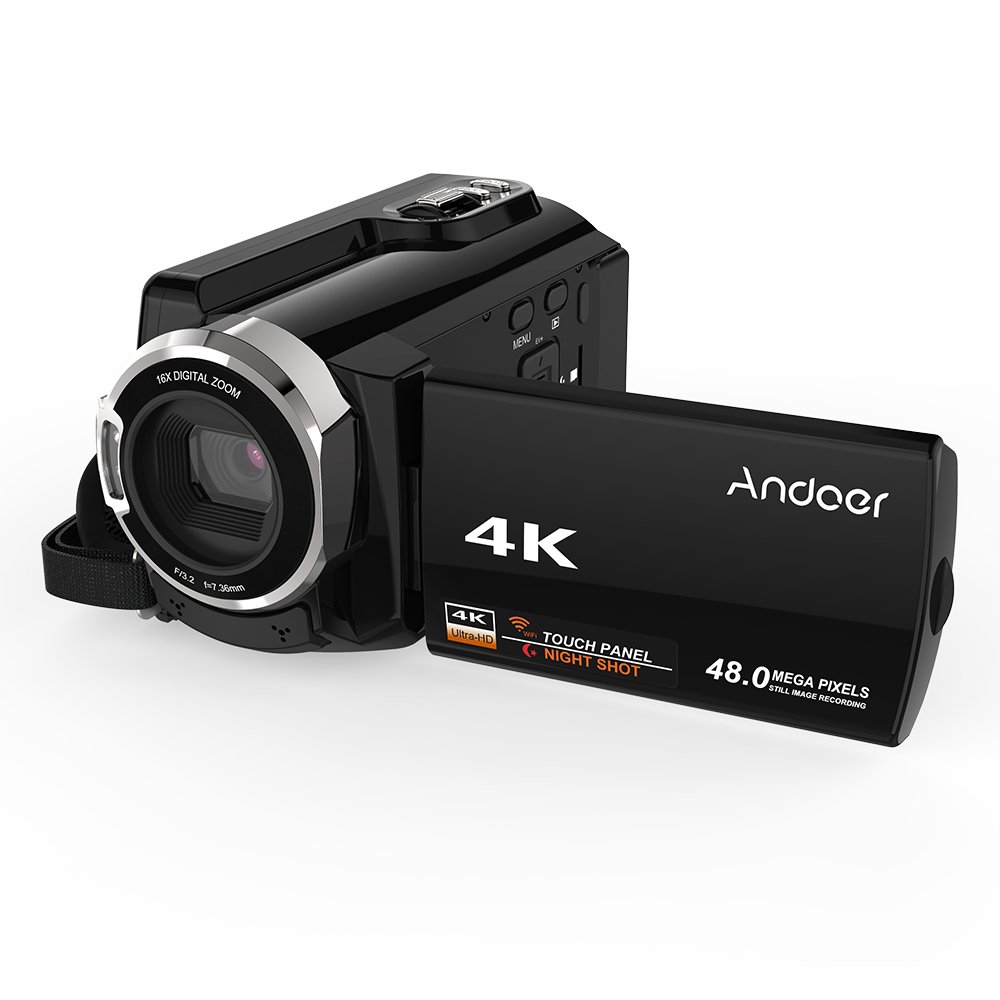
Figure 1: Andoer HDV-534K Digital Video Camera. This image shows the camera from the front-right, with the screen open, displaying the "4K" and "Andoer" branding.
Ürün Bileşenleri ve Kontrolleri
Familiarize yourself with the various parts and controls of your Andoer HDV-534K camera.

Figure 2: Detailed diagram of the Andoer HDV-534K camera, highlighting key components and controls such as the 3-inch touchscreen, MENU button, Playback button, T/W (Telephoto/Wide) zoom, Photo button, Mode button, Up/EV+, Right/IR, T-Flash Card Slot, AV/USB/HD Port, Left/Timed, Power button, Display/WiFi, Down/EV-, Infrared Light (IR), Lens, Mic, Secure Digital Memory Card Slot, Power Light, Charging Light, Start/Stop button, Strap, and Battery compartment.
Temel Bileşenler:
- Mercek: Görüntü ve video kaydı yapar.
- Kızılötesi Işık (IR): Used for night vision recording.
- 3 inç Kapasitif Dokunmatik Ekran: İçin viewMenülerde gezinme ve menüleri kullanma.
- Pil Bölmesi: Şarj edilebilir pili barındırır.
- Secure Digital Memory Card Slot: For inserting SD/SDHC memory cards (not included).
- AV/USB/HD Port: Multi-functional port for connecting to external devices.
- 1/4" Tripod Thread: Located at the bottom for mounting on a tripod.
Kurulum Kılavuzu
1. Pilin Şarj Edilmesi
Before first use, fully charge the camera's battery. The Andoer HDV-534K uses a 3.8V 2500mAh lithium polymer battery, designed for longer service time.
- Insert the battery into the battery compartment, ensuring correct orientation.
- Connect the camera to a power source using the provided USB cable and power adapter.
- The Charging Light will indicate the charging status. Refer to the camera's display for battery level.

Figure 3: Image showing the camera with the battery inserted, emphasizing the "Bigger Capacity Longer Service Time" feature of the 3.8V 2500mAh lithium polymer battery.
2. Hafıza Kartının Takılması
The camera requires an SD/SDHC memory card (not included) to store photos and videos.
- Locate the Secure Digital Memory Card Slot on the camera.
- Hafıza kartını metal temas noktaları doğru yöne bakacak şekilde yerine oturana kadar yerleştirin.
- Çıkarmak için kartı dışarı fırlayana kadar hafifçe bastırın.
3. İlk Güç Açma
- LCD ekranı açın.
- Basılı tutun Güç button until the camera turns on.
- Follow any on-screen prompts for initial setup, such as setting date and time.
Kullanım Talimatları
Video Kaydı
- Ensure the camera is in video recording mode. If not, press the Mod geçiş yapmak için düğmeye basın.
- Frame your shot using the 3-inch touchscreen.
- Basın Başlat/Durdur Kaydı başlatmak için düğmeye basın. Ekranda kayıt göstergesi belirecektir.
- Basın Başlat/Durdur Kaydı durdurmak için tekrar düğmesine basın.

Figure 4: The Andoer HDV-534K camera held in hand, displaying a 4K Ultra HD picture on its screen, demonstrating its video recording capability.
Fotoğraf Çekmek
- Switch to photo mode by pressing the Mod düğme.
- Compose your shot.
- Basın Fotoğraf Görüntü yakalamak için düğme.
Yakınlaştırma İşlevi
Kamera 16x dijital zoom özelliğine sahiptir.
- Kullanın T/W (Telephoto/Wide) button to zoom in (T) or zoom out (W).
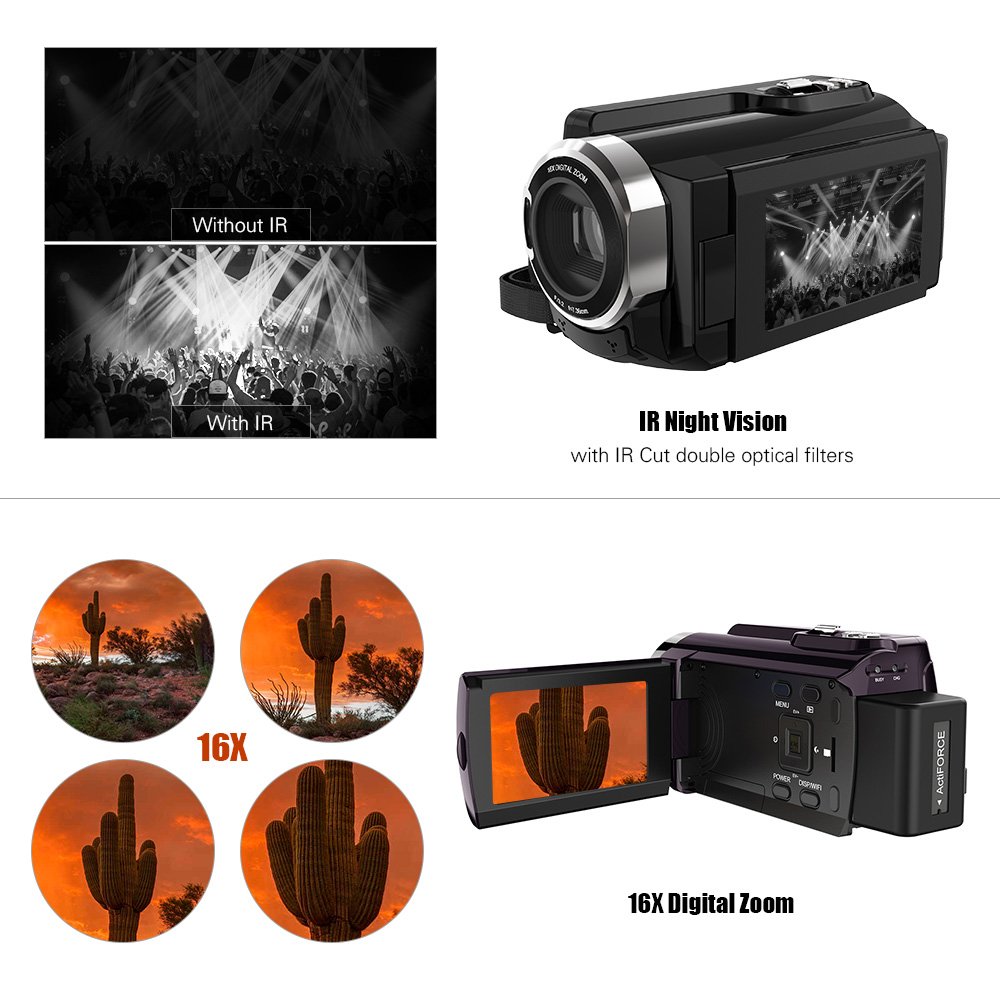
Figure 5: Illustration of the 16x digital zoom capability, showing four magnified views of a cactus, and a comparison of video quality with and without IR night vision.
Infrared (IR) Night Vision
Activate IR night vision for recording in low-light or dark conditions.
- Basın Right/IR button to toggle IR night vision on or off.
Connecting to Other Devices (WiFi & USB/HDMI)
The camera supports WiFi connectivity for wireless transfer and control, and can also connect via AV/USB/HD cable.
- Wifi: Basın Display/WiFi button to activate WiFi. Use the dedicated app on your smartphone or tablet to connect and transfer files.
- AV/USB/HD Cable: Connect the camera to a computer or TV using the appropriate cable for file transfer or direct viewIng.

Figure 6: Diagram illustrating the connectivity options of the Andoer HDV-534K, showing connection via AV/USB/HD Cable to a laptop and via WiFi to smartphones.
Bakım
Kamerayı Temizleme
- Kamera gövdesini temizlemek için yumuşak ve kuru bir bez kullanın.
- For the lens and touchscreen, use a specialized lens cleaning cloth and solution to avoid scratches.
- Güçlü deterjanlar veya çözücüler kullanmayın.
Pil Bakımı
- Kullanılmadığı zaman pili serin ve kuru bir yerde saklayın.
- Pilinizin ömrünü uzatmak için sık sık tamamen boşaltmaktan kaçının.
- Uzun süre saklanacaksa, pili yaklaşık %50 kapasiteye kadar şarj edin.
Depolamak
- Store the camera in a dust-free environment, preferably in a camera bag.
- Aşırı sıcaklıklardan ve yüksek nemden kaçının.
Sorun giderme
| Sorun | Olası Neden | Çözüm |
|---|---|---|
| Kamera açılmıyor. | Pil bitmiş veya yanlış takılmış. | Pili tamamen şarj edin. Pilin doğru kutuplara yerleştirildiğinden emin olun. |
| Video kaydı yapılamıyor/fotoğraf çekilemiyor. | Hafıza kartı dolu, takılı değil veya bozuk. | Check memory card. Delete unnecessary files or insert a new card. Format the card if necessary (this will erase all data). |
| Görüntü/video kalitesi zayıf. | Objektif kirli. Yetersiz ışık. Yanlış ayarlar. | Clean the lens. Ensure adequate lighting or activate IR night vision. Check resolution settings. |
| WiFi bağlantı sorunları. | Incorrect WiFi settings. App issues. | Ensure WiFi is enabled on camera and device. Restart both devices. Reinstall the camera's companion app. |
Özellikler
The following are the technical specifications for the Andoer HDV-534K Digital Video Camera:
| Özellik | Detay |
|---|---|
| Örnek | HDV-534K |
| Video Yakalama Çözünürlüğü | 4K (2880 x 2160) 24fps (interpolation) |
| Fotoğraf Çözünürlüğü | 48MP (9212 x 5184) (interpolation) |
| Ekran Boyutu | 3 Inches Capacitive Touchscreen |
| Dijital Zoom | 16x |
| Bağlantı Teknolojisi | Wifi |
| Fotoğraf Sensörü Teknolojisi | CMOS |
| Maksimum Diyafram | 1.8 derece |
| Flash Bellek Türü | SmartMedia, SDHC |
| Video Yakalama Formatı | MP4 |
| Desteklenen Ses Biçimi | MP4 (AAC/MP3) |
| Ürün Ağırlığı | 640 gr |
| Üretici | Çin |
| İlk Mevcut Tarih | 11 Ekim 2017 |
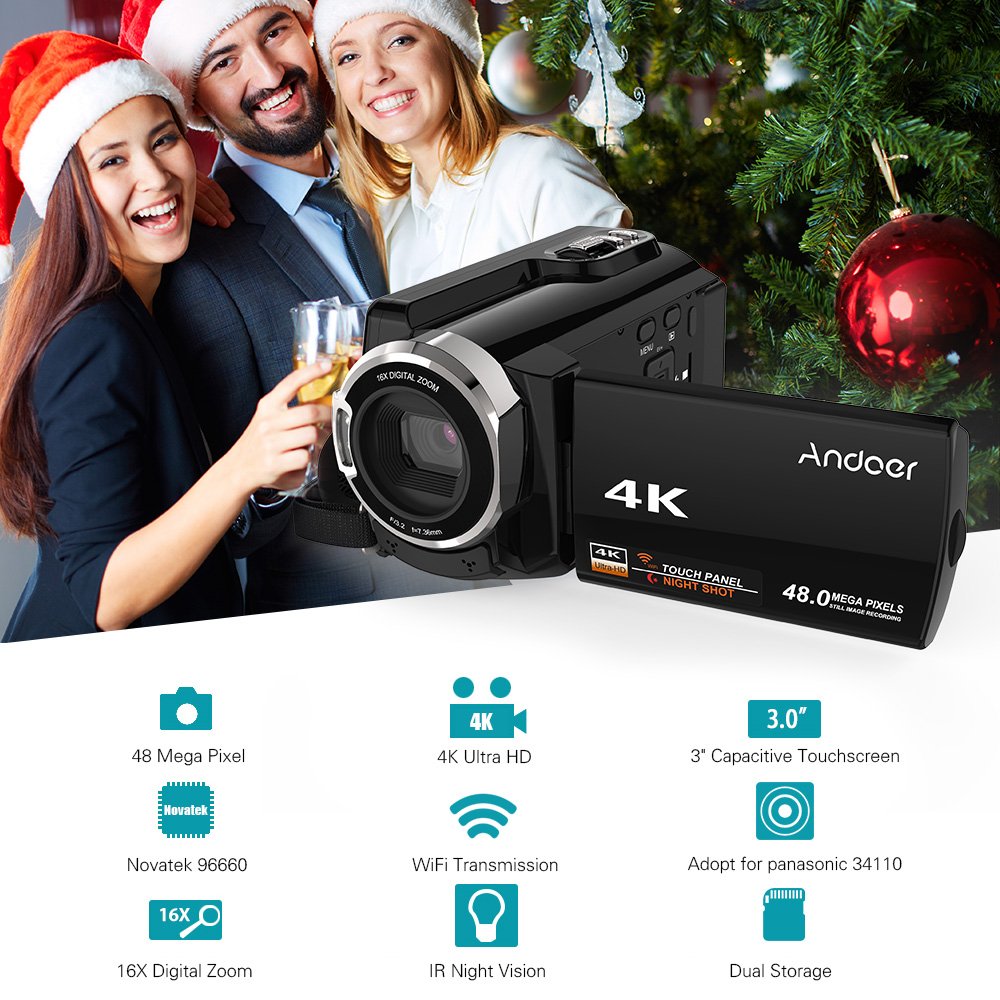
Figure 7: Infographic summarizing key features of the Andoer HDV-534K, including 48 Megapixel, 4K Ultra HD, 3.0" Capacitive Touchscreen, Novatek 96660 processor, 16X Digital Zoom, WiFi Transmission, IR Night Vision, and Dual Storage.
Garanti ve Destek
For warranty information and customer support, please refer to the documentation included with your purchase or contact Andoer customer service directly. Specific warranty terms and conditions may vary by region and retailer.
Herhangi bir garanti talebiniz için lütfen satın alma belgenizi saklayın.
Ask a question about this manual
Ask about setup, troubleshooting, compatibility, parts, safety, or missing instructions. Manuals+ will review the question and use this page’s manual context to help answer it.