
1. Ürün Bittiview
The MERCUSYS MW300UM N300 Wireless Mini USB Adapter is designed to connect your desktop or laptop computer to a wireless network. It provides Wi-Fi connections up to 300Mbps, suitable for online gaming, HD streaming, and web browsing. Its compact, mini USB design ensures portability and convenience.
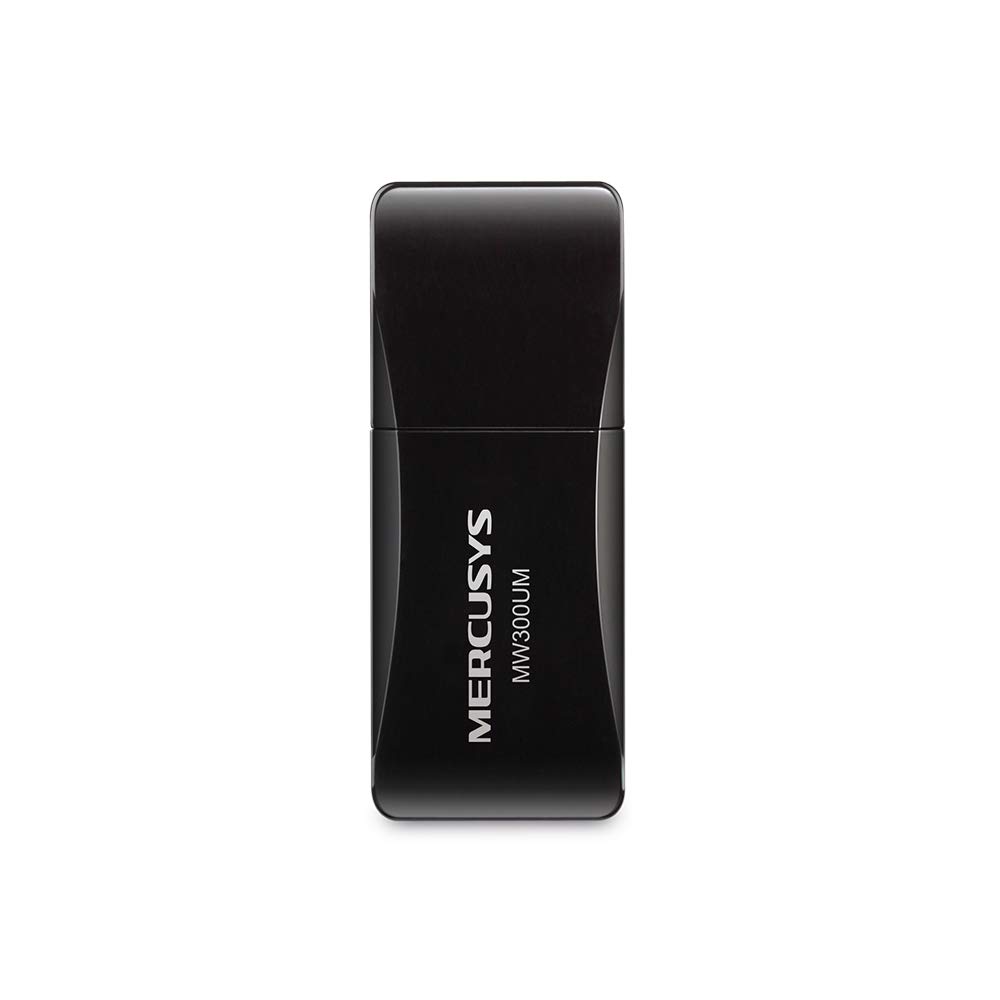
Figure 1: MERCUSYS MW300UM N300 Wireless Mini USB WiFi Adapter

Figure 2: Portable design for convenient use with laptops.
2. Paket İçeriği
Paketinizin aşağıdaki öğeleri içerdiğini doğrulayın:
- MERCUSYS MW300UM Wireless Mini USB Adapter
- Hızlı Kurulum Kılavuzu
- Kaynak CD'si (sürücüler ve yardımcı programlar için)

Figure 3: MW300UM product packaging and contents.
3. Kurulum Kılavuzu
Follow these steps to install and set up your MW300UM Wireless Mini USB Adapter:
- Adaptörü takın: Plug the MW300UM adapter into an available USB port on your desktop or laptop computer.
- Sürücüleri Yükle:
- Insert the provided Resource CD into your computer's CD-ROM drive and follow the on-screen instructions to install the drivers and utility.
- Alternatively, if your computer does not have a CD-ROM drive or if you prefer the latest drivers, download them from the official MERCUSYS webbir site. website link is typically provided in the Quick Installation Guide.
- Wi-Fi'ye bağlanın: Once the drivers are installed, your computer will detect the adapter. Scan for available wireless networks, select your desired network, and enter the password to connect.

Figure 4: Easy setup process for the MW300UM adapter.
4. Kullanım Talimatları
The MW300UM adapter provides reliable wireless connectivity and can also function as a Wi-Fi hotspot.
4.1 Kablosuz Bağlantı
After successful driver installation, the adapter will enable your computer to connect to 2.4GHz wireless networks at speeds up to 300Mbps. This is suitable for various online activities including video streaming, voice calls, and online gaming.

Figure 5: MW300UM performance for various applications.
4.2 Soft AP Function
The MW300UM supports Soft AP (Access Point) functionality. If your computer has an existing wired internet connection, you can use the adapter to turn your PC or laptop into a Wi-Fi hotspot, allowing other wireless devices to connect to the internet through it. Refer to the utility software for instructions on enabling and configuring Soft AP mode.
4.3 Desteklenen İşletim Sistemleri
The MW300UM adapter is compatible with a wide range of Windows operating systems:
- Windows 11 (32/64 bit)
- Windows 10 (32/64 bit)
- Windows 8.1 (32/64 bit)
- Windows 8 (32/64 bit)
- Windows 7 (32/64 bit)
- Windows XP (32/64bit)

Figure 6: Supported Operating Systems.
5. Bakım
To ensure optimal performance and longevity of your MW300UM adapter, follow these maintenance guidelines:
- Temizlik: Use a soft, dry cloth to gently wipe the adapter. Avoid using liquid cleaners or solvents, as they may damage the device.
- Depolamak: Kullanılmadığı zaman adaptörü serin ve kuru bir yerde, doğrudan güneş ışığından ve aşırı sıcaklıklardan uzakta saklayın.
- İşleme: Avoid dropping the adapter or subjecting it to strong impacts. Do not attempt to disassemble or modify the device.
- USB Bağlantı Noktası: Ensure the USB port on your computer is clean and free of debris before inserting the adapter.
6. Sorun Giderme
If you encounter issues with your MW300UM adapter, refer to the following common problems and solutions:
- Adaptör Algılanamadı:
- Ensure the adapter is firmly plugged into a working USB port. Try a different USB port.
- Bilgisayarınızı yeniden başlatın.
- Sürücülerin doğru şekilde yüklendiğini doğrulayın. Gerekirse sürücüleri yeniden yükleyin.
- Wi-Fi ağına bağlanılamıyor:
- Diğer cihazların aynı Wi-Fi ağına bağlanıp bağlanamadığını kontrol edin.
- Doğru Wi-Fi şifresini girdiğinizden emin olun.
- Restart your wireless router/modem.
- Update the adapter's drivers to the latest version from the MERCUSYS webalan.
- Yavaş Wi-Fi Hızı:
- Ensure your computer is within a reasonable range of your wireless router.
- Diğer elektronik cihazlardan (örneğin, mikrodalga fırınlar, kablosuz telefonlar) kaynaklanan parazitleri kontrol edin.
- Verify that your internet service plan supports the expected speeds.
- Adaptörün sürücülerini güncelleyin.
7. Özellikler
| Özellik | Şartname |
|---|---|
| Marka | MERKÜSLER |
| Model Numarası | MW300UM |
| Donanım Arayüzü | USB 2.0 |
| Veri Bağlantı Protokolü | IEEE 802.11n, IEEE 802.11g, IEEE 802.11b |
| Veri Aktarım Hızı | Saniyede 300 Megabit |
| Uyumlu İşletim Sistemleri | Windows 11/10/8.1/8/7/XP (32/64bit) |
| Ürün Boyutları (U x G x Y) | 17L x 9W x 43H Millimeters |
| Renk | Siyah |
| Kutu İçeriği | Wireless Mini USB Adapter, Quick Installation Guide, Resource CD |
8. Garanti Bilgileri
The MERCUSYS MW300UM Wireless Mini USB Adapter typically comes with a 3 yıllık garanti from the date of purchase. This warranty covers manufacturing defects and ensures the product functions as intended under normal use. Please retain your purchase receipt for warranty claims.
For detailed warranty terms and conditions, refer to the official MERCUSYS webLütfen siteyi inceleyin veya ürün ambalajınızda bulunan garanti kartına bakın.
9. Destek
For further assistance, technical support, or to download the latest drivers and firmware, please visit the official MERCUSYS support webalan:
You may also find contact information for customer service in your region on the website or in the Quick Installation Guide.