
1. Giriş
This manual provides detailed instructions for the installation, configuration, and operation of your Multilaser RE058 150Mbps Wireless Router. Please read this manual carefully before using the device to ensure proper setup and optimal performance. This router offers wireless connectivity at 150Mbps, features a detachable antenna, and includes four LAN ports for wired connections.
2. Paket İçeriği
Paketinizde tüm öğelerin mevcut olduğundan emin olun:
- 1x Multilaser RE058 150Mbps Wireless Router
- 1x Power Adapter (Bivolt)
- 1 adet RJ45 Ethernet Kablosu
- 1x Detachable Antenna (5 dBi)
- 1x Hızlı Kurulum Kılavuzu
3. Ürün Bittiview
Yönlendiricinin bağlantı noktalarını ve göstergelerini öğrenin.
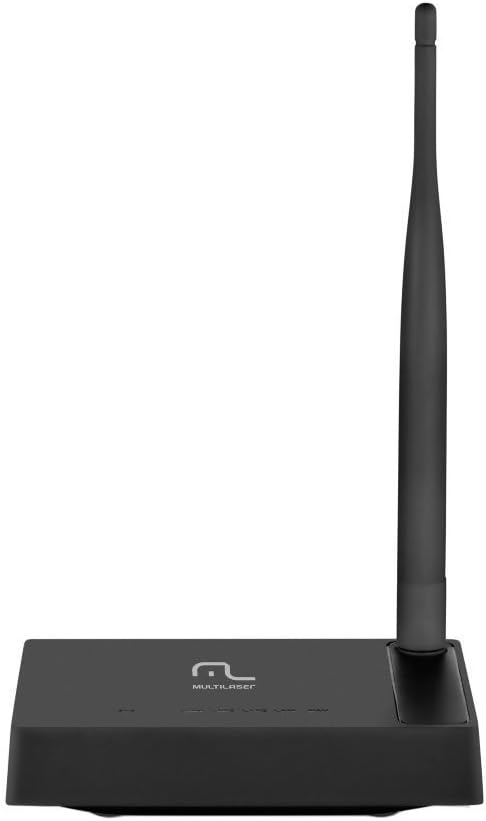
Resim 3.1: Arka view of the Multilaser RE058 router, highlighting the WAN port (blue), four LAN ports (yellow/orange), and the power input. The detachable antenna is connected on the left side.
3.1. Ön Panel Göstergeleri
- güç: Güç göstergesi. Cihaz açıkken yanar.
- WAN: Wide Area Network indicator. Lit when connected to the internet. Blinks during data transmission.
- LAN1-LAN4: Local Area Network indicators. Lit when a device is connected to the corresponding LAN port. Blinks during data transmission.
3.2. Arka Panel Bağlantı Noktaları
- WAN Bağlantı Noktası (Mavi): Modeminize veya internet servis sağlayıcınızın ağına bağlanır.
- LAN Bağlantı Noktaları (1-4): Bilgisayar, oyun konsolu veya akıllı televizyon gibi kablolu cihazlara bağlanır.
- Güç Girişi: Ürünle birlikte verilen güç adaptörüne bağlanır.
- Anten Bağlantısı: For attaching the detachable antenna.
- Sıfırlama Düğmesi: Used to restore factory default settings. Press and hold for approximately 5-10 seconds while the router is powered on.
4. Kurulum
Follow these steps to set up your Multilaser RE058 router:
- Anteni bağlayın: Screw the detachable antenna clockwise onto the antenna connector at the back of the router until it is secure.
- Modeme Bağlan: Use the provided RJ45 Ethernet cable to connect your modem's LAN port to the mavi WAN bağlantı noktası yönlendirici üzerinde.
- Güç Açık: Connect the power adapter to the router's power input and then plug the adapter into an electrical outlet. The PWR indicator should light up.
- Cihazları Bağlayın (İsteğe Bağlı Kablolu): For wired connections, use additional Ethernet cables to connect your computers or other devices to the yellow LAN ports (1-4) yönlendirici üzerinde.
- Başlatmayı Bekleyin: Allow a few minutes for the router to power on and initialize. The WAN indicator should light up, indicating an internet connection.
- Erişim Yönlendirici Arayüzü: Bir tane aç web browser on a connected computer or device. In the address bar, type the router's default IP address (usually
192.168.0.1or192.168.1.1) and press Enter. Refer to the Quick Installation Guide for the exact default IP and login credentials. - Başlangıç konfigürasyonu: Follow the on-screen instructions in the router's web interface to set up your internet connection type (DHCP, Static IP, PPPoE, etc.) and configure your wireless network (SSID and password). The router software is available in Portuguese for easier setup.
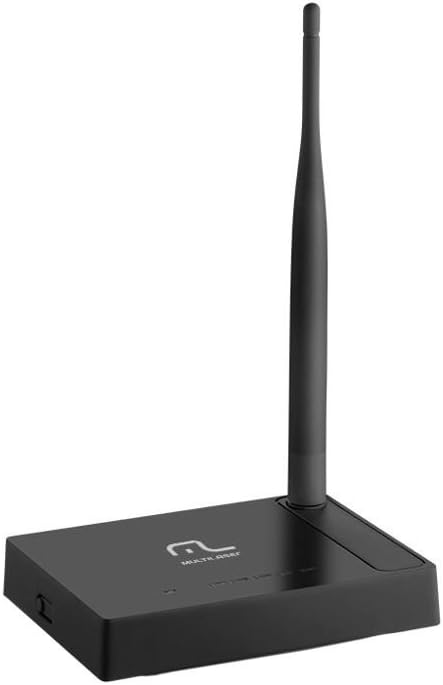
Resim 4.1: Yan view of the Multilaser RE058 router, showing the detachable antenna securely connected and standing upright.
5. Çalıştırma
This section covers the basic operation and features of your router.
5.1. Wireless Network (Wi-Fi)
After initial setup, your wireless network will be active. To connect devices:
- Cihazınızda (akıllı telefon, dizüstü bilgisayar, tablet) kullanılabilir Wi-Fi ağlarını arayın.
- Kurulum sırasında yapılandırdığınız Ağ Adını (SSID) seçin.
- İstendiğinde Wi-Fi şifresini (güvenlik anahtarı) girin.
5.2. Kablolu Ağ
Devices connected to the LAN ports will automatically obtain an IP address from the router and gain internet access (if the WAN connection is active).
5.3. Tekrarlayıcı Fonksiyonu
The Multilaser RE058 can function as a wireless repeater to extend the range of an existing Wi-Fi signal. This mode needs to be configured via the router's web interface. Consult the full user manual or the router's online help for detailed steps on configuring repeater mode.
5.4. Gelişmiş Özellikler
Yönlendiricinin web interface provides access to advanced settings, including:
- WAN Türü: DHCP, Static IP, PPPoE, L2TP, PPTP, Dual Access, WISP.
- Virtual Servers, Port Triggering, UPnP, DMZ: For advanced network configurations and port forwarding.
- Erişim Kontrolü: IP/MAC/Domain Filtering to manage network access.
- VPN Geçişi: PPTP, L2TP, IPSec for VPN connections.
- Dynamic DNS, Static Routing, WOL (Wake-on-LAN): Additional network utilities.
- Yazılım güncellemesi: Keep your router's software up-to-date for improved performance and security.
6. Bakım
Yönlendiricinizin uzun ömürlü ve en iyi performansı göstermesi için:
- Keep the router in a cool, dry place, away from direct sunlight and heat sources.
- Cihazın çevresinde uygun havalandırmanın olduğundan emin olun.
- Dış yüzeyini yumuşak ve kuru bir bezle temizleyin. Sıvı temizleyiciler kullanmayın.
- Regularly check for and install firmware updates from the Multilaser website to enhance security and features.
- Periodically restart the router (unplug and replug the power adapter) to refresh its connection and clear temporary issues.
7. Sorun Giderme
Sorunlarla karşılaşırsanız, şu yaygın çözümleri deneyin:
7.1. İnternet Erişimi Yok
- Check all cable connections (WAN, LAN, Power). Ensure they are securely plugged in.
- Modeminizin düzgün çalıştığını ve aktif bir internet bağlantısına sahip olduğunu doğrulayın.
- Restart both your modem and router. Unplug their power adapters, wait 30 seconds, then plug the modem back in. Once the modem is fully online, plug the router back in.
- Yönlendiricide oturum açın web interface and check the WAN status. Ensure your internet connection type (DHCP, PPPoE, etc.) is correctly configured.
7.2. Wi-Fi'ye bağlanılamıyor
- Ensure the router is powered on and the wireless indicator is active.
- Verify you are selecting the correct Wi-Fi network (SSID) and entering the correct password.
- Menzil sorunlarını elemek için yönlendiriciye daha yakın bir konuma geçin.
- Yönlendiriciyi yeniden başlatmayı deneyin.
7.3. Yavaş İnternet Hızı
- Ensure your router is placed in a central location, away from obstructions and interference sources (e.g., microwaves, cordless phones).
- Check if multiple devices are heavily using the network.
- Yönlendiricinizin yazılımını güncelleyin.
- Contact your Internet Service Provider (ISP) to check your internet line speed.
7.4. Forgot Router Login Password
If you forget the router's login password, you can perform a factory reset. Locate the Reset button on the rear panel. With the router powered on, use a paperclip or similar pointed object to press and hold the Reset button for approximately 5-10 seconds until the indicators flash. The router will restart with factory default settings, and you can then log in using the default credentials (usually found on a sticker on the router or in the Quick Installation Guide).
8. Özellikler
| Özellik | Detay |
|---|---|
| Marka | Çoklu lazer |
| Örnek | RE058 |
| Kablosuz Standartları | IEEE 802.11b, IEEE 802.11g, IEEE 802.11n |
| Frekans Bandı | 2.4 - 2.4835 GHz (Single-Band) |
| Veri Aktarım Hızı | 150 Mbps'ye kadar |
| Anten | 1x Detachable, 5 dBi |
| Ethernet Bağlantı Noktaları | 1x 10/100Mbps Auto MDI/MDIX RJ45 WAN Port, 4x 10/100Mbps Auto MDI/MDIX RJ45 LAN Ports |
| Güç Kaynağı | DC 9V/500mA (Output), Bivolt input |
| İletim Gücü | 20dBm (MAX) |
| Uyumlu Cihazlar | Dizüstü bilgisayar, Akıllı telefon, Tablet |
| Yazılım Özellikleri | DHCP, Static IP, PPPoE, L2TP, PPTP, Dual Access, WISP, Virtual Servers, Port Triggering, UPnP, DMZ, FTP Private Port, Access Control (IP/MAC/Domain Filtering), VPN Pass-through, Dynamic DNS, Static Routing, WOL, Backup & Restore, Firmware Update. |
9. Garanti ve Destek
This Multilaser RE058 Wireless Router comes with a 7 yıllık garanti provided by the manufacturer. Please retain your proof of purchase for warranty claims.
For technical support, troubleshooting assistance, or warranty inquiries, please contact Multilaser customer service. Refer to the official Multilaser website or the Quick Installation Guide for up-to-date contact information.