
August Home AUG-SL03-C02-G03
August Home Smart Lock Pro + Connect Hub User Manual
Model: AUG-SL03-C02-G03
giriiş
The August Home Smart Lock Pro + Connect Hub provides a secure and convenient way to control and monitor your door from anywhere. This smart lock retrofits to your existing deadbolt, allowing you to keep your original keys while adding advanced smart home capabilities. With features like Auto-Lock and Auto-Unlock, and compatibility with popular voice assistants, managing access to your home becomes effortless.

Image: The August Smart Lock Pro (left) and the August Connect Wi-Fi Bridge (right).
Kurmak
Installation of the August Smart Lock Pro is designed to be straightforward, typically taking less than 10 minutes. It attaches to the inside of your door, replacing only the thumbturn of your existing deadbolt. The August Connect Wi-Fi Bridge plugs into a standard power outlet near your door to enable remote access.
Kurulum Adımları:
- Kapınızı Hazırlayın: Ensure your existing deadbolt is in good working condition. The August Smart Lock Pro is compatible with most standard single-cylinder deadbolts.
- Remove Existing Thumbturn: Unscrew and remove the interior thumbturn portion of your deadbolt. The exterior part of your lock remains untouched.
- Montaj Plakasını Takın: Secure the August mounting plate to your door using the existing deadbolt screws.
- Bağdaştırıcıyı Seçin: Choose the correct adapter for your deadbolt tailpiece from the included hardware.
- Install Smart Lock: Attach the August Smart Lock Pro to the mounting plate, ensuring the adapter engages with the tailpiece. Secure the lock by closing the two side clamps.
- DoorSense Sensörünü Takın: Affix the DoorSense sensor to your door frame, aligning it with the smart lock. This sensor detects if your door is open or closed.
- Pilleri Takın: Open the battery cover and insert the four AA batteries provided.
- Plug in August Connect: Plug the August Connect Wi-Fi Bridge into a power outlet within 15 feet of your smart lock.
- Download August App: Download the August Home app from your smartphone's app store. Follow the in-app instructions to calibrate your lock and connect it to your Wi-Fi network via the Connect Hub.

Resim: Yan view of the August Smart Lock Pro installed on the interior side of a door, showing how it fits over the existing deadbolt mechanism.
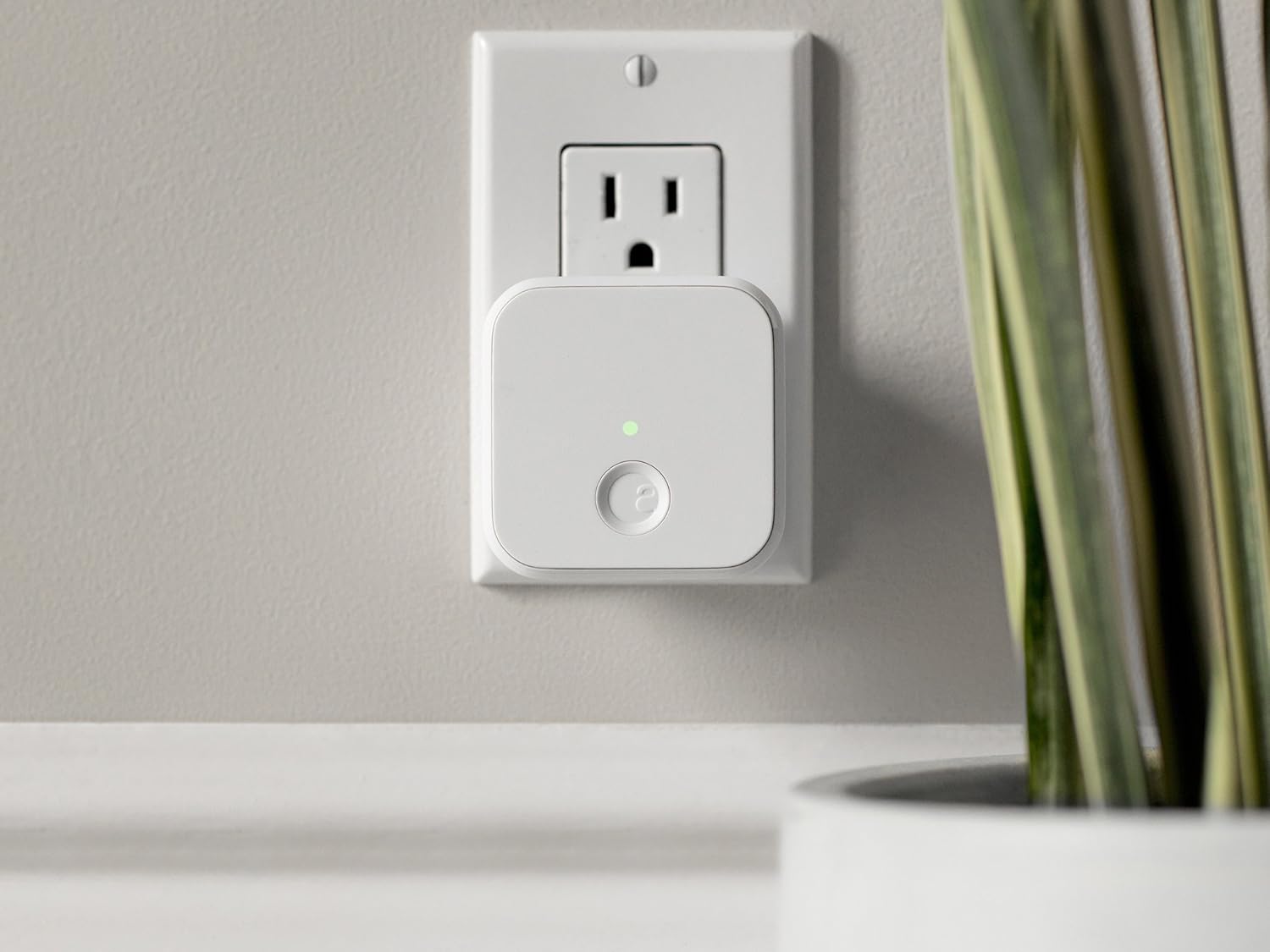
Image: The compact August Connect Wi-Fi Bridge plugged into a standard wall outlet, indicating its proximity to the smart lock for optimal connection.
Akıllı Kilidi Çalıştırma
The August Smart Lock Pro offers multiple ways to control your door, providing flexibility and enhanced security.
Temel Özellikler:
- Manuel İşlem: You can still use your existing physical key from the outside. From the inside, you can manually turn the August Smart Lock's thumbturn to lock or unlock the door.
- Akıllı Telefon Kontrolü: Use the August Home app on your smartphone to lock or unlock your door from anywhere. The app also provides a real-time activity feed, showing who enters and exits your home.

Image: Screenshots of the August Home mobile application, displaying the lock status (locked/unlocked) and a chronological activity log of door events.
- Otomatik kilit: Configure the lock to automatically lock after a set period (e.g., 30 seconds, 1 minute, 5 minutes) once the door is closed. This ensures your home is always secure.
- Otomatik Kilit Açma: The lock can detect your arrival and automatically unlock the door as you approach, using your phone's location services. Ensure Bluetooth and Wi-Fi are enabled on your device for optimal performance.
- Ses Kontrolü: Integrate your August Smart Lock with voice assistants like Amazon Alexa, Google Assistant, and Apple HomeKit for hands-free control. Simply use voice commands to lock or unlock your door.
- Misafir Erişimi: Grant temporary or permanent access to family, friends, or service providers through the August app. You can set specific dates and times for access and revoke it anytime.
- DoorSense™: The included DoorSense sensor verifies if your door is securely closed and locked, providing an extra layer of security and peace of mind.
Bakım
Proper maintenance ensures the longevity and optimal performance of your August Smart Lock Pro.
- Pil Değişimi: The August Smart Lock Pro uses four AA batteries. The August app will notify you when the battery level is low. Replace all four batteries simultaneously with new, high-quality alkaline batteries.
- Temizlik: Wipe the exterior of the smart lock with a soft, dry cloth. Avoid using abrasive cleaners or solvents, as they may damage the finish.
- Donanım Yazılımı Güncellemeleri: Keep your August Smart Lock's firmware updated through the August app. Updates often include performance improvements and new features.
- Kapı Hizalaması: Ensure your door and deadbolt are properly aligned and operate smoothly. Any friction or misalignment can affect the lock's performance and battery life.
Sorun giderme
If you encounter issues with your August Smart Lock Pro, refer to the following common solutions:
- Kilit Yanıt Vermiyor:
- Check battery levels in the August app and replace if low.
- Ensure your phone's Bluetooth is enabled and you are within range.
- Verify the August Connect Wi-Fi Bridge is plugged in and has a stable internet connection (green light indicates connection).
- Restart the August app or your smartphone.
- Auto-Unlock Not Working Consistently:
- Ensure location services are enabled for the August app and set to "Always Allow."
- Keep the August app running in the background.
- Verify your home location is accurately set in the app.
- Sometimes, walking a bit further away from your home (outside the geofence) before returning can help reset the feature.
- DoorSense™ Issues:
- Check the alignment of the DoorSense sensor on the door frame. It should be close to the lock.
- Ensure the sensor is securely attached and not obstructed.
- Connectivity Problems (August Connect):
- Ensure the August Connect is within 15 feet of the smart lock and your Wi-Fi router.
- Unplug and re-plug the August Connect to restart it.
- Check your home Wi-Fi network for issues.
- Voice Assistant Integration Failure:
- Verify that your August account is correctly linked in the respective voice assistant app (e.g., Alexa app, Google Home app).
- Ensure your August Connect is online and connected to the smart lock.
- Some regional restrictions may apply for certain voice assistant features.
Özellikler
| Özellik | Detay |
|---|---|
| Marka | Ağustos Ana Sayfa |
| Model Adı | Smart Lock Pro + Connect Bundle |
| Model Numarası | AUG-SL03-C02-G03 |
| Kilit Tipi | Cylindrical (Retrofit deadbolt lock) |
| Bağlantı Protokolü | Wi-Fi, Z-Dalga |
| Denetleyici Türü | Vera, Amazon Alexa, SmartThings |
| Güç Kaynağı | Battery powered (4 AA Batteries, included) |
| Cilttage | 1.5 Volt |
| Malzeme | Plastic Metalic |
| Renk | Koyu Gri |
| Ürün Boyutları (U x G x Y) | 3.4 x 2.22 x 3.4 inç |
| Ürün Ağırlığı | 0.87 Pound (13.9 ons) |
| Dahil Bileşenler | August Smart Lock Pro, August Connect Wi-Fi Bridge, DoorSense Sensor, 4 AA Batteries, Lock Adapter and Mounting Hardware |

Image: Technical diagram illustrating the dimensions of the August Smart Lock Pro and the August Connect Wi-Fi Bridge.
Garanti ve Destek
The August Smart Lock Pro + Connect Hub comes with a 1 yıllık üretici garantisi.
For further assistance, detailed instructions, or to download the full user manual, please refer to the official August Home support resources:
- Kullanım Kılavuzu (PDF)
- Kurulum Kılavuzu (PDF)
- Visit the official August Home website for FAQs and customer support.
Ask a question about this manual
Ask about setup, troubleshooting, compatibility, parts, safety, or missing instructions. Manuals+ will review the question and use this page’s manual context to help answer it.