
1. Giriş
This manual provides instructions for the proper use and maintenance of your KECHAODA K115 Dual SIM mobile phone. Please read this manual carefully before operating your device to ensure optimal performance and longevity.

Şekil 1: Ön view of the KECHAODA K115 mobile phone, showing the display and keypad.

Şekil 2: Yan view of the KECHAODA K115 mobile phone, illustrating its slim profile.
2. Paket İçeriği
Paketin içinde tüm öğelerin mevcut olduğundan emin olun:
- 1 KECHAODA K115 Mobile Phone
- 1 Pil
- 1 USB Kablosu
- 1 Garanti Kartı
Note: Earphones/headphones and a wall charger are not included with this product.

Figure 3: Illustration indicating that earphones are not included.

Figure 4: Illustration indicating that a wall charger is not included.
3. Kurulum
3.1. Pilin Takılması
- Telefonun arka kapağını çıkarın.
- Insert the 800 mAh Lithium Ion battery into the battery compartment, ensuring the contacts align.
- Arka kapağı değiştirin.

Şekil 5: Arka view of the KECHAODA K115, showing the battery cover and camera lens.
3.2. SIM Kartların Takılması
The KECHAODA K115 supports Dual SIM functionality.
- Arka kapağı ve pili çıkardıktan sonra, SIM kart yuvalarını bulun.
- Insert your GSM SIM cards into the designated slots.
- Ensure the SIM cards are correctly seated.
- Pili ve arka kapağı tekrar takın.
3.3. Pilin Şarj Edilmesi
İlk kullanımdan önce telefonun pilini tamamen şarj edin.
- Kutuda bulunan USB kablosunu telefonun şarj portuna bağlayın.
- USB kablosunun diğer ucunu uyumlu bir USB duvar adaptörüne (dahil değildir) veya bilgisayarın USB portuna bağlayın.
- Ekranda şarj göstergesi belirecektir.
- Akü tamamen şarj olduğunda şarj cihazını çıkarın.
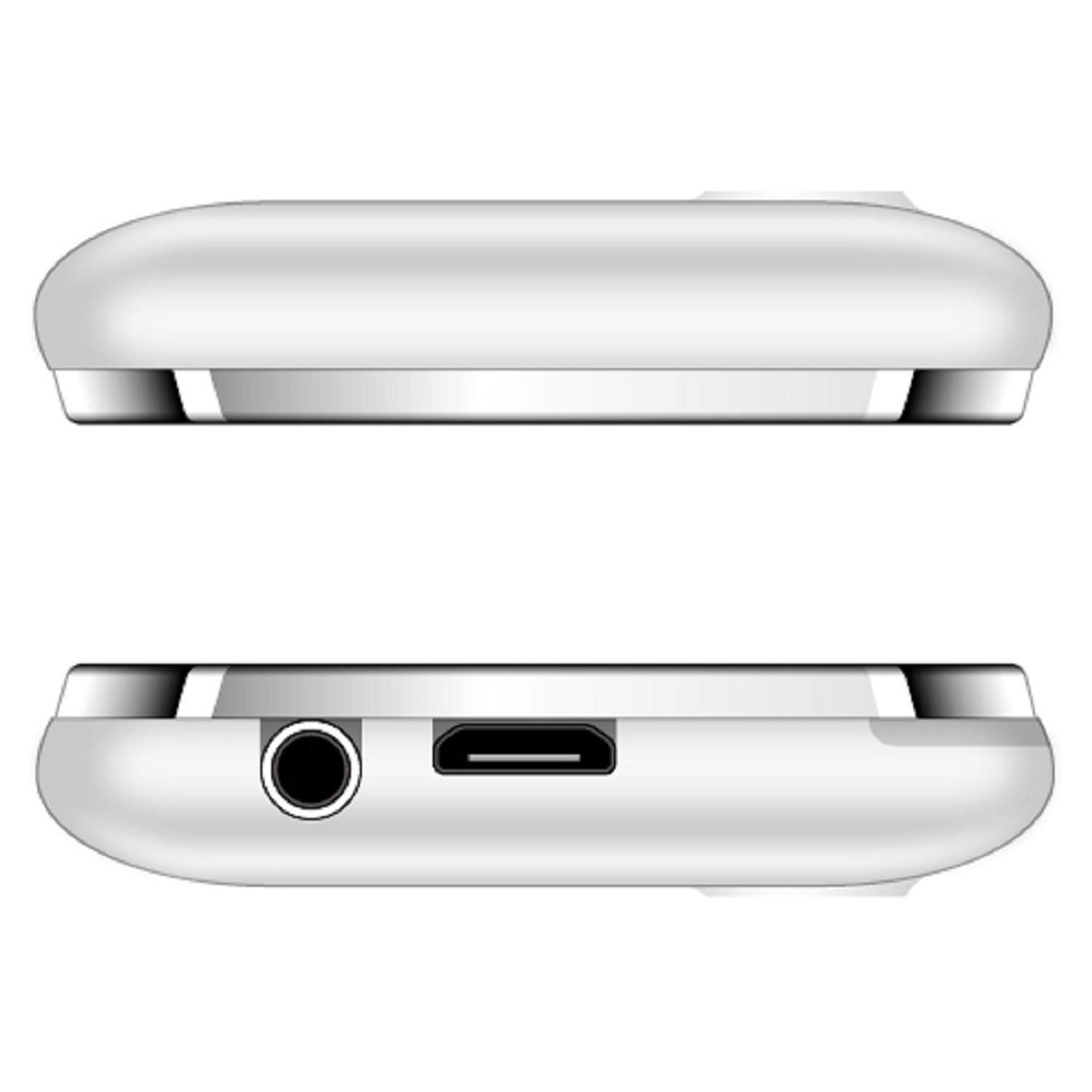
Şekil 6: Üst ve alt views of the KECHAODA K115, showing the 3.5mm audio jack and micro USB charging port.
4. Kullanım Talimatları
4.1. Güç Açma/Kapatma
- To power on, press and hold the Power/End Call key until the screen lights up.
- To power off, press and hold the Power/End Call key until the power off options appear, then select 'Power off'.
4.2. Temel Telefon Fonksiyonları
- Arama Yapma: Tuş takımını kullanarak telefon numarasını girin ve Arama tuşuna basın.
- Çağrıları Cevaplama: Telefon çaldığında Arama tuşuna basın.
- Mesaj Gönderme: Navigate to the 'Messages' menu, select 'Write message', enter your text, and send to the desired recipient.
- Hızlı arama: Configure speed dial numbers in the phone settings for quick access.
4.3. Multimedya Özellikleri
- FM Radyo: Access the FM Radio application from the main menu. Ensure a 3.5mm audio device is connected to act as an antenna for optimal reception. The phone supports FM recording.
- Ses oynatıcı: Play MP3, AMR, and WAV audio files.
- Video Oynatıcısı: Play MP4, 3GP, and AVI video files.
- Resim Viewee: View stored image files.
- Ses kaydedici: Record audio using the built-in sound recorder.
4.4. Bağlantı
- Bluetooth: To pair with other Bluetooth devices (e.g., headsets), navigate to the Bluetooth settings, turn Bluetooth on, and search for available devices. The phone supports Bluetooth v2.1.
4.5. Diğer Özellikler
- Dünya Saati: View Farklı zaman dilimlerinde geçen süre.
- EBook Reader: Elektronik kitap okuyun.
- Alarm: Birden fazla alarm kurun.
- File Müdür: Organize files stored on the phone or memory card.
- Uzaktan Bildirimci: Functionality for remote notifications.
- Dil Desteği: The phone supports Hindi, English, Tamil, and Kannada languages.
5. Bakım
- Cihazınızı kuru tutun. Nem, elektronik devrelere zarar verebilir.
- Cihazı aşırı sıcaklıklara maruz bırakmayın.
- Telefonu yumuşak, kuru bir bezle temizleyin. Sert kimyasallar kullanmaktan kaçının.
- Handle the battery with care. Do not puncture, disassemble, or expose to high temperatures.
- Yalnızca onaylı aksesuarları kullanın.
6. Sorun Giderme
| Sorun | Olası Çözüm |
|---|---|
| Telefon açılmıyor. | Pilinin doğru takıldığından ve şarj edildiğinden emin olun. Telefonu en az 30 dakika şarj etmeyi deneyin. |
| Görüşmeler sırasında ses kalitesi düşük. | Check network signal strength. Ensure the earpiece/speaker is not obstructed. Restart the phone. |
| Pil çabuk bitiyor. | Reduce screen brightness. Close unused applications. Limit background processes. Ensure the battery is fully charged before use. |
| Bluetooth cihazına bağlanılamıyor. | Ensure Bluetooth is enabled on both devices and they are within range. Make sure the other device is in pairing mode. Restart both devices. |
| FM Radyo çalışmıyor. | Ensure a 3.5mm audio device (like headphones) is connected, as it acts as the antenna. |
7. Özellikler
| Özellik | Detay |
|---|---|
| Örnek | K115 |
| Görüntülemek | 1.44 inch QQVGA LCD |
| İşletim Sistemi | Symbian 9.1 |
| Veri deposu | 32 MB |
| Dahili Bellek | 64 MB |
| SIM Desteği | Dual SIM (GSM) |
| Pil | 800 mAh Lithium Ion (Removable) |
| Konuşma Zamanı | 2.5 Saate Kadar |
| Bekleme Süresi | 4.5 Güne Kadar |
| Bağlantı | Bluetooth v2.1, Cellular (GSM) |
| Ses Jakı | 3.5 mm |
| Özel Özellikler | Dual SIM, Light Sensor, MP3, Radio, Rear Camera, Vibration, Speed Dialing |
| Ürün Boyutları | 9.5x4x0.9 cm |
| Ürün Ağırlığı | 100 gr |
| Üretici | DHARAM & COMPANY, Shenzhen Kechaoda Technology Co. Ltd |
8. Garanti ve Destek
Your KECHAODA K115 mobile phone comes with a warranty card included in the package. Please refer to the warranty card for specific terms and conditions of the warranty.
For technical support or service inquiries, please contact your retailer or the manufacturer directly using the contact information provided on the warranty card or product packaging.