
1. Giriş
Thank you for choosing the Avantree HF026 Wired Over-Ear Headphones. These lightweight and comfortable headphones are designed to provide a clear audio experience with rich bass, suitable for various devices and uses. This manual will guide you through the setup, operation, and maintenance of your new headphones.
The HF026 headphones feature high-definition drivers and a noise-isolating design for an enhanced listening experience. They are equipped with an extra-long 1.5-meter (4.9-foot) cable for freedom of movement and include a built-in microphone with Multi-Function Button (MFB) control for hands-free communication and media management.
2. Paket İçeriği
- Avantree HF026 Wired Over-Ear Headphones (Model: ADHF-026-BLK)
- Cable ties (for organization)
- Taşıma çantası
3. Ürün Bittiview
Familiarize yourself with the key features of your Avantree HF026 headphones.

Image: Avantree HF026 headphones highlighting stereo sound, on-ear design, answer calling, soft wire, and comfortable wear features.
- Ayarlanabilir Kafa Bandı: For a comfortable and secure fit for various head sizes.
- Soft Over-Ear Cushions: Designed for extended wear comfort and passive noise isolation.
- Dahili Mikrofon: Located on the cable for clear voice communication.
- Çok Fonksiyonlu Düğme (MFB): Integrated into the cable for call and music control.
- 3.5 mm Ses Jakı: L-shaped connector for universal compatibility with audio devices.
- Katlanabilir Kulaklıklar: Earcups rotate flat for easy storage and portability in the included carrying case.
4. Kurulum ve Bağlantı
The Avantree HF026 headphones are designed for simple plug-and-play operation.
- Ses Bağlantı Noktasını Belirleyin: Locate the 3.5mm audio jack on your device (computer, laptop, tablet, mobile phone, MP3/MP4 player). This port is typically marked with a headphone icon.
- Kulaklıkları bağlayın: Insert the L-shaped 3.5mm audio jack of the Avantree HF026 headphones firmly into your device's audio port.
- Konfor için Ayarlayın: Place the headphones over your ears. Adjust the headband by sliding the earcups up or down until they fit comfortably and securely on your head. The soft over-ear cushions should fully cover your ears for optimal sound and comfort.
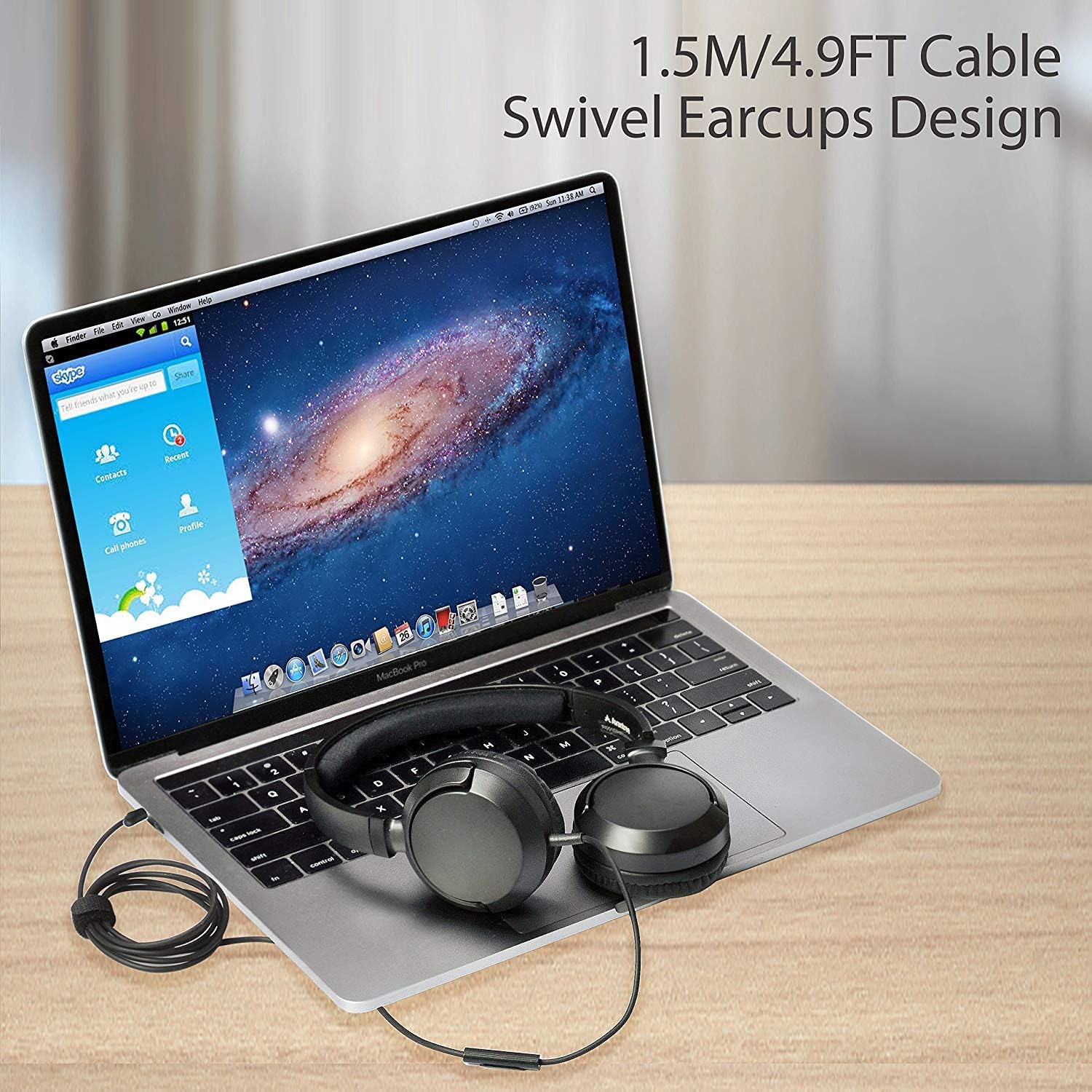
Image: Avantree HF026 headphones with its 1.5m cable connected to a laptop, demonstrating the swivel earcups design.
Your headphones are now ready for use. Ensure your device's volume is set to a comfortable level before playing audio.
5. Kullanım Talimatları
The Avantree HF026 headphones offer straightforward controls for audio playback and calls.
5.1 Ses Oynatma
- Once connected, audio from your device will automatically play through the headphones.
- Cihazınızın ses kontrol düğmelerini kullanarak ses seviyesini ayarlayın.
- Use the Multi-Function Button (MFB) on the cable to control music:
- Tek basım: Müziği oynat/duraklat.
- Çift baskı: Bir sonraki parçaya atlayın.
- Üçlü Basın: Önceki parçaya git.
5.2 Çağrı Yönetimi
The built-in microphone allows for hands-free calling.

Image: A person wearing Avantree HF026 headphones and using the built-in microphone for a call while working on a laptop.
- When a call comes in, the audio will switch from music to the call.
- Use the Multi-Function Button (MFB) on the cable to manage calls:
- Tek basım: Answer an incoming call or end an active call.
- Basılı Tut: Gelen aramayı reddedin.
6. Bakım ve Özen
Proper care will extend the lifespan of your Avantree HF026 headphones.
- Temizlik: Kulaklıkların iç kısımlarını ve kafa bandını temizlemek için yumuşak, kuru bir bez kullanın. Sıvı temizleyiciler veya çözücüler kullanmayın.
- Depolamak: When not in use, fold the earcups flat and store the headphones in the provided carrying case to protect them from dust and damage. Use the included cable ties to keep the cable tidy.
- Nemden Kaçının: Bu kulaklıklar suya dayanıklı değildir. Su, yağmur ve aşırı nemden uzak tutunuz.
- Dikkatli Kullanın: Avoid pulling on the cable or subjecting the headphones to strong impacts.

Image: Close-up of Avantree HF026 headphones showing the soft ear cushions and the stretchable headband for comfort.
7. Sorun Giderme
Kulaklığınızla ilgili sorunlar yaşıyorsanız aşağıdaki çözümleri deneyin:
- Ses Yok:
- Ensure the 3.5mm audio jack is fully inserted into your device's port.
- Cihazınızın ses ayarlarını kontrol edin ve sesin kapalı olmadığından emin olun.
- Cihaza özgü bir sorunu elemek için kulaklıkları başka bir cihazla test edin.
- Ensure the audio output on your device is set to the connected headphones.
- Mikrofon Çalışmıyor:
- Ensure the 3.5mm audio jack is fully inserted. Some devices require a TRRS (4-pole) jack for microphone functionality, which the HF026 provides.
- Check your device's microphone input settings and ensure the correct microphone is selected.
- Mikrofonu başka bir uygulama veya cihazla test edin.
- Kötü Ses Kalitesi:
- Ses girişinin temiz ve kalıntılardan arınmış olduğundan emin olun.
- Try adjusting the audio settings on your device.
- Farklı ses kaynaklarıyla test edin veya files.
8. Özellikler
| Özellik | Detay |
|---|---|
| Model Adı | ADHF-026-BLK |
| Marka | Avantree |
| Bağlantı Teknolojisi | Kablolu |
| Kulaklık Form Faktörü | Kulak Üstü |
| Kulaklık girişi | 3.5 mm Jak |
| Gürültü Kontrolü | Ses Yalıtımı |
| Kablo Uzunluğu | 1.5 metre (4.9 fit) |
| Sürücü Çapı | 36 mm |
| Frekans Aralığı | 20Hz ~ 20KHz |
| Empedans | 32 Ohm ± %15 |
| Hassasiyet | 101 ± 3 dB |
| Ürün Ağırlığı | 110.56 gram (3.9 ons) |
| Ürün Boyutları | 18.03x14.99x6.6 cm |
| Malzeme | Suni Deri, Plastik |
| Kontrol Türü | Media Control (Button) |
| Su Direnç Seviyesi | Suya dayanıklı değil |
| Yaş Aralığı | Yetişkin |
9. Garanti ve Destek
Avantree provides a 24 ay garanti for normal use of the HF026 headphones.
For any issues or suggestions, please contact Avantree support:
- Çevrimiçi Destek
- Telefon Desteği
- E-posta Desteği
A video user guide may also be available on the official Avantree webek yardım için site.


