
giriiş
The Beurer HM55 Wireless Thermometer and Hygrometer is designed to monitor your indoor climate, providing real-time data on temperature and relative humidity. This device helps you maintain a comfortable and healthy environment within your home by displaying current conditions and allowing long-term monitoring via the Beurer FreshRoom app on your smartphone. This manual provides essential information for the safe and effective use of your HM55 device.
Temel Özellikler
- Monitors and displays current time, temperature, and relative humidity.
- Hızlı bir geçiş sağlarview of indoor environment quality through a colored indicator.
- Bluetooth Smart connectivity for long-term monitoring with the free Beurer FreshRoom app.
- Allows monitoring of temperature and humidity trends over time with easy-to-read graphs in the app.
- Compact and elegant design for discreet placement.
- Multi-room display function enables management of multiple Beurer indoor humidity monitors via the app.
- App features include LED brightness control and time zone settings.
Güvenlik Bilgileri
Lütfen cihazı kullanmadan önce bu güvenlik talimatlarını dikkatlice okuyun. Bu kılavuzu ileride başvurmak üzere saklayın.
Genel Güvenlik
- Cihazı doğrudan güneş ışığına, aşırı sıcaklıklara veya yüksek neme maruz bırakmayın.
- Keep the device away from water and other liquids. Do not immerse it.
- Cihazı kendiniz açmayın veya onarmaya çalışmayın. Tüm servis işlemlerini yetkili personele yaptırın.
- Bu cihaz bir oyuncak değildir. Çocukların erişemeyeceği yerde saklayın.
- Cihazı yalnızca bu kılavuzda açıklanan amaç doğrultusunda kullanın.
Pil Güvenliği
- Always insert batteries with the correct polarity (+/-).
- Eski ve yeni pilleri veya farklı pil türlerini karıştırmayın.
- Sızıntı ve hasarı önlemek için biten pilleri hemen çıkarın.
- Cihaz uzun süre kullanılmayacaksa pilleri çıkarın.
- Pilleri yerel yönetmeliklere uygun olarak atın. Pilleri ateşe atmayın.
Paket İçeriği
Carefully unpack your Beurer HM55 and check that all components are present and undamaged.
- 1 x Beurer HM55 Thermo-Hygrometer
- 2 x 1.5V AAA Pil
- 1 x Kullanım Kılavuzu (bu belge)
Cihaz Bittiview
Familiarize yourself with the components of your Beurer HM55 device.
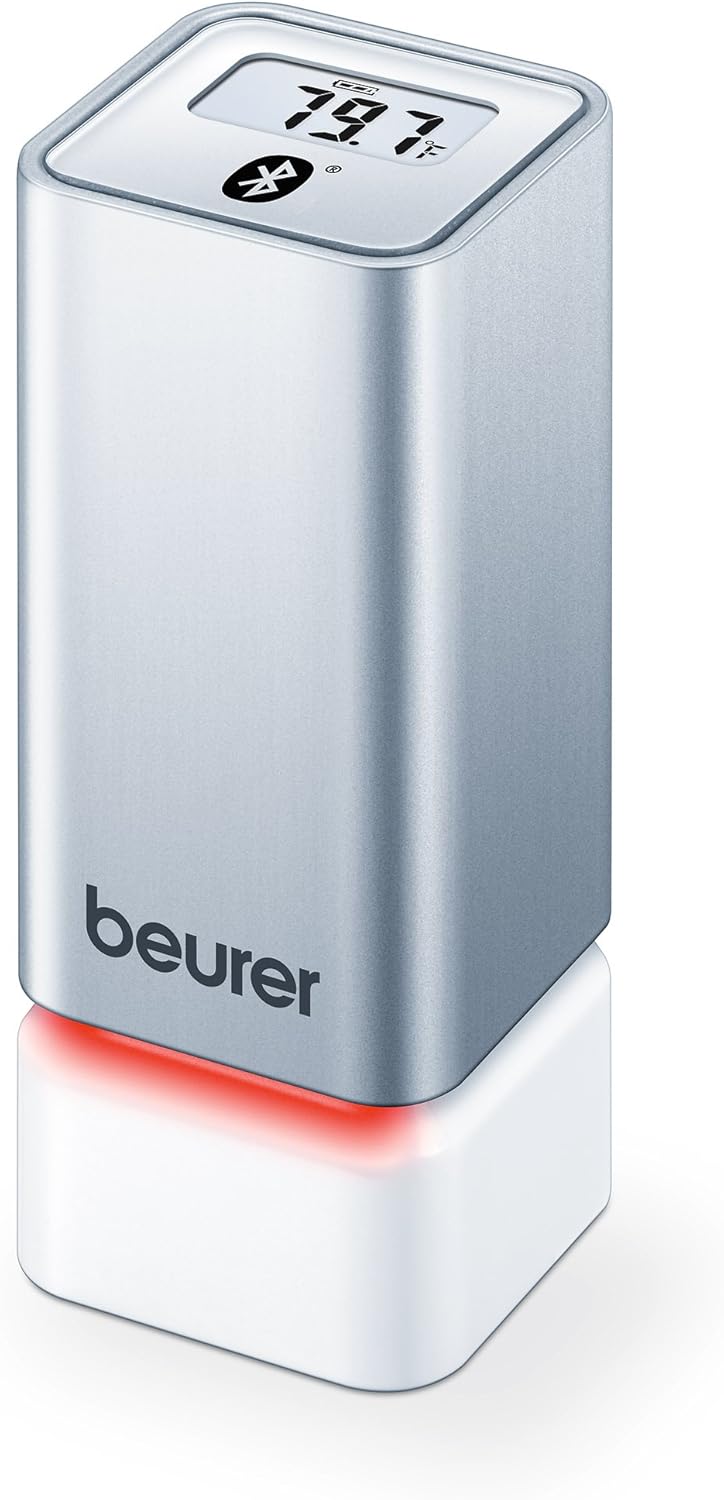
Şekil 1: Ön view of the Beurer HM55 device, showing the display and Beurer logo.

Şekil 2: Close-up of the HM55 display, indicating temperature, humidity, and Bluetooth icon.

Şekil 3: The compact size of the HM55 device, shown in comparison to a hand.
- Görüntülemek: Shows current temperature, relative humidity, and time.
- LED Göstergesi: Located at the base, changes color to indicate indoor climate quality.
- Pil Bölmesi: Located on the underside of the device.
- Bluetooth Sembolü: Aktif Bluetooth bağlantısını gösterir.
Kurmak
1. Pillerin Takılması
- Locate the battery compartment on the bottom of the HM55 device.
- Pil bölmesinin kapağını açın.
- İki adet 1.5V AAA pili, doğru kutuplara (+/-) dikkat ederek takın.
- Close the battery compartment cover securely. The device display should activate.
2. Downloading the Beurer FreshRoom App
The Beurer FreshRoom app is required to utilize the full functionality of your HM55 device, including long-term monitoring and multi-room management. The app is compatible with iOS (version 8.0 or higher) and Android (version 4.4 or higher with Bluetooth 4.0).
- For iOS devices, download the "Beurer FreshRoom" app from the Apple App Store.
- For Android devices, download the "Beurer FreshRoom" app from the Google Play Store.
- Alternatively, scan the QR code provided in the product packaging or visit the official Beurer webdoğrudan bağlantılar için site. Beurer Smartphone App Information

Şekil 4: Example of the Beurer FreshRoom app interface on a smartphone.
3. Akıllı Telefonunuzla Eşleştirme
- Akıllı telefonunuzda Bluetooth'un etkinleştirildiğinden emin olun.
- Open the Beurer FreshRoom app.
- Follow the on-screen instructions within the app to search for and connect to your HM55 device. The app will guide you through the pairing process.
- Once successfully paired, the Bluetooth symbol on the HM55 display will illuminate, and data will begin to synchronize with the app.
4. İlk Yerleştirme
Place the HM55 in the room you wish to monitor. For accurate readings, avoid placing it:
- Near heat sources (e.g., radiators, direct sunlight).
- Near air conditioning vents or open windows.
- In areas with high airflow or drafts.
- In direct contact with moisture.
Cihazın Çalıştırılması
Ekranı Anlamak
The HM55 display provides immediate readings:
- Sıcaklık: Displays in Celsius (°C) or Fahrenheit (°F). The unit can be changed via the app.
- Bağıl Nem: Yüzde olarak gösterilirtage (%)
- Zaman: Displays the current time, synchronized via the app.
- Bluetooth Simgesi: Indicates an active connection to your smartphone.
Interpreting the Colored Climate Indicator
The LED light at the base of the HM55 provides a quick visual indication of your indoor climate:
- Yeşil: Optimal indoor climate.
- Kırmızı: Poor indoor climate (e.g., too dry, too humid, or extreme temperature).
- The specific thresholds for these indicators can be customized within the Beurer FreshRoom app.

Şekil 5: HM55 device showing a red LED indicator, signifying a poor indoor climate.

Şekil 6: HM55 device showing a green LED indicator, signifying an optimal indoor climate.
Using the Beurer FreshRoom App
The app provides advanced features for monitoring and managing your indoor climate:
- Gerçek Zamanlı Veriler: View current temperature and humidity readings from your device.
- Tarihsel veri: Access graphs and logs of temperature and humidity over various periods (e.g., hourl(Günlük, haftalık, aylık).
- Uyarılar: Set custom minimum and maximum thresholds for temperature and humidity. Receive notifications if readings fall outside these ranges.
- Ayarlar: Adjust device settings such as temperature unit (°C/°F), LED brightness, and time zone.
Multi-Room Function
If you have multiple Beurer HM55 devices, the FreshRoom app allows you to monitor all of them from a single interface. Each device can be assigned to a specific room for easy identification and tracking.
- Add each additional HM55 device to the app following the pairing instructions.
- Assign a unique name or room designation to each device within the app settings.
- View and compare climate data from all connected rooms on a single dashboard.
Bakım
Temizlik
- Cihazı yumuşak, kuru veya hafif nemli bir bezle silin.amp Kumaş.
- Yüzeye veya iç bileşenlere zarar verebileceğinden, aşındırıcı temizleyiciler, çözücüler veya sert kimyasallar kullanmayın.
- Cihazın içine sıvı girmemesine dikkat edin.
Pil Değişimi
When the battery low indicator appears on the display or in the app, replace both AAA batteries following the instructions in the "Inserting Batteries" section.
Depolamak
If the device will not be used for an extended period, remove the batteries and store the device in a cool, dry place, away from direct sunlight and extreme temperatures.
Sorun giderme
If you encounter issues with your Beurer HM55, refer to the following common problems and solutions:
| Sorun | Olası Neden | Çözüm |
|---|---|---|
| Cihazın ekranı boş. | Piller bitmiş veya yanlış takılmış. | Pil kutuplarını kontrol edin veya yeni AAA pillerle değiştirin. |
| Uygulama cihaza bağlanamıyor. | Bluetooth is off on smartphone; device is out of range; app issue. | Ensure Bluetooth is enabled. Move smartphone closer to the device. Restart the app or smartphone. Re-pair the device if necessary. |
| Readings appear inaccurate. | Device placement is suboptimal; environmental factors. | Relocate the device away from direct heat, cold, or drafts. Allow time for readings to stabilize after relocation. |
| LED indicator is always red. | Indoor climate is consistently outside optimal range; app settings. | Check temperature and humidity levels in the app. Adjust environmental conditions (e.g., use a humidifier/dehumidifier, adjust heating/cooling). Review and adjust alert thresholds in the app. |
Teknik Özellikler
| Örnek | HM55 |
| Marka | Beurer |
| Güç Kaynağı | 2 x 1.5V AAA pil |
| Bağlantı | Bluetooth Smart (Bluetooth 4.0) |
| Uygulama Uyumluluğu | iOS 8.0 veya üzeri, Android 4.4 veya üzeri |
| Montaj Tipi | Duvara Montaj |
| Renk | Gümüş |
| Dahil Bileşenler | Beurer Thermo-Hygrometer |
Garanti ve Destek
Beurer provides a limited warranty for this product. For detailed warranty terms and conditions, please refer to the warranty card included with your product or visit the official Beurer webalan.
For technical support, troubleshooting assistance, or to inquire about replacement parts, please contact Beurer customer service. Contact information can typically be found on the Beurer webSitede veya ürün ambalajında.
Çevrimiçi Kaynaklar: For additional information and app support, visit Beurer Smartphone App Information.