
1. Giriş
This professional Maxima convection steam oven is designed for a variety of cooking tasks, including baking, roasting, and steaming. It efficiently circulates hot air to achieve crispy results for baked goods and can also be used for roasting potatoes, vegetables, and meats. The integrated steam function allows for tender cooking, particularly suitable for delicate dishes. The oven is equipped with four baking trays, each measuring 60 x 40 cm, and features user-friendly analog controls for precise temperature and time management. Its durable stainless steel construction and enameled interior ensure longevity and ease of cleaning.
2. Güvenlik Talimatları
- Cihazı kullanmadan önce tüm talimatları okuyun.
- Ensure the oven is connected to a properly grounded 400V power supply by a qualified electrician.
- Do not touch hot surfaces. Use oven mitts or gloves when handling hot items or surfaces.
- Always allow the oven to cool completely before cleaning or performing maintenance.
- Cihaz çalışırken ve soğuma aşamasında çocukları ve evcil hayvanları cihazdan uzak tutun.
- Cihazı, kablosunu veya fişini suya veya başka sıvılara batırmayın.
- Çalışma sırasında fırın çevresinde yeterli havalandırma olduğundan emin olun.
- Never use abrasive cleaners or sharp objects that could damage the oven's surfaces.
3. Kurulum ve Kurulum
3.1 Paketin açılması
Carefully remove the oven from its packaging. Inspect the appliance for any damage incurred during transit. Retain packaging materials for future transport if necessary.
3.2 Yerleştirme
Place the oven on a stable, level, and heat-resistant surface. The oven is equipped with four rubber feet for enhanced stability. Ensure there is sufficient clearance around the oven for proper ventilation.

Şekil 1: Yan view of the oven, illustrating its compact design and stable rubber feet.
3.3 Elektrik Bağlantısı
This appliance requires a 400V electrical supply. Connection must be performed by a qualified electrician in accordance with local electrical codes and regulations. Ensure the power outlet matches the oven's specifications.

Şekil 2: Arka view of the oven, highlighting the power connection point.
3.4 İlk Temizlik
İlk kullanımdan önce iç ve dış yüzeyleri ad ile silin.amp cloth to remove any dust or manufacturing residues.
4. Kullanım Talimatları
4.1 Kontrollerview

Şekil 3: Ön view of the oven, displaying the control panel.
The oven features analog controls located on the front panel:
- Sıcaklık Düğmesi: Adjusts the oven temperature from 0 to 300°C.
- Zamanlayıcı Düğmesi: Pişirme süresini 0 ile 120 dakika arasında ayarlar.
- Güç gösterge ışığı: Fırın açıldığında yanar.
- Çalışma Gösterge Işığı: Illuminates when the oven is actively heating and reaches the set temperature.
- Spray Switch: Activates the steam function.
4.2 Fırının Önceden Isıtılması
- Ensure the oven is plugged in and the power is on.
- Turn the Temperature Knob to your desired cooking temperature.
- The Working Indicator Light will illuminate, indicating the oven is heating. It will turn off once the set temperature is reached.
4.3 Tepsi Yükleme
The oven accommodates four baking trays, each measuring 60 x 40 cm. The distance between the tray supports is 8 cm.
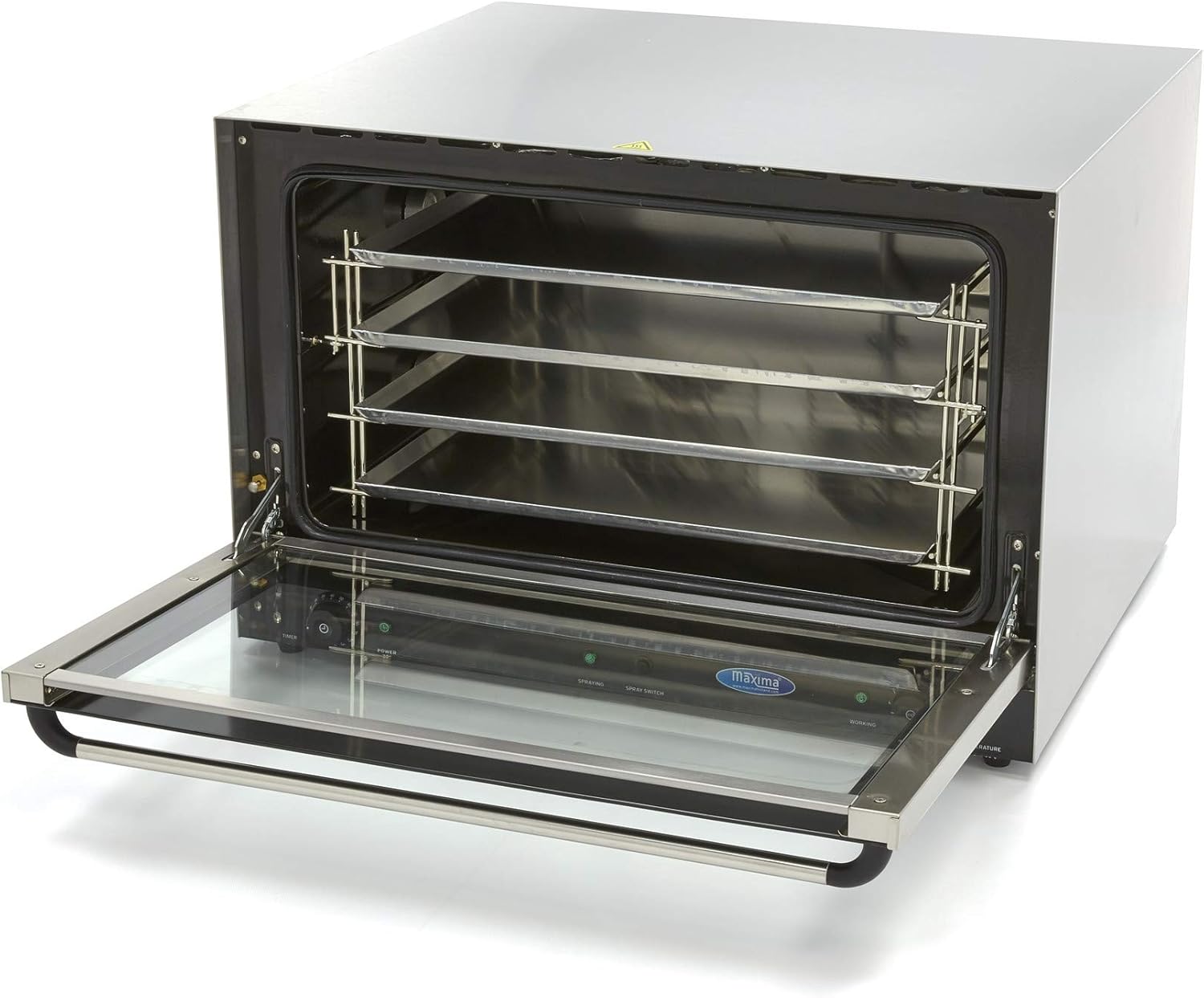
Figure 4: Oven interior with tray racks visible.
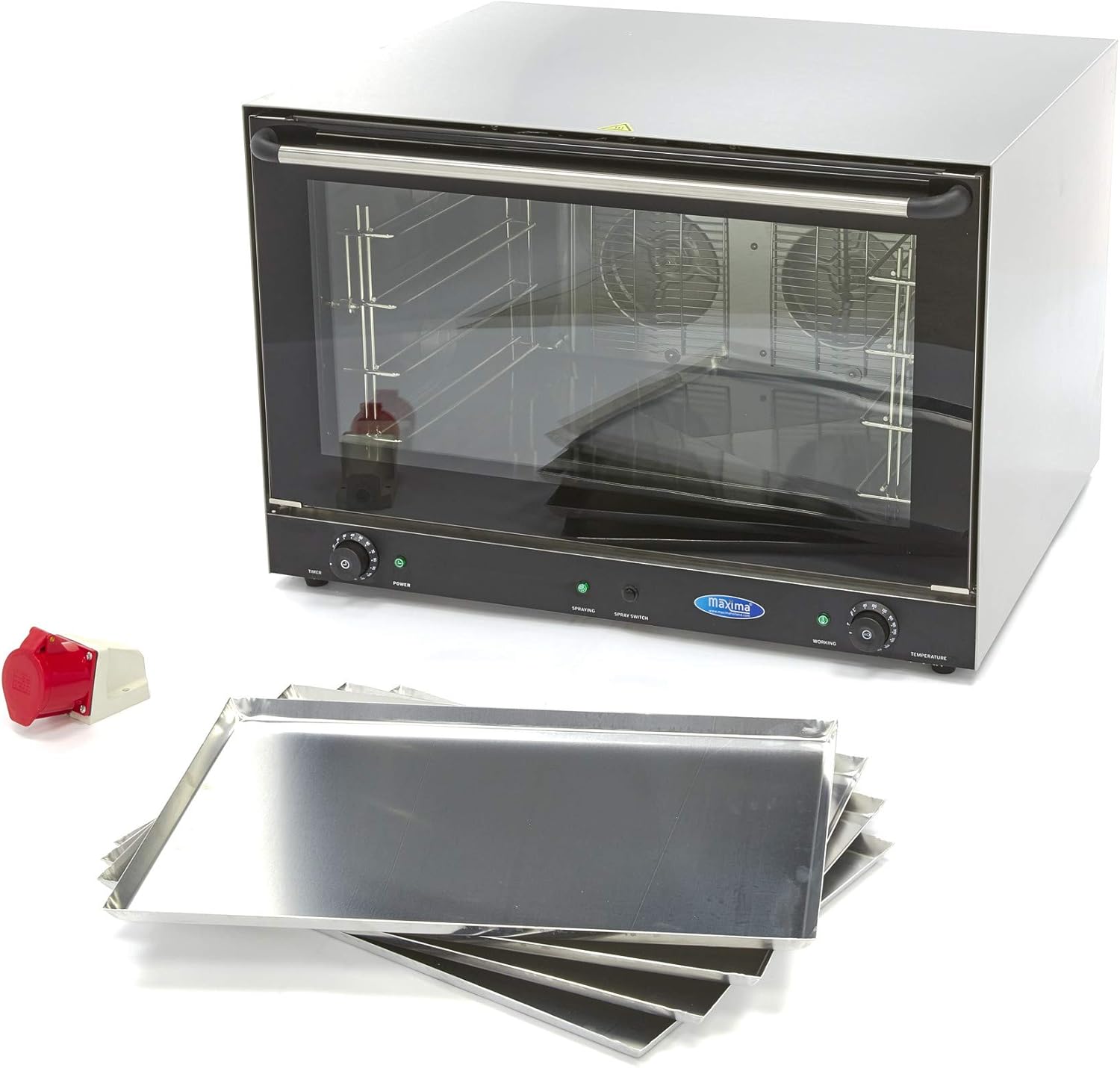
Figure 5: The oven shown with its accompanying baking trays.
4.4 Konveksiyonlu Pişirme
- Fırını istenen sıcaklığa önceden ısıtın.
- Carefully place your food on the baking trays and slide them into the oven.
- Fırın kapağını sıkıca kapatın.
- Set the cooking time using the Timer Knob. The oven will automatically shut off when the timer expires.
- Monitor the cooking process through the double thermal glass door.
4.5 Buhar Fonksiyonunun Kullanımı
To introduce steam during cooking, activate the Spray Switch. This function is ideal for dishes requiring moisture or a tender finish.
5. Bakım ve Temizlik
Regular cleaning is essential to maintain the oven's performance and hygiene. Always ensure the oven is completely cool before beginning any cleaning procedures.
5.1 Günlük Temizlik
- After each use, once the oven has cooled, wipe the interior and exterior surfaces with a damp bez ve yumuşak deterjanla temizleyin.
- Remove and clean the baking trays separately.
- Su lekelerini önlemek için tüm yüzeyleri iyice kurulayın.
5.2 Removing Stubborn Dirt
For stubborn food residues or grease, follow these steps:
- Place a heat-resistant bowl filled with water inside the oven.
- Set the oven temperature to approximately 200°C and allow it to heat for a short period, creating steam.
- Turn off the oven and let it cool down. The steam will help loosen the dirt.
- Once cool, wipe the interior walls with a damp Kumaş.
5.3 Door Cleaning
The double thermal glass door can be removed occasionally for more thorough cleaning. Refer to the specific instructions for door removal and reinstallation to avoid damage.
6. Sorun Giderme
If you encounter issues with your Maxima convection steam oven, please refer to the following common troubleshooting steps:
- Fırın ısıtmıyor: Check if the oven is properly plugged into a functional 400V power outlet. Ensure the power switch is on and the temperature knob is set.
- Düzensiz pişirme: Ensure the oven is preheated correctly. Avoid overcrowding the trays, allowing for proper air circulation.
- Buhar işlevi çalışmıyor: Verify that the Spray Switch is activated. Ensure there is an adequate water supply if an external connection is required (check specific model requirements).
If problems persist after attempting these steps, please contact Maxima customer support for assistance.
7. Özellikler
| Bağlanmak | Şartname |
|---|---|
| Marka | Maksimum |
| Model Numarası | MK-09300419 |
| Güç | 6400 Watt |
| Cilttage | 400V |
| Boyutlar (U x G x Y) | 83.4x9.5x57 cm |
| Ağırlık | 70 Kilogram |
| Malzeme | Paslanmaz çelik |
| İç Malzeme | Emaye |
| Sıcaklık Aralığı | 0 - 300°C |
| Zamanlayıcı Aralığı | 0 - 120 dakika |
| Tepsi Boyutu | 60x40 cm |
| Tepsi Sayısı | 4 |
| Tepsi Aralığı | 8 cm |
8. Garanti ve Destek
For detailed warranty information, technical support, or spare parts inquiries, please contact Maxima customer service directly. Keep your purchase receipt and model number (MK-09300419) readily available when contacting support.