
1. Ürün Bittiview
The deleyCON CAT6 network patch cables are designed for high-speed data transmission in network environments. These U-UTP RJ45 cables facilitate reliable connections between various network-compatible devices, supporting Gigabit LAN speeds.
Each cable features gold-plated contact surfaces for optimal conductivity and signal integrity, minimizing interference and data loss. The robust construction with copper internal conductors ensures stable performance over time.

Image 1: A deleyCON CAT6 network cable featuring an RJ45 connector, highlighting its design for high-speed data transfer.
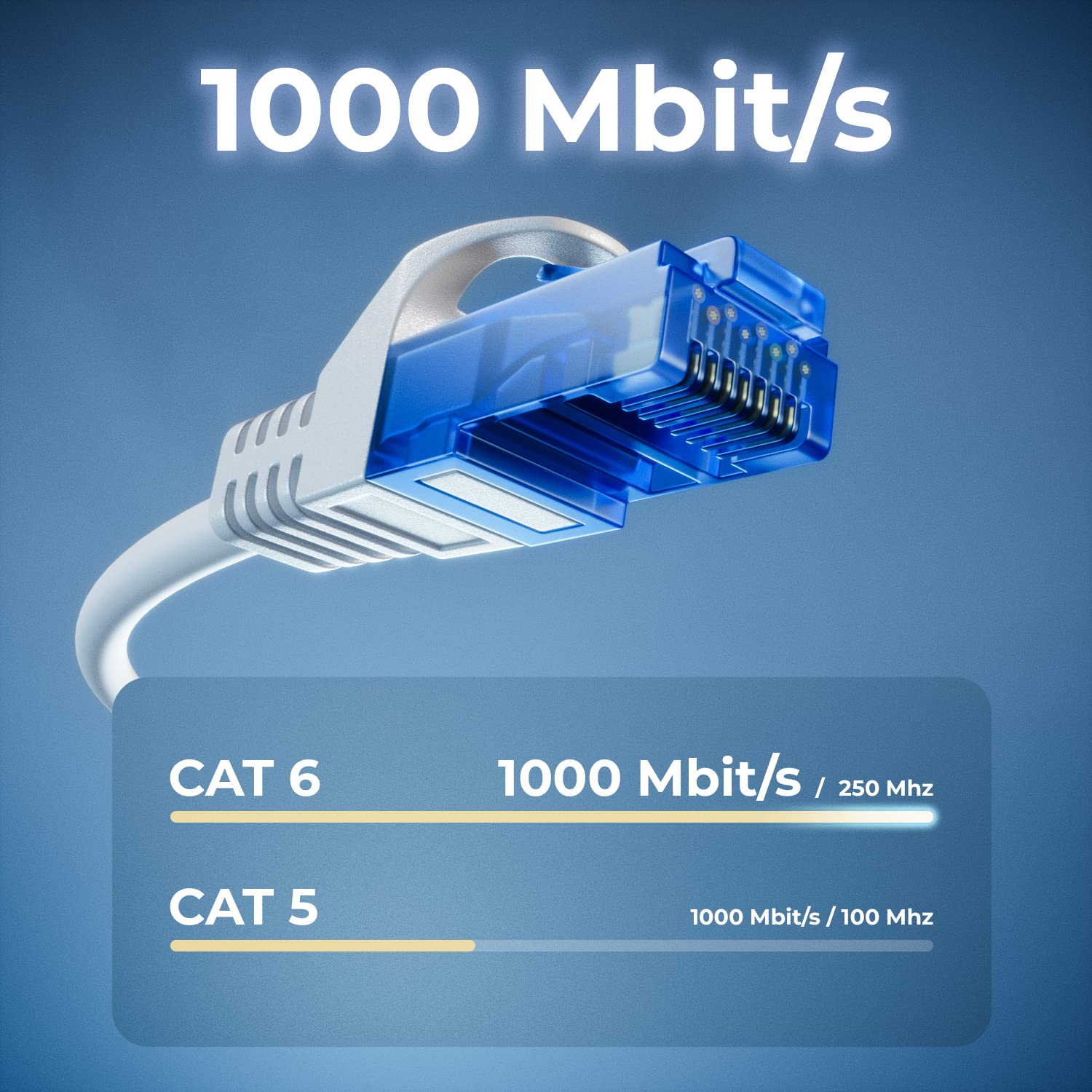
Image 2: A visual comparison illustrating the superior data transfer capabilities of CAT6 cables (1000 Mbit/s at 250 MHz) compared to CAT5 cables (1000 Mbit/s at 100 MHz).
2. Kurulum Talimatları
Setting up your deleyCON CAT6 network cables is a straightforward process. Follow these steps to establish a network connection:
- Identify Devices: Ensure you have two network-compatible devices that you wish to connect, such as a computer, laptop, modem, router, switch, network camera, or smart TV.
- Locate RJ45 Ports: Find the RJ45 Ethernet ports on both devices. These ports are typically rectangular and slightly larger than a phone jack.
- Kabloyu bağlayın: Insert one end of the deleyCON CAT6 network cable into the RJ45 port of the first device. Ensure it clicks securely into place.
- İkinci Cihazı Bağlayın: Insert the other end of the network cable into the RJ45 port of the second device. Again, ensure a secure click.
- Bağlantıyı Doğrulayın: Most devices will indicate a successful network connection with an LED light near the RJ45 port. Check your device's network settings to confirm connectivity.

Image 3: A deleyCON CAT6 cable connecting a laptop to a router, illustrating a typical network setup for high-speed data transfer.
3. Kullanım Talimatları
Once connected, the deleyCON CAT6 network cables operate automatically to facilitate data transfer.
- Yüksek Hızlı Veri Aktarımı: These cables support Gigabit LAN (10/100/1000 Mbit) for fast and efficient data exchange between connected devices.
- Ağ Kararlılığı: The U-UTP shielding and copper conductors ensure a stable connection, reducing signal degradation and maintaining consistent network performance.
- Geniş Uyumluluk: The standardized RJ45 connectors ensure broad compatibility with a wide range of network devices.

Image 4: A diagram illustrating the versatility of deleyCON CAT6 cables, connecting various devices such as PCs, servers, gaming consoles, laptops, printers, switches, and routers.
4. Bakım
Proper care and maintenance will extend the lifespan and ensure optimal performance of your deleyCON CAT6 network cables.
- Bükülmekten Kaçının: Do not excessively bend or crimp the cables, especially near the connectors, as this can damage the internal conductors and shielding.
- Bağlantıları Koruyun: The cables feature bend protection and latch protection on both sides. Avoid pulling the cable by the wire; always grasp the connector housing when plugging or unplugging.
- Temiz tut: Keep the RJ45 connectors free from dust and debris. Use a soft, dry cloth to gently clean them if necessary.
- Depolamak: Store cables in a cool, dry place, away from direct sunlight and extreme temperatures. Avoid tangling cables to prevent damage.
5. Sorun Giderme
If you encounter issues with your network connection, consider the following troubleshooting steps:
- Ağ Bağlantısı Yok:
- Ensure both ends of the cable are securely plugged into the RJ45 ports. Listen for a click.
- Try using a different port on your router/switch or device.
- Test the connection with another known working network cable to rule out device issues.
- Restart your network devices (modem, router, switch, computer).
- Yavaş Ağ Hızı:
- Verify that both connected devices support Gigabit Ethernet (1000 Mbit).
- Ensure the cable is not excessively long for your setup, although CAT6 cables are designed for performance over standard lengths.
- Ağda başka tıkanıklık olup olmadığını veya internet servis sağlayıcınızla ilgili sorunları kontrol edin.
- Inspect the cable for visible damage or kinks.
- Aralıklı Bağlantı:
- Ensure the cable is not loose in the port.
- Diğer elektronik cihazlardan kaynaklanan elektromanyetik parazit olup olmadığını kontrol edin.
- Replace the cable if you suspect it is faulty.
6. Özellikler
| Model Numarası | MK2246 |
| Kablo Kategorisi | CAT 6 |
| Kalkanlama | U / UTP |
| Bağlayıcı Türü | RJ45 (Male to Male) |
| Veri Aktarım Hızı | Gigabit LAN (10/100/1000 Mbit) |
| Frequency Tested | 250 MHz'e kadar |
| Internal Conductor Material | CU (Copper) |
| Temas Yüzeyleri | Altın kaplama |
| Özel Özellikler | Flame retardant, Halogen-free, Bend protection, Latch protection |
| Color (Variant Specific) | Beyaz |
| Length (Variant Specific) | 0.25 metre (25 cm) |
| Quantity (Variant Specific) | Set başına 10 parça |
| Uyumlu Cihazlar | PC, Laptop, Modem, Router, Switch, Network Cameras, Printers, Gaming Consoles, Smart TV, Internet Radios, Hifi Receivers, Media Players, VoIP Phones, PoE devices, Patch Panels, NAS devices, Powerlan, TV set-top boxes, etc. |
7. Garanti ve Destek
deleyCON products are manufactured to high-quality standards. For information regarding warranty terms and conditions, please refer to the purchase documentation or contact your retailer.
For technical support or further inquiries, you may contact deleyCON directly:
- E-posta: info@deleycon.de
- Address: deleyCON, 13581 Berlin, Germany
Herhangi bir garanti talebiniz için lütfen satın alma belgenizi saklayın.