giriiş
The JBL E55BT are over-ear wireless headphones designed for comfortable listening and convenient portability. These headphones connect wirelessly via Bluetooth, offering freedom from tangled cables. They feature a durable design with faux leather earcups and a fabric headband, providing a comfortable fit for extended use. The JBL E55BT headphones are engineered to deliver the signature JBL sound experience.
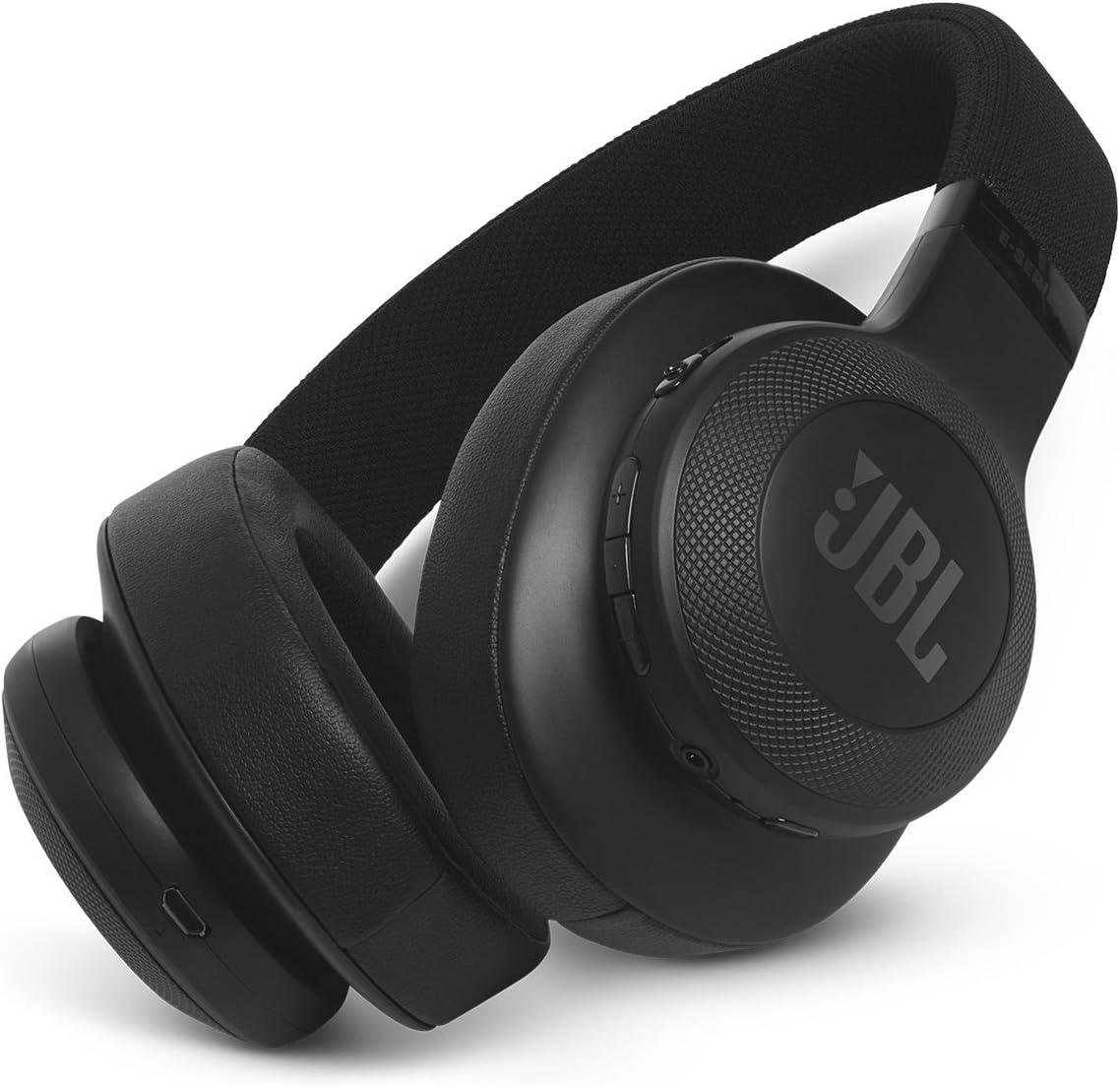
Figure 1: JBL E55BT Over-Ear Wireless Headphones, black, showcasingenel tasarım ve kulaklık kapakları.
Kurmak
1. Kulaklıkları Şarj Etme
Before initial use, fully charge your JBL E55BT headphones. A full charge provides approximately 20 hours of playback time.
- Locate the micro-USB charging port on the headphone earcup.
- Connect the provided USB charging cable to the headphone's charging port and the other end to a USB power source (e.g., computer USB port, USB wall adapter).
- The LED indicator on the headphone will show charging status. It typically turns off or changes color when fully charged.

Figure 2: The JBL E55BT headphones shown with their included USB charging cable and detachable audio cable.
2. Açma/Kapama
- To power on, press and hold the Power button located on the earcup until the LED indicator lights up.
- Cihazı kapatmak için, LED göstergesi sönene kadar Güç düğmesini tekrar basılı tutun.
3. Bluetooth Eşleştirme
Kulaklıklarınızı Bluetooth özellikli bir cihaza bağlamak için:
- Kulaklıkların kapalı olduğundan emin olun.
- Güç düğmesini yaklaşık 5 saniye basılı tutun; LED göstergesi hızlı bir şekilde mavi renkte yanıp sönmeye başlayacak ve eşleştirme moduna geçecektir.
- Cihazınızda (akıllı telefon, tablet, bilgisayar) Bluetooth'u etkinleştirin ve kullanılabilir cihazları arayın.
- Select "JBL E55BT" from the list of found devices.
- Bağlantı kurulduktan sonra, kulaklıklardaki LED göstergesi sabit mavi yanacak veya yavaşça yanıp sönecektir.
Kulaklıkların Çalıştırılması
Kontroller Üzerindeview
Ana kontroller sağ kulaklık üzerinde yer almaktadır:
- Güç Düğmesi: Powers the headphones on/off, enters pairing mode.
- Volume Up/Down Buttons (+/-): Dinleme ses seviyesini ayarlar.
- Çok Fonksiyonlu Düğme (Orta):
- Tek tuşla: Müziği oynat/durdur, Çağrıyı cevapla/sonlandır.
- Double press: Skip to next track (music).
- Triple press: Skip to previous track (music).
- Basılı tutun: Sesli asistanı etkinleştirin (Siri, Google Asistan).

Şekil 3: Yakın çekim view of the right earcup, highlighting the control buttons for power, volume, and multi-function.
Çağrı Yapma ve Alma
- Bir Aramayı Cevaplama: Çok işlevli düğmeye bir kez basın.
- Aramayı Bitirme: Görüşme sırasında Çok Fonksiyonlu düğmeye bir kez basın.
- Bir Aramayı Reddetme: Çok işlevli düğmeyi 2 saniye basılı tutun.
- Switching Between Calls: During a call, if another call comes in, press the Multi-function button once to answer the new call and put the current call on hold. Press again to switch back.
Müzik dinlemek
- Oynat/Duraklat: Çok işlevli düğmeye bir kez basın.
- Sonraki Parça: Çok fonksiyonlu düğmeye iki kez basın.
- Önceki parça: Çok fonksiyonlu düğmeye üç kez basın.
- Sesi Ayarla: Sesi Açma (+) veya Sesi Kısma (-) düğmelerini kullanın.
Bakım
Temizlik
To maintain the condition and longevity of your JBL E55BT headphones:
- Kulaklıkların ve kafa bandının kapaklarını yumuşak bir bezle silin.amp cloth. Avoid using harsh chemicals or abrasive cleaners, especially on the faux leather material.
- Kulaklıkları suya batırmayın veya aşırı neme maruz bırakmayın.
- Clean the charging port and audio jack regularly to prevent dust buildup.
Depolamak
When not in use, store the headphones in a cool, dry place, away from direct sunlight and extreme temperatures. The headphones can be folded for compact storage.

Figure 4: The JBL E55BT headphones shown in their folded position, demonstrating their portability and ease of storage.
Sorun giderme
| Sorun | Olası Neden | Çözüm |
|---|---|---|
| Kulaklık açılmıyor. | Pil zayıf. | Kulaklığı tam şarj edin. |
| Cihazla eşleştirilemiyor. | Kulaklık eşleştirme modunda değil; cihazın Bluetooth'u kapalı; cihazdan çok uzakta. | Ensure headphones are in pairing mode (rapid blue flashing LED). Turn device Bluetooth off and on. Move headphones closer to device. |
| Ses yok veya ses seviyesi düşük. | Volume too low on headphones or device; headphones not connected; incorrect audio output selected on device. | Increase volume on both headphones and device. Reconnect headphones. Check device's audio output settings. |
| Kötü ses kalitesi. | Girişim; cihaz çok uzakta; pil zayıf. | Move closer to the device. Avoid strong Wi-Fi signals or other Bluetooth devices. Charge headphones. |
Özellikler
| Özellik | Detay |
|---|---|
| Model Adı | JBL E55BT |
| Bağlantı Teknolojisi | Bluetooth |
| Kablosuz İletişim Teknolojisi | Bluetooth |
| Bluetooth Sürümü | 4.0 |
| Kulaklık Şekli | Kulak üstü |
| Malzeme | Suni Deri |
| Ürün Ağırlığı | 231.6 Gram (8.2 ons) |
| Frekans Aralığı | 20 Hz - 20 kHz |
| Pil Ömrü | 20 Saat |
| Empedans | 32 Ohm |
| Ürün Boyutları | 4.17 x 9.61 x 8.82 inç |
| Üretici | JBL |
Garanti ve Destek
For detailed warranty information, product registration, and technical support, please refer to the documentation included with your JBL E55BT headphones or visit the official JBL webÜreticinin sitesi. website typically provides the most up-to-date information regarding product support and service.
You can visit the JBL brand store for more information: JBL Resmi Mağazası