
1. Giriş
This manual provides essential information for the safe and effective use of your Forcemech Navigator Pro Electric Wheelchair. Please read all instructions carefully before operating the wheelchair. Retain this manual for future reference.
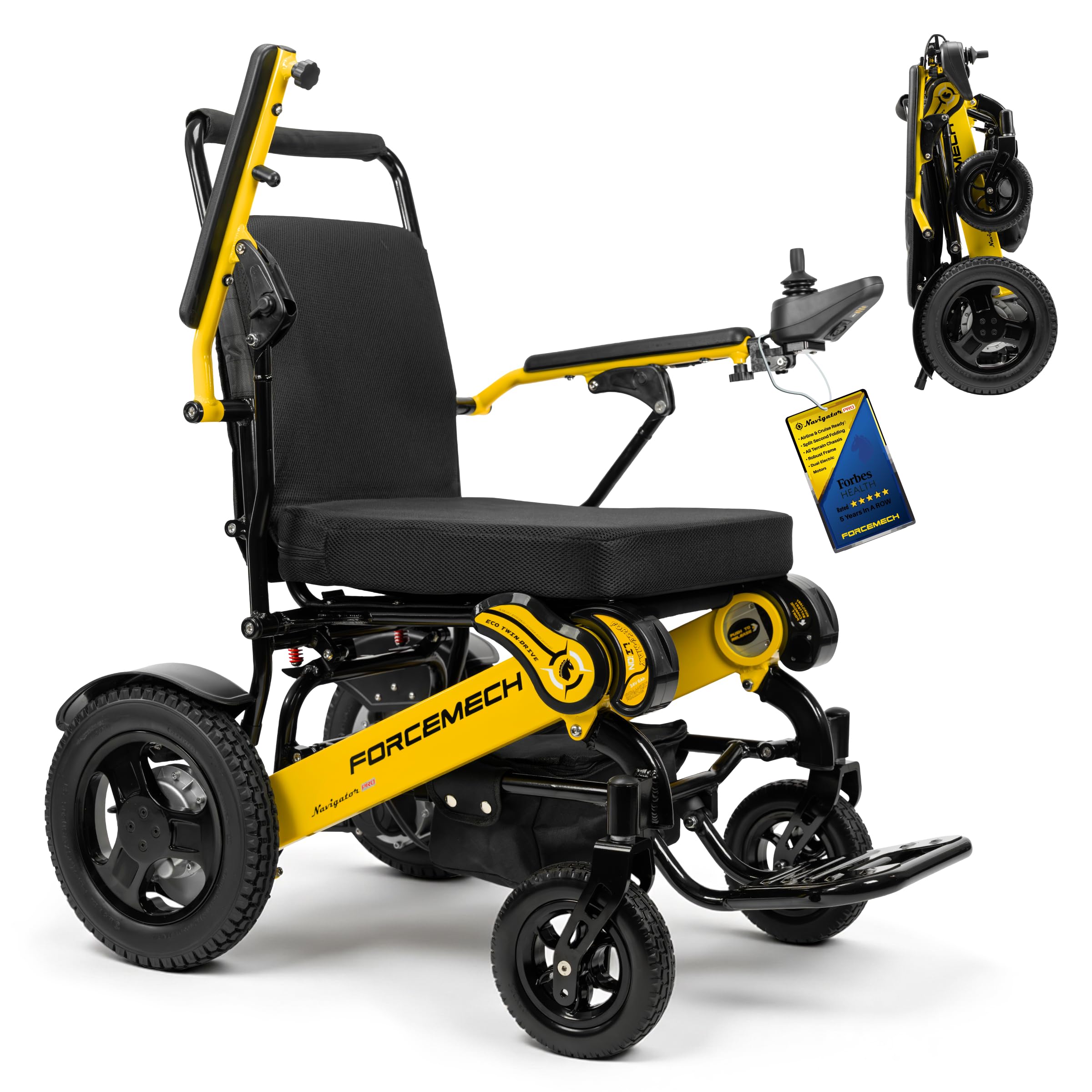
Figure 1.1: The Forcemech Navigator Pro Electric Wheelchair, ready for use.
2. Güvenlik Bilgileri
Your safety is paramount. Adhere to all warnings and precautions to prevent injury or damage.
2.1 Genel Güvenlik Yönergeleri
- Always ensure the wheelchair is fully charged before extended use.
- Alkol veya muhakeme yeteneğini bozan ilaçların etkisi altındayken tekerlekli sandalyeyi kullanmayın.
- Avoid operating on excessively steep inclines or declines beyond the specified limits (max 12° climb).
- Always use the seatbelt provided.
- Ellerinizi ve giysilerinizi hareketli parçalardan uzak tutun.
- Ensure anti-tip wheels are properly engaged for stability.

Figure 2.1: The Navigator Pro features electromagnetic brakes and anti-tip wheels for enhanced safety on varied terrain.
2.2 Çevresel Hususlar
- The wheelchair is designed for all-terrain use, but exercise caution on wet, icy, or uneven surfaces.
- Avoid deep water or extreme temperatures.
- Ensure adequate lighting when operating in low-light conditions.
3. Ürün Bittiview
The Forcemech Navigator Pro is a lightweight, foldable electric wheelchair designed for adults, offering robust performance and portability. It features dual 250W brushless motors and a 400 lbs weight capacity.
3.1 Temel Bileşen
- Joystick Controller: Provides 360° control for movement and speed adjustment.
- Çift 250W Fırçasız Motor: Delivers smooth and quiet power.
- Lityum piller: Provides power for up to 18 miles of travel.
- Her Türlü Arazi Lastikleri: Designed for various surfaces including grass, sand, and gravel.
- Elektromanyetik Frenler: Ensures secure stopping, especially on slopes.
- Anti-Tip Wheels: Enhances stability on inclines and uneven ground.
- Katlanabilir Çerçeve: Kompakt depolama ve taşıma imkanı sağlar.
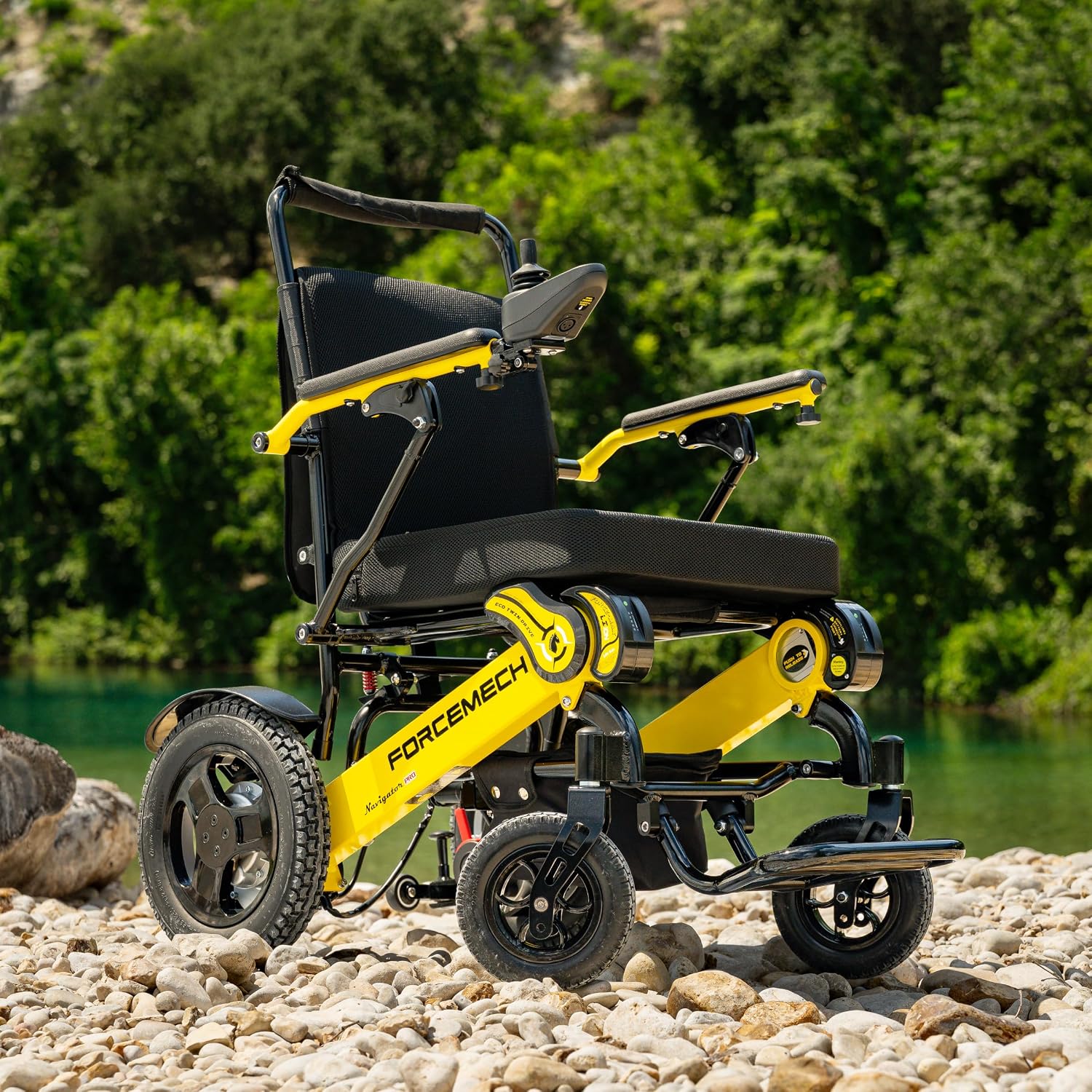
Şekil 3.1: Yan view of the Navigator Pro, illustrating its design and components.
4. Kurulum ve Montaj
The Navigator Pro is designed for quick setup. Follow these steps for initial preparation.
4.1 Unfolding the Wheelchair
- Katlanmış tekerlekli sandalyeyi düz ve sağlam bir yüzeye yerleştirin.
- Grasp the backrest and gently pull upwards until the frame locks into place.
- Lower the seat into position.
- Ayak dayanağını açın.

Figure 4.1: The Navigator Pro in its folded and unfolded states, showcasintaşınabilirliği.
4.2 Attaching the Joystick Controller
- Locate the joystick mounting bracket on either the left or right armrest.
- Slide the joystick controller onto the bracket until it clicks securely into place.
- Connect the controller cable to the corresponding port on the wheelchair.
4.3 Batarya Takılması ve İlk Şarj
- Ensure batteries are securely inserted into their compartments.
- Connect the charger to the charging port, typically located near the joystick.
- Şarj cihazını standart bir elektrik prizine takın.
- Allow the batteries to fully charge before first use (refer to charging indicator on the joystick or battery).
5. Kullanım Talimatları
Familiarize yourself with the controls before operating the wheelchair in an open, safe area.
5.1 Açma/Kapatma
- To power on, press the power button on the joystick controller.
- Cihazı kapatmak için, göstergeler sönene kadar güç düğmesini basılı tutun.
5.2 Driving with the Joystick
- Gently push the joystick forward to move forward.
- Pull backward to move in reverse.
- Push left or right to turn.
- Release the joystick to engage the electromagnetic brakes and stop the wheelchair.
5.3 Hız Ayarı
- Use the speed adjustment buttons (usually '+' and '-') on the joystick to increase or decrease speed.
- Start at the lowest speed setting until comfortable with operation.
5.4 Taşıma için Katlanabilir
- Ensure the wheelchair is powered off.
- Remove the joystick controller if desired.
- Lift the seat upwards, then push the backrest forward until the frame collapses.
- Secure any locking mechanisms as per the specific model design.

Figure 5.1: The Navigator Pro folds compactly to fit into most vehicle trunks for travel.
6. Pil Yönetimi
Doğru pil bakımı, optimum performans ve uzun ömür sağlar.
6.1 Şarj Etme
- Charge batteries after each use, even if only for a short period.
- The charging indicator will show when charging is complete.
- Batteries can be charged on or off the chair.
- The system features smart battery management, automatically switching between batteries and stopping charge when full.
6.2 Battery Life and Range
- A full charge provides up to 18 miles of travel, depending on terrain, user weight, and speed.
- Monitor battery level indicators on the joystick for remaining power.
7. Bakım
Regular maintenance helps ensure the reliability and safety of your wheelchair.
7.1 Temizlik
- Çerçeveyi ve bileşenleri ad ile silin.amp Kumaş.
- Avoid using abrasive cleaners or excessive water directly on electrical components.
- The seat cushion cover can be gently hand-washed or machine-washed on a delicate cycle.
7.2 Düzenli Kontroller
- Inspect tires for wear and proper inflation (if pneumatic).
- Tüm cıvata ve bağlantı elemanlarının sıkılığını kontrol edin.
- Ensure the joystick operates smoothly and all buttons function correctly.
- Verify that the electromagnetic brakes engage properly when the joystick is released.
8. Sorun Giderme
Bu bölümde karşılaşabileceğiniz yaygın sorunlar ele alınmaktadır.
| Sorun | Olası Neden | Çözüm |
|---|---|---|
| Tekerlekli sandalye çalışmıyor. | Low battery, loose battery connection, power button not pressed correctly. | Charge batteries, check battery connections, press power button firmly. |
| Wheelchair does not move. | Brakes engaged, joystick not fully engaged, power off, brake clips in lock position. | Release joystick, ensure power is on, check if manual brake clips are disengaged. |
| Azaltılmış menzil veya güç. | Low battery charge, worn batteries, operating on difficult terrain. | Fully charge batteries, consider battery replacement if old, avoid prolonged use on challenging surfaces. |
| Çalışma sırasında olağandışı sesler. | Loose components, debris in wheels, motor issue. | Inspect for loose parts, clear debris, contact customer support if noise persists. |
9. Özellikler
Detailed technical specifications for the Forcemech Navigator Pro Electric Wheelchair.
| Özellik | Şartname |
|---|---|
| Model Adı | Navigator Pro |
| Ürün Boyutları (Katlanmamış) | 37"D x 24"G x 38"Y |
| Ürün Ölçüleri (Katlanmış) | 26 x 13 x 31 inç |
| Ürün Ağırlığı | 60 pound |
| Maksimum Ağırlık Önerisi | 400 pound |
| Maksimum Hız | Saatte 5 mil |
| Pilin Ortalama Ömrü | Şarj başına 18 mile kadar |
| Dönüş Yarıçapı | 33 inç |
| Fren Stili | Elektromanyetik |
| Çerçeve Malzemesi | Alüminyum |
| Koltuk Genişliği | 18 inç |
| Oturma Yüksekliği | 18 inç |
| Oturma derinliği | 18 inç |
| Ek Özellikler | All-Terrain Capability, Dual High-Capacity Batteries, Shock Absorption System, Intelligent Brakes, Foldable and FAA-Approved for Travel |
10. Garanti ve Destek
Forcemech provides comprehensive support for your Navigator Pro electric wheelchair.
10.1 Garanti Bilgileri
The Forcemech Navigator Pro comes with a 5-year main frame warranty. Lütfen tüm hüküm ve koşullar için ürününüzle birlikte verilen garanti kartına bakın.
10.2 Müşteri Desteği
For detailed instructions, troubleshooting assistance, or any other inquiries, please contact Forcemech customer support:
- Telefon: 1-(877)-90-FORCE or 1-(877)-903-6723
- E-posta: destek@forcemech.com
- Çevrimiçi: Ziyaret edin Forcemech Store on Amazon Daha fazla bilgi ve kaynak için.
Our U.S.-based support team is available to provide a smooth ownership experience.