
benimDokunmatikAkıllı 33862
myTouchSmart 33862 Outdoor/Indoor SunSmart 7-Day Plug-in Digital Timer
Kullanım Kılavuzu
1. Ürün Bittiview
The myTouchSmart Plug-in SunSmart™ Outdoor/Indoor Timer is designed to simplify your routine and enhance home security by automating lighting and appliance schedules. This versatile digital timer is compatible with various bulb types, including LED, CFL, incandescent, and halogen, making it suitable for a wide range of applications both indoors and outdoors.

Figure 1: myTouchSmart 33862 Digital Timer. This image displays the timer unit alongside its packaging, highlighting its main features such as custom scheduling, weather resistance, and battery backup for settings.
Temel özellikler şunlardır:
- Programlanabilir Zaman Çizelgeleri: Set custom ON/OFF times or utilize simple daily presets.
- SunSmart™ Technology: Automatically adjusts ON/OFF times based on local sunrise and sunset.
- Countdown Feature: Customizable countdown from one minute to 24 hours.
- Hava Koşullarına Dayanıklı: Durable design suitable for both outdoor and indoor use.
- Pil Yedekleme: Güç çıkışı sırasında ayarları korurtagveya fişi çekildiğinde.
- Çift Topraklı Prizler: Supports multiple plug-in devices.
- LED Gösterge Işıkları: Blue LEDs indicate active settings.
- Geniş Uyumluluk: Works with LED, CFL, incandescent, and halogen bulbs, including dimmable LED/CFL.
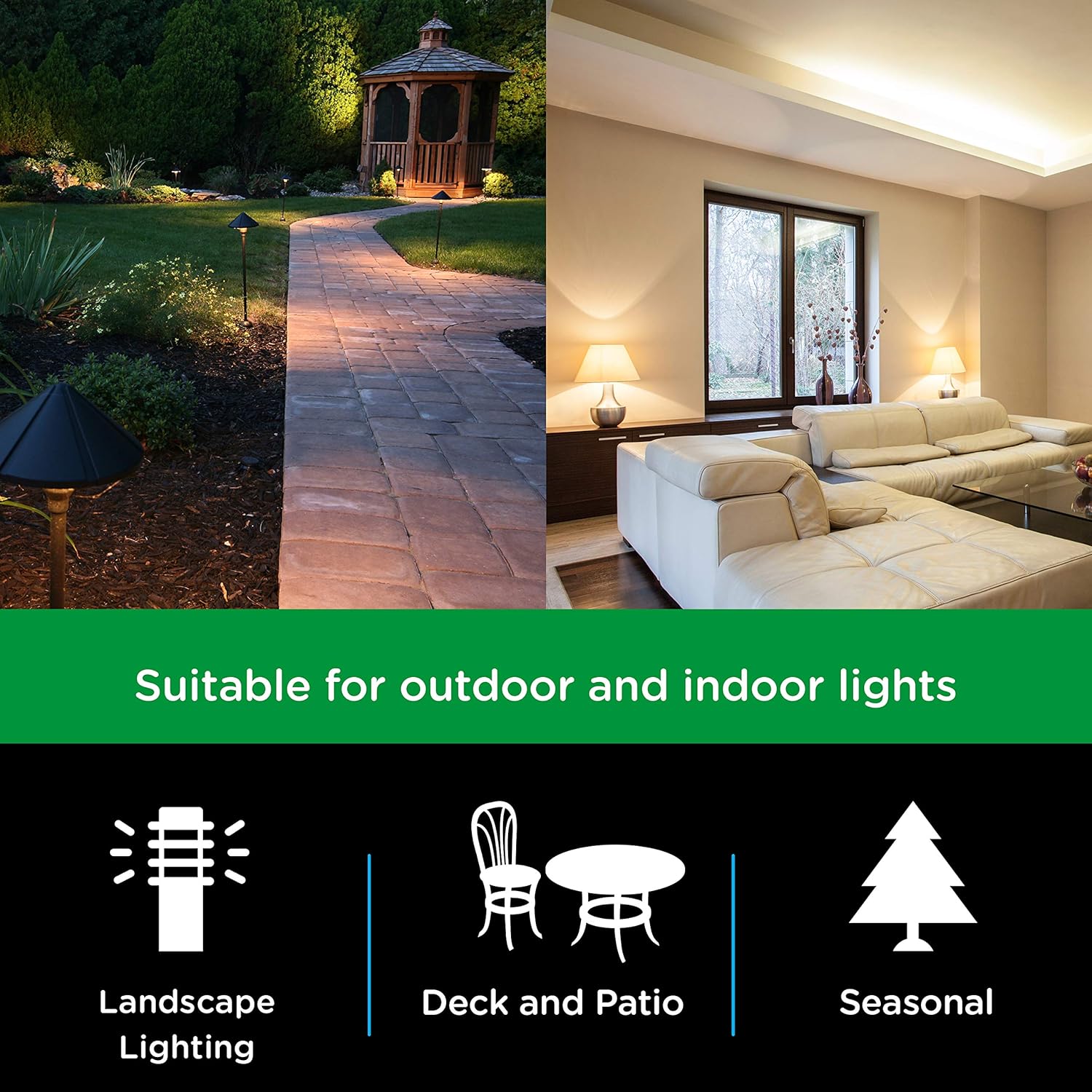
Figure 2: Versatile Application. This image illustrates the timer's suitability for various lighting applications, including landscape, deck and patio, and seasonal decorations.

Figure 3: Bulb Compatibility. This image confirms the timer's compatibility with LED, CFL, Incandescent, and Halogen bulb types.
2. Kurulum Talimatları
Follow these steps to set up your myTouchSmart Digital Timer:
- Zamanlayıcıyı prize takın: Insert the timer into a grounded 125V 50/60Hz outlet. For outdoor use, ensure the outlet is GFCI protected and the timer is mounted securely using the built-in options.
- Geçerli Saati Ayarlayın:
- Basın SAAT Düğmeye basın. Ekranda geçerli saat ayarı görüntülenecektir.
- Kullanın YUKARI (▲) or AŞAĞI (▼) buttons to adjust the hour. Press and hold for faster adjustment.
- Basmak AYARLAMAK Dakikalık ayarlamaya geçmek için. Kullanın YUKARI (▲) or AŞAĞI (▼) düğmeler.
- Basmak AYARLAMAK again to confirm and exit time setting.
- Başlangıç ücreti: Allow the timer to charge for at least 30 minutes before programming to ensure the battery backup is fully functional.

Figure 4: Simple Setup Guide. This image visually guides the user through the initial setup process, including setting the current time and programming ON/OFF schedules.
3. Kullanım Talimatları
The myTouchSmart timer offers several programming options to suit your needs:
3.1. Setting Custom ON/OFF Times (My ON/My OFF)
You can program up to 8 custom ON/OFF times for specific days or combinations of days.
- Basın ZAMANINDA GELDİM button to set an ON time. The display will show "ON" and the current program number.
- Kullanmak YUKARI (▲) or AŞAĞI (▼) Saati ayarlamak için, sonra AYARLAMAK dakikaya geçmek için.
- Basmak AYARLAMAK to select the day(s) of the week for this program. Use YUKARI (▲) or AŞAĞI (▼) to cycle through options (e.g., everyday, weekdays, weekends, specific days).
- Repeat steps 1-3 for the corresponding BOŞ ZAMANLARIM button. Ensure the ON and OFF times are for the same program number.
- Basmak AYARLAMAK Programı kaydetmek için.
3.2. SunSmart™ Programming (Sunset ON/Sunrise OFF)
This feature automatically adjusts to local sunrise and sunset times.
- Basın SUNSET ON button to activate the timer at sunset.
- Basın SUNRISE OFF button to deactivate the timer at sunrise.
- The timer uses your set current time to determine your region's sunrise/sunset.
3.3. Evening Preset
This preset turns the timer ON at sunset and OFF at 12:00 AM.
- Basın EVENING ON - 12AM button to activate this preset.
3.4. Geri Sayım Sayacı
Set a custom countdown for the timer to turn OFF after a specified duration (1 minute to 24 hours).
- Basın MY EXTRA PROGRAMS "CD" (Geri Sayım) görünene kadar düğmeye basın.
- Kullanmak YUKARI (▲) or AŞAĞI (▼) İstenilen geri sayım süresini ayarlamak için.
- Basmak AYARLAMAK geri sayımı başlatmak için.

Figure 5: Programming Options. This image details the different scheduling capabilities of the timer, such as custom ON/OFF times, automatic sunrise/sunset adjustments, and evening presets.
4. Bakım
To ensure optimal performance and longevity of your myTouchSmart Digital Timer, follow these maintenance guidelines:
- Temizlik: Disconnect the timer from the power outlet before cleaning. Use a soft, dry cloth to wipe the exterior. Do not use harsh chemicals or abrasive cleaners.
- Çevresel Koşullar: While weather-resistant, avoid submerging the timer in water or exposing it to extreme temperatures beyond its operating range.
- Depolamak: If storing the timer for an extended period, unplug it and keep it in a cool, dry place.
- Pil Yedekleme: The internal battery is designed to maintain settings during power interruptions. No user maintenance is required for the battery.

Figure 6: Weather Resistance. This image highlights the timer's weather-resistant design, making it suitable for outdoor environments.
5. Sorun Giderme
If you encounter issues with your myTouchSmart Digital Timer, refer to the following common problems and solutions:
| Sorun | Olası Neden | Çözüm |
|---|---|---|
| Timer not turning ON/OFF at programmed times. | Incorrect time setting, program not activated, or conflicting programs. | Verify the current time is set correctly. Ensure the desired program (My ON/OFF, SunSmart, Evening) is active. Check for overlapping or conflicting schedules. |
| Ekran boş veya yanıt vermiyor. | No power to the outlet or internal battery depleted. | Check if the outlet has power. Ensure the timer is fully plugged in. Allow the timer to charge for 30 minutes to activate the internal battery backup. |
| Settings lost after unplugging or power outage. | Internal battery backup not charged. | Plug the timer into an active outlet for at least 30 minutes to charge the internal battery. This battery retains settings during power interruptions. |
| Zamanlayıcı düğme basışlarına yanıt vermiyor. | Geçici yazılım hatası. | Unplug the timer from the outlet for a few seconds, then plug it back in to reset. Reprogram if necessary. |
6. Özellikler
Detailed technical specifications for the myTouchSmart 33862 Digital Timer:
- Model Numarası: 33862
- Renk: Black Dual Outlet - Sunsmart
- Malzeme: Plastik
- Ürün Ölçüleri: 2"D x 3"G x 6"Y (5.08 cm D x 7.62 cm G x 15.24 cm Y)
- Ürün Ağırlığı: 0.6 pound (9.6 ons / 272 gram)
- Ayar Sayısı: 8 (custom programs)
- Elektriksel değerlendirme: 125V~ 50/60Hz, 15A 1875W General Purpose/Resistive, 10A 1250W Tungsten, 1/2HP
- Uyumluluk: LED, CFL, Incandescent, Halogen bulbs (including dimmable LED/CFL)
- Sertifikalar: CSA

Figure 7: Product Dimensions. This diagram provides precise measurements of the timer unit, including its height, width, depth, and cord length.
7. Garanti Bilgileri
This myTouchSmart Digital Timer is covered by a 1 yıllık sınırlı garanti from the date of purchase. This warranty covers defects in material and workmanship under normal use. For warranty claims or further details, please contact customer support.
8. Destek
For additional assistance, technical support, or to inquire about replacement parts, please visit the official myTouchSmart website or contact their customer service department. Keep your product model number (33862) and purchase information readily available when seeking support.
Daha detaylı bilgi için resmi kullanıcı kılavuzu PDF dosyasına da başvurabilirsiniz: myTouchSmart 33862 User Manual (PDF)
Ask a question about this manual
Ask about setup, troubleshooting, compatibility, parts, safety, or missing instructions. Manuals+ will review the question and use this page’s manual context to help answer it.