
giriiş
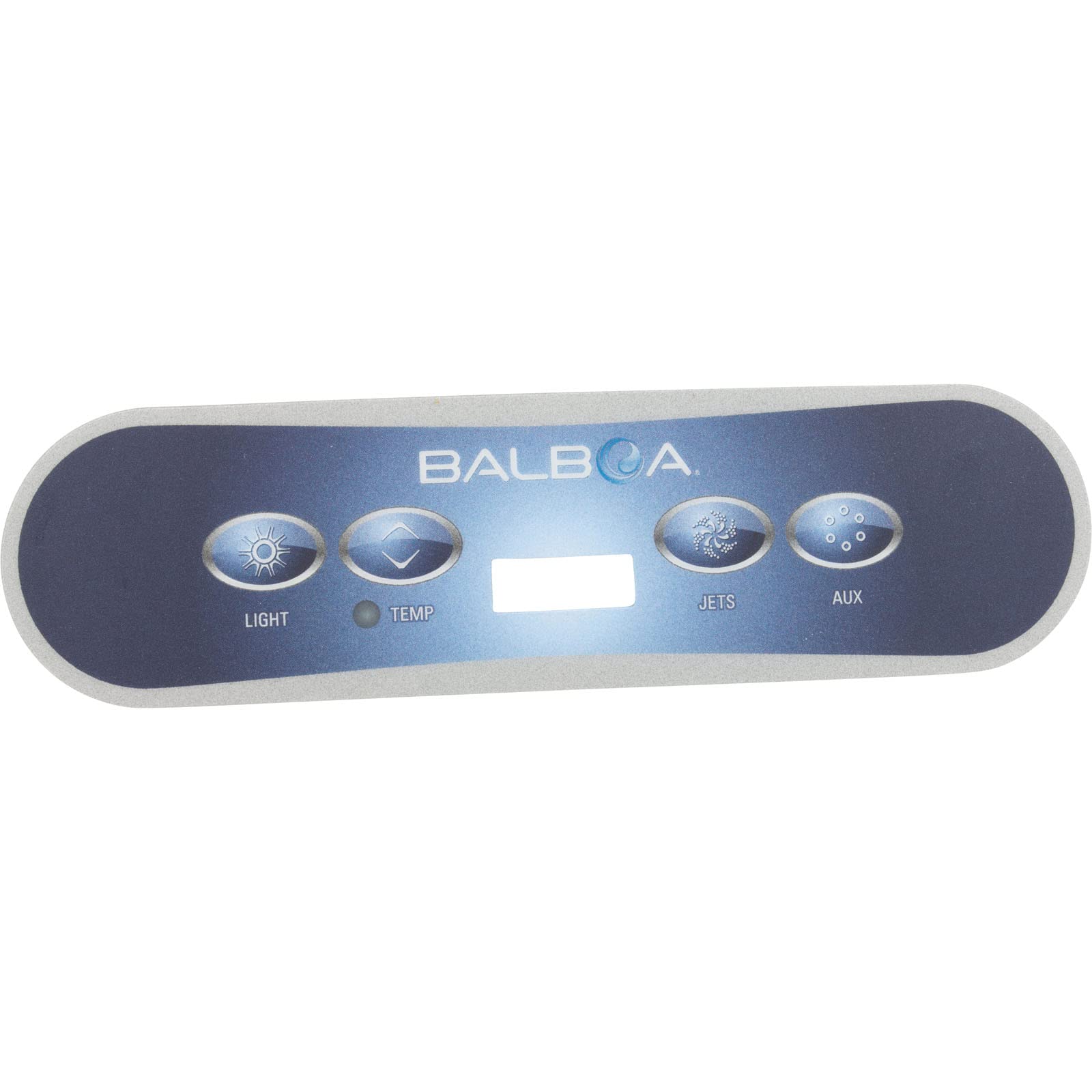
This manual provides instructions for the installation and care of your Balboa Water Group VL400 Control Panel Overlay. This overlay is designed for specific spa control panels featuring 4 buttons: Jet, Auxiliary, and Light functions. Proper installation ensures optimal performance and longevity of the overlay.
Güvenlik Bilgileri
- Ensure the spa control panel is powered off before beginning installation to prevent electrical hazards.
- Handle the overlay carefully to avoid creasing or damaging the adhesive backing.
- Ürünü çocukların erişemeyeceği yerde saklayınız.
Ürün Bittiview
The Balboa Water Group VL400 Overlay is a replacement label for your spa's topside control panel. It features dedicated areas for the Jet, Auxiliary, and Light buttons, ensuring clear identification and operation of your spa's functions.
Resim 1: Arka view of the Balboa Water Group VL400 Overlay, displaying the 3M 468MP 200MP adhesive backing. This adhesive ensures a secure attachment to the control panel.
Kurulum Talimatları
- Yüzeyi Hazırlayın: Ensure the existing control panel surface is clean, dry, and free from any residue, dirt, or old adhesive. Use a mild cleaner if necessary, and allow it to dry completely.
- Remove Old Overlay (if applicable): Carefully peel off the old control panel overlay. If adhesive residue remains, gently remove it using an appropriate adhesive remover, ensuring not to damage the underlying panel.
- Align the Overlay: Before removing the adhesive backing, carefully position the new VL400 overlay over the control panel to ensure proper alignment with the buttons and display window. Note the exact placement.
- Apply the Overlay: Peel off the protective liner from the 3M adhesive backing (as shown in Image 1). Starting from one edge, carefully align the overlay and press it firmly onto the control panel. Work your way across, smoothing out any air bubbles as you go.
- Güvenli Yapışma: Once applied, press firmly over the entire surface of the overlay, paying special attention to the edges, to ensure complete adhesion.
Kullanım Talimatları
The VL400 overlay provides clear labels for your spa's functions. Refer to your spa's main user manual for detailed instructions on operating the specific functions (Jet, Auxiliary, Light) controlled by your topside panel.
- Jet Button: Activates or deactivates the spa's jet pump(s).
- Auxiliary Button: Controls an auxiliary function, which may vary depending on your spa model (e.g., a second jet pump, blower, or other accessory).
- Işık Düğmesi: Turns the spa's internal lighting system on or off.
Bakım ve Onarım
- Temizlik: Wipe the overlay surface gently with a soft, damp cloth. Avoid abrasive cleaners or solvents, as these can damage the overlay's finish and labels.
- Koruma: Protect the control panel from direct sunlight for extended periods if possible, as prolonged UV exposure can cause fading over time.
- Denetleme: Periodically check the edges of the overlay for any signs of peeling. If peeling occurs, gently press the edge back down to re-secure it.
Sorun giderme
| Sorun | Olası Neden | Çözüm |
|---|---|---|
| Overlay not adhering properly | Surface was not clean or dry; insufficient pressure during application. | Ensure the surface is thoroughly cleaned and dried before application. Apply firm, even pressure across the entire overlay during installation. |
| Air bubbles under the overlay | Dengesiz uygulama. | When applying, start from one end and smooth out as you go. For small bubbles, gently press them towards the nearest edge to release the air. |
| Buttons not responding after overlay installation | Overlay misaligned, obstructing button presses. | Carefully check alignment. If severely misaligned, the overlay may need to be carefully removed and re-applied (if adhesive allows) or replaced. Ensure the spa is powered on. |
Özellikler
- Ürün Türü: Control Panel Overlay / Label
- Marka: Balboa Su Grubu
- Modeli: VL400
- Düğme Yapılandırması: 4 Buttons (Jet, Auxiliary, Light)
- Parça Numarası: 11822
- Ürün Model Numarası: 58-138-1267
- Boyutlar: Approximately 6 x 4 x 6 inches (Packaging/Shipping dimensions)
- Ağırlık: Approximately 1 pound (Shipping weight)
- Yapışkan Tipi: 3M 468MP 200MP Adhesive
Garanti ve Destek
For specific warranty information regarding your Balboa Water Group VL400 Overlay, please refer to the documentation provided with your original spa control system or contact Balboa Water Group customer support directly. Keep your purchase receipt for warranty claims.
İletişim Bilgileri: Please visit the official Balboa Water Group website for the most current support contact details, including phone numbers and email addresses.