
1. Giriş ve Üzeriview
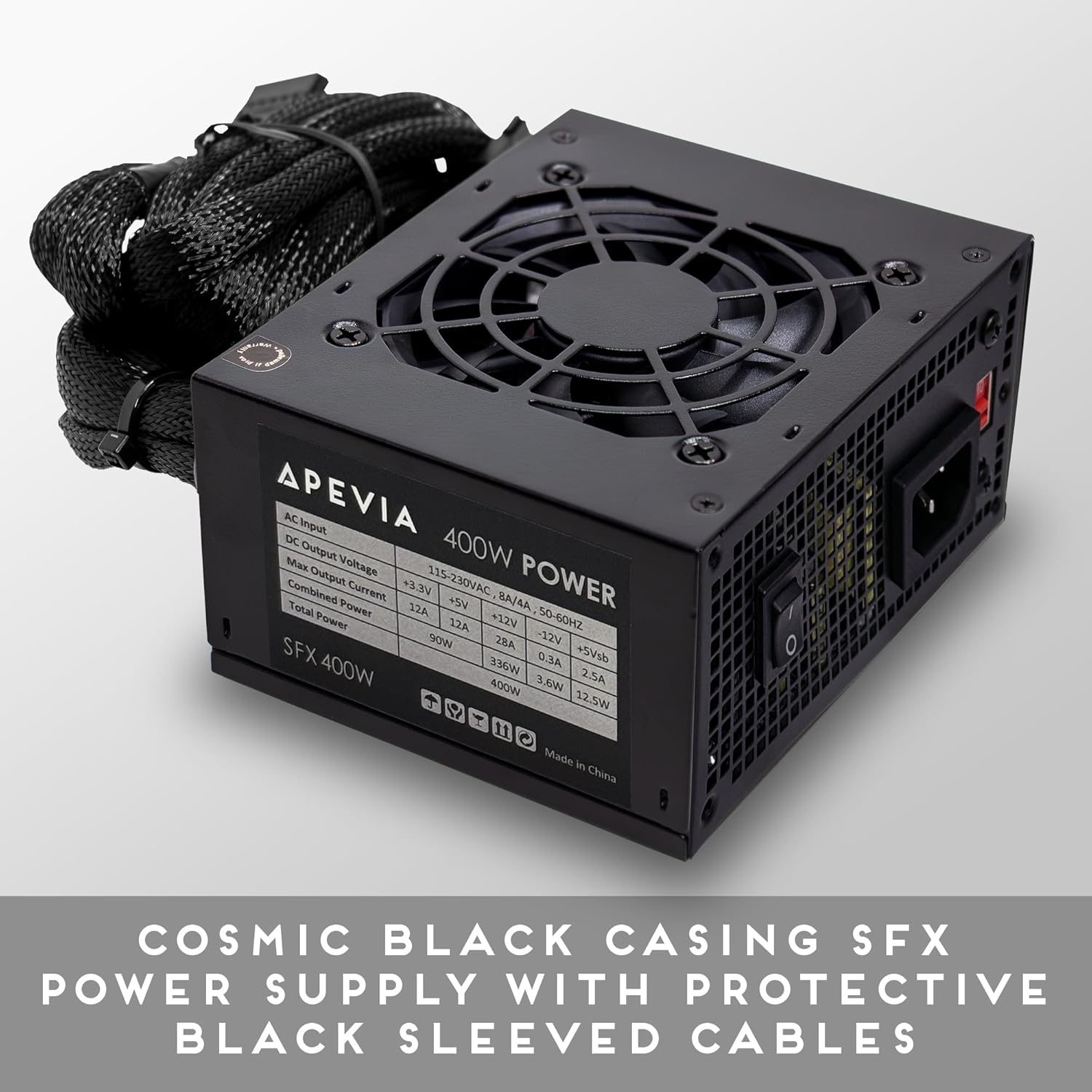
The Apevia SFX-AP400W is a 400W power supply unit (PSU) specifically designed for compact, small form factor systems, including Mini ITX and Micro ATX builds. It delivers a steady 400W output and features a built-in 80mm fan with automatic thermal sensing for efficient and quiet cooling. This power supply is suitable for powering a wide range of computer components and peripherals.
2. Güvenlik Bilgileri
Please read and understand all safety instructions before installing or operating this power supply unit. Failure to follow these instructions may result in electric shock, fire, or damage to the product and other components.
- Do not overload, abuse, or modify the power supply unit.
- Kurulum veya bakım işlemlerinden önce güç kaynağının ana elektrik prizinden bağlantısının kesildiğinden emin olun.
- Güç kaynağını ıslak veya kuru ortamlarda çalıştırmayın.amp koşullar.
- Güç kaynağını ısı kaynaklarından ve doğrudan güneş ışığından uzak tutun.
- Aşırı ısınmayı önlemek için güç kaynağı çevresinde uygun havalandırma olduğundan emin olun.
- Using this unit for Bitcoin mining or similar intensive, continuous load applications is not recommended as it can shorten the lifespan and cause failures. Such usage is not covered by the product warranty.
3. Paket İçeriği
Upon opening your Apevia SFX-AP400W Power Supply package, you should find the following items:
- APEVIA SFX-AP400W Power Supply Unit
- AC Güç Kablosu
- Montaj Vidaları

4. Ürün Özellikleri
The Apevia SFX-AP400W Power Supply is engineered with several features to ensure reliable performance and compatibility with small form factor systems.
- Kompakt Tasarım: Features a cosmic black casing designed for SFX form factor computer system builds.
- Protective Sleeved Cables: All cables are sleeved for improved cable management and durability.
- Verimli Soğutma: Equipped with a single 80mm quiet fan that utilizes forced air ventilation and a smart thermal fan speed control circuit for optimal temperature regulation.
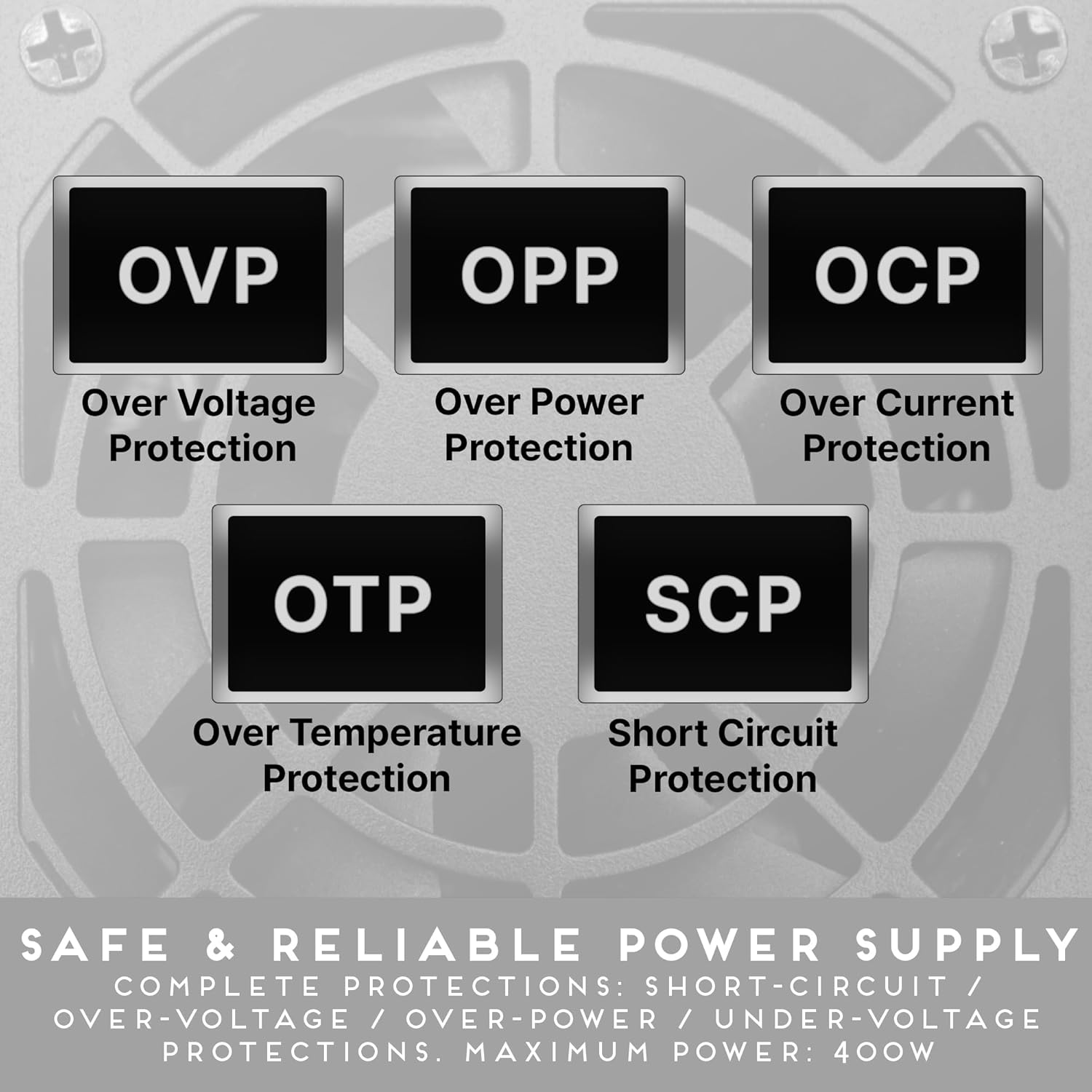
- Kapsamlı Korumalar: Hacimden Fazlasını İçerirtage Protection (OVP), Over Power Protection (OPP), Over Current Protection (OCP), Over Temperature Protection (OTP), and Short Circuit Protection (SCP) for enhanced safety and component longevity.

5. Kurulum ve Kurulum
Follow these general steps to install your Apevia SFX-AP400W Power Supply into your computer system. Always refer to your computer case and motherboard manuals for specific instructions.
- Sisteminizi Hazırlayın: Bilgisayarınızın tamamen kapalı olduğundan ve prizden çıkarılmış olduğundan emin olun. Bilgisayar kasasını açın.
- Eski PSU'yu çıkarın (eğer varsa): Eski güç kaynağınızın tüm kablolarını çıkarın. Eski güç kaynağını kasadan sökün ve çıkarın.
- Yeni Güç Kaynağını Takın: Carefully place the Apevia SFX-AP400W into the designated SFX power supply bay in your computer case. Secure it with the provided mounting screws.
- Ana güç kaynağına bağlayın: Connect the 20+4pin Main Power connector to your motherboard.
- CPU Güç Bağlantısı: Connect the 4pin 12V (P4) connector to your motherboard's CPU power socket.
- Connect PCIe Power (if applicable): If your graphics card requires external power, connect the 6/8pin PCIe connector to it.
- Çevre Birimlerini Bağlayın: Use the SATA, Molex, and Floppy connectors to power your storage drives, optical drives, and other peripherals as needed.
- Kablo yönetimi: Organize cables to ensure proper airflow within the case.
- Davayı Kapat: Tüm bağlantılar güvenli hale geldikten sonra bilgisayar kasasını kapatın.

6. Kullanım Talimatları
Operating the Apevia SFX-AP400W Power Supply is straightforward once installed.
- Güce Bağlanın: AC güç kablosunu güç kaynağının girişine ve ardından duvardaki prize takın.
- Güç Açık: Flip the power switch on the back of the PSU to the 'I' (On) position.
- Sistem Başlatma: Power on your computer system using its main power button. The PSU fan will activate and adjust its speed automatically based on the internal temperature to maintain optimal cooling.
- Kapat: To shut down your system, use the operating system's shutdown procedure. For complete power disconnection, flip the PSU switch to 'O' (Off) and unplug the AC power cord.
7. Bakım
Düzenli bakım, güç kaynağınızın uzun ömürlü olmasını ve en iyi performansı göstermesini sağlar.
- Havalandırma deliklerini açık tutun: Periodically check that the air intake and exhaust vents on the power supply are free from dust and obstructions. Blocked vents can lead to overheating.
- Toz Giderimi: Use compressed air to gently clean dust from the fan and internal components of the PSU. Do this only when the unit is powered off and unplugged.
- Kablo Denetimi: Occasionally inspect all power cables for any signs of wear, fraying, or damage. Replace damaged cables immediately.
8. Sorun Giderme
If you encounter issues with your Apevia SFX-AP400W Power Supply, refer to the following common troubleshooting steps:
- Sisteme Güç Gelmiyor:
- AC güç kablosunun hem PSU'ya hem de duvar prizine güvenli bir şekilde takılı olduğundan emin olun.
- Verify the power switch on the back of the PSU is in the 'I' (On) position.
- Check all internal power connections (20+4pin, 4pin 12V, PCIe, SATA, Molex) to ensure they are firmly seated.
- Duvar prizinin güç sağladığından emin olmak için başka bir cihazla test edin.
- Sistem Kararsızlığı/Rastgele Kapanmalar:
- This could indicate an overloaded or failing power supply. Ensure your system's power requirements do not exceed the PSU's 400W capacity.
- Check for proper ventilation to prevent overheating, which can cause shutdowns.
- Unusual Noises (e.g., rattling, high-pitched whine):
- A rattling noise might indicate a loose component or a fan issue. If the noise is persistent or severe, discontinue use and contact support.
- A high-pitched whine (coil whine) can occur in some power supplies, especially under certain loads. While often not indicative of a fault, if it is excessively loud or new, monitor the PSU's performance.
- Yanık kokusu:
- Immediately power off and unplug the system. Do not attempt to use the PSU again. Contact support.
9. Özellikler
| Özellik | Şartname |
|---|---|
| Model Numarası | SFX-AP400W |
| Marka | Apevia |
| Çıkış Watttage | 400 Watt |
| Form Faktörü | SFX, ATX, Micro, Mini |
| Soğutma Yöntemi | Hava |
| Hayran Sayısı | 1 |
| Fan Boyutu | 80 Milimetre |
| Güç Kaynağı Tasarımı | Modüler Olmayan |
| Bağlayıcılar | 1 x 20+4pin Main Power, 1 x 4pin 12V(P4), 1 x 6/8pin PCIe, 2 x SATA, 2 x 4pin Molex, 1 x 4pin Floppy |
| Çıkış Hacmitages/Currents | +3.3V@12A, +5V@12A, +12V@28A, -12V@0.3A, +5Vsb@2.5A |
| Boyutlar (U x G x Y) | Xnumxmm x xnumxmm x xnumxmm (xnumx "x xnumx" x xnumx ") |
| Ürün Ağırlığı | 921 Gram |
| Minimum Giriş Hacmitage | 100 Volt |
| Maksimum Giriş Hacmitage | 230 Volt (AC) |

10. Garanti Bilgileri
The Apevia SFX-AP400W Power Supply comes with a 1 Yıllık Garanti satın alma tarihinden itibaren. Bu garanti, normal kullanımda malzeme ve işçilikteki kusurları kapsar.
Please note that the warranty does not cover damages resulting from:
- Overloading, abuse, or modification of the unit.
- Uygunsuz montaj veya kullanım.
- Use for Bitcoin mining or similar intensive, continuous load applications.
- Accidental damage, natural disasters, or unauthorized repairs.
Garanti talepleri için satın alma belgenizi saklayın.
11. Destek
For technical assistance, warranty claims, or further inquiries regarding your Apevia SFX-AP400W Power Supply, please contact Apevia customer support through their official webÜrünü satın aldığınız site veya perakendeci.
When contacting support, please have your product model number (SFX-AP400W) and proof of purchase readily available to expedite the process.