
1. Giriş
This manual provides essential instructions for the installation, operation, maintenance, and troubleshooting of your APC Smart-UPS SRT 3000VA RM 230V (SRT3000RMXLI). This Uninterruptible Power Supply (UPS) is designed to provide high-density, true double-conversion online power protection for critical electronic equipment, including servers, voice/data networks, medical labs, and light industrial applications. Please read this manual thoroughly before installing or operating the UPS to ensure proper and safe usage.
2. Güvenlik Bilgileri
Observe all warnings and operating instructions in this manual. Failure to do so may result in injury or equipment damage. This UPS contains hazardous voltagCihazı sökmeye çalışmayın. İçinde kullanıcı tarafından onarılabilecek hiçbir parça bulunmamaktadır.
Genel Güvenlik
- Bu UPS yalnızca iç mekanlarda kullanılmak üzere tasarlanmıştır.
- Bu UPS'i doğrudan güneş ışığı altında, sıvılarla temas halinde veya aşırı toz veya nem bulunan yerlerde çalıştırmayın.
- Ensure the ventilation openings on the UPS are not blocked. Maintain adequate clearance around the unit for proper airflow.
- Connect the UPS power cable directly to a grounded wall outlet. Do not use extension cords or surge suppressors.
Pil Güvenliği
- Batteries are heavy. Remove the battery module before installing the UPS in a rack or tower configuration.
- Battery service should be performed or supervised by personnel knowledgeable of batteries and the required precautions.
- Pilleri ateşe atmayın. Piller patlayabilir.
- Pilleri açmayın veya parçalamayın. Salınan elektrolit cilt ve gözler için zararlıdır. Toksik olabilir.
- Replace batteries with the same type and number of batteries as originally installed.
3. Paket İçeriği
Carefully unpack the unit and inspect for shipping damage. If any damage is found, notify the carrier and dealer. The package should contain the following items:
- APC Smart-UPS SRT 3000VA RM 230V (SRT3000RMXLI) unit
- Battery module (may be pre-installed or separate)
- Rack-mounting hardware (rails, brackets)
- Tower stand (for tower configuration)
- USB iletişim kablosu
- Seri iletişim kablosu
- Belgeleme CD'si
- Safety information and warranty guide
4. Ürün Bittiview
The APC Smart-UPS SRT 3000VA RM 230V is a high-performance Uninterruptible Power Supply designed to protect your critical equipment from power disturbances. It features a rack/tower convertible form factor for flexible deployment.
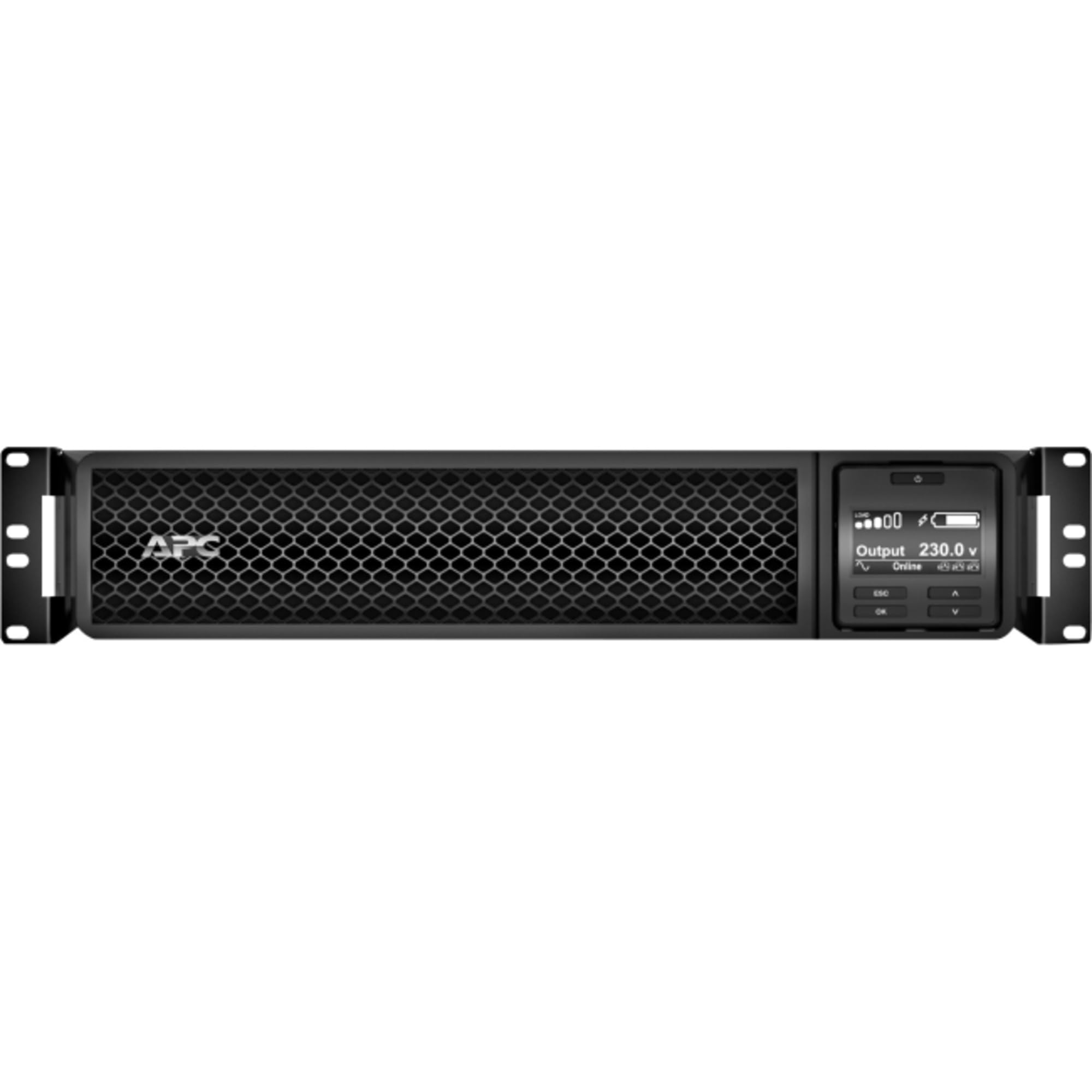
Şekil 1: Ön view of the APC Smart-UPS SRT 3000VA RM 230V. This image displays the front panel with the LCD display, control buttons, and ventilation grilles.
Temel Bileşenler
- Front Panel LCD Display: Provides real-time status information, configuration options, and alarm notifications.
- Kontrol Düğmeleri: Used to navigate the LCD menu, power on/off the UPS, and perform self-tests.
- Pil Modülü: Çalışma saatleri dışında yedek güç sağlar.tages. Hot-swappable for easy replacement.
- Giriş Gücü Konektörü: Kesintisiz güç kaynağını şebeke güç kaynağına bağlar.
- Output Receptacles (IEC 320): Provide protected power to connected equipment.
- Communication Ports (USB, Serial): For connecting to a computer or network management card for monitoring and control.
- EPO (Acil Kapatma) Bağlantı Noktası: Allows for remote emergency shutdown of the UPS.
5. Kurulum
Follow these steps for initial setup of your UPS.
1 Adımı: Bir Konum Seçme
- Place the UPS on a sturdy, level surface or install it in a standard 19-inch rack.
- Ensure the ambient temperature is between 0°C and 40°C (32°F and 104°F).
- Maintain at least 10 cm (4 inches) of clearance at the front and rear of the unit for proper ventilation.
Step 2: Install the Battery Module
If the battery module is not pre-installed, slide it into the battery bay until it clicks into place. Connect the battery cables as indicated by the labels.
Step 3: Connect to Utility Power
- Connect the UPS input power cord to a grounded 230V AC outlet.
- The UPS will perform a self-test and the LCD display will illuminate.
Adım 4: Ekipmanı Bağlayın
- Connect your critical equipment (servers, network devices, etc.) to the output receptacles on the rear of the UPS.
- Ensure the total load does not exceed the UPS capacity (3000VA / 2700W).
Step 5: Connect Communication Cables (Optional)
- Connect the USB or serial cable from the UPS to your computer or server for monitoring and graceful shutdown capabilities.
- Install the PowerChute software (available from APC website) on your computer for advanced management.
6. UPS'in çalıştırılması
UPS'i Açma
Press and hold the power button on the front panel until you hear a beep. The UPS will start up and provide power to connected equipment.
Powering Off the UPS
Press and hold the power button until the UPS shuts down. Ensure all connected equipment is safely shut down before powering off the UPS.
LCD Ekran ve Navigasyon
The LCD display provides detailed information about the UPS status, battery charge, load level, and various settings. Use the navigation buttons (up, down, enter, escape) to browse through the menus and adjust settings.
Kendi kendine test
Regularly perform a self-test to ensure the UPS battery and internal components are functioning correctly. This can typically be initiated via the LCD menu or PowerChute software.
7. Bakım
Pil Değişimi
The UPS batteries have a typical lifespan of 3-5 years. The UPS will indicate when the batteries need replacement. Refer to the safety information before attempting battery replacement. Use only APC-approved replacement battery modules (APCRBC152).
Temizlik
Clean the exterior of the UPS with a soft, damp cloth. Do not use solvents or abrasive cleaners. Ensure ventilation openings are free from dust and debris.
Çevresel Hususlar
Store the UPS in a cool, dry place when not in use. Avoid extreme temperatures and humidity, which can shorten battery life.
8. Sorun Giderme
Bu bölümde, UPS cihazınızla karşılaşabileceğiniz yaygın sorunlara çözümler sunulmaktadır.
| Sorun | Olası Neden | Çözüm |
|---|---|---|
| UPS açılmıyor. | No utility power; Battery not connected; UPS fault | Check power outlet; Ensure battery cables are connected; Contact APC support if fault persists. |
| UPS sürekli bip sesi çıkarıyor. | Pil gücüyle çalışırken; Aşırı yüklenme; Düşük pil seviyesi | Check utility power; Reduce connected load; Allow battery to recharge. |
| Pil şarj olmuyor | Battery disconnected; Battery fault; Internal fault | Verify battery connection; Replace battery if faulty; Contact APC support. |
| Bağlı ekipman güç kaybediyor | UPS overload; Battery depleted; UPS fault | Reduce load; Allow battery to recharge; Contact APC support. |
9. Özellikler
Detailed technical specifications for the APC Smart-UPS SRT 3000VA RM 230V (SRT3000RMXLI).
| Özellik | Detay |
|---|---|
| Model Numarası | SRT3000RMXLI |
| Marka | APC |
| Kapasite | 3000 VA / 2700 Watt |
| Giriş Voltage | 230 Volt |
| Çıkış Hacmitage | 230 Volt |
| Form Faktörü | Rack/Tower Convertible (2U) |
| Pil Türü | Kurşun Asit |
| Typical Runtime (Full Load) | Yaklaşık 4 dakika |
| Mağaza Sayısı | 8 x IEC 320 C13, 2 x IEC 320 C19 |
| İletişim Portları | USB, Serial (RJ45), SmartSlot |
| Boyutlar (Y x G x D) | 8.5 cm x 43.2 cm x 63.5 cm (3.35 inç x 17.0 inç x 25.0 inç) |
| Ağırlık | 31.3 kg (69 lbs) |
| Renk | Siyah |
10. Garanti ve Destek
Garanti Bilgileri
APC provides a standard warranty for this product. Please refer to the warranty card included in your package or visit the official APC webBölgenize özel detaylı garanti şartları ve koşulları için lütfen siteyi ziyaret edin. Garanti talepleriniz için satın alma belgenizi saklayın.
Teknik Destek
For technical assistance, troubleshooting beyond this manual, or to inquire about replacement parts, please contact APC customer support. Support contact information can typically be found on the APC website or in the documentation provided with your unit. When contacting support, please have your model number (SRT3000RMXLI) and serial number ready.