1. Giriş
The Viecar CY300 is a compact and efficient OBDII car diagnostic scanner designed to retrieve vehicle diagnostic information. This tool supports all OBD II protocols, including the Controller Area Network (CAN) protocol, making it compatible with most 1996 and newer vehicles.
This manual provides detailed instructions for the proper use and maintenance of your CY300 diagnostic scanner.
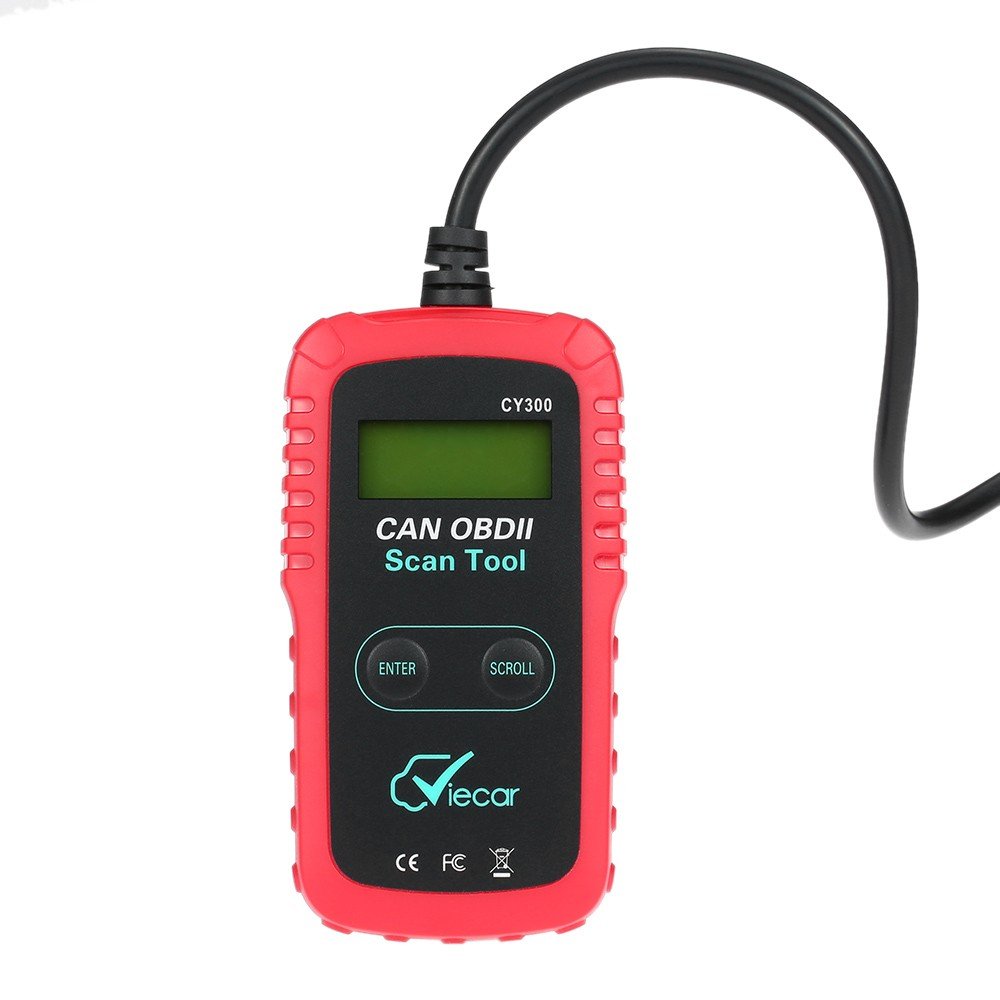
Figure 1.1: Viecar CY300 OBDII Car Diagnostic Scanner. The device is red and black with an integrated cable and OBDII connector.
2. Güvenlik Bilgileri
- Otomotiv testlerini her zaman güvenli bir ortamda gerçekleştirin.
- ANSI standartlarını karşılayan göz koruması kullanın.
- Giysileri, saçları, elleri, aletleri, test ekipmanını vb. tüm hareketli veya sıcak motor parçalarından uzak tutun.
- Aracı iyi havalandırılan bir çalışma alanında çalıştırın; egzoz gazları zehirlidir.
- Tahrik tekerleklerinin önüne takoz koyun ve test sürüşleri sırasında aracı asla gözetimsiz bırakmayın.
- Ateşleme bobini, distribütör kapağı, ateşleme kabloları ve bujilerin çevresinde çalışırken çok dikkatli olun. Bu bileşenler tehlikeli hacim oluştururtagMotor çalışırken.
- Yakınlarda benzin/kimyasal/elektrik yangınları için uygun bir yangın söndürücü bulundurun.
- Kontak açıkken veya motor çalışırken herhangi bir test ekipmanı bağlamayın veya bağlantısını kesmeyin.
3. Ürün Bittiview
The Viecar CY300 is designed for ease of use, featuring a clear display and intuitive buttons for navigation.
3.1 Temel Özellikler
- Reads and clears generic and manufacturer-specific Diagnostic Trouble Codes (DTCs).
- Turns off the Check Engine Light (MIL).
- Supports multiple trouble code requests: generic, pending, and manufacturer-specific codes.
- Reviews emission readiness status of OBD monitors.
- Determines Malfunction Indicator Lamp (MIL) status.
- Retrieves Vehicle Identification Number (VIN) on 2002 and newer vehicles that support Mode 9.
- Easy plug-and-play operation.
- No internal batteries required; powered directly via the detachable OBD II cable from the vehicle.
3.2 Cihaz Bileşenleri

Figure 3.1: Labeled components of the Viecar CY300. This image highlights the LCD display, Enter button, Scroll button, and the OBD II connector.
- LCD Ekran: Backlit, 2-line, 8-character display for showing diagnostic information.
- Giriş Düğmesi: Seçimleri veya eylemleri onaylar.
- Kaydırma butonu: Navigates through menus and data.
- OBD II Konektörü: Connects the tool to the vehicle's OBD II port.
4. Kurulum
The Viecar CY300 is designed for simple plug-and-play operation. Follow these steps to set up your device:
- OBD II bağlantı noktasını bulun: The OBD II port is typically located under the dashboard on the driver's side of the vehicle. Refer to your vehicle's service manual for the exact location if you cannot find it.
- Tarayıcıyı Bağlayın: With the vehicle's ignition off, firmly plug the CY300's OBD II connector into the vehicle's OBD II port. Ensure a secure connection.
- Kontağı açın: Turn the vehicle's ignition to the "ON" position (do not start the engine). The scanner will automatically power on, drawing power from the vehicle's battery.
- Sistem Başlatma: The scanner will perform a system initialization and link to the vehicle's onboard computer. This may take a few seconds. Once linked, the main menu or a diagnostic screen will appear.
5. Kullanım Talimatları
Once the scanner is connected and powered on, you can begin diagnostic operations.
5.1 Arıza Teşhis Kodlarını (DTC'leri) Okuma
- Ana menüden şunu kullanın: Taslak button to navigate to the "Read Codes" option.
- Basın Girmek seçmek için düğmeye basın.
- The scanner will display any stored DTCs. Use the Taslak düğmeye bas view multiple codes if present.
5.2 Arıza Teşhis Kodlarının (DTC'ler) Silinmesi
Uyarı: Clearing DTCs will erase all diagnostic data from the vehicle's computer. Ensure you have recorded any necessary information before proceeding.
- Ana menüden şunu kullanın: Taslak button to navigate to the "Erase Codes" option.
- Basın Girmek seçmek için düğmeye basın.
- Confirm your choice when prompted. The Check Engine Light (MIL) should turn off after successful clearing.
5.3 Checking I/M Readiness Status
This function checks the status of the emission-related monitoring systems to determine if they are ready for an emissions test.
- Ana menüden şunu kullanın: Taslak button to navigate to the "I/M Readiness" option.
- Basın Girmek seçmek için düğmeye basın.
- The display will show the status of various monitors (e.g., "OK" for complete, "INC" for incomplete).
5.4 Retrieving Vehicle Information (VIN)
This function allows you to retrieve the Vehicle Identification Number (VIN) for vehicles that support Mode 9.
- Ana menüden şunu kullanın: Taslak button to navigate to the "Vehicle Info" option.
- Basın Girmek seçmek için düğmeye basın.
- The VIN will be displayed on the screen.
6. Bakım
Proper maintenance ensures the longevity and reliable operation of your Viecar CY300 scanner.
- Temizlik: Use a soft, dry cloth to clean the exterior of the scanner. Do not use abrasive cleaners or solvents.
- Depolamak: Store the device in a clean, dry environment away from direct sunlight, extreme temperatures, and excessive moisture. Keep it in its original packaging or a protective case when not in use.
- Kablo Bakımı: Avoid bending or kinking the OBD II cable excessively. Always grasp the connector when plugging or unplugging, not the cable itself.
- Yazılım Güncellemeleri: Üreticinin kontrol edin website periodically for any available software updates to ensure optimal performance and compatibility with newer vehicles.
7. Sorun Giderme
If you encounter issues with your Viecar CY300, refer to the following common troubleshooting steps:
- Güç Yok:
- Ensure the OBD II connector is firmly plugged into the vehicle's port.
- Aracın kontak anahtarının "AÇIK" konumda olduğundan emin olun.
- Aracınızın OBD II portuna ait sigortayı kontrol edin (aracınızın kullanım kılavuzuna bakın).
- Bağlantı Hatası / İletişim Hatası:
- Confirm the vehicle is OBD II compliant (generally 1996 and newer).
- Kontak anahtarının açık ve motorun kapalı olduğundan emin olun.
- Check for any loose connections at the OBD II port.
- Try connecting the scanner to a different OBD II compliant vehicle to rule out a scanner issue.
- Ekran Donmaları:
- Disconnect the scanner from the vehicle, wait a few seconds, and then reconnect it.
- Aracın aküsünün yeterli şarj seviyesine sahip olduğundan emin olun.
- Yanlış Okumalar:
- Tarayıcının yazılımının güncel olduğundan emin olun.
- Verify the vehicle's information (VIN, year, make, model) is correctly recognized by the scanner.
8. Özellikler
The following table outlines the technical specifications for the Viecar CY300 OBDII Car Diagnostic Scanner:

Figure 8.1: Visual representation of Viecar CY300 dimensions and key specifications.
| Şartname | Detay |
|---|---|
| Örnek | Viecar CY300 |
| Renk | Kırmızı + Siyah |
| Malzeme | Plastik |
| Görüntülemek | Backlit LCD, 2-line, 8 characters |
| Çalışma Sıcaklığı | 0°C ila 50°C (32°F ila 122°F) |
| Depolama Sıcaklığı | -20°C ila 70°C (-4°F ila 158°F) |
| Güç Kaynağı | 10 to 15.5 Volts provided via vehicle battery (no internal batteries) |
| Ürün Boyutları (U x G x Y) | 12 cm x 6.5 cm x 2.1 cm (yaklaşık 4.7 x 2.6 x 0.8 inç) |
| Paket Ağırlığı | 260 g (yaklaşık 9 oz) |
| UPC | 712383577481, 712383583871, 712383579997 |
| ASIN | B01KSV9GDM |
| İlk Mevcut Tarih | 17 Ağustos 2016 |
9. Garanti ve Destek
Garanti bilgileri için lütfen satın alma sırasında verilen belgelere bakın veya satıcınızla iletişime geçin. Garanti koşulları bölgeye ve satıcıya göre değişiklik gösterebilir.
If you require technical support or have questions not covered in this manual, please contact the retailer or manufacturer directly. Keep your purchase receipt and product model number (CY300) available for faster service.
